
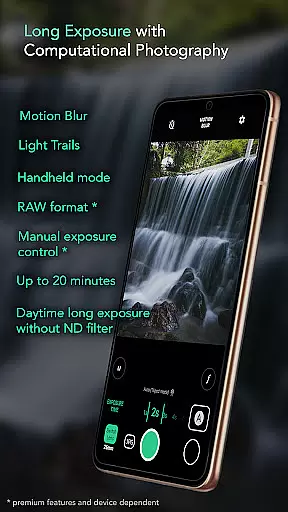
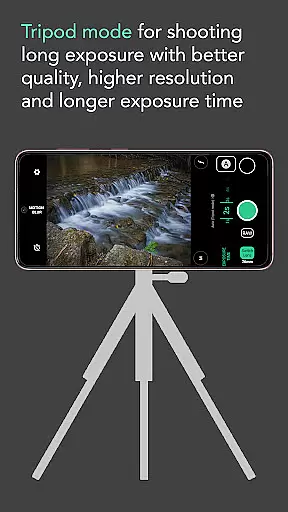
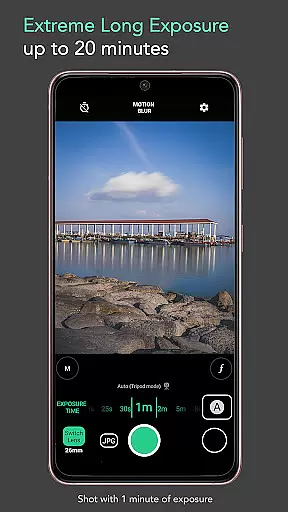
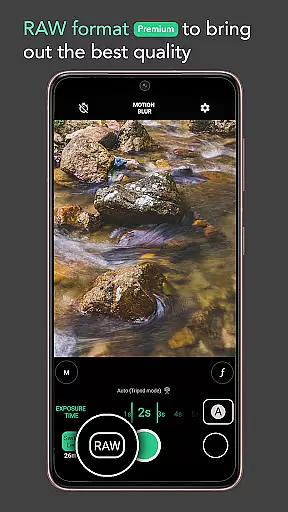
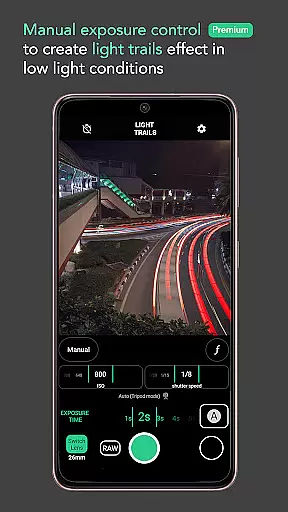
Motion ProCam is a specialized photography application designed to simplify the process of capturing long exposure images. This app enables users to effortlessly create stunning motion blur and light trail effects by computationally combining multiple shots, eliminating the need for ND filters even in bright daylight conditions.
The app's intelligent auto-alignment and stabilization features ensure sharp results, while its advanced settings cater to professional photographers through RAW format support and manual exposure controls. Whether you're capturing waterfalls, seascapes, or urban nightscapes, Motion ProCam delivers professional-grade long exposure photography capabilities directly to your mobile device.
Motion ProCam distinguishes itself through innovative computational photography techniques that produce exceptional long exposure effects. The app automatically processes and aligns hundreds of images to generate a single, high-quality long exposure photograph with impressive motion blur and light trail effects.
Advanced users will appreciate the premium features including RAW file format support and precise manual exposure controls. The app's intuitive interface allows photographers to select specific effects like motion blur or light trails, adjust exposure times up to 20 minutes, and utilize volume buttons as shutter triggers. These sophisticated tools make it possible to capture professional-quality images of moving clouds, flowing water, and bustling cityscapes with ease.
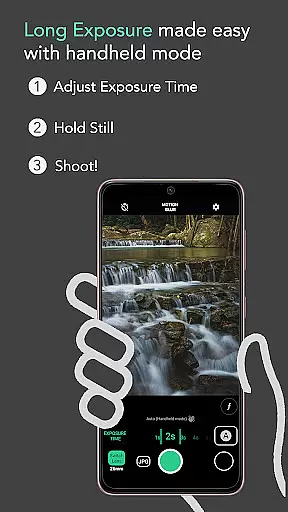
Additional practical features include automatic stabilization for handheld shots up to five seconds, making it accessible for both amateur and professional photographers to achieve remarkable results without requiring specialized equipment or extensive technical knowledge.
Real-time capture and preview functionality is essential for ensuring that users can accurately frame and adjust their shots before capturing the final image. In Long Exposure - Motion ProCam, this feature allows photographers to visualize the potential outcome of their long exposure photography.
The application provides an intuitive interface where users can see changes in exposure time and effects applied in real time. This ensures that even complex computational photography techniques are accessible to both amateur and professional photographers alike.
By offering a seamless preview experience, the app empowers users to experiment with different settings without the fear of overexposure, especially during challenging daytime shoots. The ability to instantly view adjustments leads to more precise control over the final output.
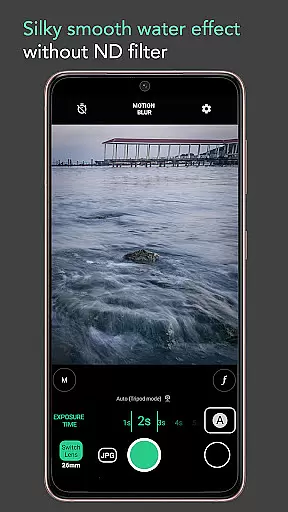
While Long Exposure - Motion ProCam focuses primarily on long exposure photography, it also incorporates elements of AI beauty and enhancement to ensure images maintain a natural look. This is particularly important when capturing scenes like waterfalls or seascapes where smoothness and clarity are key.
The app uses advanced algorithms to process hundreds of images into one cohesive long exposure shot without losing detail or introducing artificial elements. This computational approach preserves the authenticity of motion blur and light trails while enhancing overall image quality.
Users benefit from premium features such as RAW format support and manual exposure control which contribute to achieving the most natural enhancements possible. These tools help retain the original atmosphere and colors of the scene, providing professional-grade results every time.
User-friendly interface
Advanced photo editing
Daytime long exposure
Auto image alignment
Premium RAW support
Premium features locked
High battery consumption
Limited free options
Pro version expensive
Steep learning curve

Gallery show photo, video, slideshow, is perfect 3D effect private photo albums.
 4.80
4.80
Add Watermark - Sign your pictures with a text or logo. Effective, quick, easy!
4.50
Professional video recording application with manual controls for filmmakers!
2.80
All-in-One Editor & AI Photo Enhancer, Collage, Cartoonify, Funny Stickers & BGS
4.10
Photo prints, cards, & gifts at Walgreens. Easy ordering & fast local pickup !
4.80
Transform photos into videos! Create realistic or anime-style images easily!
4.50
Over 800 film simulation recipes for Fujifilm. Black Friday Offer!
4.3
Fit multiple photos on one post. Create carousels & scroll layouts for Instagram
4.50
Enhance, upscale, and transform your images — on your device, without limits
4.70
See your baby AI baby face generator AI baby maker Face generator babymaker fun!
4.70
Viewfinder, Light meter, Reciprocity failure time, DOF & Bellows Extension
4.60
Unblur, enhance & restore photos with powerful AI photo enhancer tools.
4.60
HD Camera Pro with HD Video shooting, Panorama, Photo editor , Beauty Camera.
4.50
Edit like a pro with Hypic. Apply filters, AI effects, & magic touch.
4.40
[3DSteroid Pro] is a stereoscopic application for Android.
4.30
Shooting photos and records video easily and efficient with professional Camera
4.30
live datamoshing
4.00
Pet Camera
3.70
Add a dreamy vibe to your selfies and videos with soft style filters
4.0


User Reviews