

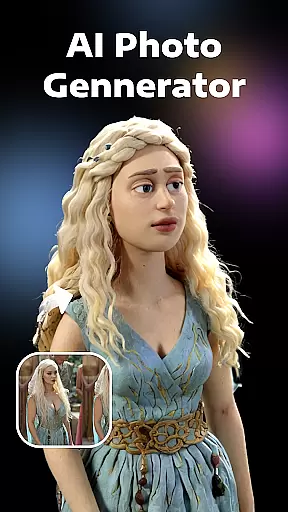


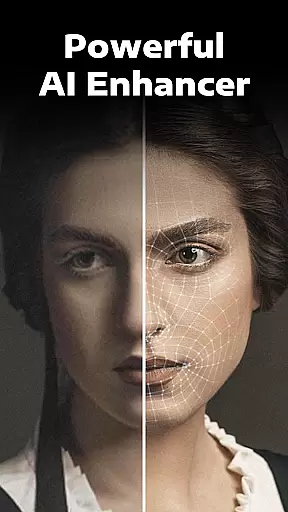
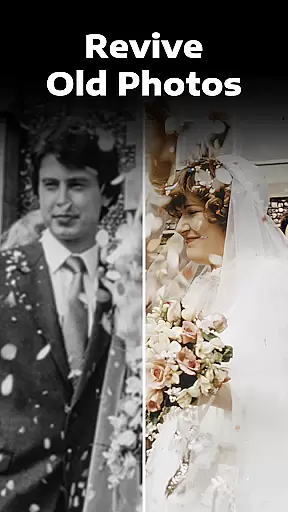
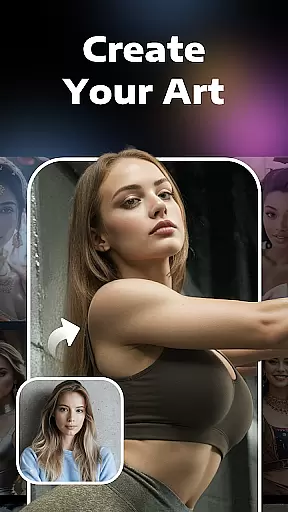
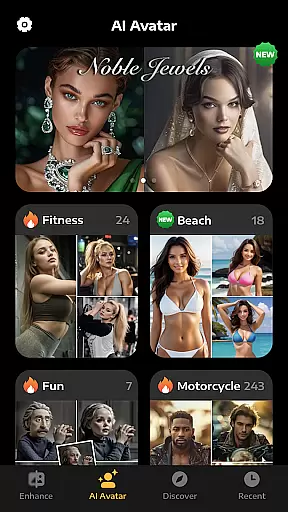
Evoke - AI Photo Enhancer is a cutting-edge photography app designed to breathe new life into your old and damaged photos. Using advanced AI technology powered by models like Gemini 2.5 Flash Image, the app specializes in high-quality image restoration and enhancement. Whether you're dealing with black-and-white, faded, scratched, or blurred images, this tool can transform them into vivid, high-definition memories.
Beyond simple photo restoration, Evoke also offers creative features such as AI Portraits, which allow users to explore alternate versions of themselves, and photo-to-video capabilities that make multimedia creation effortless. The app ensures consistent detail preservation and natural-looking enhancements, making it an ideal solution for both personal and professional use.
The standout feature of Evoke - AI Photo Enhancer is its reliance on state-of-the-art AI algorithms. These algorithms excel in intelligent recognition, particularly when restoring human faces. Every strand of hair, skin texture, and even intricate accessories are delicately enhanced, ensuring a perfect restoration of the original moment.
In addition to restoration, the app provides specialized tools like Colorize, which adds vibrant colors to black-and-white photos, and Descratch, which repairs imperfections such as scratches and wrinkles. Users can also experiment with AI Portraits, generating fun and imaginative representations of themselves in various roles, from a tailored suit to a bodybuilder. With one-click simplicity, these features ensure that anyone can achieve professional-grade results without technical expertise.
Real-time capture and preview functionality is essential for photography apps as it allows users to see exactly what the camera is capturing before taking a shot. This ensures that the framing, lighting, and composition are optimal.
AI Photo Enhancer leverages advanced AI algorithms to provide an enhanced real-time preview. The app processes images instantly, offering users a glimpse of how their photos will look after enhancement, even before capturing them. This feature helps in making informed decisions about adjustments needed prior to taking the photo.
Users benefit from this feature by achieving better photo quality right from the start. They can make necessary changes to their setup, such as adjusting angles or lighting, based on the preview provided. This saves time and effort in post-processing corrections.
The value of real-time capture and preview lies in its ability to improve user experience by providing immediate feedback. It empowers photographers to take control of their creative process, ensuring that every captured moment meets their expectations with minimal need for later edits.
AI beauty and enhancement features aim to improve the aesthetic appeal of photos while maintaining a natural look. Striking the right balance between enhancement and authenticity is crucial to avoid artificial appearances.
AI Photo Enhancer employs sophisticated AI models like Gemini 2.5 Flash Image to ensure that enhancements are subtle yet effective. The app intelligently recognizes facial features and applies enhancements that preserve skin texture, color accuracy, and overall realism. This approach prevents over-processing and maintains the original charm of the photograph.
For users, this means achieving professional-grade results without compromising the genuineness of their images. Whether restoring old photos or enhancing new ones, the app delivers clear, vivid, and naturally beautiful outcomes that resonate with viewers.
This focus on natural enhancement not only boosts user satisfaction but also sets AI Photo Enhancer apart from other tools in the market. By prioritizing authenticity alongside improvement, the app ensures that every edited photo retains its emotional and visual integrity.
Advanced AI restoration
One-click simplicity
Vivid colorization
Creative AI portraits
Photo-to-video support
Premium features locked
Internet connection required
Occasional processing delays
Limited free usage
Subscription costs

AI portrait generator and polaroid AI selfie, fun AI generated AI photo creator!
 4.30
4.30
Application for remote controlling DSLR
3.00
Create AI Photos, Improve and restore quality of blurry, old or damaged pics.
4.20
The #1 app for B&W film developing featuring an advanced darkroom timer.
4.10
A must-have app for landscape photographers
4.60
A reflected light meter with spot metering and incident light metering.
4.40
Professional photography on your mobile phone
4.20
A unique animation app. Powerful, easy to use, and lots of fun.
4.30
Your Family Calendar + Photos. Manage your Skylight Calendar and Skylight Frame.
4.40
Collage your moments in one tap: 1000+ layouts, filters, stickers, and texts.
4.90
Photo editor: AI filters, photo enhancer, pic collage maker, AI art generator.
4.80
Android Native system HD camera app. Never been so simple and faster.
4.70
Easily create custom gifts, cards, photo books & more on the Shutterfly app!
4.60
Create Business Headshots, Polaroid Filter, Retake Photos,Profile Pics,AI Photos
4.50
Easily stitch panoramas from multiple photos or video.
4.40
[3DSteroid Pro] is a stereoscopic application for Android.
4.30
Turn photos into cartoons & avatars! - Photo Editor, Cartoon Face!
3.90
USB Storage Access for Photos, Videos, Music and Documents
3.80
HD Photo gallery and photo manager to edit, hide private photos, videos & albums
4.2


User Reviews