
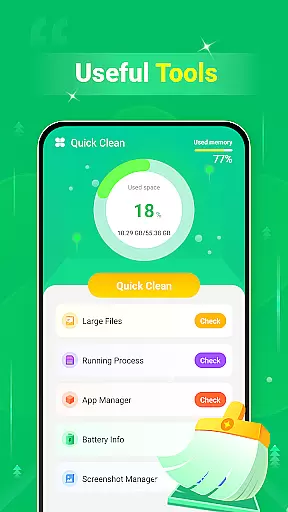
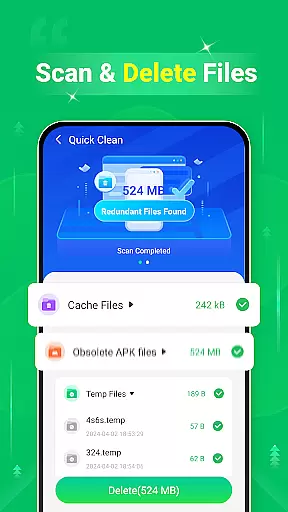
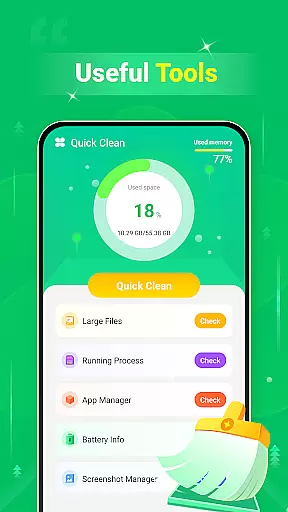
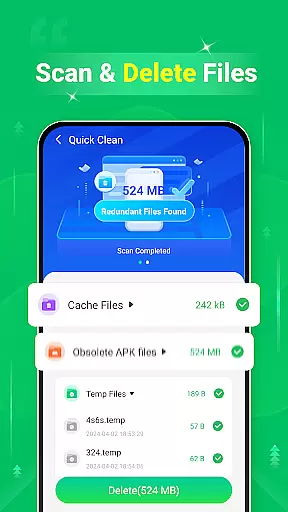
Quick Clean is a powerful mobile application designed to optimize device performance by scanning and removing unnecessary files. With its comprehensive cleaning capabilities, the app helps users reclaim valuable storage space on their smartphones. The tool specializes in identifying redundant files such as cache, log, and temp files that accumulate over time. Additionally, it offers specialized features like large file deletion and screenshot management, making it an essential utility for maintaining a clutter-free device.
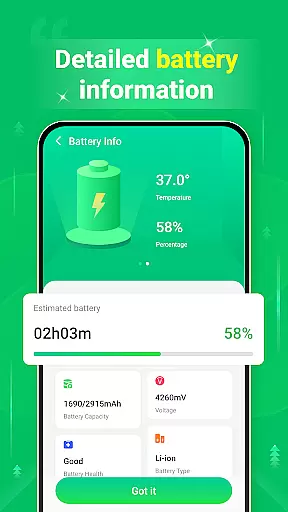
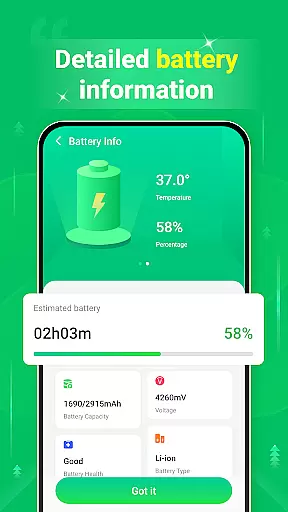
Beyond basic cleaning functions, Quick Clean provides useful battery information, giving users insights into their device's power consumption. This feature-rich tool is particularly beneficial for individuals who regularly download media files or use resource-intensive applications. By streamlining the cleaning process and offering multiple optimization options, Quick Clean delivers significant value to users looking to maintain optimal device performance.
Quick Clean distinguishes itself through a diverse set of features designed to maximize device efficiency. The application's primary function revolves around its ability to scan and delete various types of redundant files, including cache files that apps accumulate, system log files, and temporary files created during normal device operation. This multi-faceted approach to cleaning ensures that all unnecessary data is properly identified and removable.
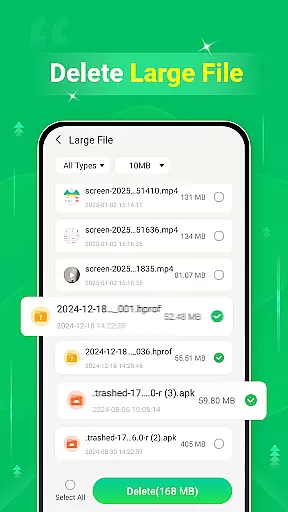
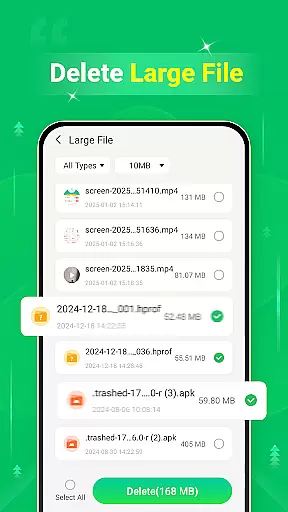
A unique aspect of Quick Clean is its specialized tools for managing different file categories. The large file scanner helps users identify and remove space-consuming files, while the screenshot management feature allows for easy review and deletion of unwanted screenshots. Furthermore, the battery information display provides valuable insights into device power usage. These features work together to create a comprehensive optimization solution that addresses multiple aspects of device maintenance and performance enhancement.
Quick Clean - Space Cleaner excels in delivering precise and effective core functions that cater to users' needs for optimizing their device storage. The app meticulously scans various types of redundant files, including cache, log, and temp files, ensuring that no unnecessary data clutters your system.
In addition to removing small redundant files, the application also targets large files that occupy significant space on your device. This dual approach ensures that all levels of storage issues are addressed efficiently, providing a comprehensive cleaning solution.
The effectiveness of Quick Clean is highlighted by its ability to scan and manage screenshots. Users can easily identify and remove unwanted screenshots, further freeing up valuable storage space without affecting other important data.
By focusing on these detailed aspects of file management, Quick Clean - Space Cleaner offers an invaluable tool for maintaining optimal device performance and storage capacity.
A standout feature of Quick Clean - Space Cleaner is its commitment to interface simplicity and intuitiveness. The design philosophy centers around making the app accessible to users of all technical backgrounds, ensuring that even those who are not tech-savvy can navigate and utilize its features with ease.
Every function within the app is streamlined to reduce complexity. From the moment you open Quick Clean, you're greeted with straightforward options that guide you through the process of scanning and deleting files without any confusion or unnecessary steps.
Moreover, the presentation of battery information is handled in a clear and concise manner. Users can quickly understand their device's power status without wading through complicated menus or settings, enhancing overall user experience.
This dedication to a simple yet powerful interface makes Quick Clean - Space Cleaner a go-to choice for anyone looking to maintain their deviceu2019s health effortlessly.
User-friendly interface
Comprehensive cleaning options
Effective storage optimization
Fast scanning capability
Multiple language support
Limited advanced features
No cloud backup option
Basic battery monitoring
Occasional false positives
Ads in free version

pdf merge, word to pdf, jpg to pdf, edit pdf, convert to pdf and much more!
 4.20
4.20
HD Video player and downloader for all formats, fast & smooth 4K video playback.
4.60
Canon PRINT is a companion app for your Canon printer.
4.60
Carry a FTP server in your pocket and avoid USB cables for file transfer
4.20
Small and simple app to Verify Root Access and BusyBox Install!
4.70
A non-root local ADB shell client. READ BELOW!
3.40
Navigate with Ease and Style
4.90
Monitor car performance in real time and troubleshoot malfunctions.
4.80
Mobile Security with Scam Protection | Malware & Virus Cleaner | Safe Browser
4.70
Change your GPS location instantly. Simulate routes anywhere in the world.
4.90
Connect instantly to a fast, encrypted VPN with one tap
4.60
Quickly switch to an encrypted DNS server on Android TV
4.50
The Ultimate Bluetooth Keyboard & Mouse. Securely control your PC, Mac, and more
4.50
Clean up large files and similar photos, fast and easy to use
4.40
PC precision for mobile gaming: dominate with keyboard and mouse!
4.30
MS-DOS in your pocket. Play old DOS games anywhere you are ;)
4.10
Introducing Smart Printer, your ultimate destination for printing solutions!
4.00
Create your own custom widget with endless possibilities
3.90
Undelete and recover your lost or deleted files with DiskDigger!
3.40


User Reviews