
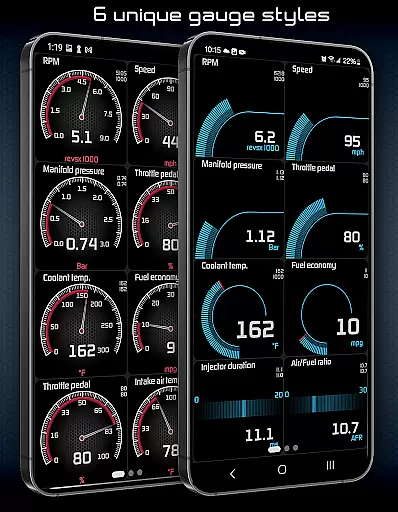
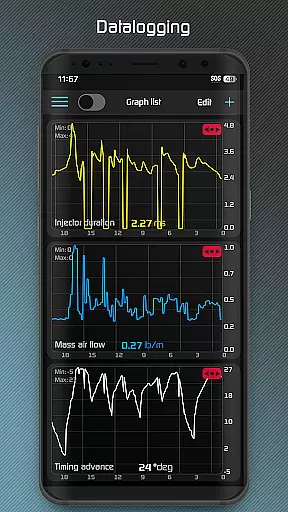
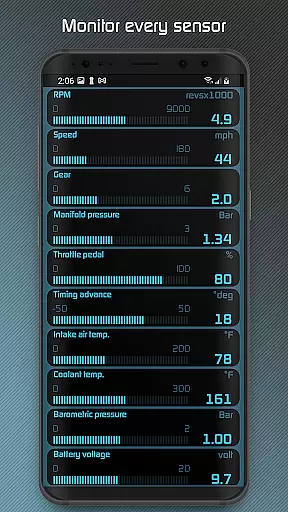
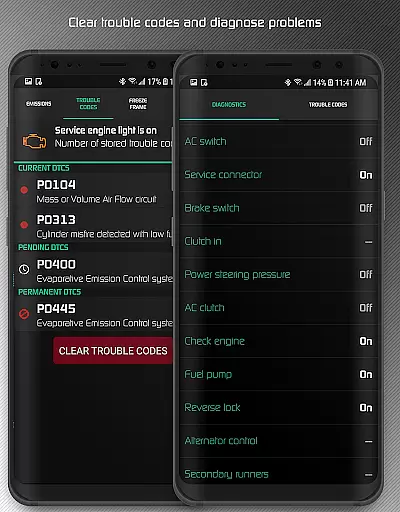
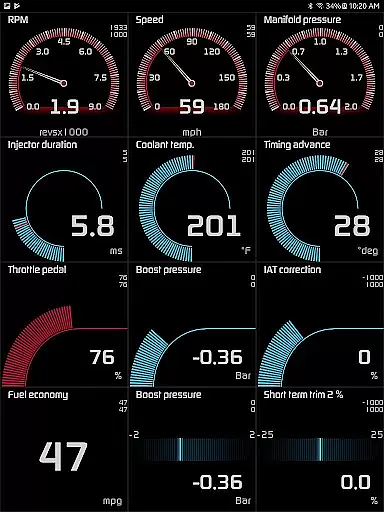
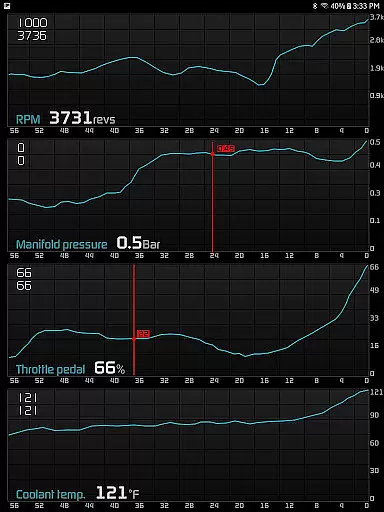
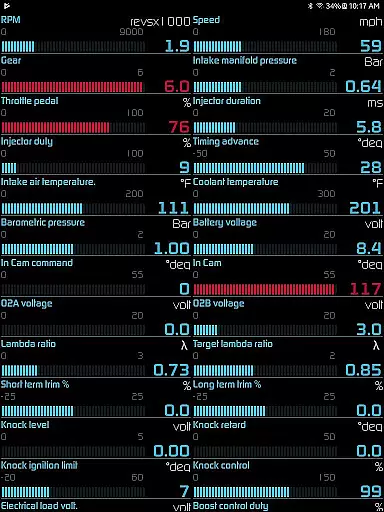
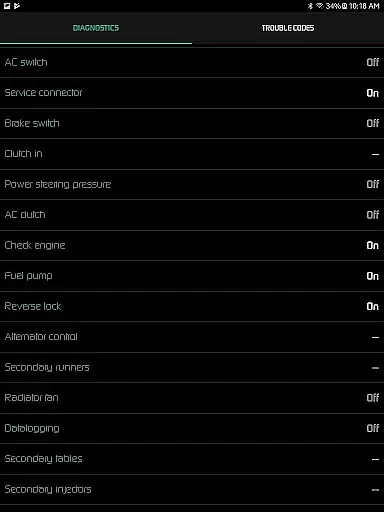
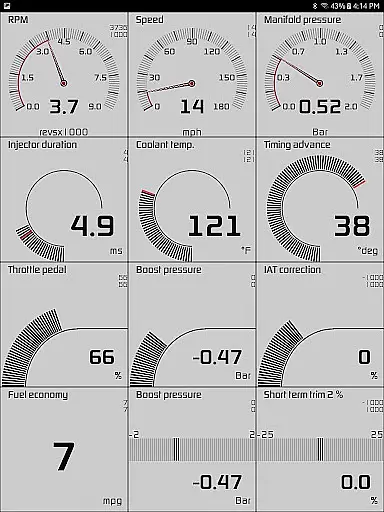
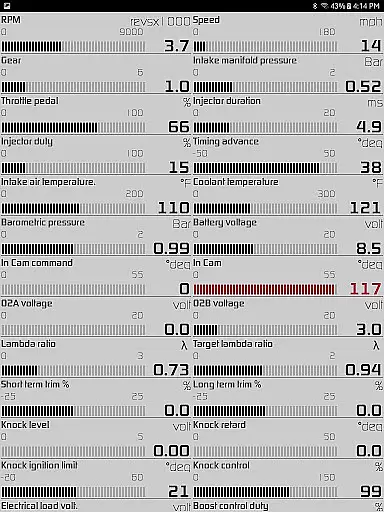
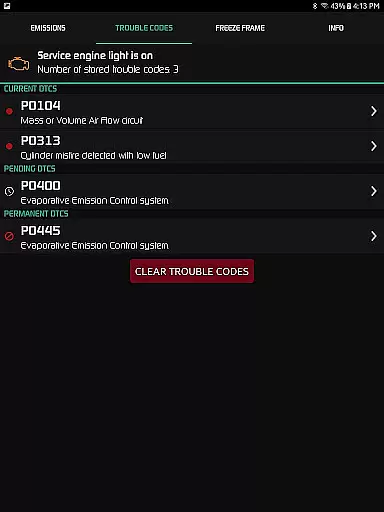
Hondata is a powerful automotive tool that transforms your Android device into an advanced performance tracking and diagnostic system for Honda vehicles. The app provides real-time monitoring of up to 80 sensors, including fuel economy, boost pressure, battery voltage, and G-force readings through customizable gauges and interactive graphs. It also offers comprehensive diagnostic capabilities by reading and clearing vehicle trouble codes, resetting the service engine light, and accessing over 40 diagnostic parameters from the car's ECU.
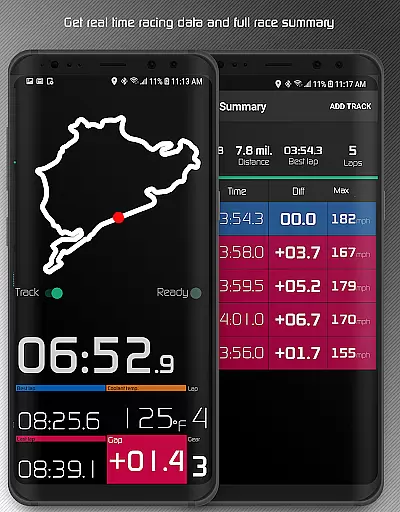
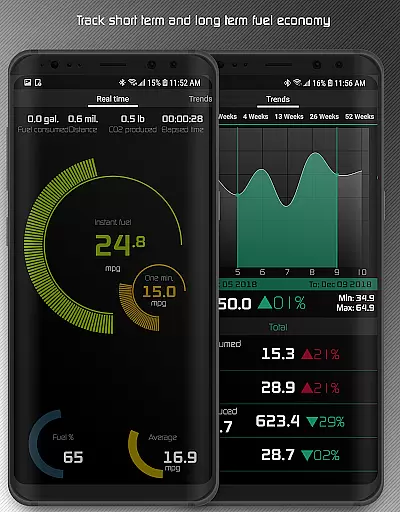
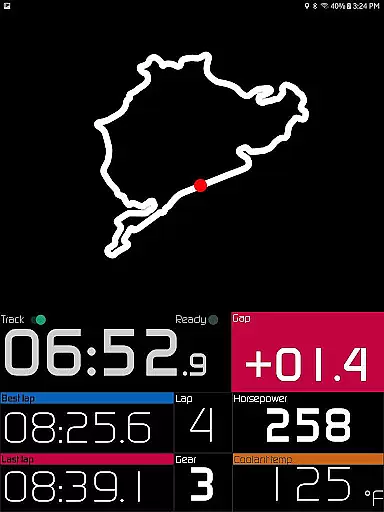
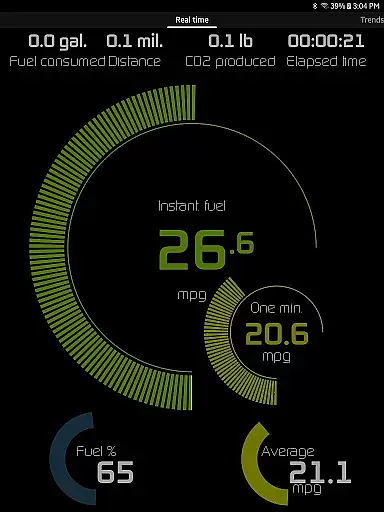
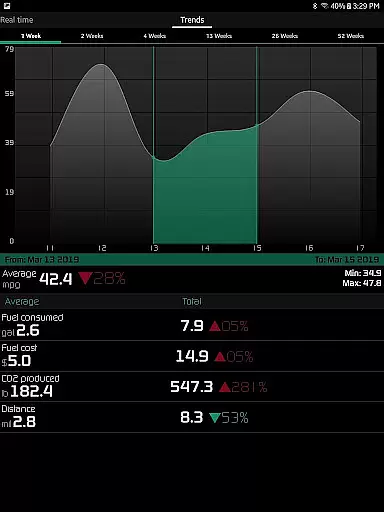
One of Hondata's standout features is its ability to track fuel economy across multiple time intervals with data available in various units such as mpg, km/l, and l/100 km. Additionally, the racetrack feature allows users to measure drag race times, lap times, and even record track circuits using GPS. With its user-friendly interface and advanced functionalities, Hondata is an essential tool for car enthusiasts looking to optimize their vehicle's performance while saving on fuel costs.
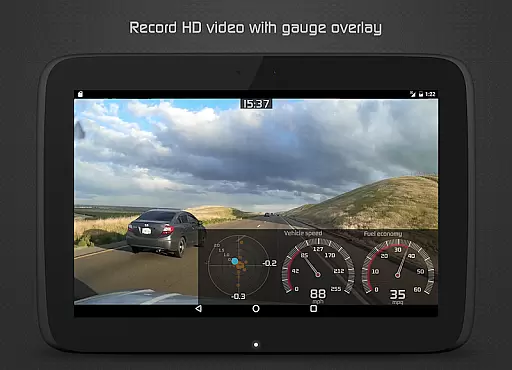
Hondata stands out with its extensive range of features designed for both casual drivers and automotive enthusiasts. The app provides highly customizable gauges that allow users to monitor up to 80 real-time sensors, including critical metrics like fuel economy, turbo boost pressure, and battery voltage. Users can plot this sensor data onto interactive graphs, recording and exporting it as CSV files for further analysis. This level of detail ensures that users have complete control over how they view and analyze their vehicle's performance.
In addition to performance tracking, Hondata includes advanced diagnostic tools. Users can read and clear vehicle trouble codes, reset the service engine light, and access detailed diagnostic parameters such as engine knock count and VTEC pressure. The racetrack feature adds another layer of functionality, providing precise measurements for drag race times, lap times, and gap times. With support for metric and imperial units, long-term fuel economy tracking, and visual/sound notifications for sensor limits, Hondata delivers a versatile and innovative solution for managing your Honda's performance.
The Hondata app excels in providing precise and effective core functionalities that cater to automotive enthusiasts and professionals alike. With the ability to monitor over 80 real-time sensors, it offers an extensive range of data points from fuel economy to boost pressure, ensuring users have accurate insights into their vehicle's performance.
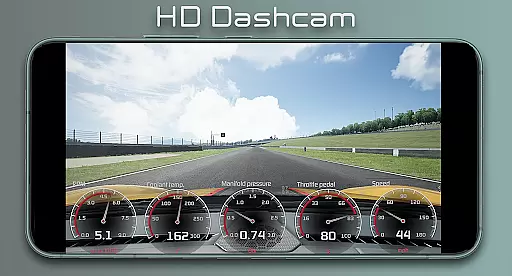
One of the key features is its customizable gauge system, which allows for real-time tracking and interactive graph plotting. This means you can visually analyze up to four sensor data streams simultaneously, making it easier to spot trends or issues as they happen. The app also supports both metric and imperial units, catering to a global audience without any confusion in measurement standards.
Beyond just monitoring, the Hondata app empowers users with diagnostic capabilities. It can read and clear vehicle trouble codes, effectively turning your Android device into a powerful tool for preemptive maintenance and troubleshooting. By accessing up to 40 diagnostic parameters, car owners are better informed about potential problems before visiting a mechanic.
For those interested in performance metrics, the Hondata app provides drag race times, lap times, and even horsepower and torque readings. These features not only enhance the driving experience but also offer valuable feedback for tuning and modifications. Overall, the app's commitment to accuracy and effectiveness makes it an indispensable tool for Honda vehicle owners looking to maximize their car's potential.
A user-friendly interface is crucial for any application, and the Hondata app delivers on this front by offering a streamlined and intuitive experience. Despite the complexity of the data it handles, the app maintains an accessible design that allows users of all technical backgrounds to easily navigate through its features.
The customizable dashboard is a standout element, enabling users to tailor the display to show the most relevant information at a glance. Whether you're interested in fuel economy, engine diagnostics, or performance metrics, the gauges and graphs are presented in a clear and organized manner. This level of personalization ensures that each user can create an interface that suits their specific needs and preferences.
In addition to customization, the Hondata app includes practical features like speed limit warnings and HUD gauges for night driving, enhancing safety without complicating the user experience. These thoughtful additions demonstrate the app's focus on delivering useful tools while maintaining simplicity.
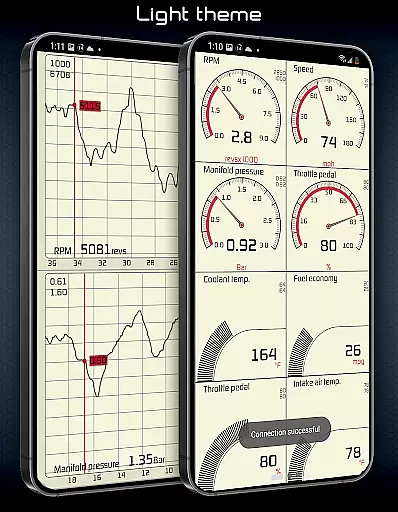
Furthermore, the availability of two themes and landscape mode for all views adds to the overall intuitiveness of the app. Users can switch between themes based on their environment or preference, ensuring optimal visibility and comfort during use. Such attention to detail in the interface design underscores Hondata's dedication to creating an approachable yet powerful automotive tool.
User-friendly interface
Real-time performance tracking
Comprehensive diagnostics
Fuel economy optimization
Racetrack timing features
No Android Auto support
Limited vehicle compatibility
Requires specific hardware
Potential connectivity issues
Complex for beginners

 4.10
4.10
Family Locator, Share location, StayConnect with your family in real time
3.90
Canon PRINT is a companion app for your Canon printer.
4.60
Navigate with Ease and Style
4.90
With videos, electrical calculators, and built-in ebook, Ugly’s has your answer.
4.50
Planner and Tracker for Stardew Valley
4.60
Powerful collection of electronics tools and reference.A must for any enthusiast
4.90
Button mapper, mouse toggle, sleep timer and a lot of another features
4.50
Fun lie-detection pranks for friends and parties.
3.80
Best leveling tool for your Android device. Hang paintings like a pro.
4.90
Optimize your WiFi network, turn your phone into Wifi Analyzer
4.70
ADB support Android 4.X-Android 13(Support wireless pair mode).No root required!
4.70
Protect your device with antivirus, storage cleanup, and system monitoring
4.70
Mirror your screen to Chromecast and Android TV - Super fast and simple
4.60
Quickly check the frequency of the Earth
4.30
VESC Tool can monitor and configure VESC-compatible devices over BLE and Wifi
4.20
Clean the junk files on your device
3.40
Undelete and recover your lost or deleted files with DiskDigger!
3.40
Save any video in HD - paste the link, download fast and watch offline.
4.4


User Reviews