
WiFi Pro FTP Server transforms your Android device into a fully functional FTP server, enabling seamless file transfers between your phone or tablet and other devices. With support for FTP over TLS/SSL (FTPS), this app ensures secure data exchanges while offering advanced configuration options such as anonymous access, home folder settings, and user authentication.
This tool is particularly useful for users who want to avoid cumbersome USB cables and prefer wireless file management. Whether you're transferring photos, movies, songs, or documents, the app works efficiently over Wi-Fi and even in tethering mode (hotspot). Its customizable features make it adaptable to both personal and professional environments.
By hosting your own FTP server, you gain complete control over your data transfers without relying on third-party services. The app's intuitive interface and robust functionality provide an excellent solution for anyone seeking efficient file management directly from their Android device.
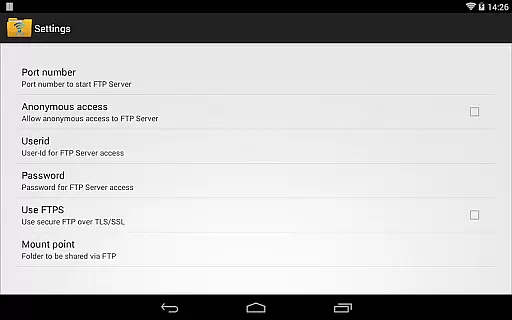
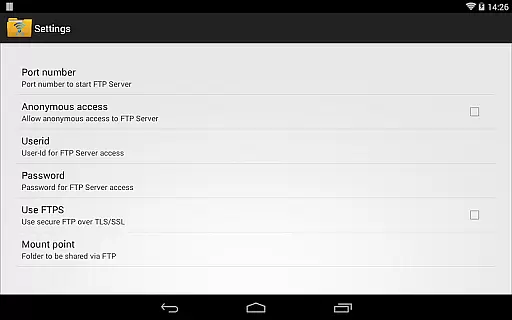
WiFi Pro FTP Server stands out with its comprehensive set of features designed to enhance file transfer capabilities. The app allows users to configure port numbers, ensuring compatibility with various network setups. Additionally, it supports FTPS for encrypted connections, safeguarding sensitive information during transfers.
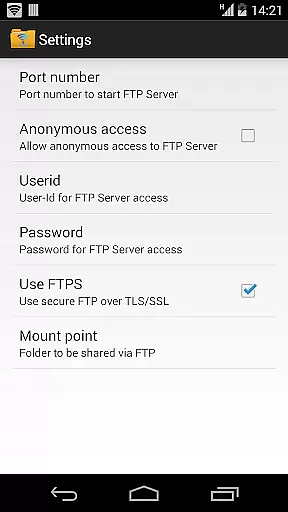
One of the key highlights is the ability to customize access permissions. Users can enable or disable anonymous access, set a specific home folder as the mount point, and define unique usernames and passwords for added security. These features give users granular control over how their FTP server operates.
The app also eliminates the need for physical cables by facilitating wireless transfers over Wi-Fi. It functions seamlessly in hotspot mode, making it versatile for different scenarios. Overall, these functionalities cater to individuals and businesses looking for reliable, flexible, and secure file-sharing solutions.
WiFi Pro FTP Server excels in providing a reliable and efficient file transfer solution. The app transforms your Android device into a fully functional FTP server, enabling seamless file sharing over Wi-Fi networks. With support for FTP over TLS/SSL (FTPS), it ensures secure data transmission, which is crucial for maintaining the integrity of your files.
The application allows users to configure various settings such as port number, home folder, and user credentials. This level of customization enhances the core functionality by letting users tailor the server to their specific needs. Whether you're transferring photos, movies, or documents, the app handles large files with ease, ensuring that your data is transferred accurately and swiftly.
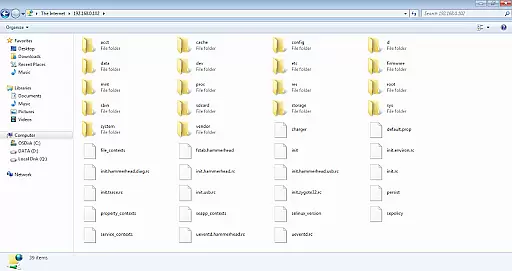
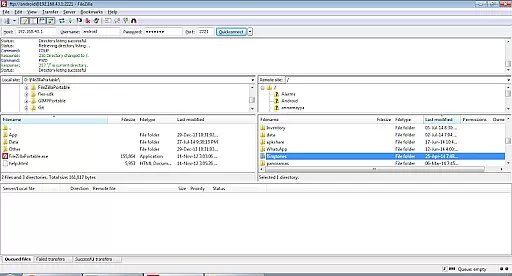
By avoiding the need for USB cables and supporting both Wi-Fi and hotspot modes, WiFi Pro FTP Server offers a versatile solution for file management. Users can access their files from any FTP client like FileZilla or even through Windows File Explorer. This flexibility not only simplifies the process but also increases productivity by allowing quick and easy access to files from multiple devices.
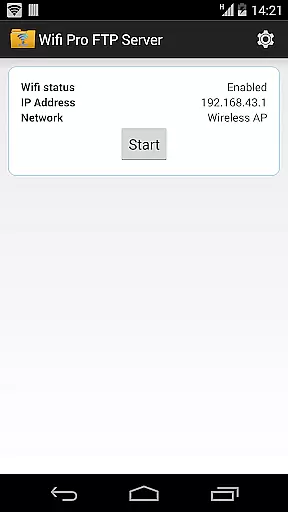
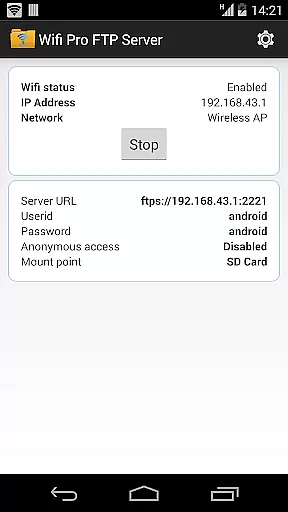
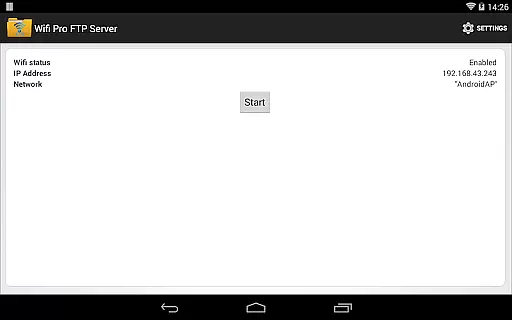
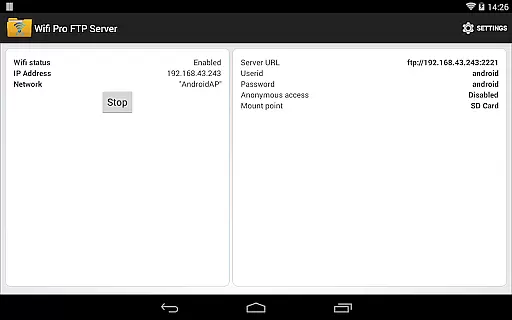
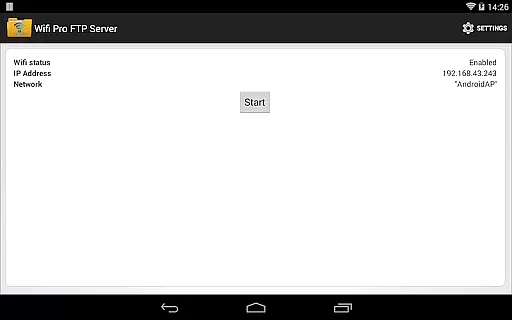
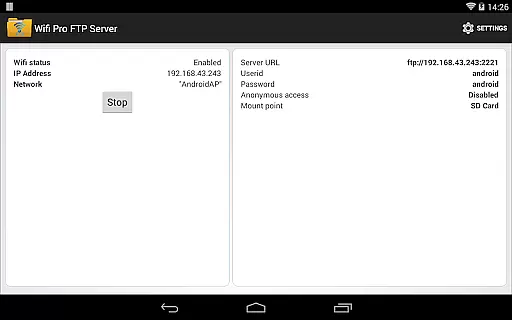
A user-friendly interface is essential for an effective tool, and WiFi Pro FTP Server delivers just that. Upon launching the app, users are greeted with a straightforward setup screen where they can configure all necessary settings without hassle. The ability to change the port number, set up anonymous access, and choose a home folder makes the initial configuration process smooth and intuitive.
The app's design emphasizes ease of use, ensuring that even those new to FTP servers can navigate and operate it confidently. Clear labels and logical grouping of settings contribute to a hassle-free experience. For instance, security features such as disabling anonymous access by default help protect user data while still being simple to adjust according to individual preferences.
Additionally, the inclusion of helpful resources within the app, such as links to download FileZilla and guidance on accessing the server via Windows File Explorer, further enhance its usability. These thoughtful touches ensure that users have everything they need at their fingertips, making WiFi Pro FTP Server not only powerful but also delightfully easy to use.
Secure FTPS support
Customizable access
User-friendly interface
Wireless convenience
Versatile connectivity
No SFTP support yet
Limited low-port binding
Default security restrictions
Paid version required
Requires FTP client

Change your GPS location instantly. Simulate routes anywhere in the world.
 4.90
4.90
Easily install aab(Android App Bundle) files on your Android device with our app
4.80
Just swipe the edge to do something!
4.40
Amateur Radio app for APRS: Track friends, exchange messages, get tactical info.
3.90
Mirror your screen to Chromecast and Android TV - Super fast and simple
4.60
Support Fossify apps with a warm thank you!
5.00
Creation, Learning, Entertainment & More — The All-in-One AI Search Engine
4.70
Clean up large files and similar photos, fast and easy to use
4.40
Mobile Security with Scam Protection | Malware & Virus Cleaner | Safe Browser
4.70
Protect your device with antivirus, storage cleanup, and system monitoring
4.70 4.50
4.50
Quickly switch to an encrypted DNS server on Android TV
4.50
The Ultimate Bluetooth Keyboard & Mouse. Securely control your PC, Mac, and more
4.50
Just one-tap to easy translate in any language after calls within seconds.
4.20
Introducing Smart Printer, your ultimate destination for printing solutions!
4.00
Create your own live wallpaper or check out thousands already made presets
3.90
A recovery soft,it features photo recovery, video recovery, file recovery.
3.40
Clean the junk files on your device
3.40
card-reader app
2.20


User Reviews