
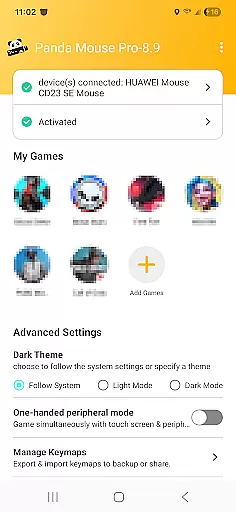
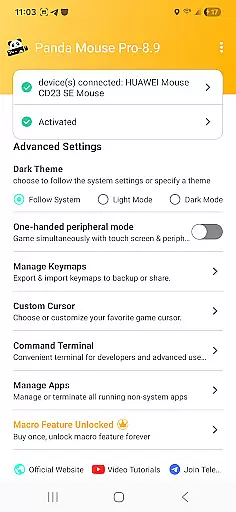
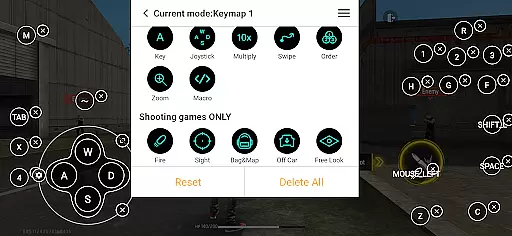
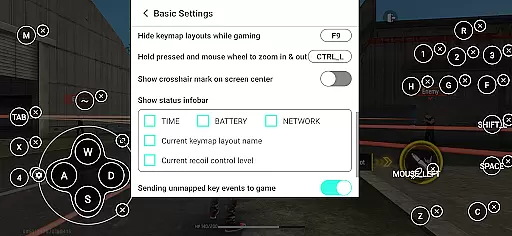
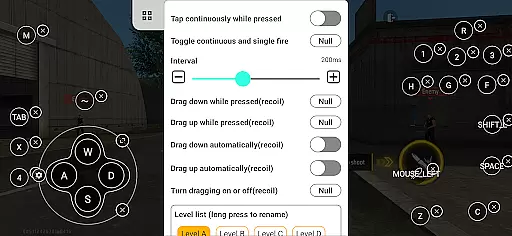
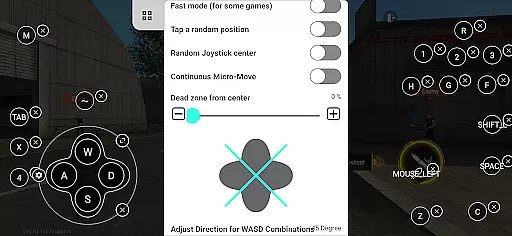
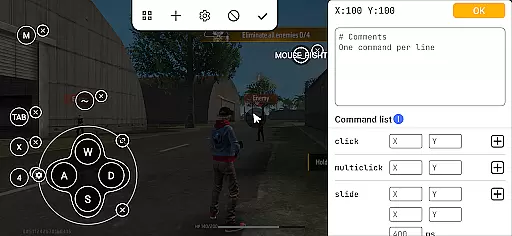
Panda Mouse Pro is a powerful keymapper tool that revolutionizes mobile gaming by allowing players to use their keyboard and mouse for enhanced control. Designed for gamers who demand precision and responsiveness, this application supports virtually all keyboard and mouse brands, making it an ideal choice for competitive gaming across various genres.
One of the standout features of Panda Mouse Pro is its ability to launch games directly without the need for cloning, providing a seamless experience. It also ensures secure Google Play logins and offers ban-proof gaming technology, giving users peace of mind while playing. Whether you're into shooters, MOBAs, or sports games, Panda Mouse Pro delivers pinpoint accuracy and lightning-fast reactions, elevating your gameplay to professional levels.
Panda Mouse Pro stands out with its unique combination of advanced features tailored for serious gamers. The app's direct game launch functionality eliminates the need for cloning, allowing users to jump straight into their favorite games. This feature alone saves significant time and enhances the overall gaming experience.
The application also boasts universal compatibility with nearly all keyboard and mouse brands, ensuring that gamers can use their preferred peripherals without limitations. Additionally, Panda Mouse Pro includes ban-proof technology, which is crucial for players concerned about account restrictions in games that prohibit duplication running. With extensive support for various game genres and hassle-free activation options for different Android versions, including automatic activation for rooted devices, Panda Mouse Pro truly caters to a wide range of gaming needs.
Panda Mouse Pro is designed to provide unparalleled precision and control for mobile gaming through keyboard and mouse integration. This keymapper tool ensures that every click and keystroke translates directly into in-game actions with minimal latency.
The application achieves this by offering direct game launching, which eliminates unnecessary steps and gets users straight into gameplay. Its secure Google Play login feature maintains account safety while enabling seamless access to games, ensuring a smooth and reliable user experience.
For gamers, this means enhanced accuracy in fast-paced shooters, quicker reflexes in MOBAs, and overall better performance across various game genres. The ability to use familiar peripherals can significantly improve reaction times and gameplay efficiency.
Ultimately, Panda Mouse Pro's core functions empower gamers to focus on what matters most - excelling in their favorite games without worrying about control limitations or compatibility issues.
A well-designed interface is crucial for any productivity tool, and Panda Mouse Pro excels in providing an intuitive user experience. The application features a clean layout that allows both novice and experienced users to navigate its functionalities effortlessly.
Key features like ban-proof gaming technology and universal compatibility are presented clearly, ensuring users understand the benefits without feeling overwhelmed. The activation process is streamlined across different Android versions, making it accessible even for devices running older operating systems.
Users particularly appreciate the straightforward setup process, whether activating directly on Android 11+ devices or using PC/Mac for older versions. This thoughtful design approach minimizes learning curves while maximizing usability.
By combining essential features with an intuitive interface, Panda Mouse Pro enables gamers to quickly configure settings and dive into enhanced mobile gaming experiences without technical frustrations.
Enhanced precision
Wide peripheral support
Ban-proof technology
Direct game launch
Secure login options
Requires initial setup
Limited touch control
Potential compatibility issues
Additional device needed
Premium pricing model

 4.50
4.50
Unit and currency converter with easy and simple UI.
4.80
Forza Tuning Calculator App for Forza Horizon 5, Motorsport and Earlier Titles
4.40
Support Fossify apps with a warm thank you!
5.00
Remote Play with FSR upscaling, low latency & full controller support
4.80
Mobile Security with Scam Protection | Malware & Virus Cleaner | Safe Browser
4.70
Enjoy a smooth mobile reading experience!
3.60
Your personal health butler
3.60
Enhance your Beats
3.70
The ultimate tool for network analysis, wifi scanning and problem detection.
4.90
The one-and-only remote control for PC, Mac, and Linux
4.70
The Ultimate Flex Drivers Utility App - Convenient Tapping & Block Filters
4.70
NFC Tools can read and write NFC tags.
4.70
The Ultimate Bluetooth Keyboard & Mouse. Securely control your PC, Mac, and more
4.50
Screen Mirroring for Roku Sticks, Roku TCL TV and Roku Hisense TV
4.50
Mirror your screen to Fire TV - Super fast and simple
4.40
Safely recover deleted photos, videos, and files with a single easy tap.
3.70
A recovery soft,it features photo recovery, video recovery, file recovery.
3.40
Save any video in HD - paste the link, download fast and watch offline.
4.3


User Reviews