
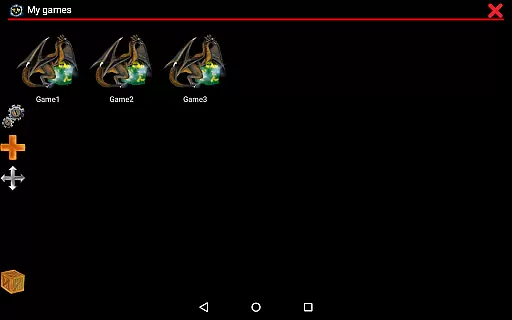
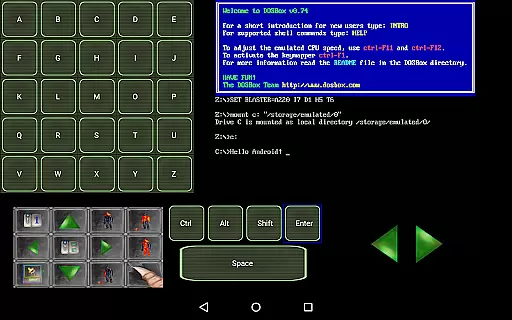
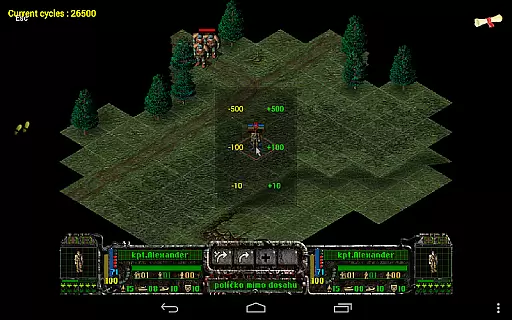
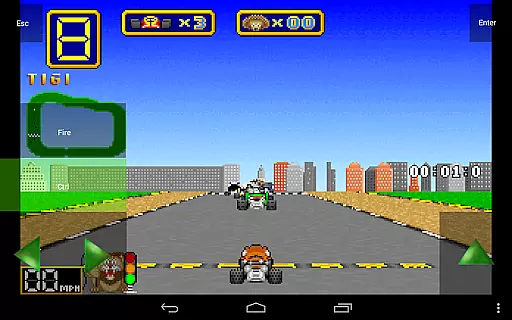
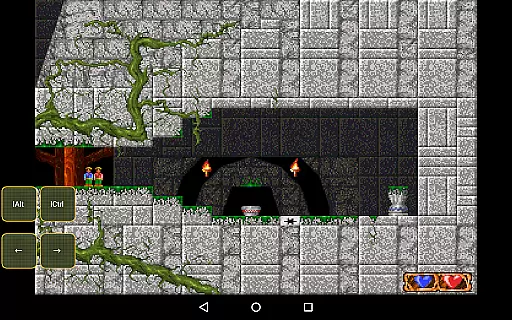
Magic DosBox is a highly optimized and fast DOSBox emulator for Android, designed to bring your favorite DOS and Windows games to your mobile device. With full support for mouse, keyboard, sound, and gamepad controls, this application allows you to play classic games anywhere without the need for external hardware. The unique control system and IPX network support enable multiplayer gaming with friends, making it an ideal solution for retro gaming enthusiasts.
This donated version offers unlimited game collection capacity and includes all available widgets for complete customization. Whether you want to create on-screen buttons, virtual D-pads, or custom layouts, Magic DosBox provides the tools to tailor your gaming experience. Supporting multiple languages and offering advanced features like gesture mapping and in-game screenshots, this app ensures a versatile and user-friendly experience for running your personal DOS games on modern devices.
Magic DosBox stands out with its extensive feature set tailored for both casual and power users. The app supports a game collection where each profile can be customized extensively, allowing shortcuts on the desktop and easy sharing of profiles with friends. With multi-language support and ten types of on-screen widgets, users can design complex control schemes that suit their preferences.
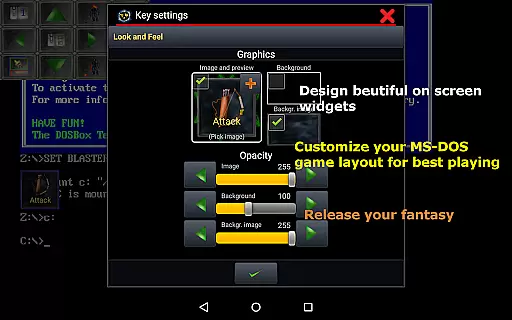
The emulator offers various modes including design mode and play mode, providing flexibility in how you interact with your games. You can create unlimited on-screen widgets with custom images, text, and positioning, ensuring a personalized interface. Advanced options like absolute and relative mouse support, Samsung stylus compatibility, and external gamepad integration make this app adaptable to different gaming styles. Additionally, features such as sound support, mappable swipe gestures, and orientation lock enhance the overall usability and performance of the emulator.
Magic DosBox is designed to emulate the DOS environment with precision and efficiency, allowing users to run their favorite DOS and Windows games on Android devices. The core function of this app lies in its ability to provide full mouse, keyboard, sound, and gamepad support, ensuring that every interaction feels as responsive and accurate as playing on a traditional PC setup.
The emulator's effectiveness is further enhanced by its optimization for touch devices, which includes customizable on-screen widgets such as buttons, D-pad, and gesture controls. These features are crucial for delivering an authentic gaming experience without the need for external hardware, making it possible to enjoy classic games anywhere you go.
Users benefit from Magic DosBox's advanced capabilities like IPX network support for multiplayer gaming, various modes including design mode and play mode, and compatibility with different types of controllers. This ensures that whether you're using a Samsung stylus or an NVIDIA Shield controller, your gameplay will be smooth and intuitive.
Ultimately, Magic DosBox stands out by offering fast emulation with plenty of optimizations, support for multiple languages, and the ability to create shortcuts for games directly on the desktop. With these tools at hand, users can tailor their gaming experience to suit their preferences while enjoying high performance and reliability.
The interface of Magic DosBox has been crafted to ensure that even those new to emulators can navigate and utilize its features with ease. By focusing on simplicity and intuitiveness, the app provides a user-friendly experience through well-organized menus and clear options for setting up game profiles.
One key aspect is the game collection feature, which allows users to manage their games efficiently. Each game profile can be highly customized, and creating desktop shortcuts simplifies access to frequently played titles. Additionally, the export/import/duplicate profile functionality makes it easy to share layouts with friends, enhancing collaborative play.
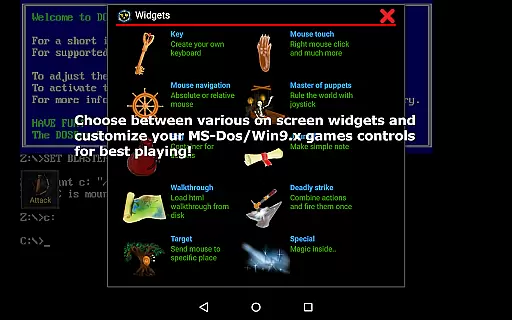
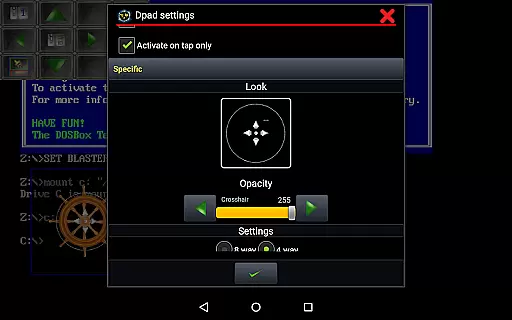
Magic DosBox also offers multi-language support and ten types of on-screen widgets, each with dozens of settings. These widgets include keys, mouse controls, dpad, notes, walkthroughs, combos, and more, all designed to enhance gameplay without overwhelming the user. The ability to resize and reposition widgets ensures that the interface remains clean and personalized.
Overall, Magic DosBox combines powerful emulation capabilities with an accessible interface, making it simple for users to dive into their favorite DOS games. Its thoughtful design choices result in an engaging yet straightforward experience, proving that complex functions can still be presented in an intuitive manner.
Highly optimized emulation
Customizable controls
Multiplayer support
Regular updates
User-friendly interface
No included games
Complex setup
Requires technical knowledge
Limited free version
Occasional bugs

Extremely fast, secure, and protects your privacy
 4.80
4.80
FV File Manager Pro, Fast and powerful file manager for Android
4.60
Learn the vast amount of system information about device and monitor it's state
4.70
Remote for Roku, Fire TV, Samsung TV, LG TV, Android TV, Chromecast and VIZIO TV
4.20
Carry a FTP server in your pocket and avoid USB cables for file transfer
4.20
ADB support Android 4.X-Android 13(Support wireless pair mode).No root required!
4.70
Navigate with Ease and Style
4.90
Bedrock Together: Join any bedrock server on Xbox/PS
4.80
Fast Video Downloader, Movie Downloader, Torrent Downloader & Adblock Browser
4.70
The ultimate tool for network analysis, wifi scanning and problem detection.
4.90
Unit and currency converter with easy and simple UI.
4.80
eXtended Permission Manager - a small app to manage permissions and AppOps
4.50
PC precision for mobile gaming: dominate with keyboard and mouse!
4.30
App that Recover your pictures, videos or files after you delete them.
4.20
VESC Tool can monitor and configure VESC-compatible devices over BLE and Wifi
4.20
An open-source APK explorer for Android!
4.10
1-Click close all background apps on Android TV
3.90
Unleash gamepad precision for ultimate mobile gaming dominance.
3.90
Save any video in HD - paste the link, download fast and watch offline.
4.4


User Reviews