
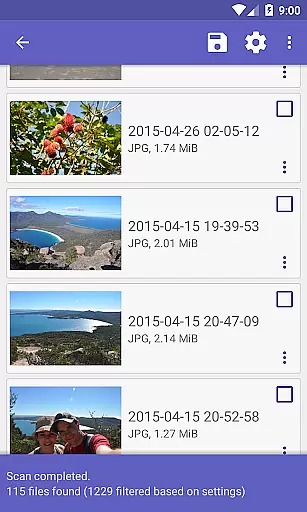
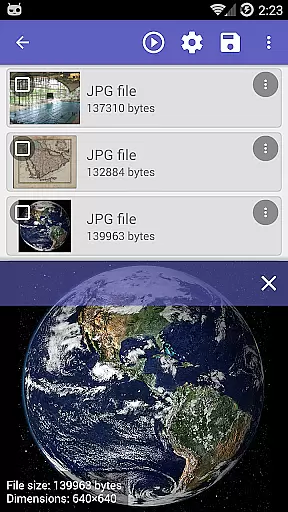
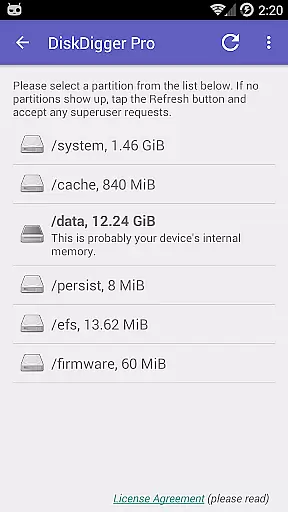
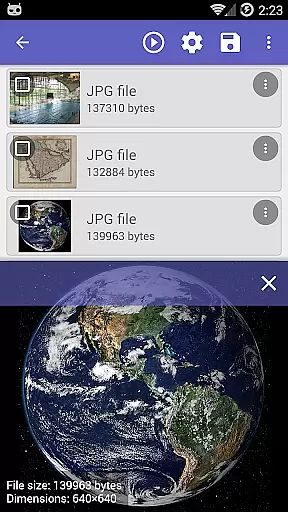
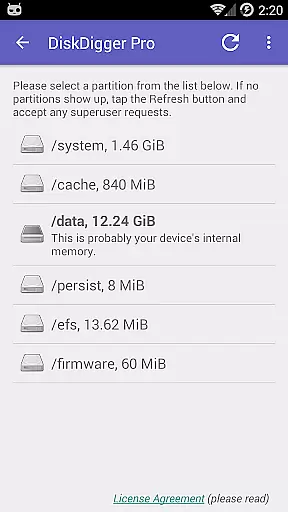
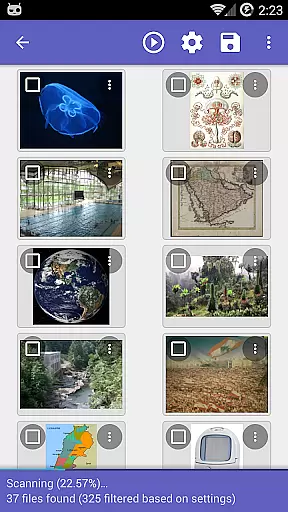
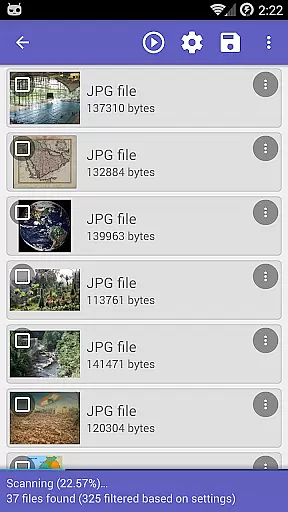
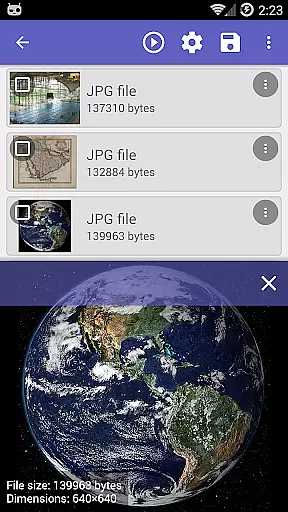
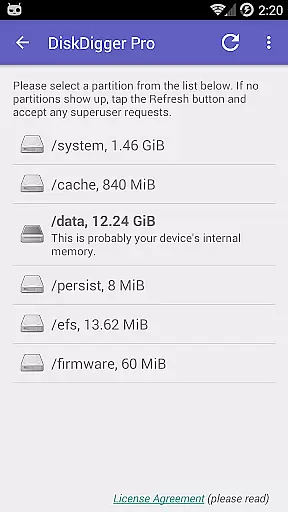
DiskDigger Pro is a powerful file recovery tool designed for rooted Android devices. This application specializes in retrieving lost files, including photos, documents, videos, and music from both internal memory and external memory cards. With its advanced scanning capabilities, DiskDigger Pro can recover files even after accidental deletion or memory card reformatting.
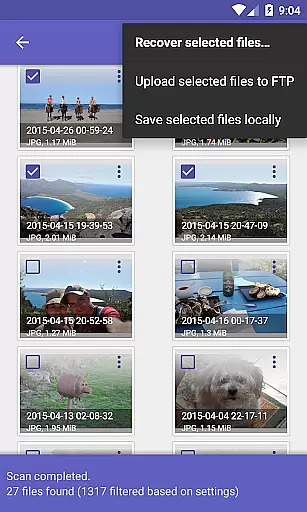
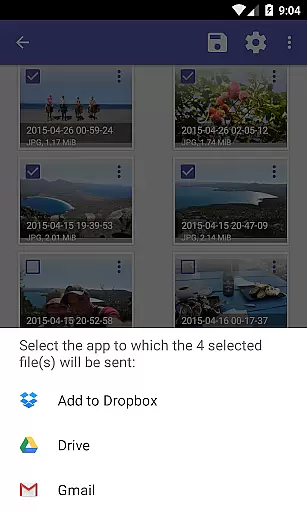
For non-rooted devices, the app offers limited functionality, allowing recovery of lower-resolution images found in cache and thumbnail directories. The app also features options to permanently delete unwanted files and wipe free space to prevent future recovery of deleted items. Recovered files can be uploaded directly to cloud services like Google Drive and Dropbox, sent via email, or saved locally.
This tool is particularly useful for users who frequently handle important digital data and need a reliable solution for data recovery emergencies. Its comprehensive file type support makes it an essential utility for anyone concerned about losing valuable information.
DiskDigger Pro stands out with its robust data recovery engine that supports a wide range of file types, including JPG, PNG, MP4, DOCX, PDF, and many others. The app's deep scanning ability ensures thorough search across device storage, providing high chances of successful recovery. For rooted devices, it offers unrestricted access to internal memory, enhancing recovery potential.
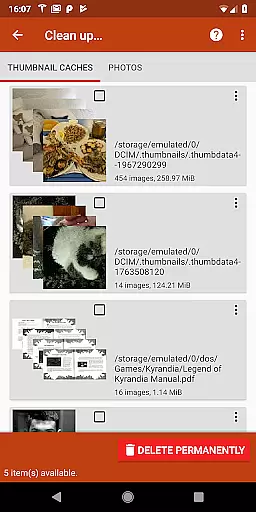
Beyond recovery, DiskDigger Pro includes practical features such as 'Clean up' to remove unnecessary recovered items and 'Wipe free space' to secure your device by erasing residual data traces. These functionalities not only help manage recovered files but also optimize device storage and protect user privacy.
The app provides versatile export options, enabling users to upload recovered files to Google Drive, Dropbox, or FTP servers, send them via email, or save them locally. This flexibility ensures that users can easily manage and share their recovered data according to their specific needs.
DiskDigger Pro specializes in recovering lost files, including photos, documents, videos, and music from memory cards or internal storage. Its core functionality is designed to handle various file types with precision.
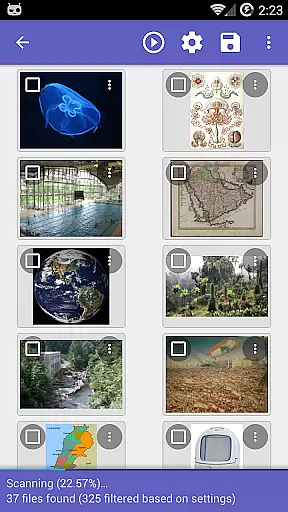
The app employs advanced scanning techniques that can detect deleted files even after memory card reformatting. This ensures a comprehensive recovery process, offering users the ability to restore accidentally deleted or lost data effectively.
For rooted devices, DiskDigger Pro provides an extensive search capability across all internal memory areas. This maximizes the chances of retrieving important files, making it a reliable tool for both casual users and professionals.
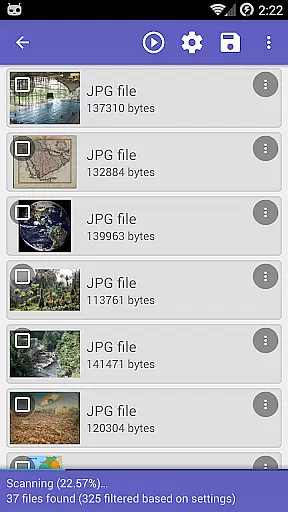
The user interface of DiskDigger Pro is crafted to ensure ease of use without compromising on powerful features. Users can initiate scans and manage recovered files with straightforward navigation.
After completing a scan, the app offers options like 'Clean up' to remove unnecessary items permanently, simplifying storage management. These features are presented clearly, enhancing user control over their data.
Additionally, DiskDigger Pro supports direct uploads to cloud services such as Google Drive and Dropbox. This seamless integration allows users to back up their recovered files effortlessly, ensuring data safety through intuitive design choices.
Powerful recovery engine
Wide file type support
Secure deletion options
Versatile export methods
User-friendly interface
Limited on non-rooted devices
Advanced features require root
Experimental cleanup feature
Interface may feel outdated
Complex for beginners

 4.50
4.50
eXtended Permission Manager - a small app to manage permissions and AppOps
4.50
Forza Tuning Calculator App for Forza Horizon 5, Motorsport and Earlier Titles
4.40
Create your own live wallpaper or check out thousands already made presets
3.90
Effortlessly run ADB commands directly on your device without a PC.
4.20
Navigate with Ease and Style
4.90
Screen Mirroring for Roku Sticks, Roku TCL TV and Roku Hisense TV
4.50
Create your own custom widget with endless possibilities
3.90
Button mapper, mouse toggle, sleep timer and a lot of another features
4.50
Remote Play with FSR upscaling, low latency & full controller support
4.80
Unit and currency converter with easy and simple UI.
4.80
Fast Video Downloader, Movie Downloader, Torrent Downloader & Adblock Browser
4.70
Play your X-Box games remotely in 1080p with any controller and zero latency
4.60
The Ultimate Bluetooth Keyboard & Mouse. Securely control your PC, Mac, and more
4.50
Just swipe the edge to do something!
4.40
Use your phone as a webcam on your computer over WiFi or USB.
4.40
Pro Emulator is an easy to use game console emulator for a range of consoles.
4.40
Making emulation easy for everyone!
4.30
A convenient photo, video, and file recovery tool.
4.00


User Reviews