
Canon PRINT is a versatile mobile application designed to enhance your printing experience with Canon printers. This app allows users to easily set up their printers, initiate print jobs, and perform scanning tasks directly from their mobile devices. With additional features like cloud printing and consumable level checks, it offers a comprehensive solution for managing your printing needs.
The app supports a wide range of Canon printer models including PIXMA, MAXIFY, imagePROGRAF, imageFORCE, imagePRESS, imageRUNNER ADVANCE, Color imageRUNNER, imageRUNNER, Satera, imageCLASS, i-SENSYS series, and SELPHY compact photo printers. Whether you need to print documents or photos, Canon PRINT provides a reliable and convenient printing solution that works seamlessly across different printer models and series.
While offering extensive functionality, it's important to note that some features may vary depending on the printer model and geographical region. The app is optimized for use in various environments, making it an essential tool for both home and office printing requirements.
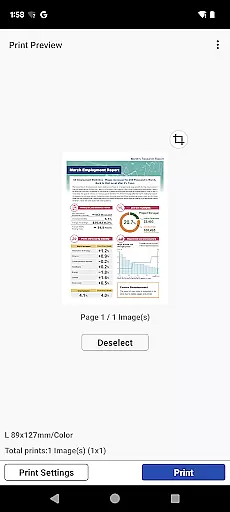
Canon PRINT stands out with its diverse feature set tailored for seamless printer management. One of its key features is the easy setup process, which guides users through connecting their Canon printer to their mobile device. Once connected, users can effortlessly send print jobs and even scan documents directly from their smartphones or tablets.
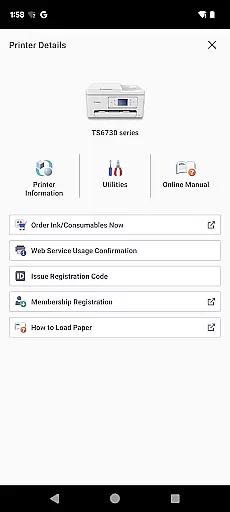
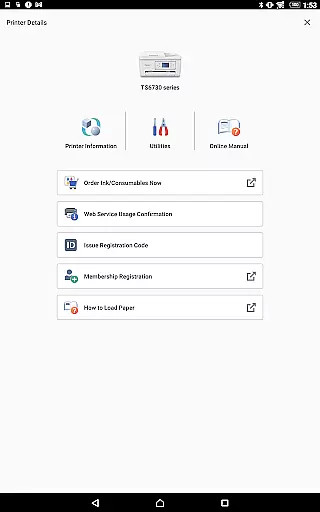
In addition to basic printing and scanning, the app offers advanced functionalities such as cloud printing. This allows users to access and print documents stored in cloud services like Google Drive and Dropbox. The app also includes a handy feature for checking ink or toner levels, ensuring that users are always aware of their printer's consumable status.
Another notable feature is the support for a wide array of Canon printer models. From inkjet printers like PIXMA and MAXIFY series to laser printers including imageFORCE and imageCLASS series, Canon PRINT caters to different printing needs. The inclusion of compact photo printers like SELPHY further expands its usability for photo enthusiasts who require high-quality prints on the go.
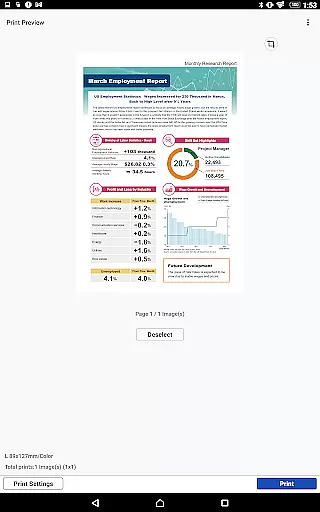
Canon PRINT is designed to ensure maximum accuracy and effectiveness in its core functions, which include setting up your Canon printer and managing print jobs. The app provides a seamless connection between your mobile device and the printer, allowing users to easily configure settings and initiate printing tasks without errors.
The application supports a wide range of Canon printer models, ensuring that whether you are using an inkjet or laser printer, the app delivers precise control over print settings. This compatibility ensures that every document, photo, or scan is handled with optimal quality and precision, maintaining the integrity of the original content.
Additionally, Canon PRINT offers cloud printing capabilities, enabling users to print from virtually anywhere. This feature not only enhances convenience but also guarantees that files are accurately rendered on paper as intended by the user. With real-time monitoring of consumable levels, users can avoid unexpected interruptions, thus improving overall efficiency.
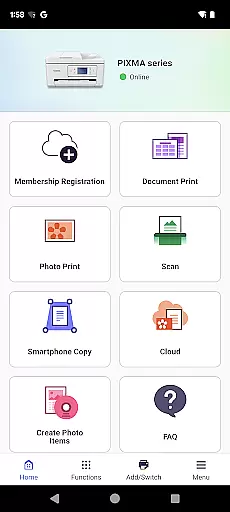
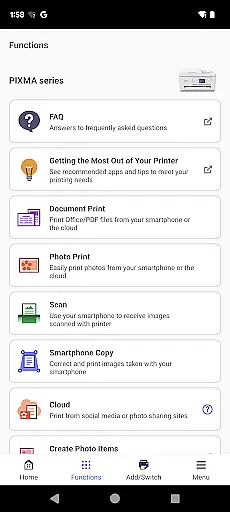
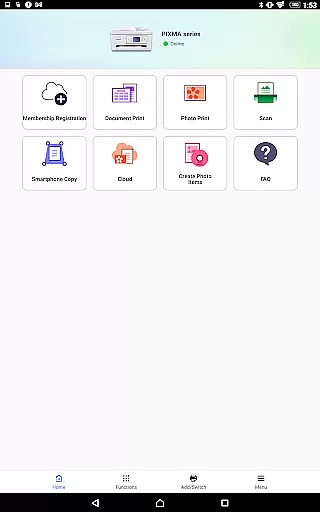
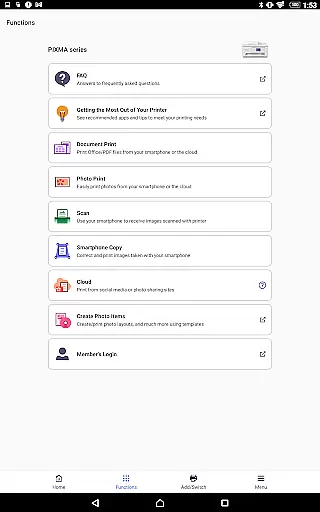
The interface of Canon PRINT is crafted to provide a simple yet intuitive user experience. Upon launching the app, users are greeted with a clean layout that organizes key functionalities such as printing, scanning, and checking ink levels into easily accessible sections. This design choice minimizes the learning curve for new users while still offering advanced options for experienced ones.
Navigation within the app is straightforward, thanks to clearly labeled buttons and menus. Users can swiftly move between different features without feeling overwhelmed by complex settings or technical jargon. This approach ensures that even those who may be less tech-savvy can operate their printers confidently.
Moreover, the app includes helpful guides and tooltips that assist users in understanding each function's purpose and operation. These elements contribute to a more engaging and frustration-free interaction, making it easier for anyone to manage their printing needs efficiently. Overall, Canon PRINT combines ease-of-use with powerful tools, enhancing productivity without compromising on usability.
User-friendly interface
Wide printer compatibility
Cloud printing support
Consumable level monitoring
Mobile scanning capability
Limited to Canon printers
Some features region-restricted
Occasional connectivity issues
No direct competitor integration
Advanced features model-dependent

 4.50
4.50
A powerful, easy-to-use flight computer on your phone or tablet!
3.80
Transfer Files, APK from Phone to Watch & Install.
4.0
Just one-tap to easy translate in any language after calls within seconds.
4.20
Forza Tuning Calculator App for Forza Horizon 5, Motorsport and Earlier Titles
4.40
Bedrock Together: Join any bedrock server on Xbox/PS
4.80
Undelete and recover your lost or deleted files with DiskDigger!
3.40
Screen Mirroring for Roku Sticks, Roku TCL TV and Roku Hisense TV
4.50
Play your X-Box games remotely in 1080p with any controller and zero latency
4.60
Remote Play with FSR upscaling, low latency & full controller support
4.80
Optimize your WiFi network, turn your phone into Wifi Analyzer
4.70
Head tracking for PC sim games such as MSFS 2024 or Elite:Dangerous. No headset!
4.50
Clean up large files and similar photos, fast and easy to use
4.40
Quickly & easily calculate the spacing of handrail balusters
4.20
Signal Strength, Mobile, Wifi, Speed Test, Bad Signals, Cellular, 5G, LTE, 4G
4.20
A simple app to back up and restore SMS & MMS messages and call logs.
4.10
Detect hidden spy camera with advanced scanning {{ Premium version }}
4.00
Introducing Smart Printer, your ultimate destination for printing solutions!
4.00
Save any video in HD - paste the link, download fast and watch offline.
4.5


User Reviews