
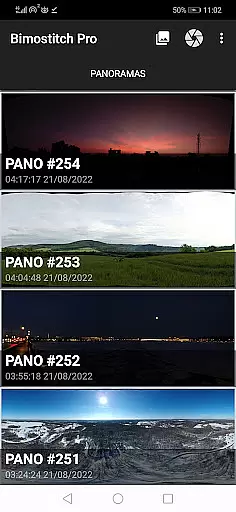
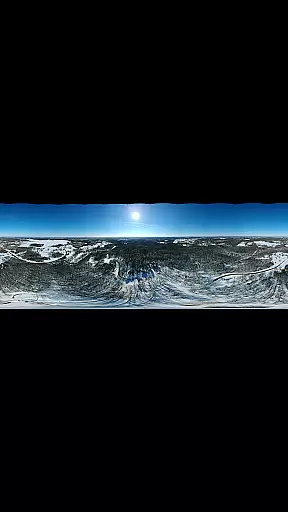
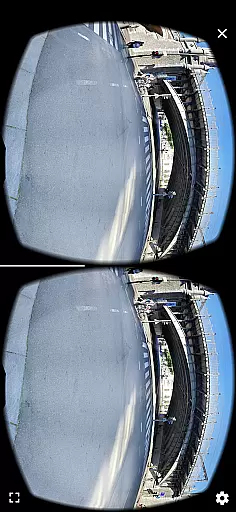
Bimostitch Panorama Pro is a powerful photography app designed for creating high-resolution panoramic images directly on your mobile device. The app utilizes advanced stitching algorithms to seamlessly merge overlapping photos into stunning panoramas, supporting various formats including single-row, multi-row, vertical, horizontal, 360° views, and even photospheres. Whether you're capturing landscapes or architectural marvels, this tool ensures professional-grade results with minimal effort.
One of the standout features of Bimostitch Panorama Pro is its ability to maintain the quality of source images while producing ultra-high-resolution outputs of up to 1 Gigapixel. Additionally, it offers intuitive tools like automatic exposure balancing, straightening, and cropping, ensuring that every panorama looks polished and visually appealing. With support for both JPEG and PNG formats, users can customize their output preferences and share their creations effortlessly across social media platforms.
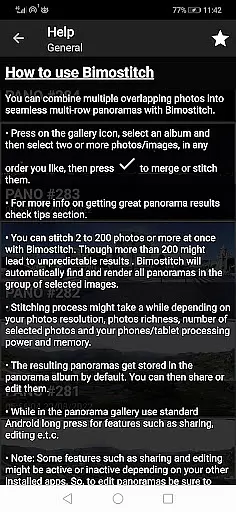
Bimostitch Panorama Pro stands out with its comprehensive suite of features tailored for both amateur and professional photographers. The app allows users to stitch between 2 to 200+ overlapping photos, making it suitable for projects of any scale. Its automatic alignment and blending capabilities ensure smooth transitions between images, while advanced options like auto-lens calibration compensate for distortions caused by wide-angle or fisheye lenses.
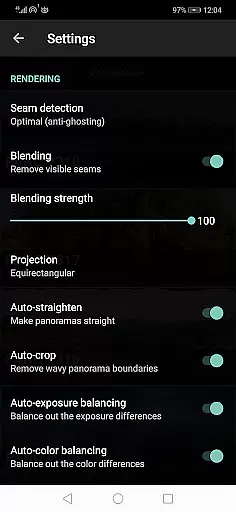
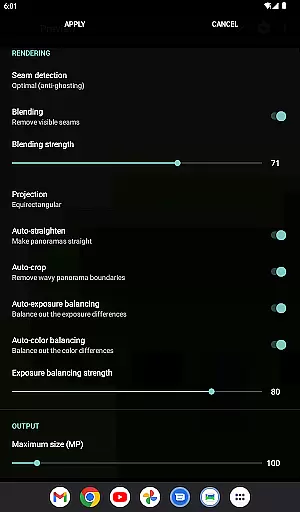
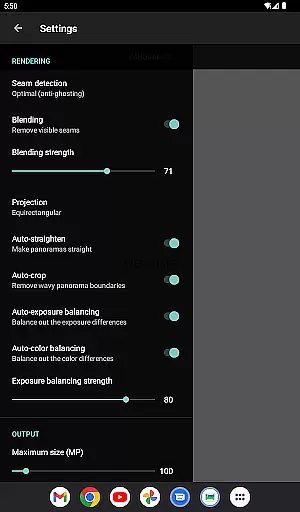
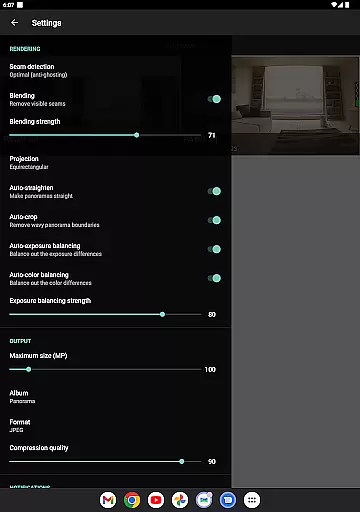
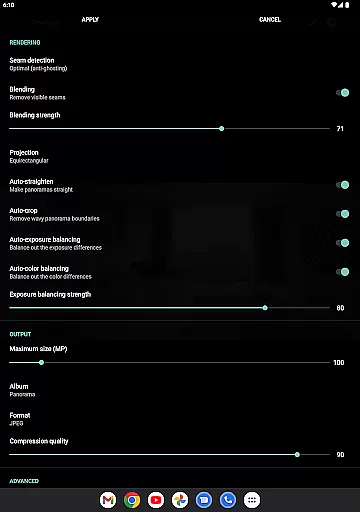
For users seeking more control, the app provides pro-level customization options such as adjusting seam detection quality, blending intensity, and color balancing. These features enable photographers to fine-tune their panoramas to perfection. Additionally, the app supports video-to-panorama conversion, allowing users to transform panning motion videos into breathtaking panoramic views. With no ads and offline functionality, Bimostitch Panorama Pro delivers a seamless and uninterrupted user experience.
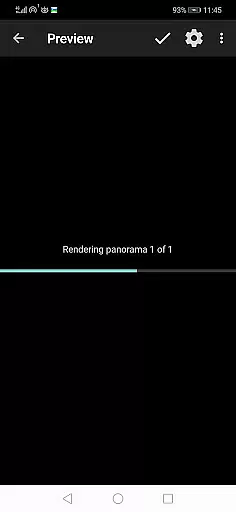
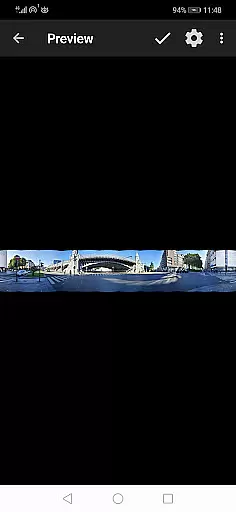
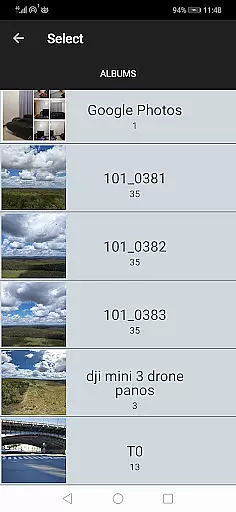
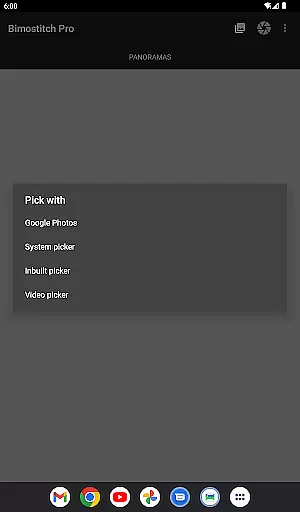
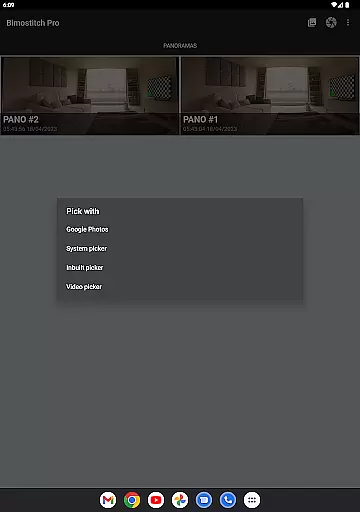
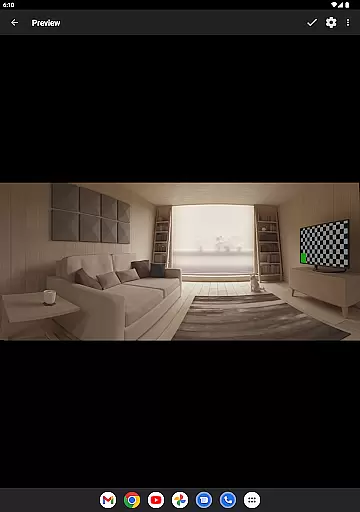
Real-time capture and preview functionality is essential for ensuring that every moment is captured accurately. Bimostitch Panorama Pro offers an intuitive built-in photo-picker, allowing users to select images directly from their gallery or camera roll. This feature ensures that photographers can immediately see the results of their work before proceeding with advanced stitching processes.
The app supports multiple methods of image acquisition, including direct camera integration, which enables users to snap overlapping photos in real time. Once the images are captured, they can be instantly previewed within the app. This immediate feedback loop allows users to make necessary adjustments on the spot, ensuring optimal overlap and alignment for the final panorama.
For those utilizing drones or other external devices, Bimostitch Panorama Pro facilitates seamless sharing and previewing of aerial shots. The ability to preview these images in real time ensures that users can capture expansive landscapes without waiting for post-processing. This feature significantly enhances the overall photography experience by providing instant visual confirmation.
Ultimately, real-time capture and preview empower users to create high-quality panoramas with confidence. By offering a dynamic preview mode, Bimostitch ensures that photographers can fine-tune their compositions and settings, resulting in professional-grade panoramic images created directly on their mobile devices.
AI beauty and enhancement features have become integral to modern photography apps, and Bimostitch Panorama Pro excels in delivering natural-looking enhancements. The app employs advanced algorithms to automatically balance exposure and straighten panoramas, ensuring that the final output looks polished yet authentic. These AI-driven enhancements maintain the original quality of source photos while elevating them to a professional standard.
Beyond basic corrections, Bimostitch includes auto-color balancing and seam detection modes that optimize the blending of images. These features intelligently analyze overlapping areas, making subtle adjustments that preserve the natural aesthetics of the scene. Users can also control the intensity of these enhancements, allowing for personalized adjustments that suit individual preferences.
One standout feature is the auto-lens calibration, which compensates for lens distortions commonly found in wide-angle and fisheye lenses. This ensures that stitched panoramas retain a realistic perspective, free from exaggerated warping. Additionally, the app's ability to compress large panoramas helps save device storage without compromising visual fidelity.
By combining powerful AI tools with user-friendly controls, Bimostitch Panorama Pro delivers enhancements that feel both sophisticated and natural. Photographers can trust that their panoramas will not only look stunning but also remain true to the original scenes they captured.
High-quality stitching
User-friendly interface
Advanced customization
Offline functionality
Multi-format support
Requires 4GB RAM
Premium cost
Complex for beginners
Limited free features
Heavy file sizes

Photobooth mini FULL app will allow you to add more fun to your parties
 4.00
4.00
Cut and paste photo editor & eraser to customize photos easy and swap faces fun
4.50
All-in-One Editor & AI Photo Enhancer, Collage, Cartoonify, Funny Stickers & BGS
4.10
Be your best in every shot! Fix, edit and retouch your face in selfies & photos.
3.70
Transform photos into videos! Create realistic or anime-style images easily!
4.50
A reflected light meter with spot metering and incident light metering.
4.40
See your baby AI baby face generator AI baby maker Face generator babymaker fun!
4.70
Transform Photos: Edit, Beautify and Craft Memories & Make Collages!
4.10
Turn photos into cartoons & avatars! - Photo Editor, Cartoon Face!
3.90
Photo prints, cards, & gifts at Walgreens. Easy ordering & fast local pickup !
4.80
Viewfinder, Light meter, Reciprocity failure time, DOF & Bellows Extension
4.60
Fit multiple photos on one post. Create carousels & scroll layouts for Instagram
4.50
RAW video capture with advanced controls
4.40
Virtual makeup, hair filters & body tuner—edit from face to full body!
4.20
Create AI Photos, Improve and restore quality of blurry, old or damaged pics.
4.20
Remote control of the phone camera from your Wear OS smartwatch
3.70
GCamera allows all GCam features on all phone models! Better photos with GCamera
3.30
Superimpose one photo on top of another using the original Superimpose app!
3.20
Snap photos remotely using your Garmin watch as the camera trigger
4.3


User Reviews