
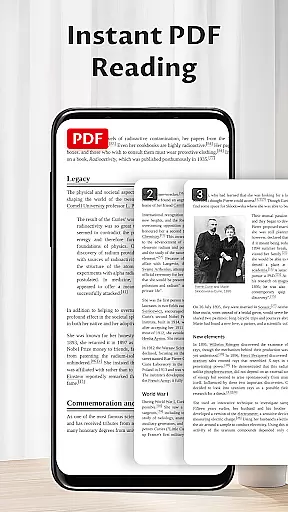
Pocket PDF is a streamlined PDF reader tailored for everyday use, focusing on simplicity and efficiency. The app allows users to open, view, and manage PDF files with minimal effort, eliminating complex navigation or unnecessary features. Its clean design makes it ideal for individuals who prioritize performance and an uncluttered interface.
With Pocket PDF, users can easily access local PDFs, enjoy a distraction-free reading experience, and perform essential file operations like sharing and deletion without hassle. Designed for Android 11+ devices, the app requests only necessary permissions to ensure smooth document handling, making it a reliable choice for anyone needing a straightforward PDF solution.
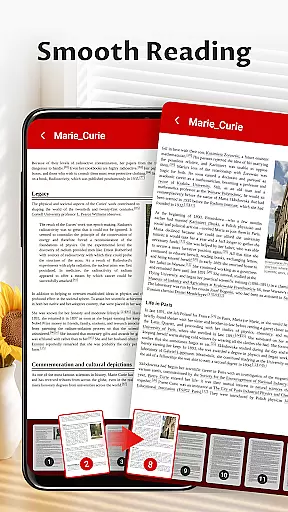
Pocket PDF stands out with its minimalist interface, removing any unnecessary elements that could distract users from their reading experience. The app provides quick access to locally stored PDFs, allowing users to open and manage documents effortlessly. Its intuitive design ensures that even those unfamiliar with advanced PDF tools can navigate with ease.
Another notable feature is the convenient sharing and deletion functionality, enabling users to handle files directly within the app. For Android 11+ users, Pocket PDF requires MANAGE_EXTERNAL_STORAGE permission, which is solely used for essential document operations such as opening and managing files. This focus on core functionalities ensures a seamless and efficient user experience without compromising device security.
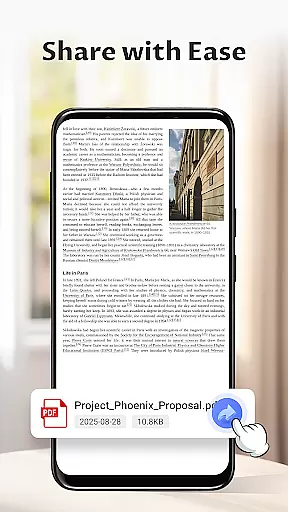
In today's interconnected work environments, the ability to collaborate efficiently is paramount. Pocket PDF understands this need and offers features that support team-based document handling. Despite its minimalist approach, the app ensures that collaboration is seamless by enabling easy sharing of PDFs directly from the interface.
With Pocket PDF, teams can quickly distribute documents without the hassle of complicated menus or procedures. This ease of access promotes a smoother workflow, allowing users to focus on the content rather than the process. The app's straightforward functionality ensures that even those who are not tech-savvy can participate in document sharing without any barriers.
The beauty of Pocket PDF lies in its simplicity, which does not compromise on essential collaborative features. Users can share important files via various methods supported by their device, making it adaptable to different work styles and preferences. This flexibility enhances productivity, as information exchange becomes faster and more reliable.
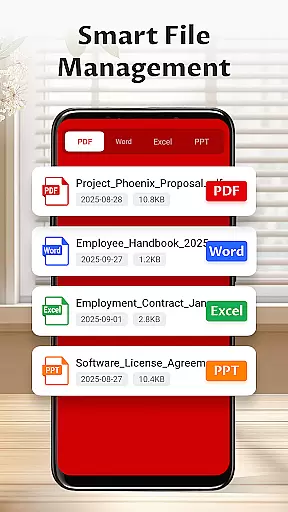
Effective task management is crucial for maintaining productivity, especially when dealing with numerous documents. Pocket PDF aids in this aspect by providing an organized platform for managing your PDF files. Its intuitive design allows users to handle their documents efficiently, ensuring that important information is always at their fingertips.
The app's permission structure on Android 11+ devices facilitates better document management by granting necessary access to external storage. This means users can easily locate, open, and manage their PDFs without unnecessary restrictions. Such accessibility is vital for keeping track of tasks and responsibilities associated with specific documents.
Moreover, Pocket PDF includes options for deleting files directly from the app, streamlining the task management process. By removing outdated or irrelevant documents swiftly, users can maintain a clutter-free workspace that fosters concentration and efficiency. These capabilities make Pocket PDF a valuable tool for anyone looking to enhance their document-related task management.
User-friendly interface
Fast PDF loading
Simple navigation
Efficient file management
Lightweight design
Limited advanced features
No cloud integration
Basic customization
Few collaboration tools
Restricted format support

Zoom built for Chrome OS
 3.90
3.90
Find jobs and make money fast with JobStack.
4.60
Create curriculum vitae, a professional cover letter creator and resume designer
4.80
Windows App allows you to connect to remote PCs and virtual apps.
3.70
Paychex Flex - Save Time and Stay Connected
4.60
enjoy effortless PDF reading anytime, anywhere
3.90
Use Generative Summary to understand your rental or insurance docs in seconds.
4.70
Smarter career moves start here. AI job alerts, insights & the right tools.
4.20
Make money as a delivery driver with DoorDash and work when you want as a Dasher
4.30
BuildCalc - the easiest AND the most advanced construction calculator app.
4.80
Employee Management Made Easy
4.80
Permission Guard is a security app that helps you manage app permissions.
4.80
The MyWalmart App is available for all associates in stores.
4.70
Access to Paylocity, empowering employees with information they need 24/7.
4.70
We help people get jobs
4.70
Finance, Investing, Stocks, Trading and Stock news
4.60
A secure, all-in-one team collaboration app
4.30
All document reader, pdf viewer app, read docs & excel files
3.80
Completed Course Lectures on how to use IBM Maximo in Maintenance issues
4.5


User Reviews