




Zoom for Chromebook is a comprehensive business communication tool that combines team chat, video meetings, phone capabilities, and collaborative whiteboards in a single web application. Designed specifically for Chrome OS, this app allows professionals to work seamlessly from anywhere with an optimized experience on Chrome OS 91+. The integration of AI Companion provides automated meeting summaries, while virtual whiteboard features enable creative brainstorming sessions.
The application supports both individual and enterprise use cases, offering features like private/public channels for team communication, SMS functionality, and automatic updates. With remote installation options for administrators, it ensures centralized configuration and enhanced security. While certain advanced features require a paid Zoom One subscription, the core functionalities deliver significant value for remote and hybrid teams.
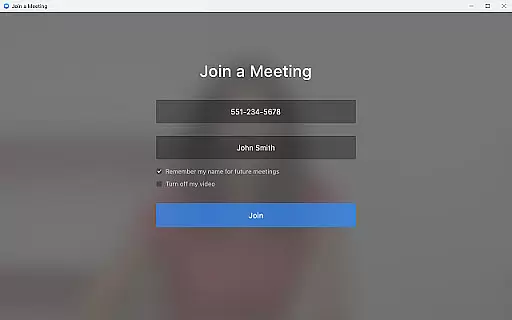
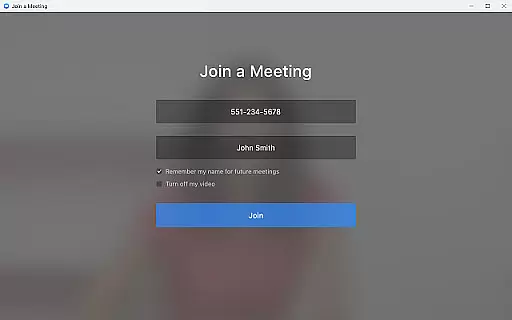
Zoom for Chromebook stands out with its all-in-one approach to business communication. The app allows users to schedule or join video meetings with a single tap, making collaboration effortless. Its AI-powered meeting summaries automatically capture key discussion points, helping teams stay organized and focused. The integrated virtual whiteboard feature enables real-time brainstorming and idea visualization.
Additional notable features include customizable virtual backgrounds for professional appearances during meetings, SMS/text messaging capabilities for quick communication, and remote installation options for IT administrators. The app also supports public and private team channels, ensuring flexible communication options. With automatic updates built into the system, users always have access to the latest features and security enhancements without manual intervention.
All these features are optimized for Chrome OS devices, providing a seamless experience that leverages the platform's native capabilities. The combination of essential communication tools with advanced features like AI Companion makes this app a powerful solution for modern businesses.
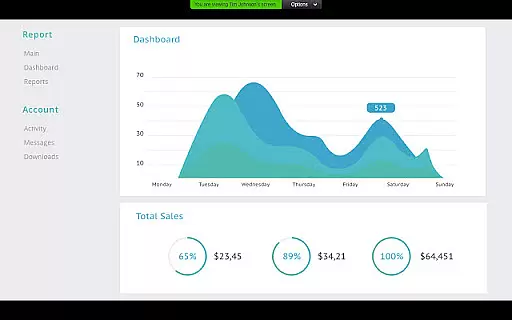
Collaborative work features are essential for modern business applications, enabling teams to work together efficiently regardless of location. Zoom for Chromebook excels in this area by integrating multiple communication tools into a single platform.
The application allows users to schedule or join video meetings with a single tap, streamlining the collaboration process. Its team chat functionality supports communication in both public and private channels, ensuring that important discussions can happen securely and conveniently.
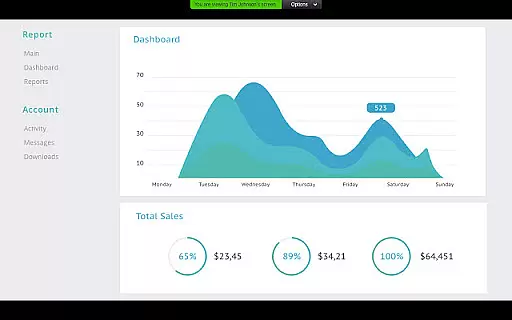
One of the standout collaborative features is the virtual whiteboard, which provides a space for brainstorming sessions and visual collaboration. This tool helps teams to share ideas dynamically and fosters creativity during remote meetings.
With these robust collaborative work features, Zoom for Chromebook ensures that teams can maintain productivity and engagement, making remote work not just feasible but effective and efficient.
Effective task management is crucial for maintaining productivity in a business environment. Zoom for Chromebook offers several features that contribute to better task organization and time management.
Users can schedule meetings and set up automated meeting summaries with AI Companion, ensuring that all participants are aligned and informed about the outcomes and next steps. This feature helps in tracking tasks discussed during meetings without manual note-taking.
In addition to meeting management, the app supports placing and receiving phone calls or sending SMS text messages, which can be integral parts of task coordination. These capabilities ensure that communication lines remain open, facilitating quicker decision-making processes.
By consolidating various task management tools into one platform, Zoom for Chromebook simplifies workflow management, allowing users to focus more on their core responsibilities rather than juggling multiple applications.
User-friendly interface
Seamless Chrome OS integration
Comprehensive communication tools
Automatic software updates
Flexible subscription options
Paid features locked behind subscription
Limited AI availability in some regions
Requires newer Chrome OS version
Occasional connectivity issues
Basic plan has limited functionality

GoTo Mobile is a simple & secure calling, messaging & meetings solution
 4.80
4.80
Completed Course Lectures on how to use IBM Maximo in Maintenance issues
4.0
VSD Viewer - Visio Drawings Viewer for Android Preview VSD, VDX, VSDX drawings
4.10
The All-in-One File Manager for Phone, TV, Watch, Cars, XR / VR, Chromebook
4.10
Employee Management Made Easy
4.80
Build a store in minutes with our full suite of AI tools. Start for free!
4.20
Find jobs near you and temp work in minutes, from your phone.
4.50
USPS Mobile®Access USPS.com’s most popular tools on-the-go.
4.70
Work happy with AI Companion
4.10
FaxCover - Create fax cover pages. Works with any app or fax machine.
4.90
TurboScan turns your phone into a full-featured PDF document scanner.
4.80
AI-powered document scanner with auto enhance for perfect PDFs.
4.60
Find jobs and make money fast with JobStack.
4.60
Ask Accio anything about business. Alibaba-backed, built by experts, not just AI
4.60
No more passwords, easier sign-in, and greater protection for your accounts.
4.60
ADP Mobile Solutions is an employee self service app
4.50
Formerly Facebook Ads Manager. Manage and create ads on the go.
4.20
Get your benefits on-the-go.
3.80
Delivery Track App - Tracking with Fedex, USPS, UPS, DHL. Monitor your Orders.
3.20


User Reviews