
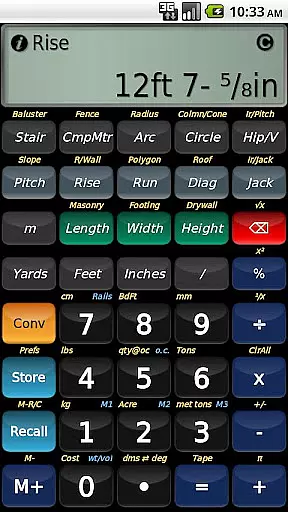
BuildCalc is a powerful construction calculator app designed to simplify complex calculations for professionals in the building industry. With advanced features like interactive functions, full daylight visibility mode, and specialized calculation tools, it offers more functionality than traditional construction calculators. The app provides detailed layouts for stairs, balusters, and fences, along with the ability to email PDF drawings directly from the app. Its user-friendly interface ensures less complexity and hassle, allowing users to get accurate results with fewer button presses.
The application stands out with its customizable options for masonry, drywall, and roofing calculations. Users can store custom sizes and access them easily in Length x Width format. BuildCalc also includes specialized modes like Room Mode for quick drywall and masonry estimates, as well as automatic switching between miter saw and protractor results. These features make it an invaluable tool for construction professionals seeking efficiency and precision on the job site.
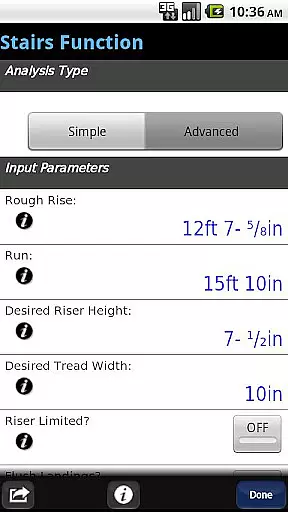
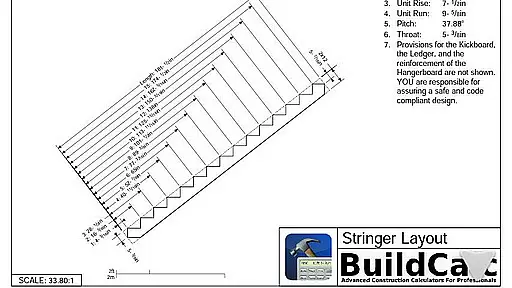
BuildCalc offers an array of innovative features that set it apart from other construction calculators. One standout is the Advanced Stair function, which provides professional-grade stair layouts complete with dimensioned drawings of the stringer and finished staircase. This feature even allows users to email a PDF of these drawings for printing or sharing. Another highlight is the Interactive Functions, where inputs for stairs, balusters, compound miters, and more can be adjusted on-the-fly, with results updating automatically without additional key presses.
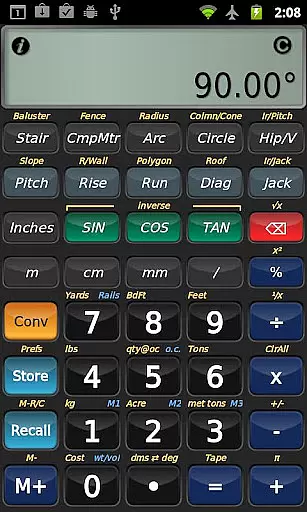
In addition to its advanced functionalities, BuildCalc includes practical tools like the Fence Function, which calculates the number of posts, rails, and pickets needed based on fence row length. It also boasts a streamlined keystroke sequence that minimizes errors and maximizes efficiency. The Full Daylight Visibility Mode ensures usability in various lighting conditions, while the Construction Master Pro emulation provides familiarity for those transitioning from traditional calculators. These robust features collectively enhance productivity and accuracy for construction professionals.
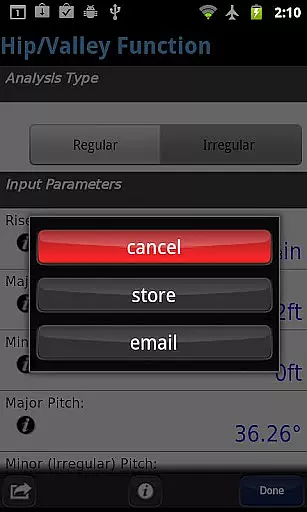
In the realm of construction, collaboration is key to successful project completion. BuildCalc enhances collaborative efforts by integrating advanced interactive functions that are crucial for team settings. The Stair, Baluster, Compound Miter, Diagonal, and Hip/Valley functions have been designed to be fully interactive, allowing users to change input values on the fly. This means that whether you're adjusting the Run or switching between Regular and Irregular Hip Roof analysis, your results will update automatically without the need to remember specific key presses.
Moreover, BuildCalc offers a feature that allows users to save their calculation results. This functionality ensures that all team members have access to the same data, reducing misunderstandings and errors. By saving results, teams can recall complete calculations at their convenience, streamlining workflow and enhancing productivity. This aspect of BuildCalc is particularly beneficial in environments where multiple stakeholders are involved in decision-making processes.
The app also provides comprehensive help features that guide users through complex calculations. With checklists of inputs and on-the-spot assistance, BuildCalc minimizes errors and maximizes efficiency. This built-in support system empowers teams to focus on their tasks without getting bogged down by complicated key sequences or forgetting crucial steps in their calculations.
Overall, BuildCalc's emphasis on collaboration ensures that every member of a construction team can contribute effectively, making it an invaluable tool for any business in the construction industry.
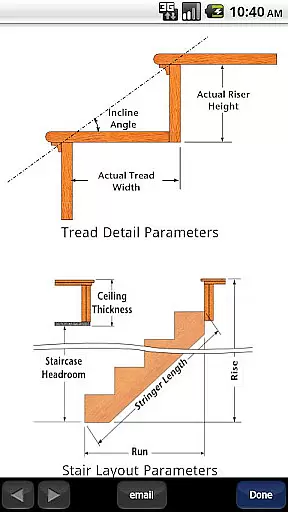
Effective task management is essential for construction professionals who need to keep track of numerous calculations and measurements. BuildCalc addresses this need by offering features that simplify the process of managing various construction-related tasks. One standout feature is the Advanced Stair function, which not only helps in laying out professional stair designs but also generates dimensioned drawings of the Stringer, Stringer Installation, and Finished Staircase. These drawings can be emailed as PDFs directly from the app, facilitating easy sharing and printing.
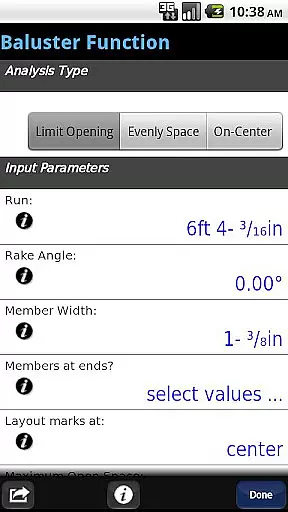
Additionally, BuildCalc includes specialized functions like the Advanced Baluster Function and Fence Function, which cater to specific construction needs. The baluster function aids in creating railing and staircase layouts with precision, reducing guesswork and accommodating custom job requirements. Meanwhile, the fence function calculates the number of posts, rails, pickets, and panels needed based on a given fence row length, ensuring accurate material estimates.
BuildCalc further simplifies task management by providing a Full Daylight Visibility Mode and emulating the Construction Master Pro, familiar tools for many professionals. These features reduce complexity and hassle, enabling users to perform calculations with fewer keystrokes and less confusion. As a result, users can manage their tasks more efficiently, focusing on delivering high-quality results rather than struggling with cumbersome interfaces.
By combining powerful calculation tools with user-friendly features, BuildCalc stands out as a premier task management solution for the construction industry, helping professionals achieve more with less effort.
User-friendly interface
Advanced calculation tools
Customizable options
Interactive functions
Full daylight visibility
Requires learning curve
Premium pricing
Limited free version
No offline support
Occasional bugs

 4.70
4.70
FX Plus adds media, networking, and cloud capabilities to FX File Explorer.
4.10
Earn free swag, G-Cards & food • Enter sweepstakes • Find stores • So much more.
4.70
Your employer must have UKG Ready software configured for Mobile.
4.60
Use Generative Summary to understand your rental or insurance docs in seconds.
4.70
All your team communication in one place
4.70
Make invoices, bills, receipts & estimates on the go with Invoice Generator.
4.70
Collaborate seamlessly with Google Chat, part of Google Workspace
4.50
Earn money with the driver & delivery partner app for Uber, UberEats & Postmates
4.60
FaxCover - Create fax cover pages. Works with any app or fax machine.
4.90
Create curriculum vitae, a professional cover letter creator and resume designer
4.80
Recover what matters — quickly and easily.
4.70
USPS Mobile®Access USPS.com’s most popular tools on-the-go.
4.70
Manage work life on the go
4.50
Drive and earn extra money
4.50
The revolutionary flexible staffing platform
4.40
All Your Gig Work. One App.
4.30
Find work, shifts and gigs near you. Jobs lasting a few hours to a few months.
4.30
On the go? Take FedEx with you.
4.00


User Reviews