


LinkedIn is the world's largest professional networking platform, designed to help users advance their careers and expand their business connections. With over 1 billion members, it serves as a powerful tool for job seekers, recruiters, and professionals looking to stay informed about industry trends. The app allows users to create an online resume, apply for jobs, and build a network of contacts while staying updated on business news.
One of LinkedIn's standout features is its ability to connect professionals across industries, enabling them to share insights, collaborate on projects, and explore new career opportunities. Whether you're searching for freelance work, remote positions, or full-time roles, LinkedIn provides tailored job alerts and company insights to streamline your search. Additionally, its integration with business news and collaborative articles ensures that users remain informed about market developments.
For professionals aiming to grow their careers, LinkedIn offers tools like profile-building assistance, community engagement, and premium subscription options. These features make it easier than ever to stand out to recruiters and secure interviews. By leveraging LinkedIn’s vast network, users can find their next workplace, showcase their skills, and access valuable resources to enhance their professional journey.
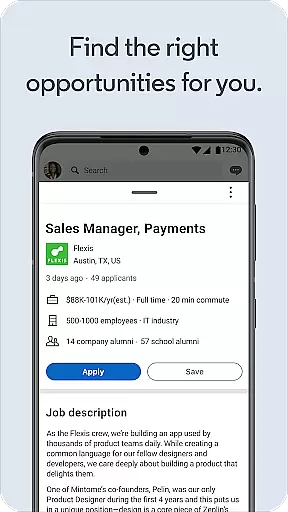
LinkedIn offers a comprehensive suite of features designed to support professional growth and networking. Its job search functionality allows users to browse openings from companies actively hiring in various fields. You can filter results by location, job type (remote, freelance, part-time, or full-time), and specific industries, ensuring you find roles perfectly suited to your expertise.
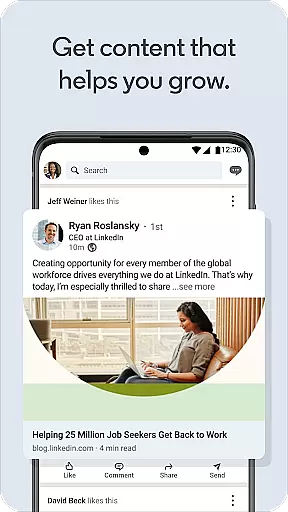
Beyond job hunting, LinkedIn excels as a hub for business news and industry updates. Users can follow top voices, companies, and influencers to receive curated content directly in their feed. Collaborative articles and trending discussions provide deeper insights into current topics, helping professionals stay ahead of the curve. This feature fosters meaningful interactions within the community, encouraging knowledge sharing among peers.
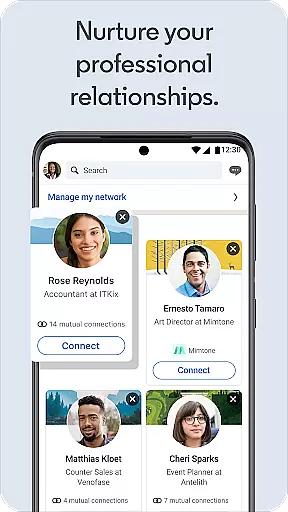
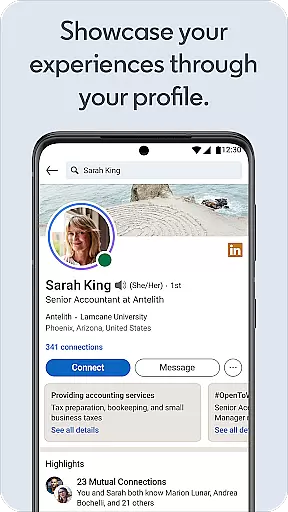
The app also includes robust profile-building tools, enabling users to craft detailed resumes and highlight key accomplishments. With options to upload portfolios, certifications, and recommendations, LinkedIn helps individuals present themselves effectively to potential employers. Furthermore, its social networking capabilities facilitate relationship building, allowing users to engage with colleagues, join interest-based groups, and participate in conversations that matter to their careers.
LinkedIn offers a robust platform for collaborative work, enabling professionals to connect and engage with peers across the globe. The app facilitates networking by allowing users to build and expand their professional contacts effortlessly.
Through LinkedIn's integrated messaging and sharing capabilities, users can communicate in real-time, exchange ideas, and collaborate on projects seamlessly. This functionality is crucial for modern businesses that rely on dynamic teamwork and communication.
Professionals benefit from LinkedIn's collaborative environment by gaining access to industry insights, participating in meaningful discussions, and staying updated with the latest business trends. These interactions foster innovation and growth within professional communities.
Ultimately, LinkedIn's collaborative work features empower users to create valuable connections, opening doors to new opportunities and enhancing career development through an active, engaged network.
Task management on LinkedIn revolves around its powerful job search and application tracking system. Users can efficiently manage their career tasks by setting up personalized job alerts, ensuring they never miss an opportunity in their field of interest.
The platform streamlines the process of applying for jobs by allowing users to submit applications directly through their LinkedIn profiles. This feature simplifies the task management aspect of job hunting, making it more organized and less time-consuming.
Additionally, LinkedIn provides tools for users to track their progress in the recruitment pipeline, receive feedback from potential employers, and manage interviews and offers in one centralized location. This comprehensive approach enhances productivity and keeps users informed about their career advancement steps.
By integrating task management features, LinkedIn not only helps professionals find work but also supports them throughout their career journey, ensuring a structured and efficient path to achieving their professional goals.
User-friendly interface
Extensive job listings
Professional networking
Business news updates
Premium subscription perks
Limited free features
Premium costs high
Occasional spam messages
Complex privacy settings
Learning curve for beginners

AI-powered document scanner with auto enhance for perfect PDFs.
 4.60
4.60
All Your Gig Work. One App.
4.30
Earn free swag, G-Cards & food • Enter sweepstakes • Find stores • So much more.
4.70
Master crypto trading with real-time simulations and exciting challenges!
4.50
Find part-time earning opportunities near you that pay within days.
3.20
Job search app that finds jobs for you! Takes the work out of looking for a job!
4.90
From Gone to Back Again — In Just a Few Taps
4.50
Say hello to the mobile work experience built to help you thrive at work.
4.30
ADP Mobile Solutions is an employee self service app
4.50
GoTo Mobile is a simple & secure calling, messaging & meetings solution
4.80
Start earning fast. Apply Today.
4.80
Mobile POS for any business: sales, invoices, retail, restaurants & appointments
4.60
One marketplace. Hundreds of services. Unlimited possibilities. All on Fiverr.
4.40
Build a store in minutes with our full suite of AI tools. Start for free!
4.20
VSD Viewer - Visio Drawings Viewer for Android Preview VSD, VDX, VSDX drawings
4.10
Work happy with AI Companion
4.10
Quickly open and manage PDF files on your device.
3.80
Access All PDF Files
3.40
Completed Course Lectures on how to use IBM Maximo in Maintenance issues
4.2


User Reviews