
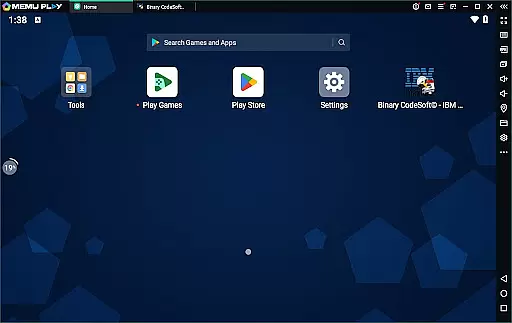
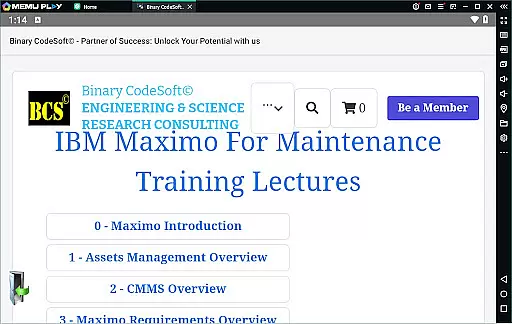
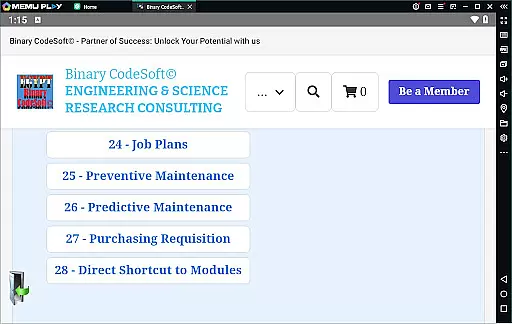
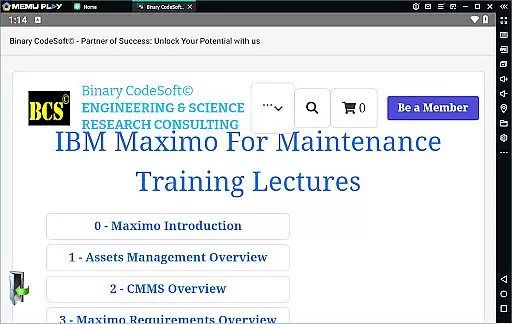

BCS©-Maximo Maintenance course is a comprehensive business application designed to educate users on maintenance operations and IBM Maximo software. The app covers various aspects of maintenance strategies, planning, scheduling, and associated costs. It provides detailed insights into IBM Maximo's features, including asset management, CMMS, implementation methods, and new enhancements.
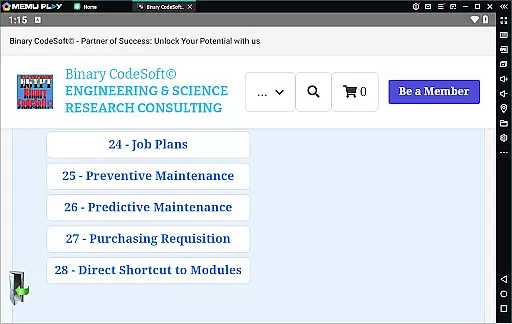
The course delves into practical applications such as work orders, job plans, preventive and predictive maintenance, and dynamic job planning. Additionally, it offers training on creating shutdown plans, generating 7-day and monthly plans, managing child work orders, and exporting data to MS Excel or MS Project files. These features make it an essential tool for businesses seeking efficient maintenance solutions using IBM Maximo.
BCS©-Maximo Maintenance course stands out with its extensive range of features tailored for business maintenance needs. One key feature is the detailed introduction to different maintenance strategies and their cost implications, helping businesses optimize their operations. The app also provides an in-depth overview of IBM Maximo, covering assets management, CMMS, and the latest features that facilitate effective implementation.
Another significant aspect is the focus on practical tools like work orders, job plans, preventive and predictive maintenance, and dynamic job plans. Users can modify job plans and create comprehensive shutdown plans using Maximo. The app supports exporting data to MS Excel and MS Project files, enhancing data management capabilities. With direct shortcuts to modules and multi-record task execution, it ensures streamlined workflows and forward-thinking planning.
In the realm of business applications, collaborative work features are essential for enhancing team productivity and ensuring seamless communication. The BCSu00a9-Maximo Maintenance course offers a comprehensive look into how IBM Maximo facilitates collaboration among maintenance teams. This application allows multiple users to access and update maintenance records simultaneously, ensuring that everyone is on the same page.
Furthermore, the app provides tools for real-time sharing of job plans and preventive maintenance schedules. Teams can collaborate more effectively by having instant access to work orders, asset management details, and shutdown plans. This ensures that all team members have the necessary information at their fingertips, which is crucial for executing maintenance tasks efficiently.
The collaborative features within IBM Maximo also include dynamic job plans and child work orders, allowing for complex projects to be broken down into manageable tasks. Users can modify job plans on the fly and ensure that all team members are aware of the changes instantly. This level of collaboration not only improves efficiency but also reduces the likelihood of errors and miscommunications, leading to more successful project outcomes.
Effective task management is pivotal for any business looking to optimize its operations, and the BCSu00a9-Maximo Maintenance course excels in this area. This application provides robust tools for tracking tasks related to maintenance operations, including assets management, work orders, and preventive maintenance schedules. By offering a detailed view of each task's status, the app enables managers to keep a close eye on ongoing and upcoming activities.
One standout feature is the ability to generate 7-day, monthly, and even shutdown plans with ease. These planning tools allow businesses to anticipate maintenance needs and allocate resources accordingly. Additionally, the app supports exporting data to MS Excel and MS Project files, making it simpler to integrate with existing project management workflows and maintain meticulous records of task progress.
Moreover, the task management capabilities extend to purchasing operations and executing tasks across multiple records. With functionalities like keeping queries always on top and following up on important items using reports, the app ensures that no critical task falls through the cracks. This comprehensive approach empowers businesses to stay one step ahead in their planning processes, ultimately leading to improved operational efficiency and reduced downtime.
Comprehensive maintenance strategies
Detailed IBM Maximo tutorials
Practical applications and tools
Data export capabilities
Streamlined workflow features
Requires basic knowledge of Maximo
Limited interactive features
No offline access
Advanced modules need subscription
Interface could be more user-friendly

 4.70
4.70
ANDROID'S TOP MOBILE OFFICE - Word, Excel, PowerPoint and PDF at your fingertips
4.50
Take the stress out of storage with the all-in-one app to manage your space.
3.70
Get instant construction estimates: accurate home repair & material calculator.
4.70
Mobile POS for any business: sales, invoices, retail, restaurants & appointments
4.60
view, manage, and share every PDF file you have
3.60
Shop, deliver, and earn with the Spark Driver™ App
4.10
Earn money with the driver & delivery partner app for Uber, UberEats & Postmates
4.60
On the go? Take FedEx with you.
4.00
Create curriculum vitae, a professional cover letter creator and resume designer
4.80
Earn free swag, G-Cards & food • Enter sweepstakes • Find stores • So much more.
4.70
We help people get jobs
4.70
Grow your business and connect with more people with Meta Business Suite.
4.60
Ship, Track, Find a Location or Get a Quote with UPS. Anytime. Anywhere.
4.60
Chat, meet, and collaborate to achieve more together, all in one place on Teams
4.60
From Gone to Back Again — In Just a Few Taps
4.50
Deliver and earn money
4.30
Make money as a delivery driver with DoorDash and work when you want as a Dasher
4.30
Find part-time earning opportunities near you that pay within days.
3.20


User Reviews