
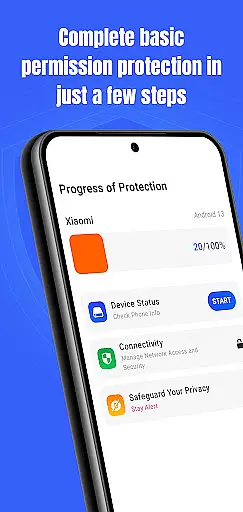
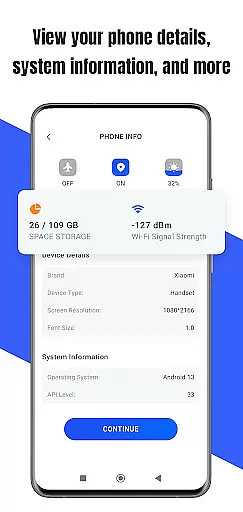
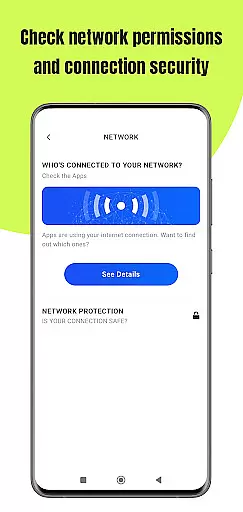
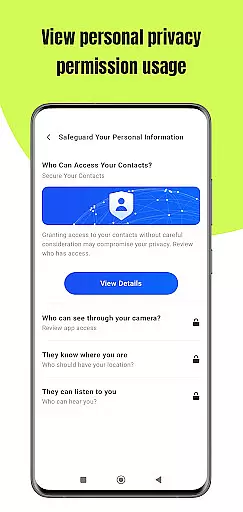
Permission Guard is a specialized security application within the Business category, designed to help users manage app permissions effectively. The core functionality revolves around monitoring and controlling the access rights of other applications on your device. This ensures that apps only access necessary data, protecting both personal and business information.
The app provides real-time alerts when an application requests excessive or suspicious permissions, allowing users to make informed decisions. It is particularly useful for small business owners and professionals who need to maintain strict control over sensitive data on their mobile devices. With its intuitive interface, Permission Guard makes permission management accessible even to non-technical users.
By using Permission Guard, businesses can significantly enhance their mobile security posture while maintaining operational efficiency. The application's ability to create detailed permission reports helps organizations stay compliant with various data protection regulations.
Permission Guard offers several distinctive features that set it apart in the Business security space. The app's permission scanning engine automatically analyzes all installed applications, providing detailed insights into their access levels. This feature is especially valuable for businesses that regularly handle confidential client information.
Another key feature is the customizable permission policy creation tool. Administrators can define specific rules for different user groups or departments, ensuring consistent security standards across the organization. The app also includes an enterprise-grade reporting system that generates compliance-ready audit trails.
The application's proactive threat detection system monitors permission usage patterns and flags unusual activities. This predictive capability, combined with regular security recommendations, helps businesses stay ahead of potential vulnerabilities. Additionally, Permission Guard integrates seamlessly with existing MDM solutions, making it a versatile addition to any corporate mobile environment.
Collaborative work features are essential for businesses that rely on teamwork and shared responsibilities. Permission Guard enhances this aspect by ensuring that all collaborative apps on your device operate within their intended scope.
The app meticulously monitors permissions granted to collaborative tools, preventing unauthorized access to sensitive data. This ensures that team members can use necessary applications without risking the privacy and security of shared information.
With Permission Guard, businesses can maintain a secure environment for collaboration. By controlling which apps have access to specific data, teams can focus on their tasks with peace of mind, knowing that their shared documents and communications remain confidential.
This level of oversight not only protects valuable business information but also fosters trust among team members. When everyone is confident that their collaborative work is safeguarded, productivity and morale improve, leading to more successful project outcomes.
Effective task management is crucial for maintaining productivity and meeting deadlines in any business setting. Permission Guard supports this by allowing users to manage app permissions related to task management tools.
By monitoring and controlling the permissions of these apps, Permission Guard ensures that only relevant and authorized data is accessible. This prevents potential data breaches and keeps task-related information secure from unauthorized access or misuse.
Moreover, Permission Guard empowers users to customize permission settings according to their workflow requirements. Whether it's accessing calendars, contacts, or files, users can tailor permissions to match the specific needs of their task management processes.
This granular control over app permissions enhances both security and efficiency. Businesses can streamline their operations while safeguarding sensitive information, ultimately leading to a more organized and protected work environment.
Enhanced security
User-friendly interface
Real-time monitoring
Detailed reporting
Customizable policies
Premium features locked
Occasional false alerts
Limited free version
Resource intensive
Steep learning curve

Formerly Facebook Ads Manager. Manage and create ads on the go.
 4.20
4.20
Scan Business Cards & Conference Badges - Capture Leads at Events & Tradeshows
4.20
Windows App allows you to connect to remote PCs and virtual apps.
3.70
Your employer must have UKG Ready software configured for Mobile.
4.60
Manage work life on the go
4.50
Recover what matters — quickly and easily.
4.70
All document reader, pdf viewer app, read docs & excel files
3.80
All-in-one Mobile solutions for employees & managers to succeed at work
4.30
No more passwords, easier sign-in, and greater protection for your accounts.
4.60 4.70
4.70
AI-powered document scanner with auto enhance for perfect PDFs.
4.60
Ship, Track, Find a Location or Get a Quote with UPS. Anytime. Anywhere.
4.60
Amazon A to Z is the place to manage your work-life at Amazon.
4.50
Deliver and earn money
4.30
Build a store in minutes with our full suite of AI tools. Start for free!
4.20
Find flexible, hourly jobs hiring near you in restaurant, retail & hospitality!
4.00
enjoy effortless PDF reading anytime, anywhere
3.90
Roadie connects people with stuff to send with drivers already going that way.
3.50
Delivery Track App - Tracking with Fedex, USPS, UPS, DHL. Monitor your Orders.
3.20


User Reviews