
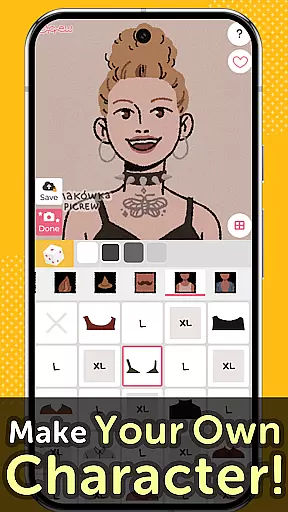
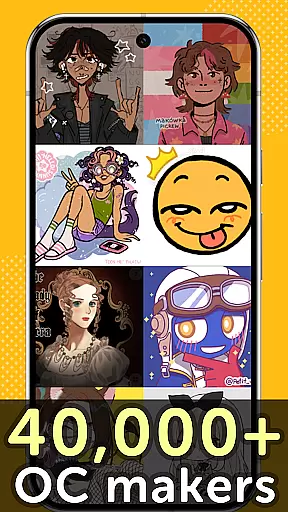
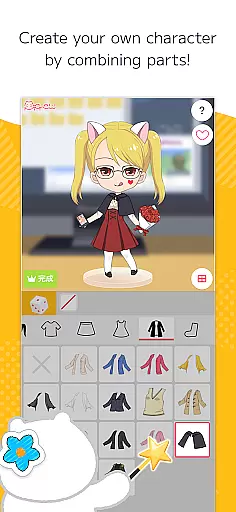
Picrew PFP & OC Maker is a versatile avatar and character creation platform that allows users to design unique avatars, profile pictures, and icons for free. With over 10,000 Image Makers available, the app caters to various tastes including cute, cool, stylish, or even scary designs. Users can customize their creations by combining facial features, clothing parts, and other elements to reflect their personal style.
The app also supports social media integration, enabling users to share their creations on platforms like Facebook, X, and LINE. Additionally, Picrew offers useful features such as search, tagging, bookmarking, reporting, and blocking, ensuring a smooth and enjoyable user experience. Whether you're looking to create an anime-style avatar, an aesthetic profile picture, or a custom icon, Picrew provides all the tools necessary to bring your ideas to life.
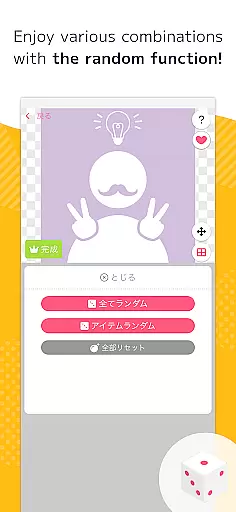
Picrew PFP & OC Maker stands out with its comprehensive suite of creative tools. The Dress-up Maker lets users manually select parts to build their desired avatar, while the Random Maker generates images based on chance, offering a fun, fortune-telling-like experience. These features ensure that both meticulous designers and casual users can enjoy the app.
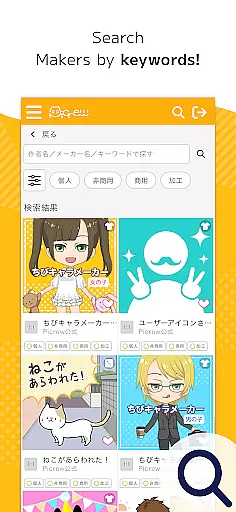
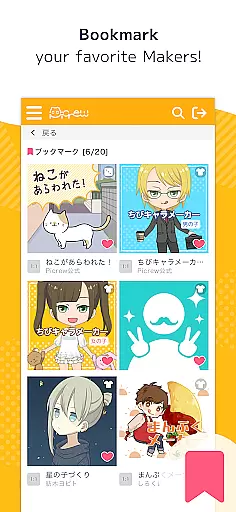
Another key feature is the ability to search for specific Image Makers using keywords, categories, or tags set by creators. This makes it easy to find the perfect template for your project. Additionally, users can bookmark their favorite Image Makers for quick access later. For community safety, Picrew includes reporting and blocking functions, allowing users to flag inappropriate content and hide unwanted makers from their view.
All images created on Picrew can be downloaded for free and used according to the guidelines set by both the platform and individual creators. This flexibility ensures that users can apply their creations across multiple platforms, whether for personal use, non-commercial projects, or even commercial endeavors.
Picrew PFP & OC Maker stands out in the Art & Design category by offering an extensive suite of creative tools that cater to a wide array of customization needs. The app provides users with over 10,000 Image Makers, enabling the creation of personalized avatars, characters, and icons without any charge.
These creative tools are not just numerous but also diverse in functionality. Users can choose between the Dress-up Maker for manual customization or the Random Maker for luck-based creations. This diversity ensures that whether you're looking to craft an anime-style avatar, design aesthetic profile pictures, or create original cartoon pfps, Picrew has the right tool for you.
The value derived from these comprehensive creative tools is immense. They allow users to express their unique styles and preferences through detailed character customization options. From selecting specific facial features to choosing stylish clothing parts, Picrew empowers users to create images that truly reflect their personal aesthetics.
Moreover, the platform's integration of social media sharing and its bookmarking feature enhance the overall utility of these creative tools. Users can easily save their favorite Image Makers, share their creations on platforms like Facebook and X, and even report or block inappropriate content, ensuring a safe and enjoyable creative environment.
In addition to its robust set of creative tools, Picrew PFP & OC Maker excels in providing canvas and format flexibility, which significantly enhances the user experience. The app supports various image formats suitable for different uses, including social media icons, gaming avatars, and more.
This flexibility allows users to design and download their creations in formats that best suit their needs. Whether it's crafting an aesthetic pfp for Instagram or designing a unique character portrait for a blog header, Picrew accommodates all these requirements seamlessly.
The ability to customize dimensions and resolutions further underscores the app's versatility. Users aren't constrained by predefined sizes; instead, they have the freedom to adjust their canvas settings according to specific project demands. This adaptability makes Picrew an invaluable tool for both casual users looking to kill time and professionals seeking precise design capabilities.
By combining this canvas and format flexibility with its vast array of creative tools, Picrew ensures that every user can achieve their desired outcome efficiently and effectively. This dual focus on creativity and practicality solidifies Picrewu2019s position as a leading application in the Art & Design category.
User-friendly interface
Extensive customization options
Free to use
Vibrant creator community
Social media sharing capabilities
Limited advanced editing tools
Some features only on website
Occasional inappropriate content
Dependent on creator guidelines
No offline functionality

Customizable Outlined Fonts. Watch Face Format. Battery friendly Digital Clock.
 4.20
4.20
Image/ Text to Video Generator
4.40
Create color palette from Image, RGB & RYB Color wheel harmonies, Color Scheme
4.50
Convert image to JPG PNG HEIC PDF, support almost all kinds of image formats
4.70
Nano Banana AI Image Generator, Anime Filter, AI Portrait, AI Photo Generator
4.30
AR Anime Drawing: How to draw anime with AR drawing & sketching apps!
4.00
Your homescreen as an elegant glass with customized blur, lighting, and visuals.
3.70
Experience next-gen icons with a modern liquid glass look.
3.60
Sketch and paint on your device with the feel and freedom of drawing on paper
4.00
See Color, Paint Color
4.90
Your AI soulmate — meaningful chats, and unique emotional moments
4.70
Minecraft & Roblox Clothes
4.70
Digital, Abstract, Classic - all types of color wheels in one app!
4.60
The perfect place to start sketching! Use Sketchbook to draw and paint sketches.
4.50
Share the joy of painting with ibis Paint! Drawing anime and manga art.
4.50
Bring One UI 8.5 Icons to life -elegant dark icons with a modern, premium touch.
4.30
OneUI 8.5 icons ✨ Smooth, modern & based on the latest Play Store design ??
4.10
Retouch photos. Create or edit images. Endless capabilities.
2.70
Android 14 style widgets and wallpapers app.
4.3


User Reviews