
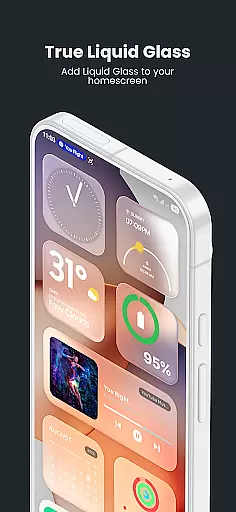
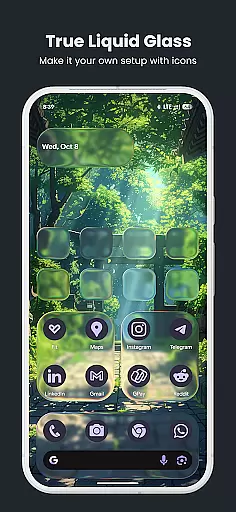
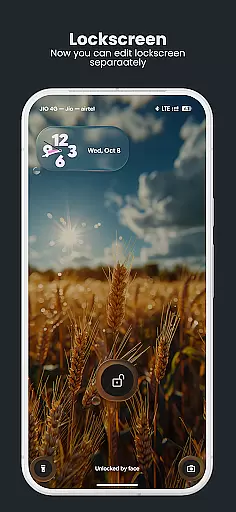
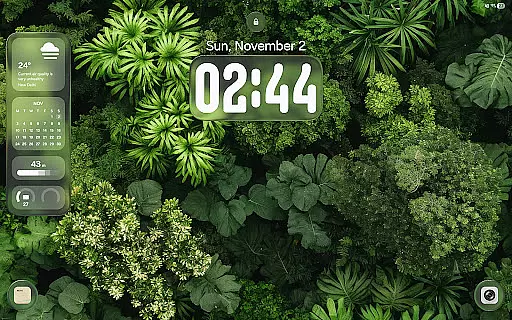
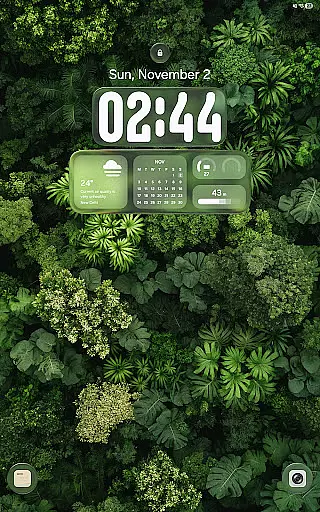
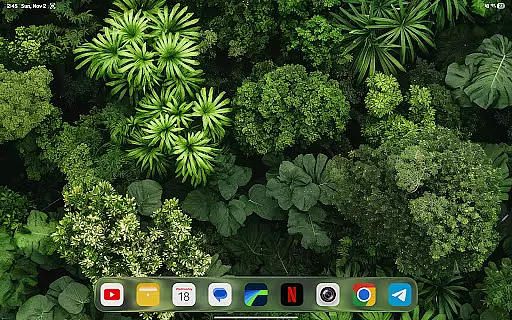
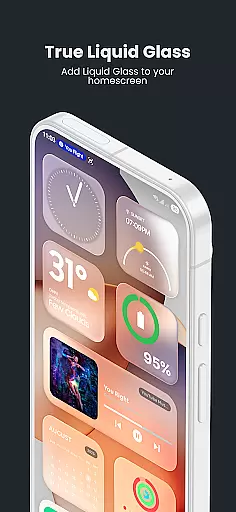
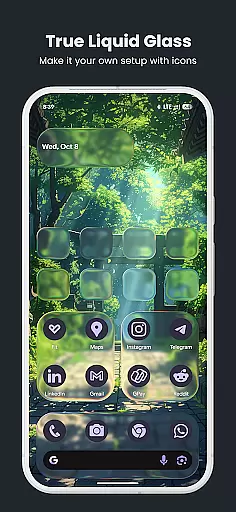
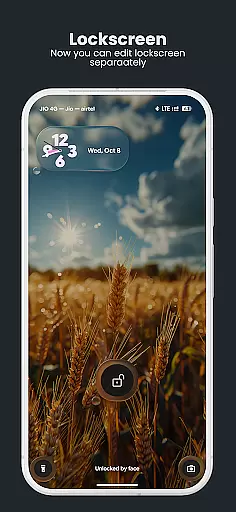
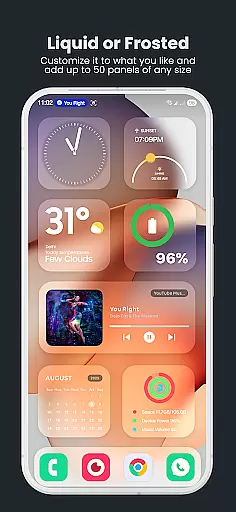
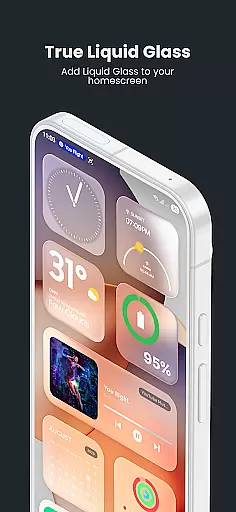
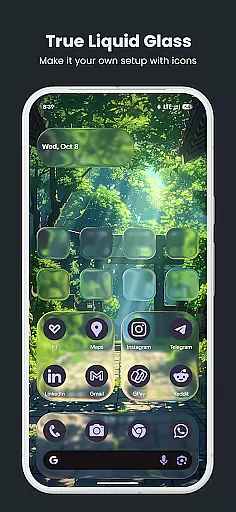
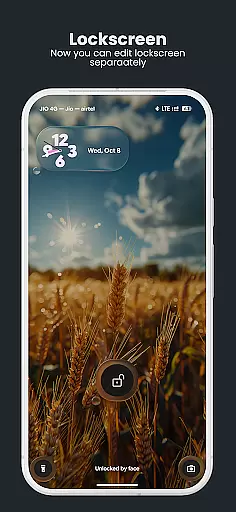
True Liquid Glass is a premium live wallpaper application that brings realistic glass effects to Android devices. This app allows users to create stunning, interactive designs for both home and lock screens with fluid animations and advanced customization options.
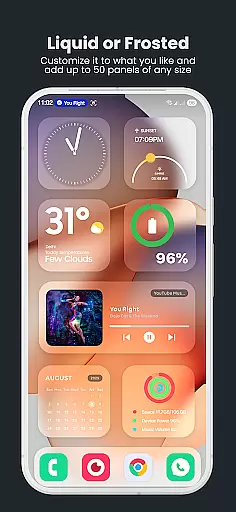
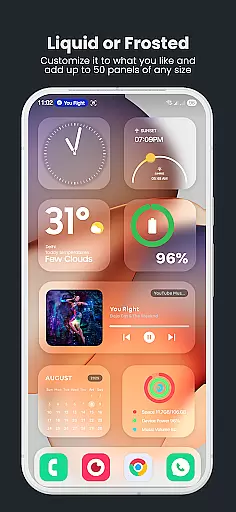
The application features a dual layout engine, enabling independent designs for each screen. Users can enjoy real-time refraction, chromatic aberration, and dynamic lighting effects that respond to device motion. The intuitive live editor provides precise control over blur intensity, roundness, tint, and other parameters.
Ideal for design enthusiasts who want to personalize their devices, True Liquid Glass offers a professional-grade customization tool that works seamlessly on both phones and tablets.
True Liquid Glass stands out with its comprehensive feature set tailored for creative professionals. The app's dual layout engine allows users to design distinct interfaces for home and lock screens, with smooth animated transitions between them.
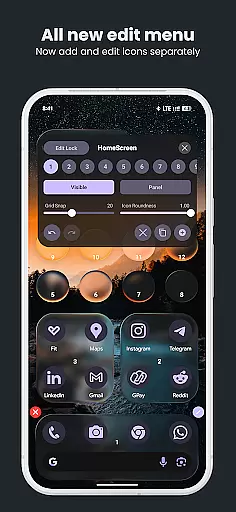
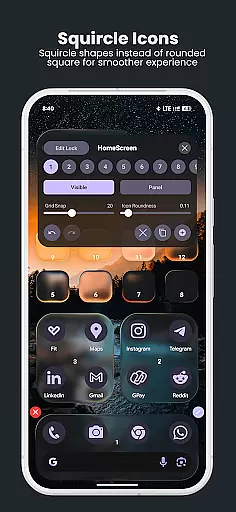
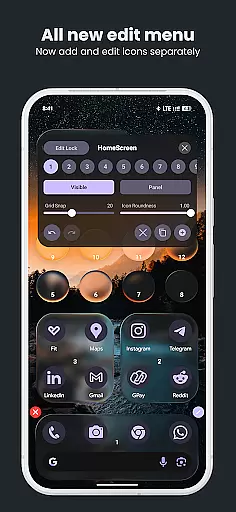
Advanced editing capabilities include real-time preview of all adjustments, with precise control over blur, refraction, and color effects. The live editor enables direct manipulation of shapes through simple touch gestures, while the unique icon and panel modes offer flexible design options.
Additional features include a robust preset system for saving and sharing designs, parallax motion effects, and support for custom wallpaper sources. The application also maintains performance optimization through battery usage management and data clearing options.
True Liquid Glass offers a comprehensive suite of creative tools that cater to users seeking full control over their device's aesthetic. The application provides dual layout engines for both home and lock screens, enabling independent designs with fluid animated transitions between them.
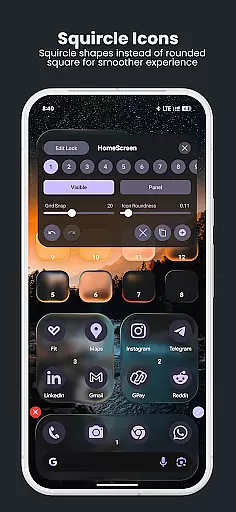
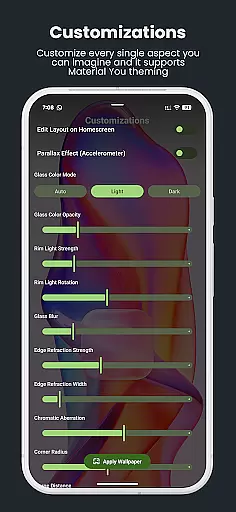
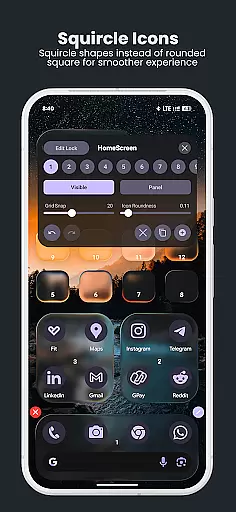
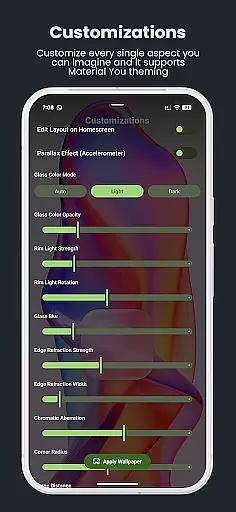
The live editor is particularly robust, allowing real-time customization of various elements directly on the wallpaper. Users can manipulate blur intensity, refraction, panel and icon roundness, tint color, opacity settings, and more through intuitive sliders and toggles.
With features like grid snap, visibility toggles, and separate styles for icons and panels, the app ensures precise design management. This level of detail empowers users to create professional-looking, interactive live wallpapers that bring their Android devices to life.
The inclusion of advanced effects such as real-time refraction, chromatic aberration, and dynamic rim lighting adds a layer of realism that reacts to device motion, offering a true frosted glass appearance that enhances the overall user experience.
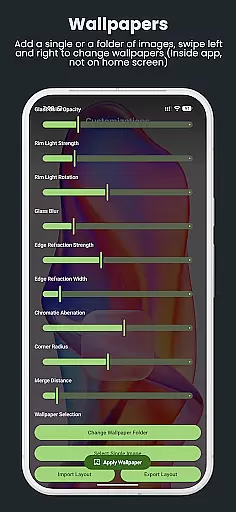
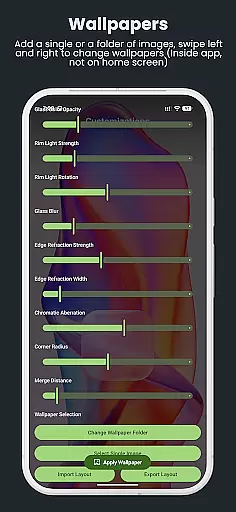
True Liquid Glass excels in providing canvas and format flexibility, allowing users to customize every aspect of their wallpaper design. The app supports both static images and entire folders as wallpaper sources, enabling seamless cycling through different backgrounds via swipe gestures or button controls.
Users can leverage the parallax motion feature, which utilizes the device's accelerometer to create a natural sense of depth. This effect's sensitivity is adjustable, ensuring optimal visual comfort and engagement regardless of personal preference or device orientation.
The ability to save, back up, and share layouts using the preset system adds another dimension of flexibility. This feature not only facilitates easy restoration of favorite designs but also encourages community sharing and collaboration among users.
Furthermore, True Liquid Glass accommodates various screen types and resolutions, maintaining high-quality visuals across different Android devices. This adaptability ensures that creative visions are faithfully rendered, regardless of the hardware being used.
Realistic glass effects
Intuitive live editor
Dual layout engine
Extensive customization
Performance optimized
High battery usage
Complex for beginners
Premium price point
Device compatibility
Learning curve

Vidu is an AI video generator made for creators and aspiring makers.
 3.30
3.30
AI generated images & photos, turn your words into drawing, painting & pictures.
4.30
Premium version of Shimeji-ee app with no ads & no limit active shimeji
4.2
Custom Character Creator & PFP Maker!
4.20
Digital, Abstract, Classic - all types of color wheels in one app!
4.60
Castle is social media for creating and playing games!
4.60
AR Anime Drawing: How to draw anime with AR drawing & sketching apps!
4.00
2D animation studio for Android tablets - unlimited layers, infinite timeline
4.70
Create cute cat emojis & PFPs! Fun, custom avatars for cat lovers.
3.70
Your AI soulmate — meaningful chats, and unique emotional moments
4.70
Logo Generator powered by AI: Create stunning logos effortlessly!
4.70
Photo stitcher for automatically screenshot stitching into a long screenshot
4.70
Create neon drawing with magic doodle and fun doodle art effects!
4.50
The perfect place to start sketching! Use Sketchbook to draw and paint sketches.
4.50
Image/ Text to Video Generator
4.40
Beauty Camera - Selfie Camera is the ultimate beauty camera and selfie app
4.30
Design unique, funny and adorable cat stickers that reflect your own style!
3.80
Pose and morph realistic male and female models! 3D poser app
3.00
Retouch photos. Create or edit images. Endless capabilities.
2.70


User Reviews