
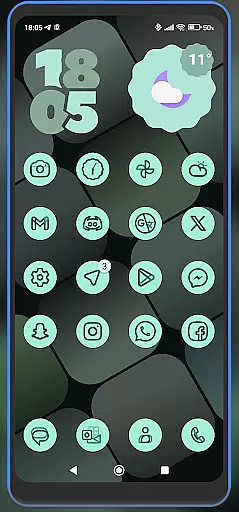
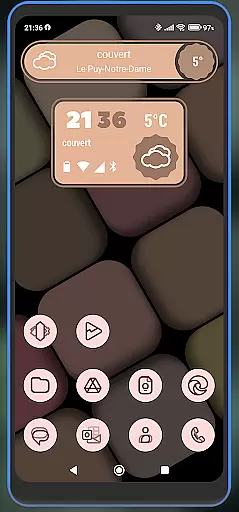
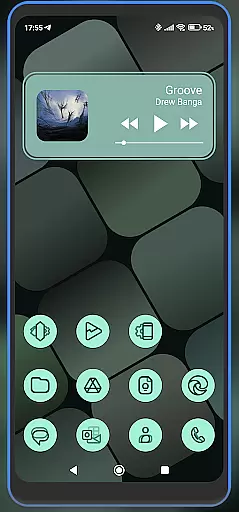
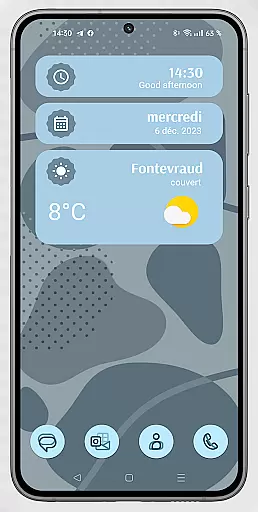
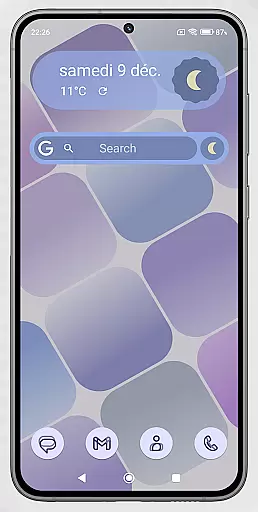
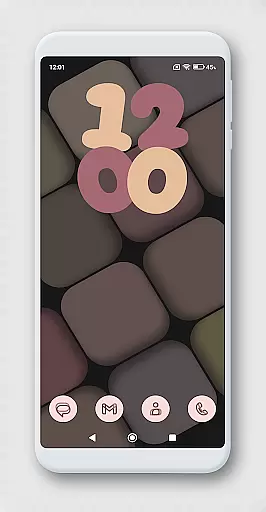
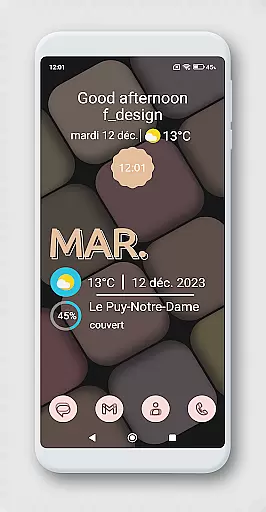
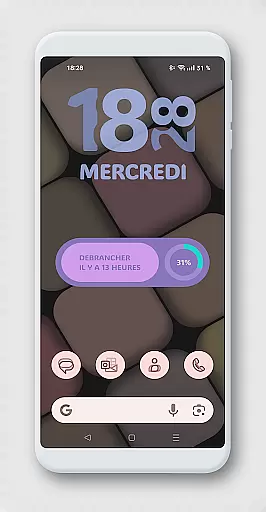
WidgetWall KWGT is a specialized design tool for creating visually appealing home screen widgets on Android devices. This application requires both KWGT and KWGT Pro apps to function, ensuring high-quality widget customization. It is particularly suited for users of popular launchers like Nova, Lawnchair, and Smart Launcher 5.
The app provides a streamlined process for configuring widgets. Users can choose from a variety of designs, scale them appropriately, and integrate them seamlessly into their home screens. With WidgetWall KWGT, personalizing your device's interface becomes intuitive and efficient, offering both aesthetic and functional enhancements.
WidgetWall KWGT stands out with its dependency on KWGT and KWGT Pro, which unlocks advanced customization features. The app offers a rich selection of widget designs tailored for various launchers, allowing users to create a personalized home screen that reflects their style.
A key feature is the ease of scaling and adjusting widgets through the main KWGT editor. This ensures precise fitting and optimal visual appeal. Additionally, the app credits Jahir Fiquitiva for the Kuper Dashboard, an innovative tool that simplifies the creation of more applications, enhancing the overall user experience in design and functionality.
In the realm of Art & Design, having access to comprehensive creative tools is essential for unleashing one's artistic potential. WidgetWall KWGT stands out by offering a rich suite of design elements tailored for home screen customization.
This application integrates seamlessly with KWGT and KWGT Pro, providing users with an extensive library of widgets that can transform any smartphone interface into a personalized digital canvas. The ability to choose from a variety of widgets and adjust them according to your home screen's layout ensures that each user's experience is unique.
Moreover, the inclusion of popular launchers such as Nova, Lawnchair, and Smart Launcher 5 enhances its compatibility across different devices. Users are not only able to select their preferred widget but also fine-tune its appearance through scaling options available in the main KWGT editor.
The depth of creative tools within WidgetWall KWGT empowers users to craft visually appealing home screens without limitations, making it an indispensable asset for those passionate about art and design.
Flexibility in canvas and format options is crucial for designers who wish to express their creativity without constraints. WidgetWall KWGT excels in this area by allowing users to customize their home screens with precision and ease.
By downloading the necessary KWGT applications, users gain access to a versatile platform where they can manipulate widget sizes using the 'SCALE' feature under the layer option. This functionality ensures that every element fits perfectly on the screen, regardless of device type or resolution.
Furthermore, WidgetWall KWGT supports various launchers like Nova, Lawnchair, and Smart Launcher 5, which broadens its appeal among Android users seeking adaptable design solutions. Each launcher brings its own set of features, further enriching the customization possibilities.
Ultimately, WidgetWall KWGT provides an unparalleled level of flexibility, enabling designers to experiment with different formats while maintaining full control over their visual compositions.
User-friendly interface
Wide range of designs
Highly customizable
Compatible with multiple launchers
Enhances visual appeal
Requires KWGT Pro
Not standalone
Complex setup
Limited free options
Advanced skills needed

AI generated images & photos, turn your words into drawing, painting & pictures.
 4.30
4.30
Premium version of Shimeji-ee app with no ads & no limit active shimeji
4.5
Meet the magic aı 3d photo generator and smart AI video generator app.
3.20
Create neon drawing with magic doodle and fun doodle art effects!
4.50
Text to Image, Image to Video & AI Chat
4.20
Photo editor for art, avatars, filters & fun transformations.
4.60
Turn your drawings into flipbook-style animations with simple creative tools
4.60
A luxurious gold watch face for an elegant and refined look.
4.0
AI-powered photo & video creation—fast, fun, and effortless with Quick Actions
4.60
Create stunning art with AI.
4.80
Photo stitcher for automatically screenshot stitching into a long screenshot
4.70
Castle is social media for creating and playing games!
4.60
Create color palette from Image, RGB & RYB Color wheel harmonies, Color Scheme
4.50
Draw Trace image sketch by, AR art projector app, Easy to trace any image.
4.50
Everything you need to create hand drawn animation, anywhere you go!
4.40
Bring One UI 8.5 Icons to life -elegant dark icons with a modern, premium touch.
4.30
AI Face Swap, Video Effects Editor, Realtime Morph, Funny Video FX,AI Filters
3.70
Your homescreen as an elegant glass with customized blur, lighting, and visuals.
3.70
Create trending AI photos & videos with powerful effects and 3D styles.
3.20


User Reviews