
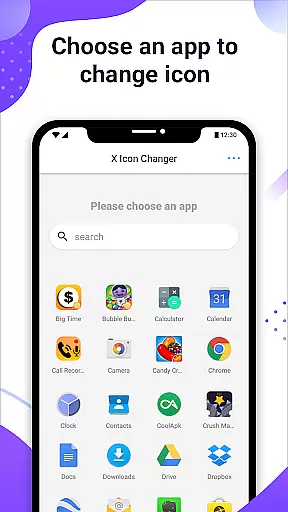
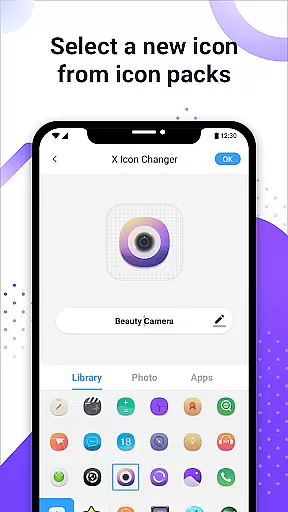
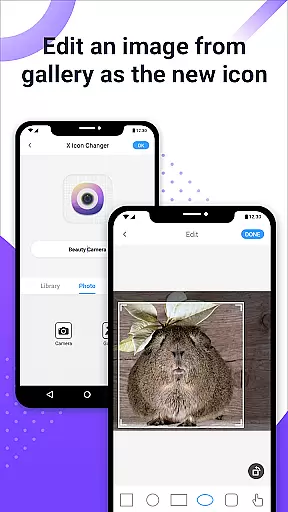
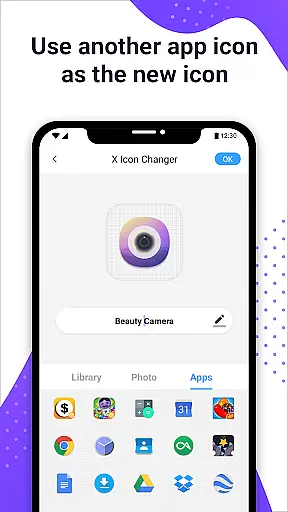
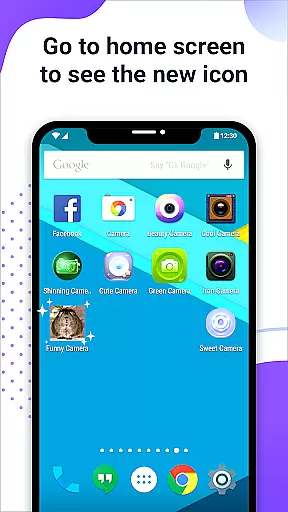
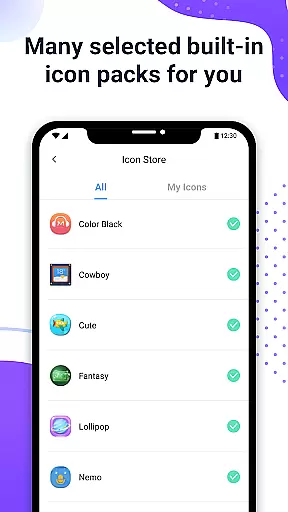
X Icon Changer is a free personalization app that allows users to customize and change icons for any app on their Android device. With a vast selection of built-in icon packs, gallery options, and third-party icon choices, this app makes it easy to give your phone a unique look.
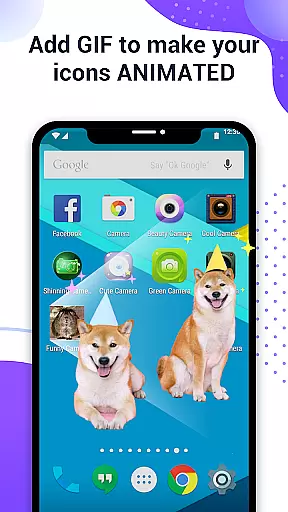
The app also provides the ability to edit app names and add GIF animations to app launches. For devices running Android 8.0 and above, X Icon Changer offers a widget solution to avoid system watermarks on shortcut icons, ensuring a seamless customization experience.
Perfect for those looking to personalize their smartphone experience, X Icon Changer offers an accessible way to modify your device's appearance while maintaining full functionality.
X Icon Changer stands out with its comprehensive customization options. Users can choose from built-in icon packs, personalized third-party packs, or even upload images from their gallery. The app supports changing both icons and app names, allowing for complete transformation of the home screen.
A unique feature is the ability to add GIF animations to app launches, providing a dynamic visual element each time you open an app. Additionally, the widget functionality ensures that users on Android 8.0 and above can enjoy watermark-free icons, offering a cleaner aesthetic.
All features are designed to be user-friendly, making customization accessible to all. The app's intuitive interface guides users through each step, ensuring a smooth and enjoyable personalization process.
Customization is at the heart of X Icon Changer, allowing users to express their personal style through app icons. This application provides a rich array of customization options that cater to individual preferences and creativity. Users can select new icons from an extensive library that includes built-in icon packs, third-party designs, and even images from their gallery.
The app's intuitive interface makes it easy for anyone to change not only the appearance of their app icons but also the names associated with them. With simple steps, you are able to personalize your Android deviceu2019s home screen by assigning unique identities to each app. The ability to add GIF animations further enhances this personalized experience, making every tap on an app icon a delightful moment.
By offering such diverse customization features, X Icon Changer empowers users to break free from the monotony of default app aesthetics. Whether you're looking to refresh your phone's look or want each app to reflect your personality, this tool ensures that no two home screens will ever be alike. It stands as a testament to how technology can adapt to our expressive needs while maintaining ease-of-use.
Theme compatibility is a crucial aspect of any personalization app, ensuring that customized elements like icons integrate seamlessly with the user's overall system design. X Icon Changer excels in this area by providing solutions that work harmoniously across different devices and operating systems. Despite automatic watermarks on Android 8.0 and above, the app offers innovative workarounds using widget technology for an unblemished visual effect.
For those who encounter watermark issues, X Icon Changer presents a straightforward method to bypass these limitations. By utilizing widgets, users can place custom icons directly onto their desktop without any unwanted overlays. This approach guarantees that all changes appear exactly as intended, preserving the integrity of your chosen theme or aesthetic.
Ultimately, X Icon Changer demonstrates its commitment to theme compatibility through flexible solutions that respect both form and function. Its dedication to delivering high-quality, visually appealing results ensures that whether youu2019re applying subtle tweaks or dramatic overhauls, your device remains cohesive and true to your envisioned style. With this level of support, achieving a perfectly themed smartphone has never been easier.
User-friendly interface
Wide range of icon choices
Supports GIF animations
Free to use
Widget solution for watermark issues
Limited to Android devices
Some features may require newer OS versions
Third-party icon packs might need separate downloads
Customization limited to icons and names
May not support all apps

Capture moments that pass like a storm, second by second.
 4.4
4.4
Only for Wear OS devices!
4.90
3D, live, and moving wallpapers & themes in 4K and HD for your device.
4.50
Transform your phone with Launcher iOS 26 - Smooth & elegant iOS experience
4.50
Transfer your live wallpapers from Windows to Android using Wallpaper Engine!
4.00
Aesthetic Widgets, HD Wallpapers, Themes in Mico Widget for Home and Lock Screen
4.50
Turn text & photos into stunning AI videos, art, and creative visual stories.
4.50 4.50
4.50
Design your screen with unique, vibrant clocks
3.80
Winter's Journey: digital watch face for Galaxy Watch & Wear OS
4.80
Ultra realistic high quality analog watch face for Wear OS.
4.60
Make your phone look simple & luxury, like iDevice
4.60
Add cute Shimeji pets to screen, interact with them and relax with cute motions
4.60
Stylish Pink Cute Hippo keyboard with 10000+ customized keyboard themes!
4.60 4.50
4.50 4.10
4.10
Ultimate widget creator. Design custom widgets for a truly unique home screen!
3.90
Your go to Weather App & Home Screen. Get your weather at a swipe of a finger!
3.80 3.50
3.50


User Reviews