
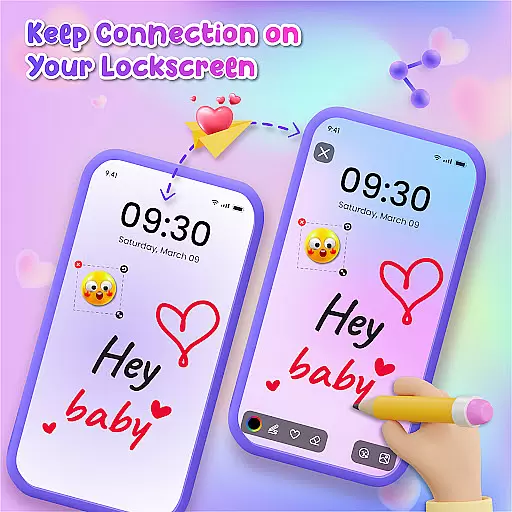
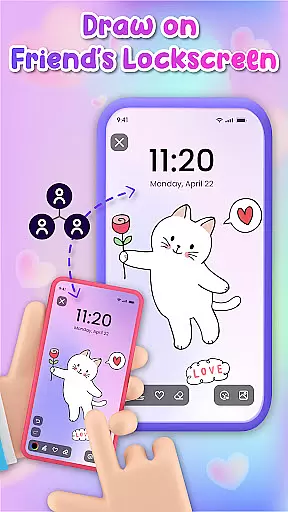
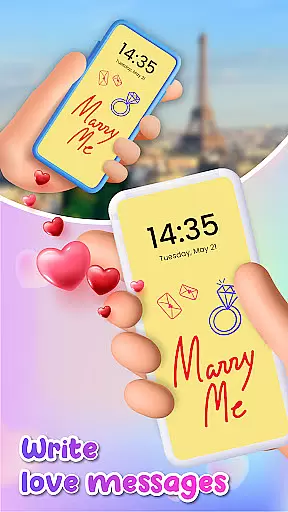
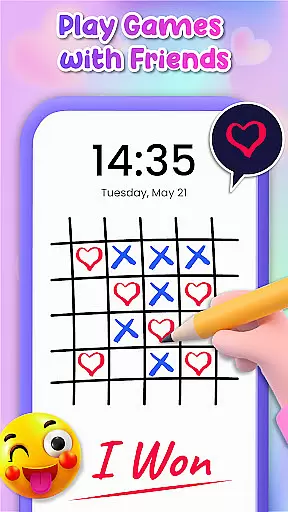
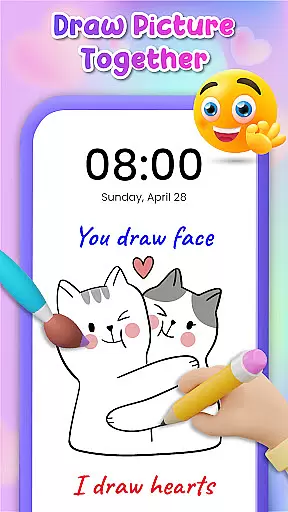
Lockscreen Drawing is a unique personalization app that transforms your phone's lock screen into an interactive canvas. This innovative application allows users to draw directly on their lock screens, share creations instantly with friends, and collaborate on artwork in real-time.
The app offers multiple drawing options including lock screen doodling, widget art, and in-app canvas creation. With over 100 stickers and 20 themed backgrounds, it provides extensive creative possibilities while enabling social connection through shared artwork.
This application is particularly valuable for artistic expression and maintaining relationships. Users can surprise loved ones with personalized messages or drawings that appear on their partner's lock screen, making it an ideal tool for couples and close friends who want to maintain special connections throughout the day.
Lockscreen Drawing stands out with its innovative live collaboration feature. The app enables real-time drawing interactions between connected users, allowing them to create artwork together regardless of physical distance.
The application incorporates multiple drawing surfaces including the main lock screen, a convenient widget for quick access, and a dedicated in-app canvas for more detailed work. Each surface supports various artistic tools and offers instant synchronization across devices.
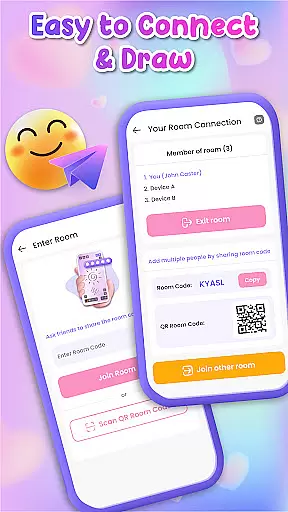
Additional features include a comprehensive library of backgrounds and stickers, multiple connection methods using QR codes and links, and easy sharing options for preserving and distributing completed artwork. These elements combine to create a versatile platform for both casual doodling and serious artistic expression.
Lockscreen Drawing offers a rich array of customization options that allow users to transform their lock screens into personalized canvases. With over 100 unique stickers and more than 20 themed backgrounds, the app provides endless possibilities for self-expression.
The ability to choose from various backgrounds, including personal photos or pre-designed themes, ensures that every user can find the perfect setting for their creations. This feature not only enhances visual appeal but also makes each doodle deeply personal and reflective of individual tastes.
Moreover, the inclusion of numerous stickers adds an extra layer of creativity and fun. Users can incorporate these elements to convey emotions, tell stories, or simply add flair to their artwork. Such extensive customization empowers users to make their lock screens truly one-of-a-kind.
Theme compatibility is a standout feature of Lockscreen Drawing, ensuring seamless integration with different device themes and settings. Whether you prefer a minimalist design or vibrant colors, the app adapts effortlessly to match your preferred aesthetic.
This adaptability extends beyond mere visual consistency; it enhances the overall user experience by maintaining coherence across devices. Regardless of whether you switch between light and dark modes, the app's interface remains visually appealing and functional.
Furthermore, this compatibility fosters a cohesive look and feel, making the transition between different apps and system interfaces smooth and enjoyable. By prioritizing theme compatibility, Lockscreen Drawing ensures that users enjoy a unified and aesthetically pleasing experience every time they interact with their devices.
Unique lock screen drawing
Real-time collaboration
Versatile sticker collection
Multiple connection options
User-friendly interface
Limited advanced tools
Potential battery drain
Occasional sync issues
Basic color selection
Free version limitations

Wear Os Watch Face - Seasonal - Animated Snow Effect - 9 Animals
 4.20
4.20
Themes - Widget & Wallpaper: Customize home screen, icon changer w unique themes
4.30
Bring adorable pets to life on your screen. Playful, interactive and full of fun
4.60
Turn your lock screen into fun with smile live wallpapers & animated wallpapers!
2.50
Dark icon pack based on One 8
4.80
Color phone with cool effects for call screen, flash alert & ringtones music
4.50
Customize your home screen with stunning themes, blur, widgets & icons.
4.60
Custom edge gestures for volume control, brightness, apps, and shortcuts.
4.1
Crystal-clear, square icon provides a sleek and sophisticated visual upgrade
4.00
Personalize your phone with stunning HD and 4K wallpapers!
4.70
Add cute Shimeji pets to screen, interact with them and relax with cute motions
4.60
Embrace the Night. Unleash the power of darkness with Raven Dark Icon Pack
4.60
Icons made of colorful linear lines
4.60
Try creating your own keyboard with "Keyboard theme for android" app now!
4.50
Turn text & photos into stunning AI videos, art, and creative visual stories.
4.50
Your home screen, just the way you like it.
4.30
Adult video chat, dating, making friends, random matching
4.20
Magic fluids wallpaper 4D: Relax with stunning fluid simulation wallpaper app
4.20
⭐ OneUI inspired Fluffy Icon Pack – Soft. Stylish. Standout. ⭐
4.0


User Reviews