
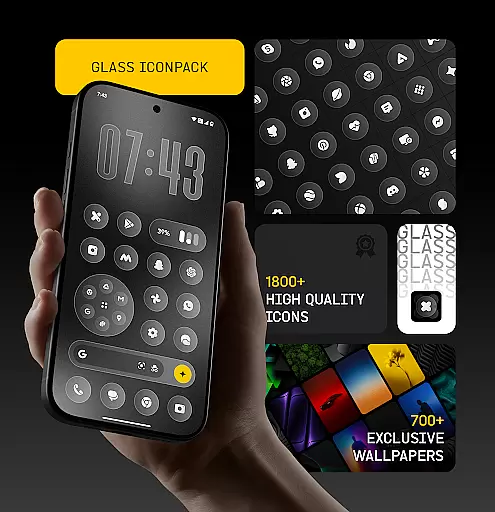
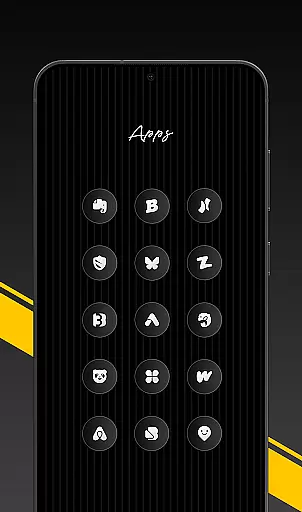
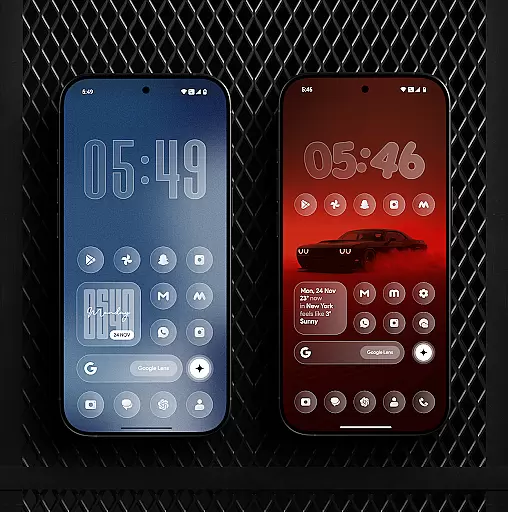
Glass Icon Pack is a premium collection of glossy, modern icons designed to give Android users a clean and aesthetic home screen. With over 1850 high-quality icons featuring a smooth glass effect, the pack brings elegance and timelessness to any device setup.
The icon pack also includes 700+ matching wallpapers inspired by glass and gradient themes, dynamic calendar icons, and smart masking for unthemed apps. Regular updates ensure users receive new icons and improvements consistently. Its easy-to-use dashboard allows quick searches and previews, while free icon requests cater to user-specific needs.
Glass Icon Pack offers an array of features that enhance customization on Android devices. The pack provides 1850+ HD resolution icons with a polished glass effect, ensuring sharp visuals and seamless integration with various wallpapers.
In addition to the extensive icon library, users can access 700+ matching wallpapers and benefit from dynamic calendar icons for supported launchers. Smart icon masking helps maintain visual consistency even for unthemed apps. The app also includes an intuitive dashboard with search functionality, preview options, and free icon request features, making personalization effortless and enjoyable.
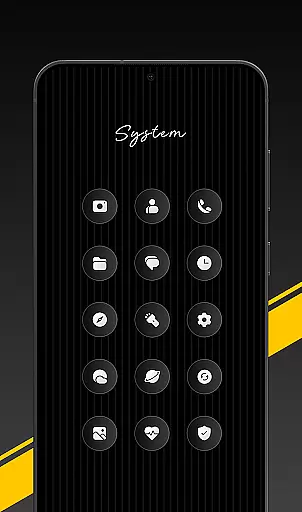
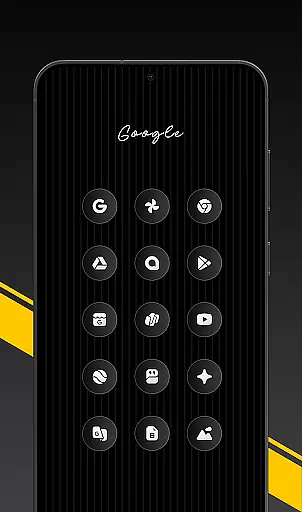
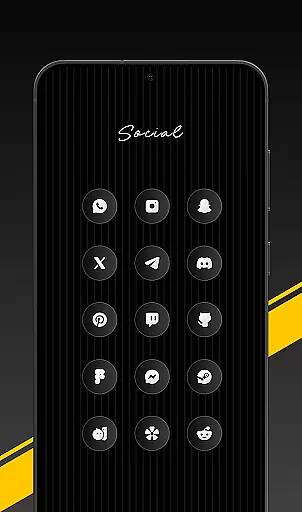
Glass Icon Pack offers a rich variety of customization options that cater to users seeking a personalized home screen experience. With over 1850 high-quality glass icons, the pack ensures extensive coverage across multiple app categories including System Apps, Social Media, and Tools.
The inclusion of smart icon masking for unthemed apps allows users to enjoy a consistent look even for apps not directly supported by the pack. This feature enhances the overall aesthetic by minimizing visual inconsistencies on the home screen.
Additionally, the pack provides dynamic calendar icons and 700+ matching wallpapers inspired by glass and gradient themes. These elements work together to create a cohesive and modern appearance, enabling users to fully customize their device's interface with complementary visuals.
The easy-to-use dashboard further simplifies the customization process by offering features like icon search and preview, making it effortless for users to find and apply their desired icons.
Theme compatibility is a crucial aspect of any icon pack, and Glass Icon Pack excels in this area by ensuring seamless integration with various launchers. The pack supports popular launchers and devices from brands like Nothing, OnePlus, and Poco, which can apply the icons without needing an additional launcher.
Each icon is designed with a smooth glass effect and subtle depth, creating a premium shine that blends beautifully with different wallpapers and setups. This design approach guarantees that the icons maintain their aesthetic appeal regardless of the user's chosen background or theme.
For users who encounter missing or unthemed icons, the pack offers a convenient icon request feature. This ensures that the icon library remains up-to-date and compatible with new and existing apps, enhancing the overall compatibility of the theme.
Regular updates with new icons and improvements further solidify the pack's commitment to maintaining high standards of theme compatibility, providing users with a consistently fresh and modern look.
Premium glossy design
Extensive icon library
HD resolution
Regular updates
Smart icon masking
Limited launcher support
No iOS compatibility
Some icons missing
Requires third-party launchers
Subscription fees apply

A retro cartoon style watch face and a punch right in the face of the copyright
 4.60
4.60
Wear Os Watch Face - Seasonal - Animated Snow Effect - 9 Animals
4.20
AI-powered Copilot. Personalized keyboard with gifs, stickers & themes
4.40
Add cute Shimeji pets to screen, interact with them and relax with cute motions
4.60
Turn your lock screen into fun with smile live wallpapers & animated wallpapers!
2.50
Ultimate Gallery Lock App - Hide Pictures, Videos and Lock Apps Instantly!
4.60
Customize your home screen with stunning themes, blur, widgets & icons.
4.60
Design your screen with unique, vibrant clocks
3.80
Transform your phone with stunning video wallpapers and a unique, personal touch
3.80
One 8 icons glass color version
4.80
Personalize your phone with stunning HD and 4K wallpapers!
4.70
Classic analogue watch face. For wear os devices.
4.60
Glass style colourful icons with a One UI look and feel
4.60
Over 28,000 high quality icons to bring color & homogeneity to your phone.
4.60
Color phone with cool effects for call screen, flash alert & ringtones music
4.50
Yandex Browser — stylish and secure, with voice search and data compression
4.40
Launcher OS™ Pro without ads help make your phone simple and pretty
4.30
Magic fluids wallpaper 4D: Relax with stunning fluid simulation wallpaper app
4.20
More than 3000+ themes and 9000+ wallpapers for everybody!
4.10


User Reviews