
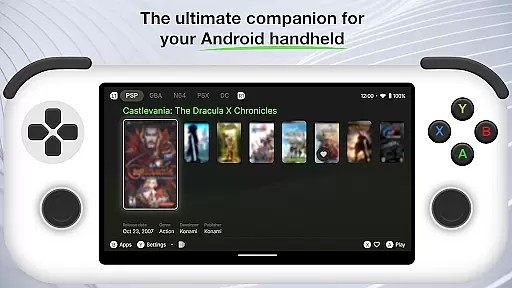
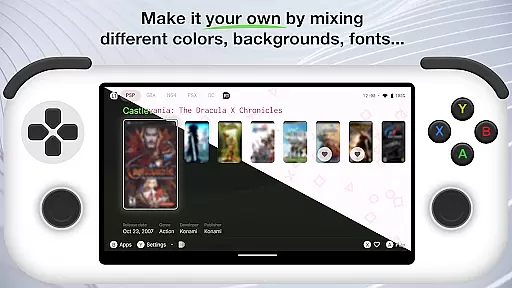
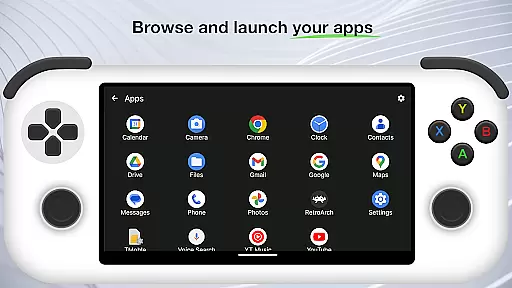
Beacon Game Launcher is an innovative Android launcher specifically designed for retro gaming enthusiasts. This application serves as a central hub to organize and launch your classic game collection.
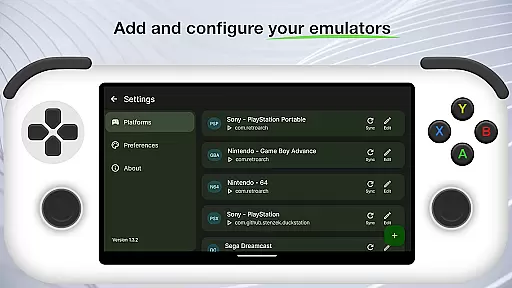
The app's core functionality lies in its ability to integrate with various emulators, allowing users to add their preferred emulation software and manage multiple retro games from different platforms. Its automated scraping feature enhances your game library by collecting cover art and metadata without manual input.
Ideal for gamers who value both functionality and aesthetics, Beacon creates a visually appealing interface that brings new life to your retro gaming setup while maintaining the nostalgic charm of classic titles.
Beacon Game Launcher distinguishes itself through several notable features. The application provides seamless integration with popular emulators, enabling users to configure and launch multiple emulation platforms directly from the interface.
A key innovation is its automatic media scraping capability. The app intelligently retrieves game information, box art, and metadata from online databases, creating a rich visual presentation for each title in your collection. This feature saves considerable time compared to manual entry methods.
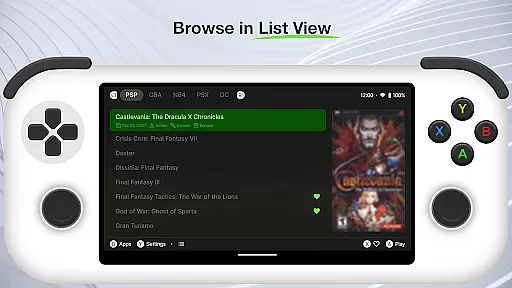
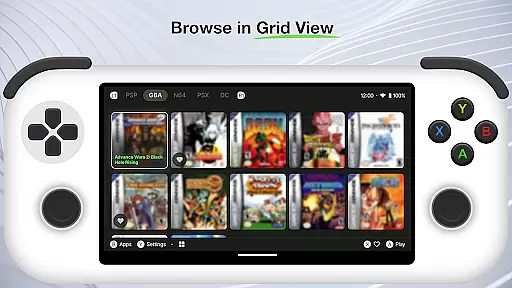
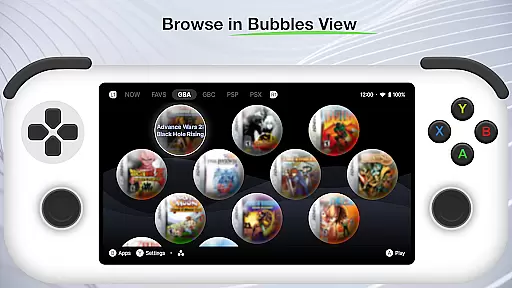
The launcher also offers customizable views and organization options, allowing users to categorize and display their retro game library according to personal preferences. These features collectively create a sophisticated yet user-friendly environment for managing classic gaming collections.
Beacon Game Launcher offers a diverse range of customization options that allow users to tailor their gaming experience. The app is designed not just as a launcher but as a personal hub for your classic games.
Users can add their preferred emulators, curate collections, and even enrich their game library with cover art and metadata. This level of customization ensures that each user's experience is unique and suited to their specific tastes in retro gaming.
The ability to organize and launch games directly from the app adds another layer of personalization. You are not just limited to launching games; you can manage how they are presented and accessed, making it easier to enjoy your favorite titles.
Theme compatibility in Beacon Game Launcher ensures that users can enjoy a visually cohesive experience across their devices. While focusing on enhancing the classic gaming interface, the app maintains a consistent look and feel that aligns with various themes.
This compatibility extends to how metadata and cover art are displayed, ensuring that all visual elements fit seamlessly into the chosen theme. Users will find that their curated libraries not only function well but also look great.
By supporting different themes, Beacon Game Launcher caters to individual preferences, allowing gamers to create an environment that resonates with their style while maintaining usability and aesthetic appeal.
Enhances retro gaming experience
Automated metadata collection
Customizable interface options
Seamless emulator integration
Visually appealing design
Limited to emulation use
No built-in games included
Setup can be complex
Requires technical knowledge
Dependent on third-party emulators

Beautiful realistic hybrid watch face with numerous customization options.
 4.50
4.50
Glass style colourful icons with a One UI look and feel
4.60
Shimeji adds cute animated characters to your screen, lively and fun.
4.70
Try creating your own keyboard with "Keyboard theme for android" app now!
4.50
100+ Stylish Fonts, Emojis, Symbols keyboard for Instagram & TikTok!
4.80
Zip lock screen with magic wallpaper to decorate your phone with fun zipper lock
4.60
Struggling to find apps? Use this app to locate and open any app on your phone!
2.20
Modern Glass Icon Pack with glossy icons, clean minimal theme & aesthetic style
4.5
Customize phone with anime themes, 3D icons, aesthetic widgets & wallpapers
4.80
Personalize your phone with stunning HD and 4K wallpapers!
4.70
Classic analogue watch face. For wear os devices.
4.60
Bring adorable pets to life on your screen. Playful, interactive and full of fun
4.60
300+ widgets inspired by Material You and Material 3 expressive design.
4.60
Color phone with cool effects for call screen, flash alert & ringtones music
4.50
Fingerprint Lock Screen & Live Animations with 4K Wallpapers as Live Wallpaper
4.40
Wear Os Watch Face - Seasonal - Animated Snow Effect - 9 Animals
4.20
Your go to Weather App & Home Screen. Get your weather at a swipe of a finger!
3.80
Transform your phone with stunning video wallpapers and a unique, personal touch
3.80
HappyLighting is a Bluetooth lamp control software.
3.40


User Reviews