
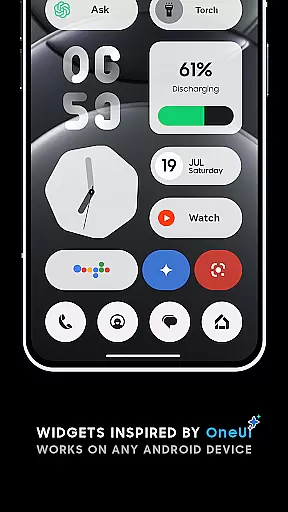
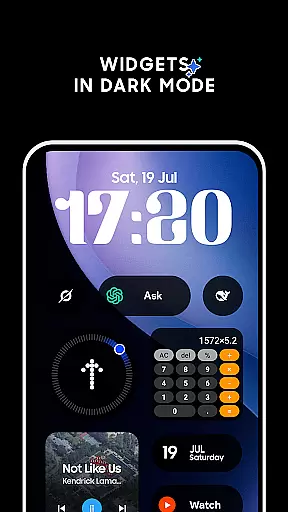
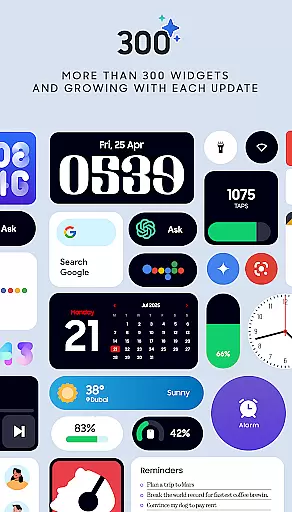
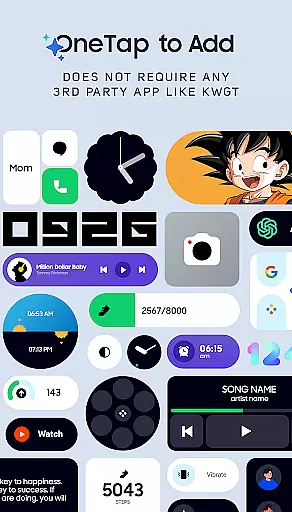
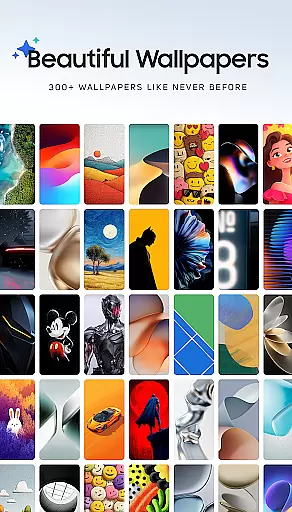
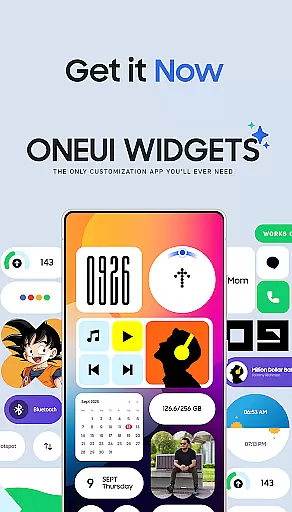
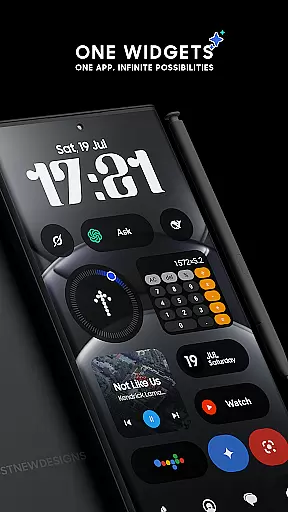
OneUI Widgets is a feature-rich personalization app that transforms your Android home screen with over 300 beautifully designed widgets inspired by Samsung's One UI OS aesthetic. The app offers a diverse range of widget categories, including Clock & Calendar, Battery, Weather, Quick Settings, and more, all fully resizable for optimal customization.
What sets OneUI Widgets apart is its native functionality - no third-party apps like KWGT are required. With just a tap, users can add widgets directly to their home screen, creating a personalized and functional layout. The app also includes matching wallpapers, completing the aesthetic transformation of your device.
This app is perfect for those who want to enhance both the form and function of their Android devices. Whether you need practical tools like battery monitors or creative elements like photo widgets, OneUI Widgets provides everything you need in one comprehensive package.
OneUI Widgets stands out with its extensive collection of over 300 unique widgets that cater to various user needs. The app features multiple widget categories such as Clock & Calendar, Weather, Quick Settings, and Productivity tools. Each widget is carefully designed to maintain the elegant aesthetic of Samsung's One UI while providing practical functionality.
A key feature is the native integration capability, allowing users to add widgets directly without needing additional applications. Most widgets are fully resizable, from small to large, giving users precise control over their home screen layout. The app also includes innovative widgets like Pedometer and Game widgets, which utilize device sensors and provide entertainment value.
The inclusion of 300+ matching wallpapers enhances the personalization experience, while regular updates ensure the widget collection stays fresh and relevant. The app's commitment to quality over quantity is evident in their careful design process, focusing on creating only the most useful and creative widgets for their users.
OneUI Widgets Pack offers an extensive range of customization options, ensuring users can tailor their home screens to reflect personal style and functionality preferences. With over 300 beautifully designed widgets inspired by the One UI OS aesthetic, this app provides a plethora of choices that cater to various needs.
The app includes clock and calendar widgets, battery indicators, weather forecasts, quick settings toggles, contact shortcuts, photo displays, Google app integrations, utility tools, productivity enhancers, pedometer functionalities, inspirational quotes, and even game widgets. This diverse selection allows for a personalized and dynamic home screen setup without requiring any third-party applications.
Users benefit from the ability to fully resize and adjust most widgets, ranging from small to large sizes, ensuring a perfect fit for any home screen layout. The inclusion of matching wallpapers further enhances the customization experience, offering exclusive designs that complement the widgets.
By providing such a wide array of customization possibilities, OneUI Widgets Pack empowers users to create a unique and functional home screen environment that aligns with their individual tastes and requirements.
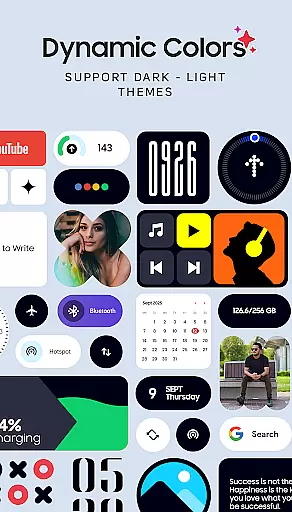
Theme compatibility is a crucial aspect of the OneUI Widgets Pack, ensuring seamless integration with various Android devices and themes. The widgets are designed to work natively, eliminating the need for additional apps like KWGT, and providing a hassle-free experience when customizing the home screen.
This native compatibility ensures that all widgets maintain a consistent look and feel across different devices and themes, preserving the elegance and style of the One UI OS aesthetic. Users can enjoy minimalist battery indicators, stylish calendar widgets, and responsive quick settings toggles without worrying about inconsistencies or design mismatches.
Moreover, the app's dedication to quality over quantity means that each widget is crafted to be both useful and visually appealing, enhancing the overall user experience. The upcoming addition of more widgets promises to expand theme compatibility further, solidifying OneUI Widgets Pack as a versatile tool for personalization.
Ultimately, the robust theme compatibility offered by OneUI Widgets Pack guarantees that users can transform their home screens while maintaining visual harmony and operational efficiency, making it an ideal choice for fans of Samsung Devices and OS.
Extensive widget collection
Native functionality
Fully resizable options
Innovative widget designs
Matching wallpapers included
Limited to Android devices
No iOS compatibility
Some features may be device-specific
Requires manual updates
Premium version needed for full access

Classic analogue watch face. For wear os devices.
 4.60
4.60
Wallpaper HD 4K Live - Thousands of high-quality Anime backgrounds for you.
4.80
Customize glowing edges, wallpapers, and caller screen with EdgeAura.
3.50 4.50
4.50
300+ Stunning and well-designed widgets inspired by NOTHING.
4.70
Your home screen, just the way you like it.
4.30
Create unique, fun emojis with Funny Emoji Maker! Unlimited creativity!
4.00
set a new experience for the Android mobile phone
4.20
Cool custom fonts & keyboard themes! Symbols & font changer for Instagram
4.50
Winter's Journey: digital watch face for Galaxy Watch & Wear OS
4.80
400+ Beautifully crafted widgets inspired by NOTHING.
4.70
Ultra realistic high quality analog watch face for Wear OS.
4.60
Embrace the Night. Unleash the power of darkness with Raven Dark Icon Pack
4.60
Ninja Turtles Cowabunga SE watch face for Wear OS
4.50
Try creating your own keyboard with "Keyboard theme for android" app now!
4.50
Turn text & photos into stunning AI videos, art, and creative visual stories.
4.50
Vibrant Adaptive Icons with Material You and Enhanced Monet Colors.
4.50
A light in the dark, a unique style and an andless cutomization!
4.30
Emoji Maker app - Design custom emojis and effortlessly blend them with Mixer
3.80


User Reviews