
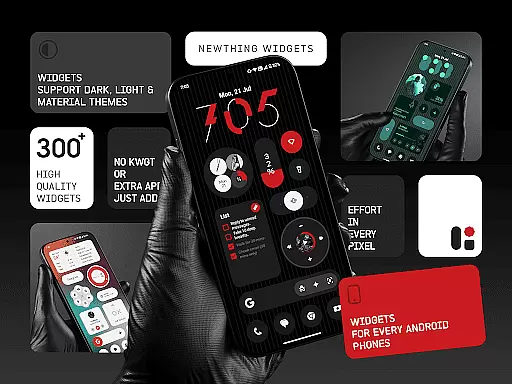
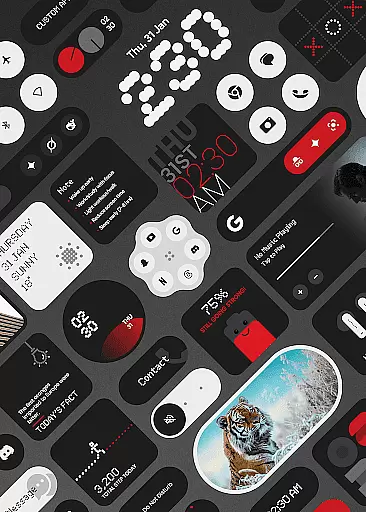
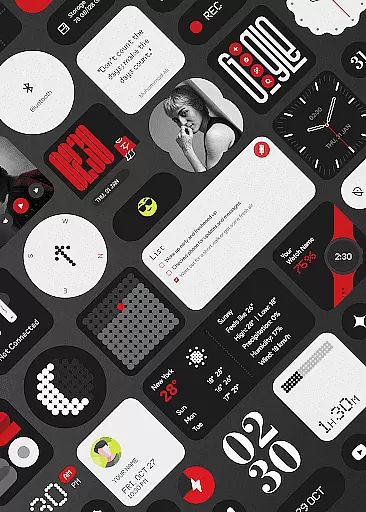
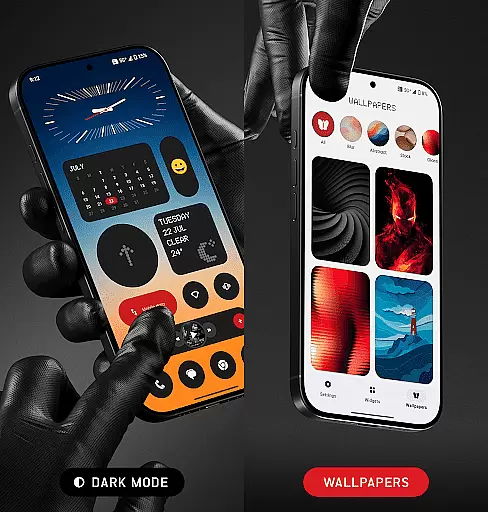
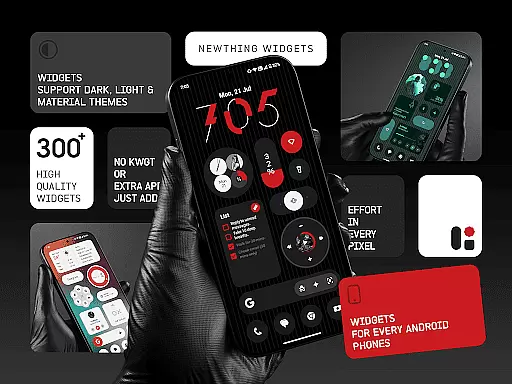
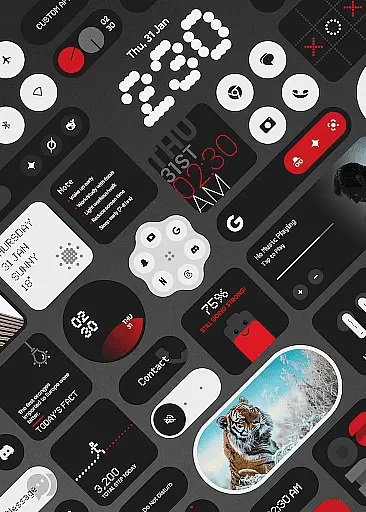
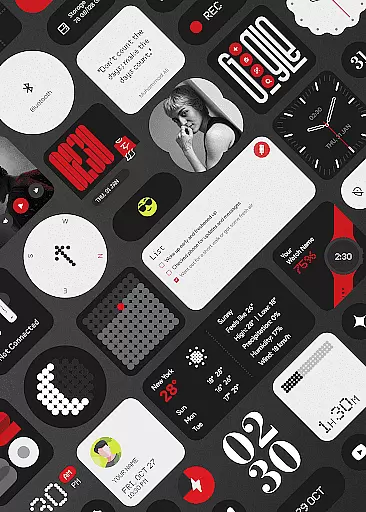
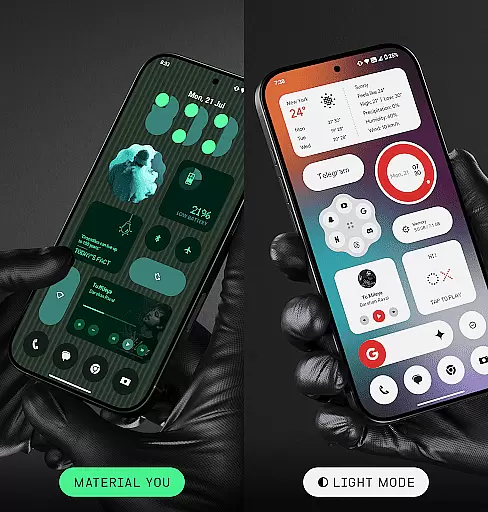
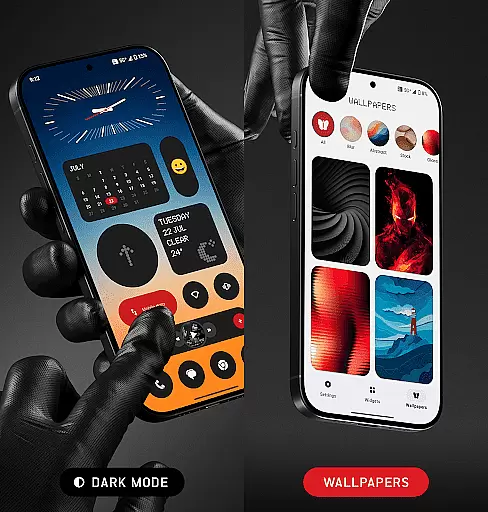
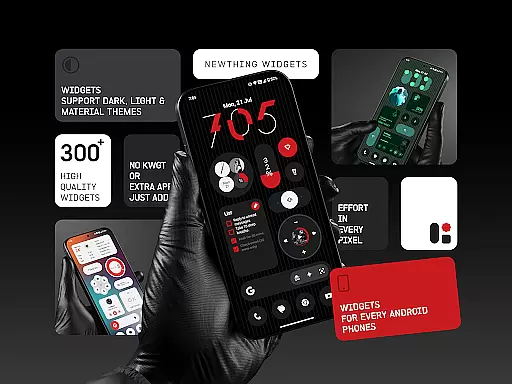
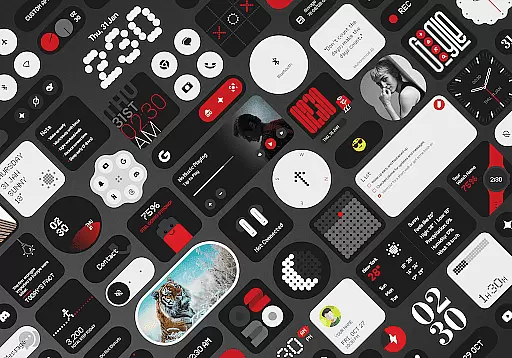
NewThing Widgets Pro is a comprehensive widget solution for Android devices, offering over 300 beautifully designed widgets that enhance your home screen. These include functional widgets like Clocks, Weather, and Battery monitors, as well as aesthetic additions such as Quotes & Facts and Theme-Matching Wallpapers. The app supports Material You design, ensuring seamless integration with your device's theme.
What sets NewThing Widgets Pro apart is its standalone functionality—no additional apps like KWGT are required. The widgets are optimized for performance and battery efficiency, providing users with both style and substance. Regular updates ensure that the widget library stays fresh and continues to expand, keeping your home screen experience dynamic and engaging.
The app boasts an impressive range of features that cater to both form and function. With support for dark mode, light mode, and Material You, users can enjoy a personalized experience that matches their device's aesthetics. Key functionalities include real-time weather updates, photo rotations, and timely calendar event notifications, all made possible through the USE_EXACT_ALARM permission.
NewThing Widgets Pro also employs a foreground service to maintain real-time accuracy across its widgets. This ensures that time-sensitive widgets like Screen Time and Event Notifications remain up-to-date throughout the day. Additionally, the app offers intuitive customization options, allowing users to tailor each widget to their preferences while maintaining optimal performance and battery life.
Customization is at the heart of NewThing Widgets Pro, offering users an extensive array of options to personalize their Android devices. With over 300 widgets available, this application covers a broad spectrum of functionalities ranging from clocks and weather updates to games and quick settings.
The app stands out by providing not just quantity but quality in its offerings. Each widget is crafted to ensure it contributes to a seamless user experience, enhancing both the aesthetic appeal and functionality of your home screen. Whether you're looking for a visually pleasing clock or need quick access to your device's settings, NewThing Widgets Pro has got you covered.
Users benefit significantly from the regular updates that introduce new widgets, ensuring that their home screens can evolve with their changing preferences. The ability to customize without needing additional apps like KWGT simplifies the process, making personalization accessible to everyone.
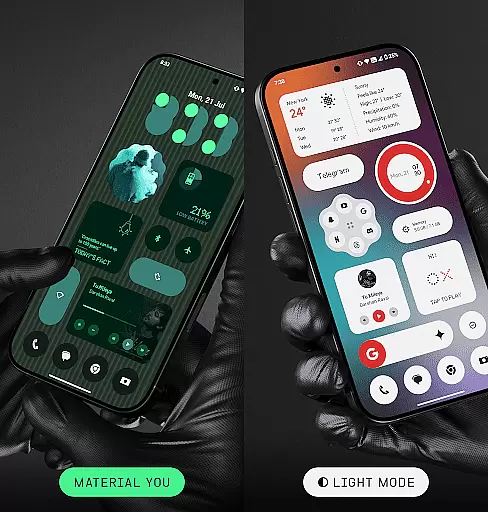
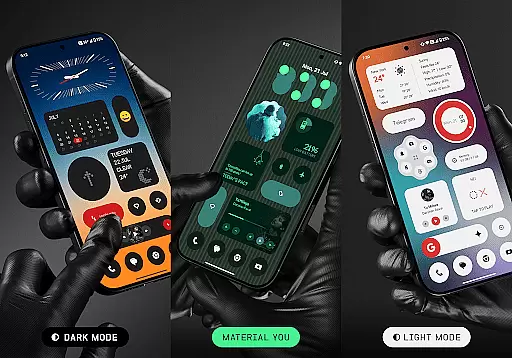
NewThing Widgets Pro excels in theme compatibility, adapting effortlessly to various display modes such as dark mode, light mode, and Material You mode. This flexibility ensures that no matter your device's current theme, the widgets will blend seamlessly, maintaining visual harmony across your home screen.
The Material You support is particularly noteworthy, allowing widgets to instantly match the color scheme of your device. This feature not only enhances the visual appeal but also provides a cohesive look that aligns with Googleu2019s design philosophy, making every interaction feel intuitive and natural.
By prioritizing battery efficiency and smooth performance, the app ensures that these visually rich themes do not come at the cost of device performance. Users can enjoy beautifully designed widgets that are not only adaptive but also optimized for minimal resource consumption, keeping their devices responsive and efficient.
User-friendly interface
Extensive widget variety
Optimized performance
Regular feature updates
Standalone functionality
Premium version only
Foreground service required
Limited iOS support
Occasional update delays
Advanced settings needed

Classic analogue watch face. For wear os devices.
 4.60
4.60
Customizable Glass widgets. Over 360+ stunning widgets and more!
4.70
Transform your phone with Launcher iOS 26 - Smooth & elegant iOS experience
4.50
Add cute Shimeji pets to screen, interact with them and relax with cute motions
4.60
Over 28,000 high quality icons to bring color & homogeneity to your phone.
4.60
Try creating your own keyboard with "Keyboard theme for android" app now!
4.50
Ultimate Gallery Lock App - Hide Pictures, Videos and Lock Apps Instantly!
4.60 4.50
4.50
Create stunning widgets with Widget 2026: Aesthetic Widgets for Android!
4.60
Winter's Journey: digital watch face for Galaxy Watch & Wear OS
4.80
100+ Stylish Fonts, Emojis, Symbols keyboard for Instagram & TikTok!
4.80
A Colorful and Minimal icon pack in an Outline Style - Over 13,600 icons!
4.70
Nothing Icon pack with more than 3750+ highly crafted icons.
4.70
Bring adorable pets to life on your screen. Playful, interactive and full of fun
4.60
Zip lock screen with magic wallpaper to decorate your phone with fun zipper lock
4.60
Wear Os Watch Face - Seasonal - Animated Snow Effect - 9 Animals
4.20
Transform your phone with stunning video wallpapers and a unique, personal touch
3.80 3.50
3.50
Adorable pets roam and play right on your phone screen!
3.30


User Reviews