

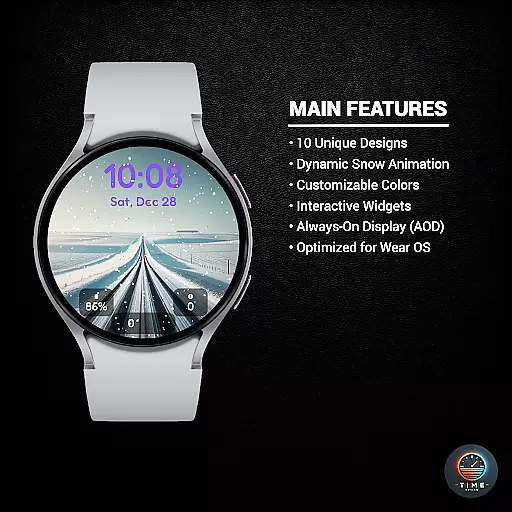
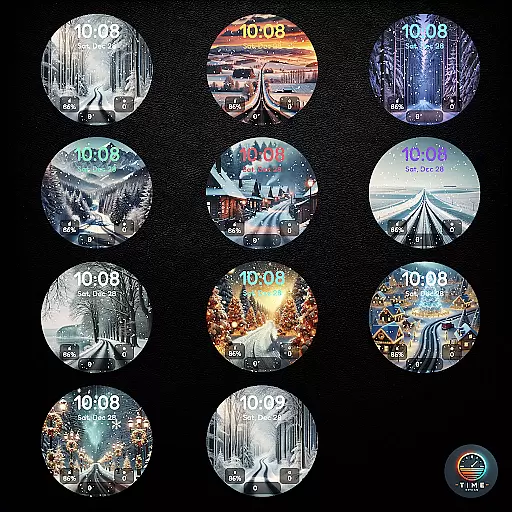
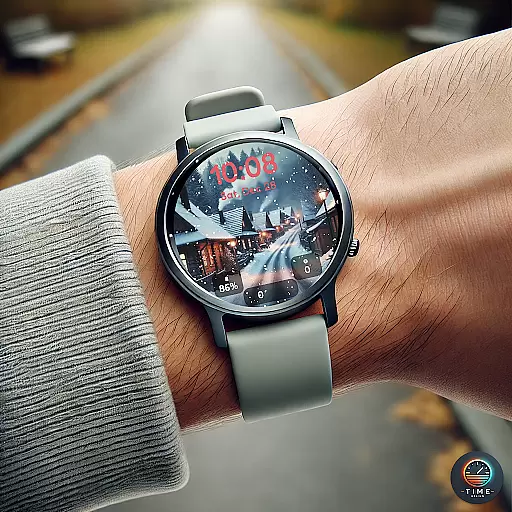
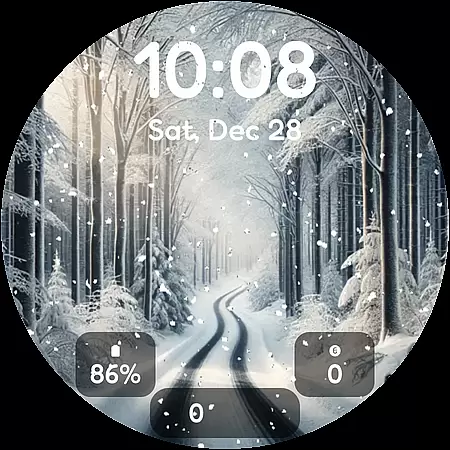
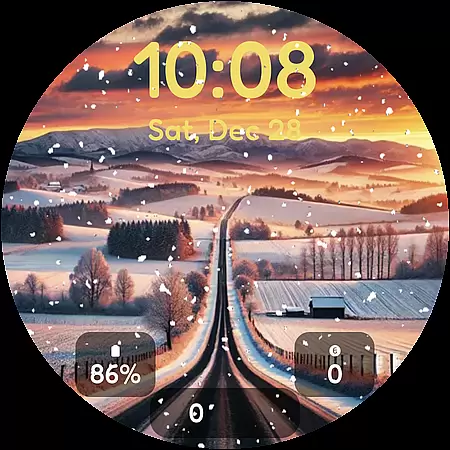
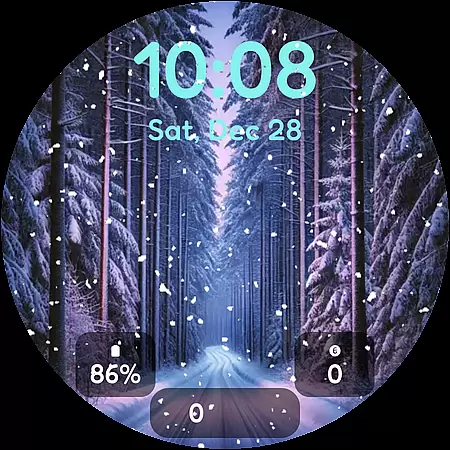
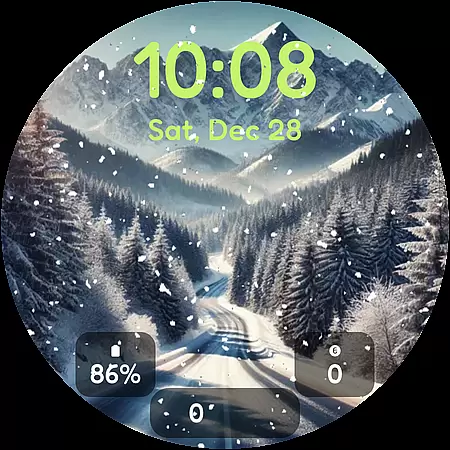
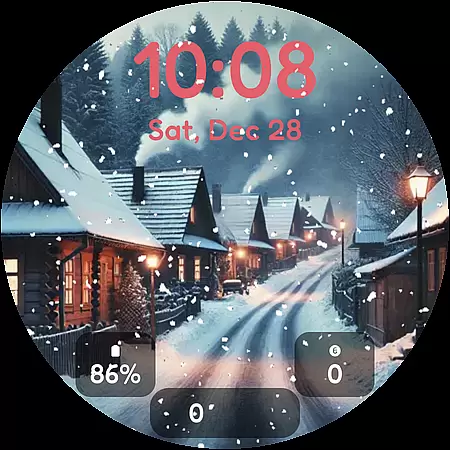
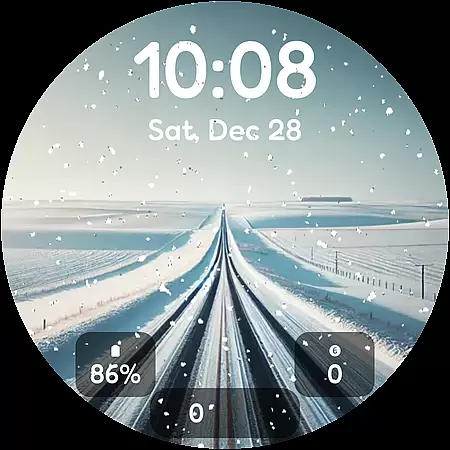
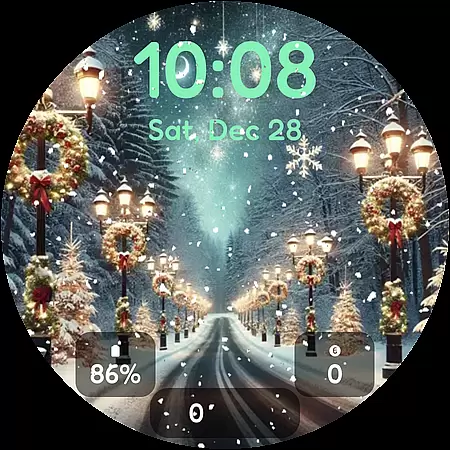

Winter's Journey Watch Face offers a stunning collection of winter-themed designs for smartwatch users. Compatible with Samsung Galaxy Watch series and Google Pixel Watch models, this watch face brings the serene beauty of winter to your wrist.
The app features 10 unique designs with dynamic snow animation, multiple color themes, and custom widgets. Optimized for Wear OS, it provides an immersive experience for fans of modern design who own compatible Galaxy or Pixel watches.
Perfect for personalizing your smartwatch during the winter season, this app transforms your device into a stylish accessory that captures the essence of the colder months.
Winter's Journey Watch Face stands out with its diverse range of customization options. The app includes 10 distinctive designs, each featuring realistic snow animation that brings winter scenes to life on your watch face.
Users can choose from various color themes and custom widgets to personalize their experience. The app supports Always-On Display (AOD) functionality and is specifically optimized for Wear OS devices, ensuring smooth performance and visual appeal.
These features create a unique opportunity for smartwatch owners to showcase their style while enjoying practical timekeeping functions throughout the winter season.
Winter's Journey Watch Face offers a rich selection of customization options that cater to personal preferences. With 10 unique designs, users can choose a style that resonates with their aesthetic sensibilities.
The inclusion of dynamic snow animation adds an element of liveliness and charm to the watch face, making it not just a time-telling tool but also a piece of art on your wrist.
Color themes and custom widgets further enhance the user experience by allowing adjustments that fit individual tastes and needs. This level of personalization ensures that each user can have a watch face that is truly their own.
Designed for those who appreciate modern design, this app provides a personalized touch to Galaxy Watch and Pixel Watch owners, ensuring that their device stands out in both functionality and appearance.
Ensuring seamless integration across various devices, Winter's Journey Watch Face supports Samsung Galaxy Watch series and Google Pixel Watches, as well as all Wear OS 6+ smartwatches. This wide compatibility makes it accessible to a broad range of users.
AOD (Always On Display) support is another feature that highlights the theme's compatibility, offering convenience without compromising on style or battery life. Users can enjoy their personalized watch face throughout the day.
Optimized for Wear OS, the app guarantees smooth performance and reliable operation. The optimization process takes into account the nuances of different operating systems to deliver a consistent experience.
Whether you are using a Galaxy Watch or a Pixel Watch, this app ensures that your chosen theme looks great and functions perfectly, providing a cohesive user experience across devices.
Stunning winter designs
Dynamic snow effects
Multiple color options
Custom widget support
Wear OS optimization
Limited device compatibility
Potential battery drain
Long installation time
No free trial option
Basic time display

Beautiful realistic hybrid watch face with numerous customization options.
 4.50
4.50
Transform your phone with Launcher iOS 26 - Smooth & elegant iOS experience
4.50
Bring adorable pets to life on your screen. Playful, interactive and full of fun
4.60
Launcher OS™ Pro without ads help make your phone simple and pretty
4.30
Handcrafted pixel art icons, widgets & wallpapers
4.60
Struggling to find apps? Use this app to locate and open any app on your phone!
2.20
Magic fluids wallpaper 4D: Relax with stunning fluid simulation wallpaper app
4.20
Emoji Maker app - Design custom emojis and effortlessly blend them with Mixer
3.80
Fast SMS & group chat - use GIFs and emojis from your home screen launcher.
4.50
Sparkle your screen with Glitter Wallpapers For Girls and Cute Backgrounds!
4.80
Vertically oriented rectangular icons
4.70
300+ Stunning and well-designed widgets inspired by NOTHING.
4.70 4.50
4.50
Fingerprint Lock Screen & Live Animations with 4K Wallpapers as Live Wallpaper
4.40
Themes - Widget & Wallpaper: Customize home screen, icon changer w unique themes
4.30
Customizable flower power digital watch face for Wear OS watches.
4.00
Crystal-clear, square icon provides a sleek and sophisticated visual upgrade
4.00
Interactive Miniature Painting Catalogue
3.30
Modern Glass Icon Pack with glossy icons, clean minimal theme & aesthetic style
4.1


User Reviews