
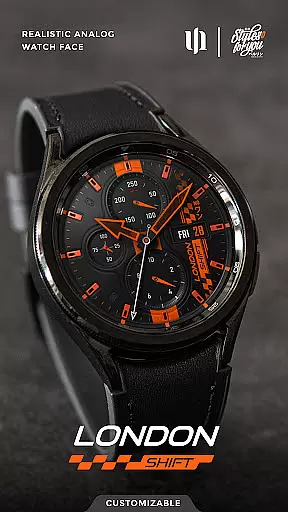
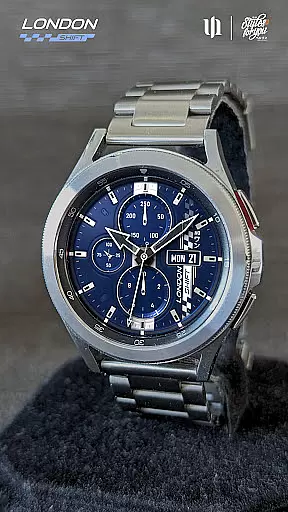
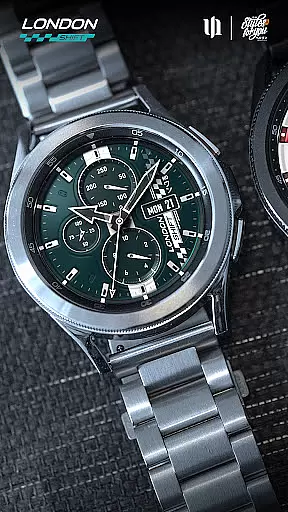
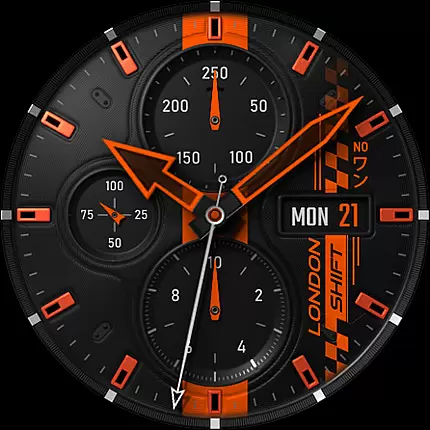
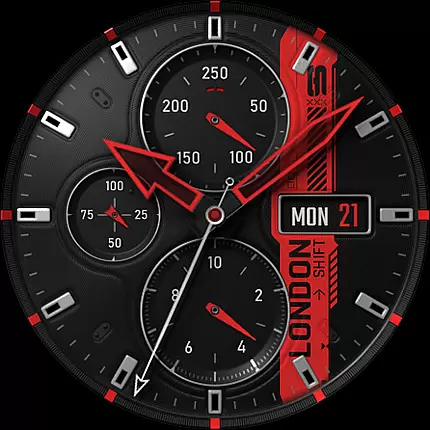
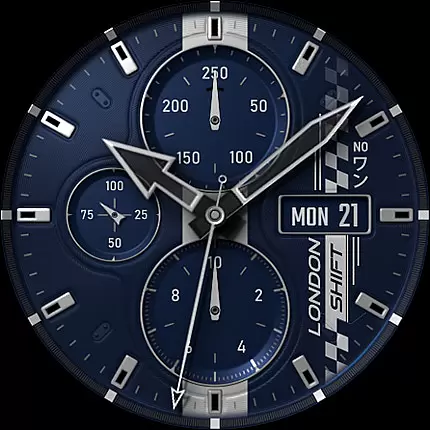
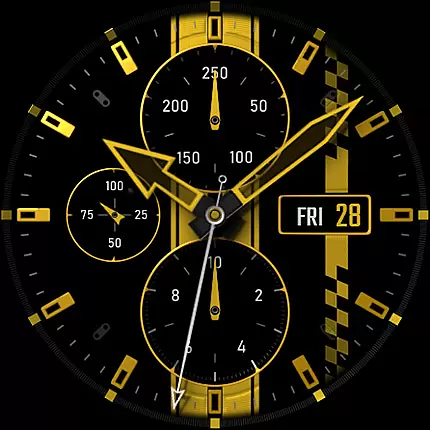
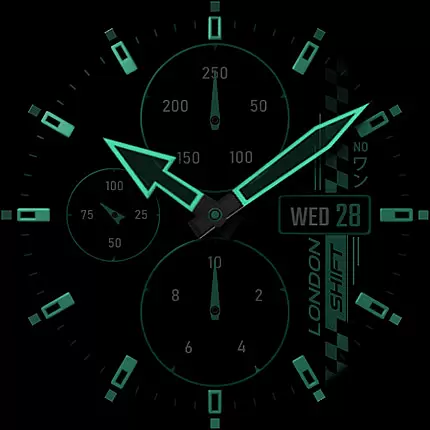
S4U Shift - Analog watch face is a premium Wear OS watch face designed for smartwatches running Wear OS 5 or higher. This highly customizable analog dial offers an ultra-realistic watch experience with its 3D effects and massive color options, making it feel like wearing a real watch.
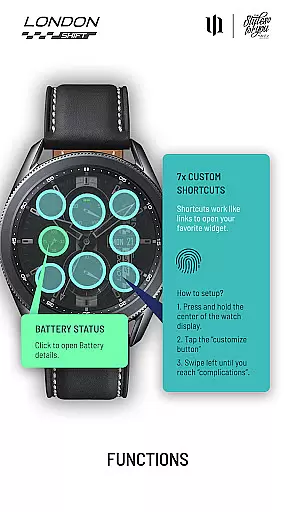
Key features include multiple display zones showing day, date, battery status, heart rate, and pedometer readings. The always-on display (AOD) provides four dimming options to balance visibility and battery life. With seven customizable shortcuts, users can access favorite widgets effortlessly.
Ideal for fitness enthusiasts and professionals who value both aesthetics and functionality, this watch face combines style with practicality, offering users a personalized and realistic timekeeping experience on their smartwatches.
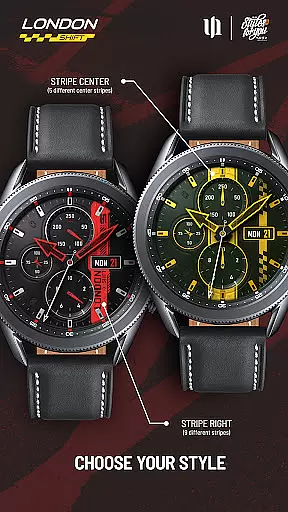
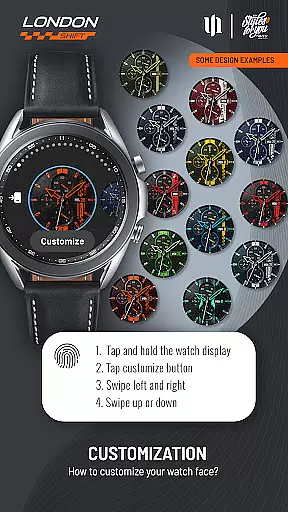
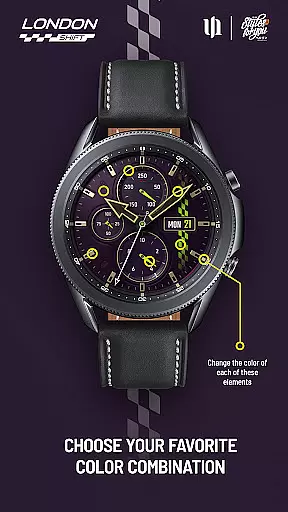
The S4U Shift watch face stands out with its advanced customization capabilities. Users can adjust colors for various elements including background, stripes, hands, indexes, and dials. With up to 13 color options for certain components, personalization reaches new heights.
Functionality is enhanced through interactive features such as tapping the battery indicator to view details and setting health measurement intervals directly from the watch settings. Seven customizable shortcuts allow quick access to preferred widgets, streamlining daily use.
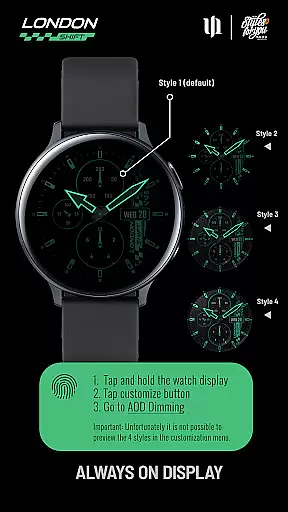
The watch face also supports an always-on display with multiple brightness levels, ensuring visibility while managing power consumption. These features collectively deliver a sophisticated, user-friendly experience that merges cutting-edge technology with classic design principles.
Customization is at the heart of the S4U Shift - Analog watch face, offering users an extensive range of personalization choices that cater to individual preferences. With multiple color options available for various elements such as Background, Hands Main and Small, Indexes, Dials Border, and more, users can create a unique look that suits their style.
The level of detail in customization allows for adjustments not only in colors but also in design features like Stripe Center and Stripe Right which come with default settings and additional styles. This ensures that each user's watch face remains distinctive while maintaining high-quality aesthetics.
Moreover, the Always-On Display (AOD) provides four dimming options, giving users control over battery consumption without sacrificing visibility or the striking 3D effect that mimics a real watch. Such comprehensive customization empowers users to tailor their smartwatch experience precisely to their liking.
The S4U Shift - Analog watch face is designed with theme compatibility in mind, ensuring it works seamlessly across a wide array of Wear OS devices. Compatible with Samsung Galaxy Watches, Google Pixel Watches, and other Wear OS 4+ smartwatches, this app delivers a consistent and optimized visual experience regardless of the device.
By supporting Wear OS API 34+, the watch face guarantees that its sophisticated analog dial and advanced features are accessible to a broad audience. Users benefit from a harmonious blend of sporty design and technological sophistication on their compatible smartwatch.
In addition to visual consistency, functional aspects such as heart rate measurement synchronization with health settings and shortcuts to favorite widgets ensure that all supported devices offer the same level of convenience and utility. This commitment to compatibility enhances user satisfaction by providing a reliable and uniform experience.
Highly customizable
Realistic 3D effects
Multiple display zones
Interactive shortcuts
Always-on display options
Wear OS only
Complex setup
Battery intensive
Limited preview options
Premium cost

3D, live, and moving wallpapers & themes in 4K and HD for your device.
 4.50
4.50
Themes - Widget & Wallpaper: Customize home screen, icon changer w unique themes
4.30
More than 3000+ themes and 9000+ wallpapers for everybody!
4.10
Run multiple accounts of the same app on a single device
4.10
Unique Fonts, typefaces and stylish text. Fonts for Instagram, Whatsapp & others
4.20
Struggling to find apps? Use this app to locate and open any app on your phone!
2.20
Enjoy a variety of amazing live wallpapers and colorful EDGE lighting borders!
4.80
Emoji Maker app - Design custom emojis and effortlessly blend them with Mixer
3.80
set a new experience for the Android mobile phone
4.20
Winter's Journey: digital watch face for Galaxy Watch & Wear OS
4.80
Sparkle your screen with Glitter Wallpapers For Girls and Cute Backgrounds!
4.80
Wallpaper HD 4K Live - Thousands of high-quality Anime backgrounds for you.
4.80
100+ Stylish Fonts, Emojis, Symbols keyboard for Instagram & TikTok!
4.80
Bring adorable pets to life on your screen. Playful, interactive and full of fun
4.60
Aesthetic Widgets, HD Wallpapers, Themes in Mico Widget for Home and Lock Screen
4.50
App Icon Changer & Shortcut Creator. Customize your icons without any watermarks
4.30
Customizable flower power digital watch face for Wear OS watches.
4.00
Adorable pets roam and play right on your phone screen!
3.30
Capture moments that pass like a storm, second by second.
4.1


User Reviews