


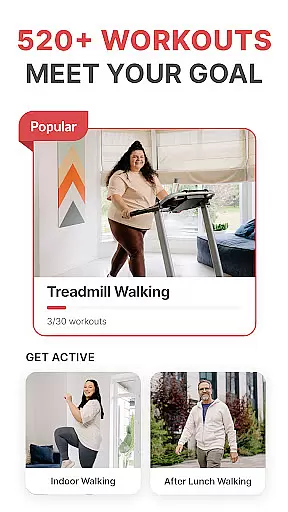
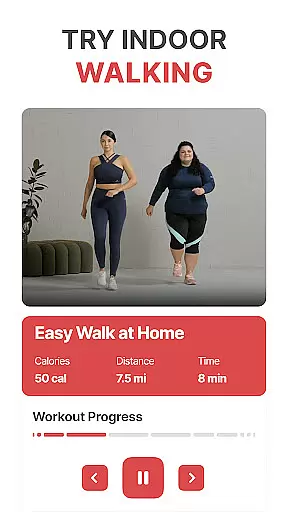
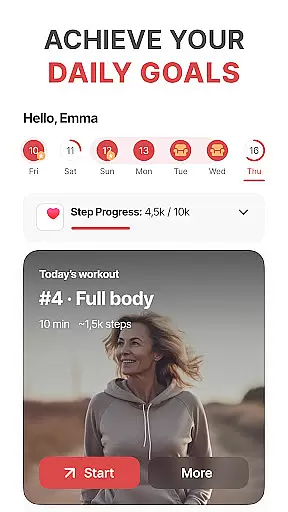
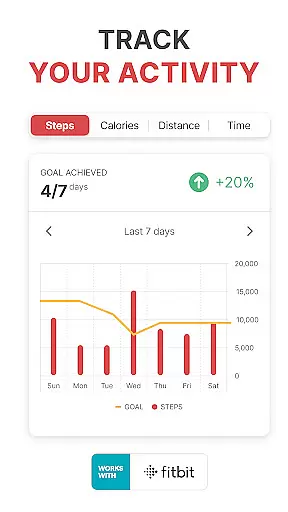

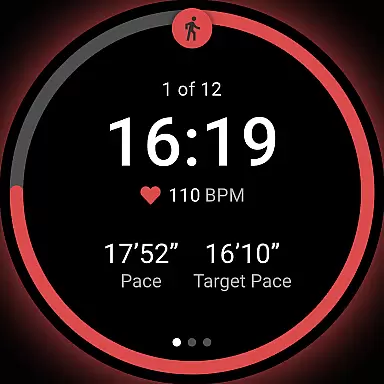
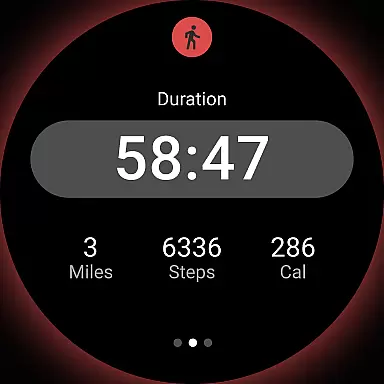
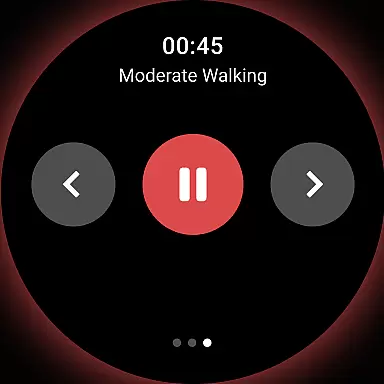
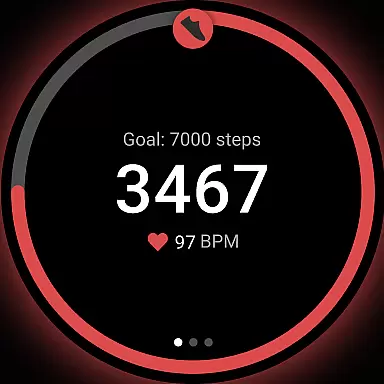
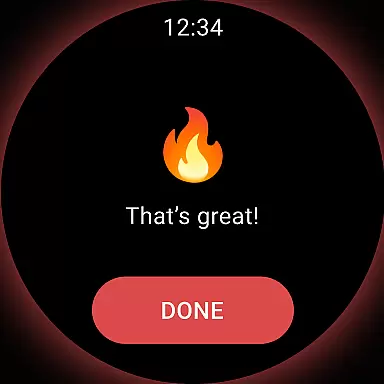
WalkFit is a comprehensive walking app designed specifically for weight loss, combining essential features like a step counter, pedometer, and personal walk tracker. The app offers tailored daily walking plans and indoor treadmill workouts to help users burn calories and achieve their fitness goals. By tracking steps, distance, and calories burned, WalkFit ensures users stay committed to their personalized plans while building healthy habits.
This Android Wear application stands out with its integration capabilities, syncing seamlessly with Fitbit, Google Fit, Health Connect, and Wear OS devices. Whether you're walking outdoors or using a treadmill indoors, the app provides real-time stats and tracks your progress. With fun walking challenges and guided indoor workouts, WalkFit keeps users motivated and engaged on their weight loss journey.
WalkFit boasts an array of features that cater to various aspects of walking and fitness tracking. One standout feature is the customized walking plan, which adjusts based on your BMI and activity level, ensuring a personalized experience. The built-in step counter and pedometer are highly accurate, providing real-time updates on steps taken, calories burned, and distance traveled.
In addition to outdoor tracking, WalkFit offers specialized indoor walking workouts with video support, including cardio walks and low-impact options. Users can switch to treadmill mode for expert-recommended routines that alternate between steady walking and high-intensity bursts. Walking challenges add a gamified element, allowing users to earn achievements by hitting daily and weekly targets. These features collectively create an engaging and effective platform for weight loss through walking.
WalkFit offers seamless companion app integration, making it a versatile tool for users who want to track their fitness activities across multiple devices. The app syncs effortlessly with popular platforms like Fitbit, Google Fit, Health Connect, and Wear OS devices. This ensures that all your fitness data is centralized in one location, providing a comprehensive view of your progress.
The integration capabilities extend beyond just syncing basic step counts. WalkFit captures detailed metrics such as calories burned, distance traveled, and even personalized walking plans. Whether you're using a smartphone or a smartwatch, the app ensures that your data remains consistent and up-to-date across all platforms.
This synchronization feature significantly enhances user convenience. You can start a walking session on your Wear OS device and continue tracking it on your phone without missing a beat. The real-time stats displayed during walks and workouts are particularly useful for those looking to optimize their fitness routines.
By offering robust companion app integration, WalkFit not only simplifies activity tracking but also encourages users to stay committed to their fitness goals. The ability to access your data from any synced device ensures that you never lose sight of your progress, making it easier to maintain a healthy lifestyle.
WalkFit excels in Wear OS and device compatibility, ensuring that users can take full advantage of their smartwatches and other connected devices. The app supports both passive and active tracking modes, utilizing the sensors in your Wear OS watch to monitor activity throughout the day. This dual-mode functionality makes it easy to track steps, calories burned, and distance traveled, whether you're actively working out or going about your daily routine.
In active mode, WalkFit provides real-time statistics directly on your Wear OS device. This feature is particularly beneficial for those who prefer to leave their phones behind during workouts. You can view your progress, including step count and calories burned, right on your wrist, allowing for a more focused and uninterrupted exercise experience.
The app's compatibility extends to various devices, ensuring that you can use WalkFit regardless of your preferred hardware. Whether you're using a treadmill or walking outdoors, the app continues to track your activity accurately. This versatility makes WalkFit an ideal choice for users who want a reliable fitness tracker that works seamlessly with their existing tech ecosystem.
Overall, WalkFit's commitment to Wear OS and device compatibility enhances the user experience by providing flexible and accurate tracking options. By supporting a wide range of devices, the app ensures that users can maintain their fitness routines without being constrained by their hardware choices.
User-friendly interface
Accurate step tracking
Customizable plans
Syncs with multiple devices
Motivational challenges
Premium subscription required
Limited free features
Occasional bugs
High system requirements
No offline mode

Wear Os Watch Face - Animated Snow Effect & Christmas Lights
 4.5
4.5
Highly customizable hybrid watch face for Wear OS, perfect for everyday use.
4.60
Rose gold watch face with festive lights & customizable features.
4.60
Beautiful artistic animated digital watch face, with a customizable layout!
4.40
Simple Analog-Digital Watchface For Wear OS 3.0 and Up Smartwatches
4.1
Bold, Modern Hybrid Watch Face for Wear OS. 10 Colors, Rich Info Display.
4.30
sleep, alarm, snoring, stress, healing, focus, sound therapy, circadian rhythm
4.10
Stylish, Energizing and Modern Watch Face crafted by Dominus Mathias.
4.50
Download full tracks, listen to music offline, make unlimited playlists.
4.80
Christmas - Festive - Christmas Village - Winter - Christmas lights
5.00
The most customizable hybrid watch face. For Wear OS 5.0, API 34+ and later
4.70
To-Do List: daily schedule planner, task organizer, to do reminder app, calendar
4.60
Find EV charging stations
4.30
Elegant animated Christmas tree with multiple customization options
4.20
Your music, your playlists, and more—offline and unlimited.
4.20
Daily Weather forecast with 15 weather images for Day & Night plus Big Bold time
4.10
Hyper-Realistic Airplane Dashboard Watch Face With 10 Skins and Custom AOD
4.00
Analog watch face with 8 complications and expedition styling
4.3
Hybrid Vibrant Health Watch Face for Wear OS
4.0


User Reviews