
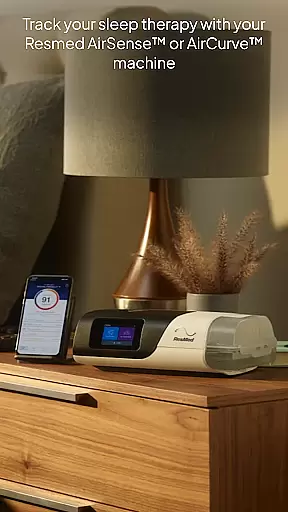
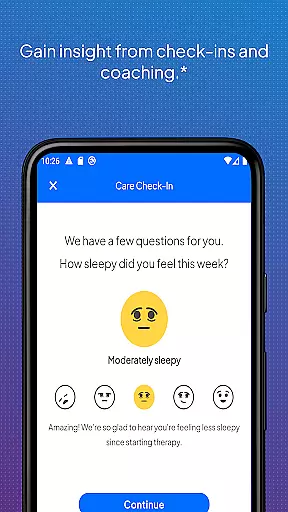
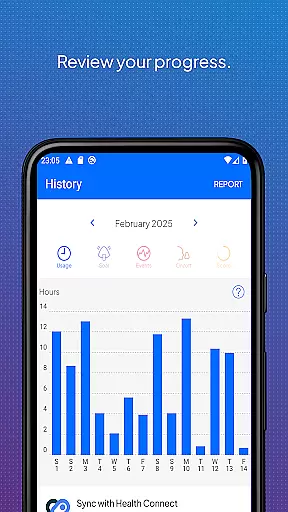
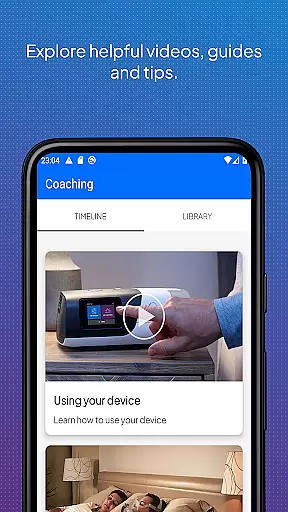
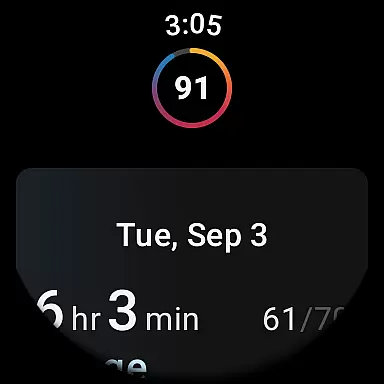
myAir by Resmed is an innovative app designed exclusively for users of Resmed AirSense and AirCurve devices, helping them manage their sleep therapy effectively. The app offers a comprehensive guided setup process that includes interactive voice-guided instructions and a Test Drive feature to ensure users are comfortable with their equipment. Available on Android Wear, myAir provides personalized support through tailored coaching, tips, and videos, enhancing user comfort and therapy success.
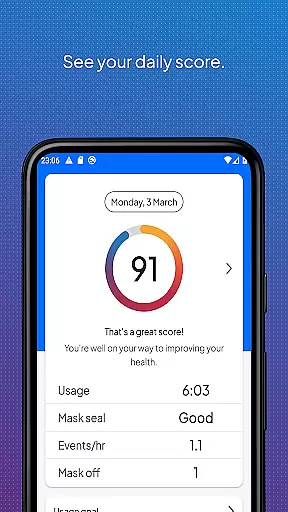
In addition to setup assistance, myAir tracks daily sleep therapy data, providing users with a nightly myAir score and detailed metrics to monitor progress over time. The app also integrates seamlessly with Apple Health and Health Connect, displaying health data alongside therapy metrics. With features like email notifications, push notifications, and regular check-ins, myAir ensures users stay connected with their healthcare team and remain motivated throughout their therapy journey.
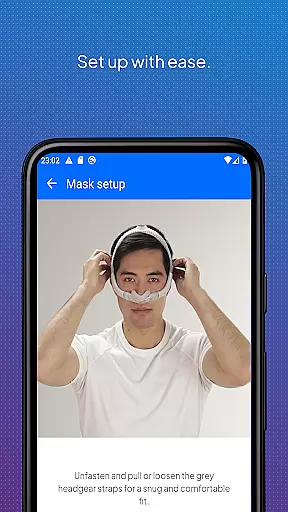
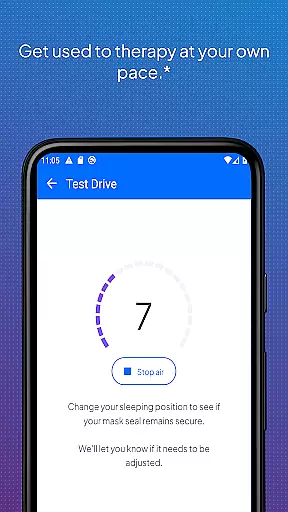
One of the standout features of myAir is its Personal Therapy Assistant, which uses interactive voice-guided instructions to help users set up their equipment and fit their mask with confidence. The app's Test Drive feature allows users to acclimate to therapy by adjusting air pressure levels, ensuring a smooth transition. Additionally, myAir offers a rich Library of videos and guides tailored to specific AirSense or AirCurve machines and Resmed masks, addressing common setup challenges and questions.
myAir goes beyond basic tracking by offering personalized support and coaching. Users receive tailored tips based on their therapy data, such as addressing mask seal issues. The app's integration with Apple Health and Health Connect allows users to view steps, active calories, heart rate variability, and more alongside their therapy data. With proactive notifications and regular check-ins, myAir keeps users engaged and informed, while sharing insights with healthcare providers enhances care coordination.
Companion app integration is crucial for users who want a seamless experience between their Resmed AirSense or AirCurve machines and the myAir app. This connection allows for real-time data syncing, ensuring that therapy progress and sleep data are always up-to-date.
The myAir app by Resmed offers an integrated solution where users can access their therapy data directly on their smartphones. By linking with AirSense 11 machines, it provides features like Personal Therapy Assistant and Test Drive, which help in setting up and getting comfortable with the equipment.
With this integration, users receive tailored coaching, tips, and videos to enhance their therapy experience. The app also supports proactive check-ins and shares therapy insights with healthcare teams, making it easier to manage sleep therapy effectively.
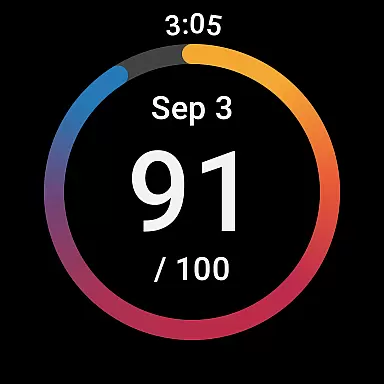
Wear OS and device compatibility ensures that users can access their sleep therapy data conveniently on their smartwatches. For those using a compatible Samsung Galaxy Watch, the myAir Wear OS app extends the functionality of the main application.
This compatibility allows users to view their myAir data directly on their wrists, providing quick access to nightly scores and other metrics without needing to reach for their phones. It enhances user engagement by offering instant updates and reminders related to their therapy.
By supporting devices like the AirSense 11, the myAir app ensures that all important information is readily available, promoting better adherence to therapy routines and overall improved health outcomes.
User-friendly interface
Personalized coaching
Comprehensive guided setup
Detailed sleep tracking
Health app integration
Limited device compatibility
Premium feature lock
Requires wireless connectivity
Notifications can be intrusive
Dependent on third-party apps

Christmas watch face. For Wear OS devices.
 4.30
4.30
Analog watch face with 8 complications and expedition styling
4.1
Contemporary digital watch face with five complications
4.4
The most customizable minimal watch face. For Wear OS 5.0, API 34+ and later
4.70
Nutrition, Macro tracker: Food, fitness & healthy diet tracking for weight loss
4.60
To-Do List: daily schedule planner, task organizer, to do reminder app, calendar
4.60
The most customizable hybrid watch face. For Wear OS 5.0, API 34+ and later
4.70
Viewer for Wyze/Yi/Eufy/Arlo/ONVIF/RTSP/P2P IP cams w/ adv. features & DIY DVR
4.00
A white realistic classic analog watch face with many customization options.
4.40
Christmas Theme Watch Face for Wear Os
5.00
Deck out your Wear OS Watch face with a beautifully decorated pine wreath!
4.50
A customizable Christmas watch face for Wear OS with a countdown.
4.20
Elegant animated Christmas tree with multiple customization options
4.20
Your music, your playlists, and more—offline and unlimited.
4.20
Connect, create, and collaborate with Gmail, part of Google Workspace.
4.10
Animated Watch Face and Customizable with 24 Backgrounds. Perfect for Christmas!
3.90
an Analog Watch Face for winter season with freeze winter background for Wear OS
4.4
Christmas is near, let's count together the days left until Santa comes
4.0
Sleek, highly customizable watch face inspired by Galaxy Watch Circle Dashboard.
4.0


User Reviews