
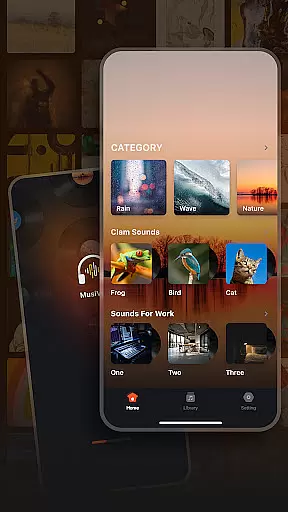
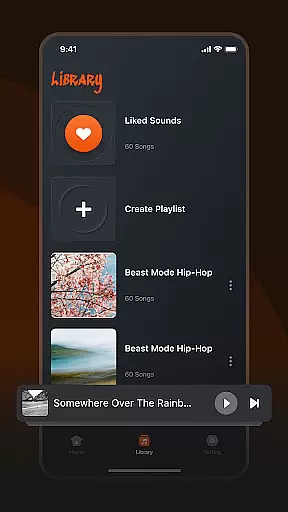
Musivibe is a feature-rich offline music player designed to enhance your listening experience. This app categorizes various sounds and songs, allowing users to enjoy music anytime, anywhere without an internet connection. With specialized categories like Rain, Ocean Waves, and Nature, it creates the perfect ambiance for every mood and activity.
The app's strength lies in its powerful organization features. Users can create personalized playlists, edit them at will, and even share their favorite tracks with others. Its user-friendly interface makes navigation intuitive, while the ability to stream custom playlists ensures a tailored experience. Whether you need music for work, relaxation, or motivation, Musivibe delivers quality sound with maximum convenience.
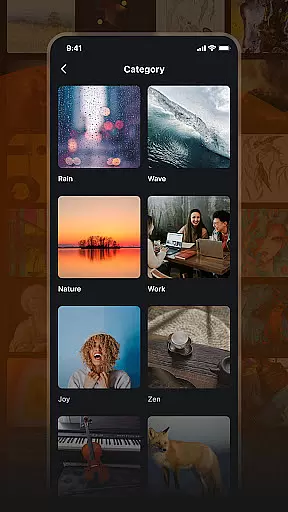
Musivibe stands out with its diverse sound categories and advanced playlist management. The app offers specialized audio environments such as Zen, Instruments, and Animals, catering to different emotional and functional needs. These preset categories help users quickly find the right sound for their current activity or mood.
One of the key highlights is the ability to create and organize personalized playlists. Users can not only build playlists but also edit and stream them effortlessly. Sharing features allow music lovers to spread their favorite tunes via social media or direct links. The app's sleek UI design ensures all these functions are easily accessible, making music management both efficient and enjoyable.
Additional features include seamless offline playback and customizable options that let users tailor their experience. Whether you're looking to relax with ocean wave sounds or focus with instrumental music, Musivibe provides the tools to curate your personal audio library.
When it comes to music applications, the size and authenticity of the music library are crucial factors. Musivibe offers a diverse range of sound categories including Rain, Ocean Waves, Nature, Work, Cheerful, Zen, Instruments, and Animals. This extensive collection ensures users have access to a wide variety of audio experiences.
The application not only categorizes songs but also emphasizes copyright authenticity. By ensuring all music is properly licensed, Musivibe provides users with peace of mind knowing they are accessing legal content. This commitment to copyright compliance enhances the credibility of the app.
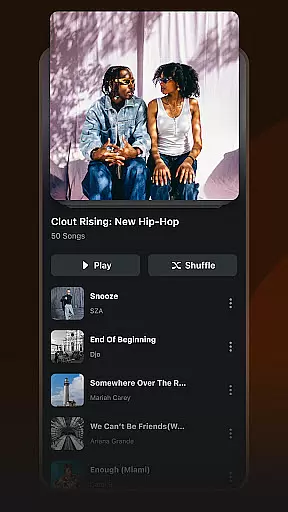
Users can create and organize personalized playlists from this vast library, tailoring their listening experience to suit different moods and activities. The ability to edit, stream, and share these custom playlists further adds to the user's control over their music journey.
Audio quality is a significant aspect that defines any music player's performance. Musivibe excels in providing various audio quality options, ensuring an optimal listening experience for its users. Whether you're using high-end headphones or standard speakers, the app adjusts to deliver the best possible sound output.
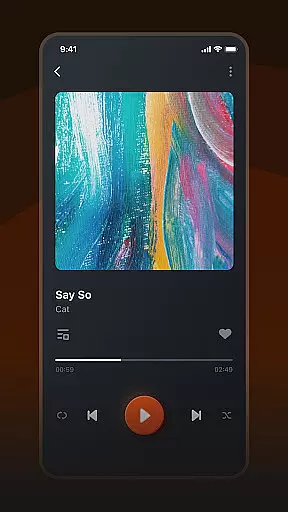
In addition to superior audio quality, Musivibe features a user-friendly in-app UI design. This intuitive interface allows users to seamlessly navigate through different sections such as creating playlists, streaming music, or exploring categorized sounds like Rain or Zen.
For those who appreciate attention to detail, Musivibe's dedication to delivering pristine audio quality stands out. With options that cater to audiophiles and casual listeners alike, the app ensures everyone can enjoy their favorite tunes exactly how they were meant to be heard.
User-friendly interface
Customizable playlists
Offline playback
Diverse sound categories
Intuitive navigation
Limited sharing options
No lyrics display
Basic equalizer settings
Occasional bugs
Premium features locked

The Cubase remote control app
 3.60
3.60
Full-featured, High-Quality Groovebox Workstation, perfect for Live Performance!
4.80
Background pads for your band
3.80
Enjoy singing any song, no matter how high or low it is
4.30
A complete sound package for the sound engineer or enthusiast
4.60
MilkDrop for Android TV
3.00
Offline Tunes, Unlimited Vibes
3.90
Reverse your voice & songs instantly! Fun singing challenge with cool effects.
4.60
Uninterrupted Tunes, Unmatched Vibes
3.90
Make songs with AI! Any genre, custom lyric, song generator for music creation!
4.80
Music, News & Sports Radio Tuner App. Tune in Live FM & AM Radio Stations.
4.80
Formerly known as Spotistats! View your top tracks, artists, albums and more!
4.40
Manage your Sonos system directly from your home-screen!
4.40
The Music Journey in Your Hands
4.30
Advanced 10-Band Audio Graphic Equalizer Sound Booster Pro
4.30
The alternative folder based music player.
4.20
Sheet music reader, piano & music note player. Play music score & learn to read.
3.90
The iconic iOS metronome app is now on Android.
3.70
Simply convert wav to mp3. Clear. Reliable. Safe.
4.2


User Reviews