
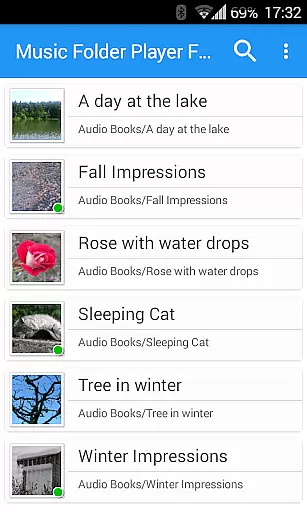
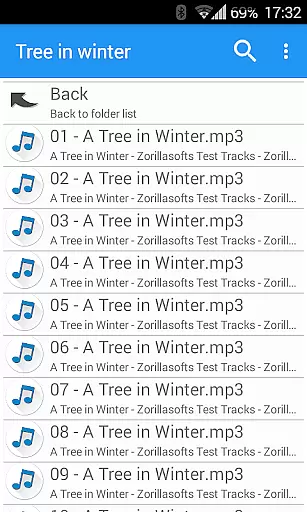
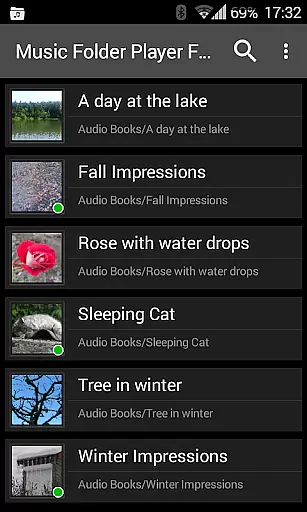
Music Folder Player Full is a specialized audio player designed for users who prefer organizing their music files in folders rather than traditional categories like artist or album. The app offers a unique folder-based playback experience, making it ideal for those with custom file organization systems.
The player stands out with its advanced features tailored for audiophiles and podcast enthusiasts alike. Key functionalities include speed control with pitch correction, 432 Hz playback mode, and an equalizer with customizable settings. These features provide users with precise control over their listening experience while maintaining optimal audio quality.
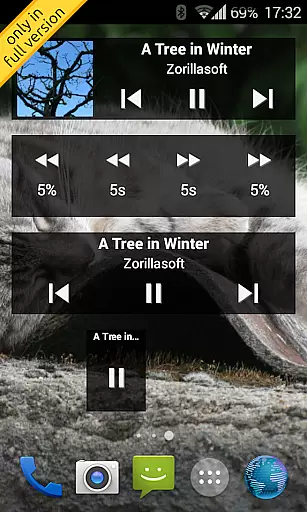
With support for Android 2.3 and newer, this full version includes homescreen widgets and removes advertisements, enhancing usability. Whether you're managing a small music collection or a large library of podcasts and audiobooks, Music Folder Player Full delivers a seamless and feature-rich audio playback solution.
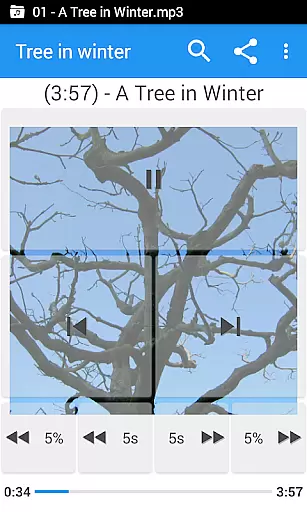
This audio player distinguishes itself through innovative playback controls and customization options. Users can benefit from four configurable seek buttons, perfect for navigating through lengthy podcast episodes or audiobook chapters with precision.
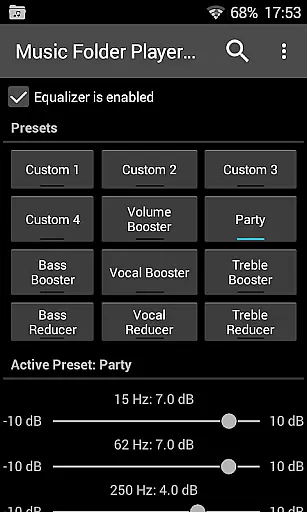
The app's equalizer provides eight preset audio profiles including Bass Booster and Vocal Booster, along with four customizable settings. Additional audio enhancement features include virtual room effects and reverb options, plus a pre-amplifier function for low-level recordings. These tools enable users to fine-tune their listening experience according to their preferences.
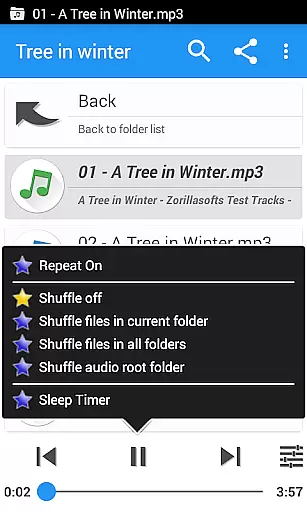
Practical features such as resume functionality, sleep timer, and Last.fm scrobbling integration make daily use more convenient. The player also supports two-finger gesture volume control, undo functionality, and various playback modes, ensuring smooth operation across different usage scenarios.
Music Folder Player Full offers a unique approach to managing and playing your music library. With the ability to organize audio tracks in folders, users can easily navigate through their collection regardless of its size.
The app supports various file structures, allowing you to display folders as a 'flat' list for smaller collections or use a hierarchical view similar to a file manager for larger libraries. This flexibility ensures that all your music files are accessible in a way that suits your organizational preferences.
In terms of copyright authenticity, while the app itself does not provide content, it respects the user's choice of music and allows them to play legally acquired tracks. The emphasis is on giving users control over how they manage their personal, legitimate music files.
Additionally, features like virtual folders for favorite songs and playlists enhance the experience by letting you curate personalized selections within your library.
One of the standout features of Music Folder Player Full is its robust equalizer, which provides four customizable settings and eight predefined options such as Bass Booster, Vocal Booster, and Party setting. These equalizer presets allow users to fine-tune their listening experience according to their preferences and audio equipment capabilities.
For those seeking more advanced audio adjustments, the app includes virtual room and reverb effects available on Android 2.3 and newer. This feature adds depth and ambiance to your music playback, simulating different acoustic environments.
Another notable option is speed control with pitch correction, available on Android 4.2 and above. This feature is particularly useful for podcasts or audiobooks, enabling listeners to increase or decrease playback speed without affecting the pitch, thus maintaining sound quality.
Furthermore, the pre-amplifier function helps boost the volume of audio recorded at low levels, ensuring that quieter tracks can be heard clearly without distortion. For users interested in alternative tuning, there's also a 432 Hz playback mode, adding another layer of customization to suit specific audio quality preferences.
User-friendly folder organization
Advanced equalizer settings
Speed control with pitch correction
Customizable playback options
Comprehensive widget support
Lacks traditional music library views
Complex for casual listeners
Requires Android 2.3+
No built-in streaming service
Paid version only features

Performance-Synthesizer & Multi-Track-Sequencer, polyphonic + multi timbral!
 4.70
4.70
Listen to live FM radio stations, sports, music and news on global radios online
4.70
Music, News & Sports Radio Tuner App. Tune in Live FM & AM Radio Stations.
4.80
Learn and play 2M+ music tabs & chords on guitar, ukulele, bass, and more
4.30
Offline Music Player&MP3 Player with themes, equalizer, lyrics, music play mode
4.60
Let your Android device with the sound effects you want
4.50
Learn the notes on the guitar fretboard fast with this easy and fun app
4.60
The iconic iOS metronome app is now on Android.
3.70
Get alarms that fit your lifestyle and wake up to the sounds you love.
4.80
Play your hearts out on TouchTunes jukeboxes & connect with fellow music lovers.
4.80
SqueezePlayer turns your Android phone or tablet into a SqueezeBox on its own!
4.60
Advanced 10-Band Audio Graphic Equalizer Sound Booster Pro
4.30
Master Salsa Rhythm quickly and with a lot of fun!
4.30
Time Trainer: accurate metronome w tools to help you develop your internal time!
4.20
Network/Cloud Streaming, Visualization, Graphic Equalizer and Sound Effects.
4.20
Sheet music reader, piano & music note player. Play music score & learn to read.
3.90
Offline Tunes, Unlimited Vibes
3.90
Learn to play the piano using falling notes!
3.80
The Skullcandy App Experience
3.20


User Reviews