
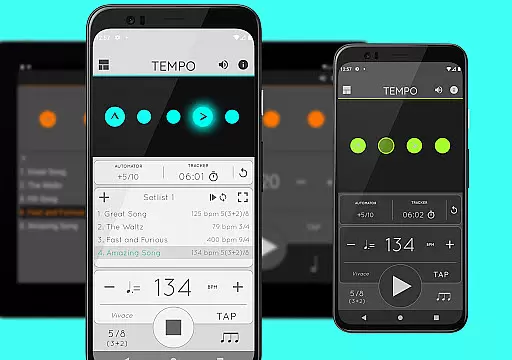
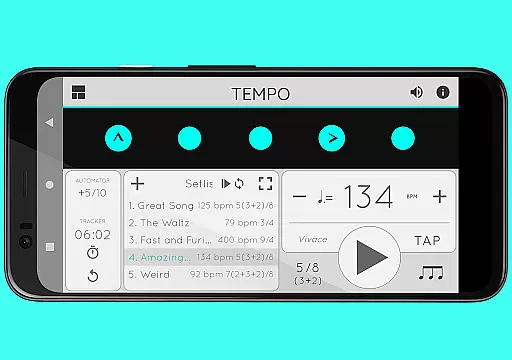
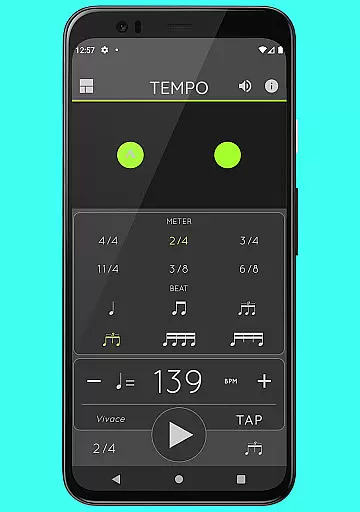
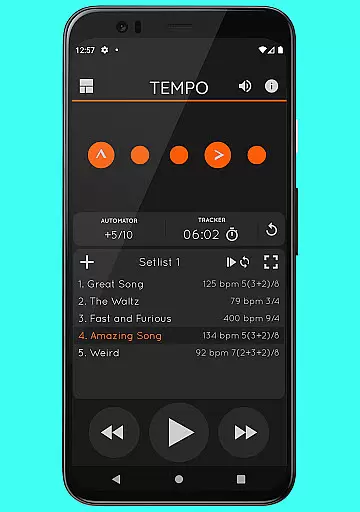
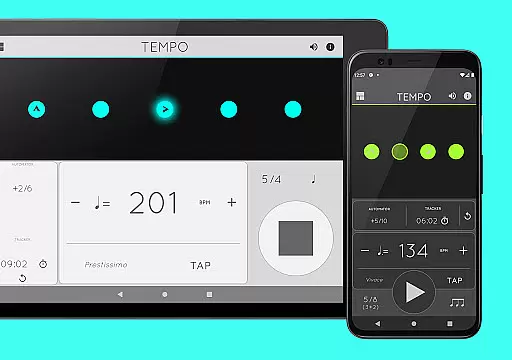
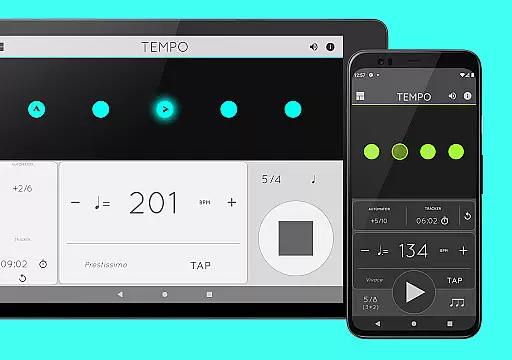
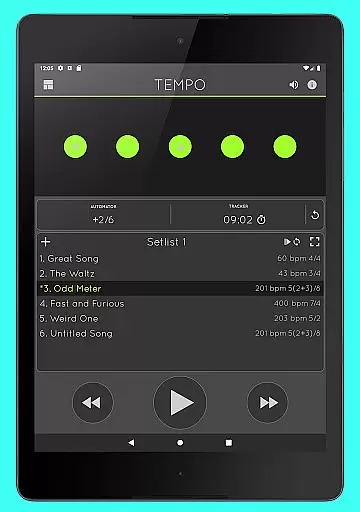
Tempo is a premier mobile metronome app designed for musicians, teachers, and students alike. It offers high accuracy and stability with an attractive single-screen interface. The app allows users to customize beats through intuitive LED buttons, creating complex rhythms effortlessly. Tempo's innovative design includes five morphing modes optimized for different tasks such as practice, gigs, and lessons.
This versatile tool supports various time signatures and rhythm patterns, making it suitable for both simple and compound meters. Users can save configurations as songs in setlists, which can be shared with others, including those on iOS devices. Whether preparing for a performance or conducting a music lesson, Tempo provides the essential features needed without compromising usability.
Tempo boasts a comprehensive set of features tailored for musicians. With 30 different time signatures and multiple rhythm patterns, users can customize accents or turn beats off to create intricate rhythms. The tap tempo function and tempo range from 10 to 400 ensure precise control over timing. Visual feedback is provided through pulsating LEDs, enhancing the user experience during practice sessions.
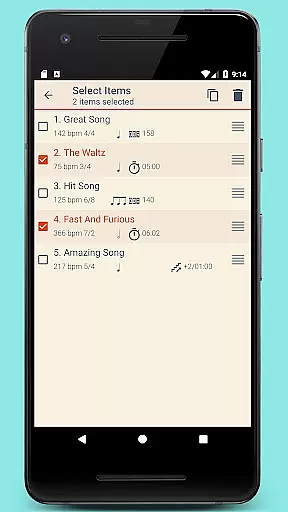
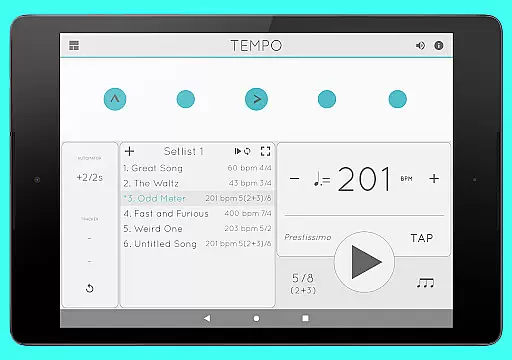
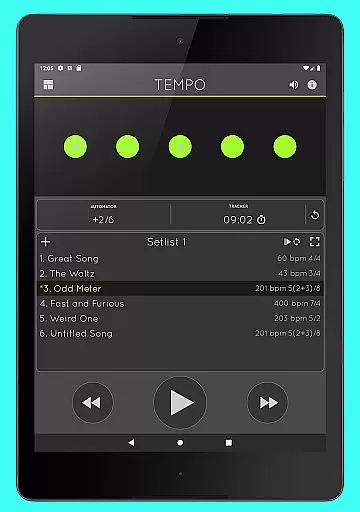
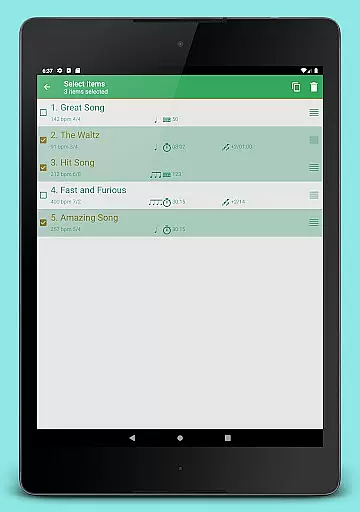
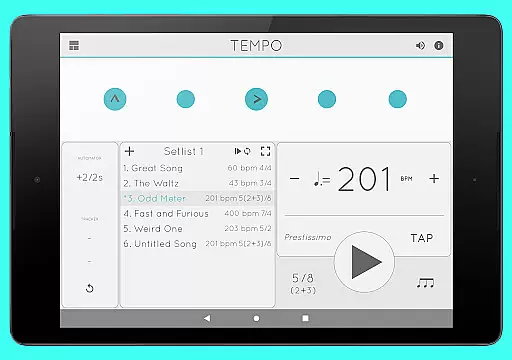
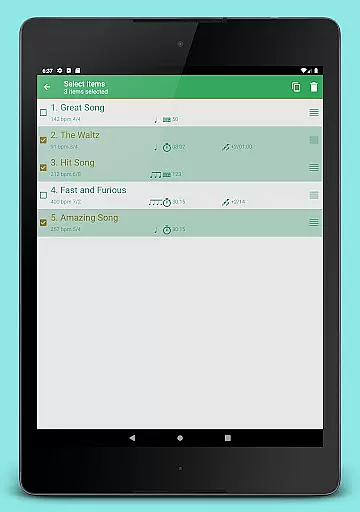
The app's setlist management system allows users to store presets in multiple setlists, with advanced options like search, overwrite, copy between setlists, and multi-deletion. Quick editing and sharing via email make collaboration seamless. Additionally, Tempo offers tracker and automator functionalities, enabling users to track bars played or time their practice while automatically adjusting tempo based on predefined limits.
When it comes to music applications, the size and authenticity of the music library are crucial factors. Tempo offers an impressive collection of 30 different time signatures and various rhythm patterns that cater to both simple and compound meters. This extensive range allows musicians to explore diverse musical compositions while ensuring the originality and legality of the content.
The app's dedication to copyright authenticity is evident in its meticulous design. Each rhythm pattern has been crafted to provide a genuine experience without infringing on existing works. Users can customize accents or mute beats to create complex rhythms, knowing they are engaging with a tool that respects intellectual property rights.
Tempo's comprehensive feature set extends beyond just time signatures. With 12 sound sets available, including one optimized for live drumming click tracks, users have access to high-quality audio resources. These features collectively ensure that musicians have a vast and legally compliant music library at their disposal, enhancing both practice and performance.
Audio quality is paramount for any musician or performer relying on a metronome app. Tempo excels in this area by providing 12 distinct sound sets, each carefully designed to cater to different musical needs. Whether you're practicing classical pieces or modern compositions, the app ensures superior audio output that meets professional standards.
In addition to varied sound options, Tempo includes volume control functionality, allowing users to adjust levels according to their environment. This flexibility is essential whether you're rehearsing quietly at home or performing loudly on stage. The ability to maintain consistent audio quality across these settings underscores the app's commitment to excellence.
Furthermore, Tempo supports multi-tasking, meaning playback continues even when using other apps. This seamless integration guarantees uninterrupted audio performance, which is critical during important rehearsals or performances. By prioritizing audio quality options, Tempo ensures musicians receive the best possible auditory experience.
User-friendly interface
Highly customizable
Accurate tempo control
Versatile rhythm patterns
Comprehensive setlist management
Limited free version
Occasional bugs
No MIDI support
Premium price
Complex for beginners

Make music anywhere. Turn your device into an instrument.
 4.4
4.4
Offline and always ad-free - stream in the highest quality available.
4.10
A synth that really lets you shape your sounds!
4.50
Background pads for your band
3.80
Learn to play the piano using falling notes!
3.80
Listen radio AM / FM Stations. Live AM / FM Radio App Station. Radio Com.
4.70
One-tap booster for max volume - enjoy powerful sound with this audio booster
4.50
Play your music offline without limits
4.80
Melody Beat: Great for travel, workouts, offline vibes, play your tunes anytime.
4.10
24,000 free audio books and no ads!
4.90
Music, News & Sports Radio Tuner App. Tune in Live FM & AM Radio Stations.
4.80
Performance-Synthesizer & Multi-Track-Sequencer, polyphonic + multi timbral!
4.70
Offline Music Player&MP3 Player with themes, equalizer, lyrics, music play mode
4.60
Fun & Easy Voice Changer – Record, Edit & Add Hilarious Effects!
4.50
10-Band Audio Equalizer, Sound / Bass Booster for Spotify Users & Music Players
4.40
Smart piano keyboard, Classical to Pop, Real-time multiplayer connection!
4.20
The original SP-1200 experience on your iPad
4.20
The official Sonos app
4.10
The Skullcandy App Experience
3.20


User Reviews