
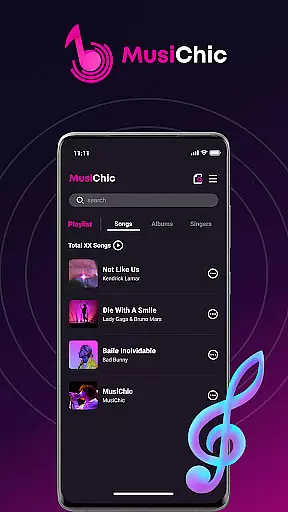
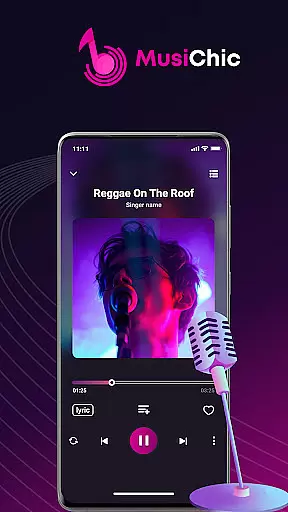
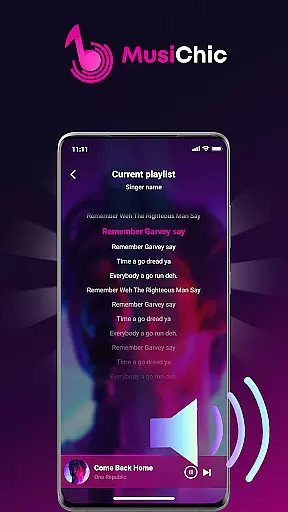
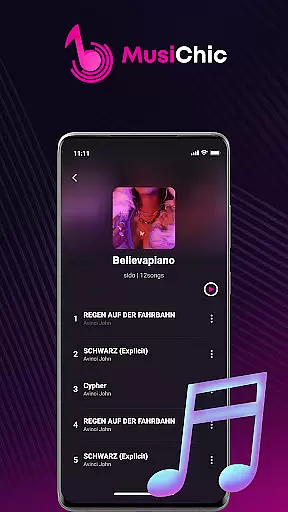
MusiChic is a premium offline music player designed for discerning music enthusiasts who value both quality and functionality. This application transforms your mobile device into a personal concert hall, delivering lossless audio playback for an immersive listening experience.
The app features intelligent scanning of local audio files, supporting multiple formats while organizing your collection by album, artist, and genre automatically. With its smart curation system and rapid search capability, finding and enjoying your favorite tracks has never been easier. Whether you're relaxing at home or traveling abroad, MusiChic ensures your music library is always accessible, even without an internet connection.
MusiChic stands out with its advanced music management capabilities. The app's instant local library function scans and organizes audio files efficiently, creating a seamless bridge between your device's storage and your listening preferences.
Beyond basic playback, MusiChic offers sophisticated curation tools. Users can create unlimited personalized playlists and manage exclusive collections with ease. The app's intelligent organization system automatically categorizes music while enabling quick searches across extensive libraries. These features combine to create a refined listening environment that adapts to each user's unique musical tastes and lifestyle needs.
When it comes to music players, the size and authenticity of the music library are crucial factors. MusiChic offers an extensive local library that is instantly accessible through smart audio file scanning.
The application supports numerous major audio formats, allowing users to enjoy a wide variety of music without limitations. This ensures that your music collection remains comprehensive and up-to-date.
Moreover, MusiChic emphasizes copyright authenticity, ensuring that all music files are legally owned by the user and played back in their original quality. This respects both the artists' rights and the listeners' experience.
MusiChic takes pride in delivering concert-hall quality sound, which is evident in its support for lossless audio playback. This feature allows audiophiles to indulge in their most refined musical moments without any compromise on quality.
The player's ability to handle various audio formats means that users can choose the best quality available for their listening pleasure. Whether you're at home or on an adventure, the sound clarity remains uncompromised.
Additionally, the intelligent curation of music extends to organizing tracks by album, artist, and genre, enhancing the user's experience with lightning-fast search capabilities for high-quality audio files.
Lossless audio quality
Smart file scanning
Offline playback
Multi-format support
Intuitive interface
No streaming service
Limited social features
Premium only
Android exclusive
Large file size

Equalizer, Bass Booster and Volume Booster (Eq & Bass) improve sound quality
 4.30
4.30
Permanently backup Now Playing. Maps, filters & listening stats.
4.00
Your song collections with lyrics and chords on Android smartphones and tablets.
4.80
Network/Cloud Streaming, Visualization, Graphic Equalizer and Sound Effects.
4.20
Visualize the guitar fretboard, master scales & play through changes like a pro!
4.50
Unleash your creativity! Turn simple prompts into full fledged songs.
4.70
Offline Music Player&MP3 Player with themes, equalizer, lyrics, music play mode
4.60
Slow music down without changing pitch.
3.70
Travel To The Music Universe
3.40
More downloads than any other metronome. Includes drum machine & tempo trainer.
4.80
Responsive piano with great sounds, graphics, and songs
4.80
Gorgeous UI, Powerful music Search and Equalizer, the great choice for you!
4.70
Record, Mix & Master with all n-Track effects, 64-bit audio and Stem Separation.
4.70
Learn the notes on the guitar fretboard fast with this easy and fun app
4.60
Fun & Easy Voice Changer – Record, Edit & Add Hilarious Effects!
4.50
DJ Music Mixer Pro is a real DJ controllers and DJ Music Studio to remix DJ.
4.40
Your HD audio recorder on the go for music, meetings, ambience, animal sounds…
4.30
Turn your Android phone into a professional audio analyser with up to 120 bands.
4.00
The ultimate media player for Android devices
3.90


User Reviews