
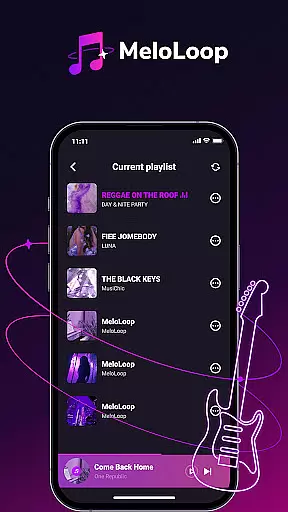
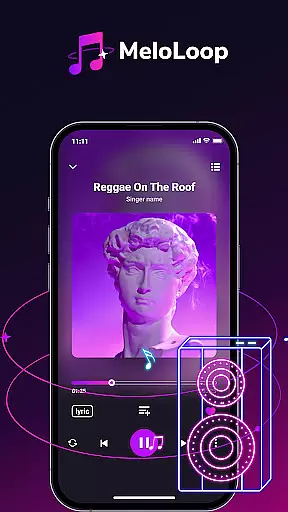
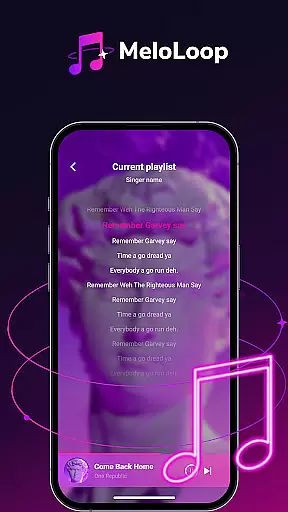
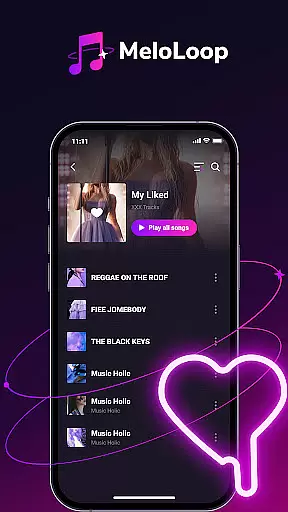
MeloLoop is a premium music player app designed for audiophiles who demand the best listening experience. This application offers an elegant interface combined with powerful features, making every audio moment exceptional. With instant access to your local music library, MeloLoop provides smart scanning of audio files and supports multiple formats including MP3, FLAC, and WAV.
One of the standout features of MeloLoop is its intelligent music curation. The app automatically sorts your music by album, artist, and mood while allowing custom tags for effortless organization. Whether you're looking to relax late at night, create the perfect travel soundtrack, or enjoy studio-quality listening sessions, MeloLoop caters to all your audio needs with unmatched sophistication.
MeloLoop boasts a range of features that set it apart from other music players. Its instant local library function scans all your audio files intelligently, ensuring you can enjoy lossless playback anytime, even offline. The app supports various audio formats such as MP3, FLAC, and WAV, providing flexibility and high-quality sound.
The intelligent music curation feature automatically organizes your music by album, artist, and mood, making it easy to find any track within seconds. Additionally, custom tags allow for effortless organization, enhancing your music management experience. MeloLoop also functions as your personal music studio, enabling you to create unlimited themed playlists and build exclusive collections tailored to your preferences.
When it comes to digital music players, the size and authenticity of the music library are crucial factors for discerning audiophiles. MeloLoop excels in this area by offering instant access to your entire local music collection.
The application performs a smart scan of all your audio files, supporting multiple formats including MP3, FLAC, and WAV. This ensures that regardless of your music source, you can enjoy a comprehensive library without compatibility concerns.
More importantly, MeloLoop guarantees copyright authenticity by focusing on your personal, legally-acquired music files. The app respects user privacy and legal boundaries while delivering an extensive music catalog directly from your device.
With lossless playback capabilities and support for high-quality formats, MeloLoop ensures every note is preserved as the artist intended, providing users with peace of mind regarding both the size and legitimacy of their music library.
For true audiophiles, audio quality options are paramount when selecting a music player. MeloLoop addresses this need by providing exceptional sound fidelity through its advanced playback features.
The application supports various high-definition audio formats, enabling listeners to experience studio-quality sound during every listening session. Whether you're enjoying FLAC files or standard MP3 tracks, MeloLoop maintains the integrity of your music.
Users can create unlimited themed playlists and exclusive collections, allowing for personalized listening experiences without compromising audio quality. The app's intelligent curation system automatically organizes tracks by album, artist, and mood.
This combination of lossless playback, format versatility, and smart organization makes MeloLoop an ideal choice for those who value pristine audio quality alongside convenient music management features.
User-friendly interface
Lossless audio playback
Wide format support
Intelligent organization
Customizable playlists
Limited social features
No cloud integration
Premium pricing
Heavy on resources
Occasional bugs

Make music anywhere. Turn your device into an instrument.
 4.4
4.4
Control your MIDI USB or Bluetooth devices in app and avoid some trampling
3.30
The Cubase remote control app
3.60
Recording studio w/ 10k beats, pro vocal FX and a network of 20M rappers & fans!
4.60
Voice recorder - Audio recorder. Best recorder for recording
4.90
Music, News & Sports Radio Tuner App. Tune in Live FM & AM Radio Stations.
4.80
The official Sonos app
4.10
The Minimalistic Premium Music Player. Handmade with passion for music
2.20
Master Salsa Rhythm quickly and with a lot of fun!
4.30
Tune in to the greatest hits on UK Radio | The home of Capital, Smooth & Heart.
4.90
24,000 free audio books and no ads!
4.90
Let your Android device with the sound effects you want
4.50
Help you quickly get started with Shokz headphones
4.40
Full featured mp3 and audio player with Chromecast and Android Auto support.
4.40
No wifi music app. Mp3 offline. Tuner radio, young radio music. Music downloader
4.20
PowerAudio is a powerful offline music player.
4.20
Learn to play the piano using falling notes!
3.80
MilkDrop for Android TV
3.00
Remove ads permanently from Music Visualizer
4.5


User Reviews