
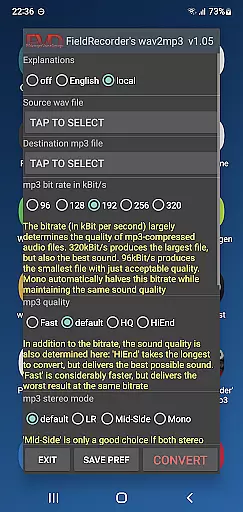
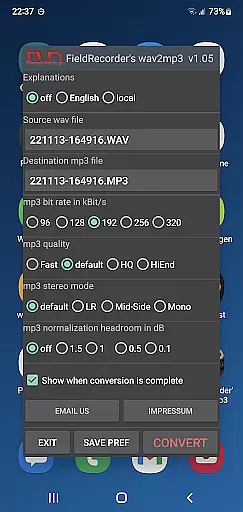
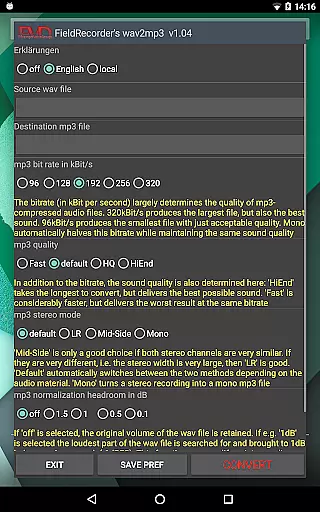
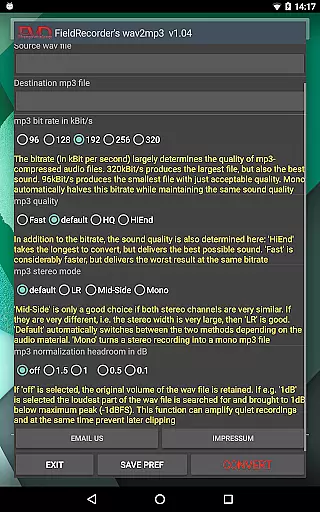
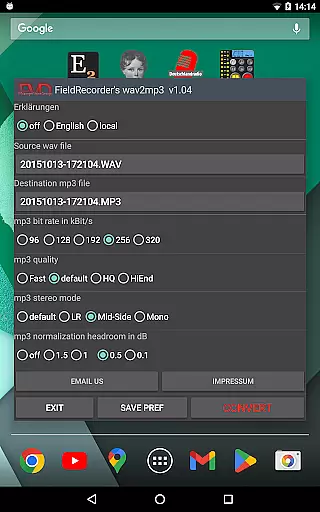
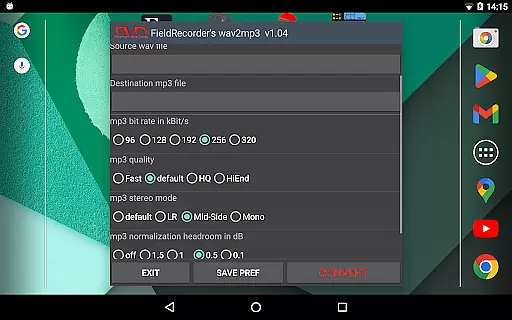
FieldRecorder's wav2mp3 is a streamlined audio conversion tool designed specifically for users who need to convert WAV files to MP3 format without any hassle. The app eliminates common frustrations such as intrusive ads, unnecessary rating prompts, and confusing options that often clutter similar applications. With its minimalist one-screen interface, users can effortlessly select source and destination files, then initiate the conversion process with a single tap. This efficient design ensures conversions happen quickly and in the background, providing a seamless user experience.
What sets FieldRecorder's wav2mp3 apart is its commitment to user privacy and satisfaction. The app does not collect user data or display advertisements, making it a trustworthy choice for privacy-conscious individuals. Additionally, its compact download size of under 1.3MB—significantly smaller than comparable apps averaging 20MB—ensures fast installation and minimal device storage usage. For added convenience, the app provides clear error messages when issues arise and even offers a full refund option if users are unsatisfied. Its compatibility with the professional audio recorder app 'Field Recorder' further enhances its utility by enabling remote control functionality, allowing users to keep the app out of sight while it operates.
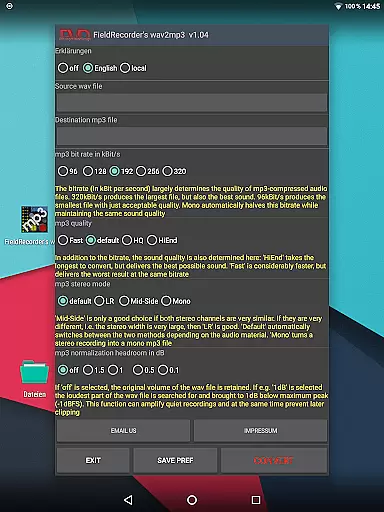
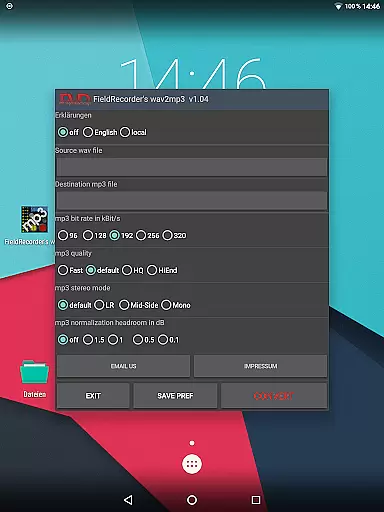
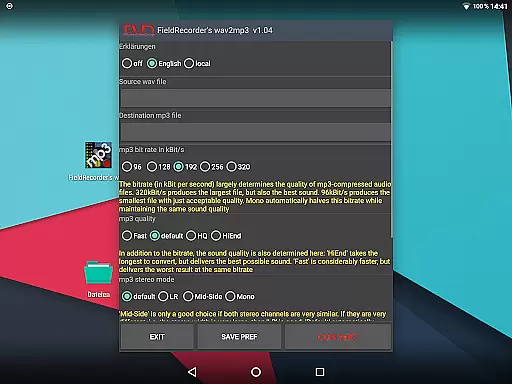
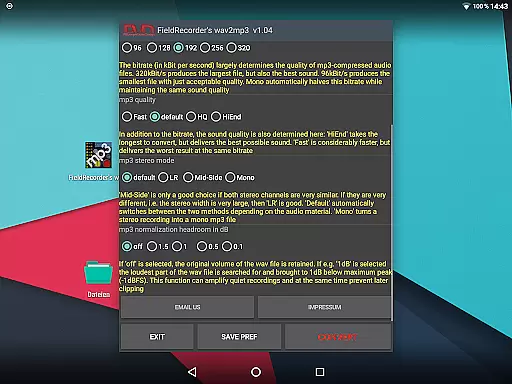
FieldRecorder's wav2mp3 offers several notable features that cater to both casual and advanced users. One key highlight is its customizable options, which allow users to tailor the conversion process according to their preferences. For instance, users can choose from five preset bit rates (or half those values for mono), specify encoding complexity for better sound quality, and select stereo modes like LR, Mid-Side, or Default based on channel similarity. These settings ensure flexibility and precision during file conversion.
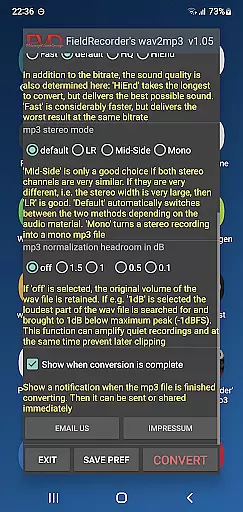
In addition to technical customizations, the app prioritizes accessibility and localization. Users can view explanatory texts in their preferred language or hide them entirely for a cleaner interface. Volume adjustments are also available, letting users maximize output levels while avoiding clipping through decibel margin controls. Furthermore, an optional notification feature alerts users upon completion, enabling immediate sharing or further processing of the converted MP3 file. Such thoughtful features make FieldRecorder's wav2mp3 a versatile tool suitable for various audio needs.
FieldRecorder's wav2mp3 may not boast an extensive music library, but it excels in providing a streamlined and focused audio conversion experience. The app allows users to convert WAV files to MP3 with ease, without the clutter of ads or unnecessary data collection.
The emphasis here is on quality over quantity. While the app doesn't offer a vast array of preloaded tracks, its strength lies in its ability to handle user-provided content efficiently. This ensures that each conversion maintains the integrity and authenticity of the original audio file.
Copyright compliance is taken seriously by allowing users to manage their own files. By focusing on personal audio processing, FieldRecorder's wav2mp3 avoids potential copyright infringement issues associated with larger, shared libraries.
Ultimately, the value proposition for users is in having a reliable tool that respects their privacy and offers precise control over their audio conversions, ensuring that each output is both legally sound and tailored to individual needs.
When it comes to audio quality options, FieldRecorder's wav2mp3 provides a range of settings that cater to audiophiles and casual users alike. The app includes five common bit rates for quick selection, which can be halved when converting mono files, offering flexibility in file size and sound fidelity.
Users have the ability to choose how complex the MP3 file creation process should be. A more intricate encoding might take longer but can result in superior sound quality. This level of customization empowers users to balance between conversion speed and auditory excellence based on their specific requirements.
Stereo mode selection further enhances the audio output. Whether encoding channels separately for distinct left-right soundscapes or opting for a combined mid-side approach, users can fine-tune the spatial aspect of their audio files. There's even an option for automatic determination by the software.
Finally, volume normalization features let users decide if they want to preserve the original loudness or maximize it while avoiding clipping. With these comprehensive controls at hand, FieldRecorder's wav2mp3 ensures that every converted track meets high standards of audio quality.
User-friendly interface
No ads or data collection
Fast background processing
Compact app size
Customizable options
Limited to WAV-to-MP3
No batch conversion
Basic UI design
Fewer advanced tools
Paid app only

VB-AUDIO Software / VBAN-Receptor allows listening to any VBAN Streams
 4.10
4.10
Enhance the sound quality of your devices, listen to what you want
4.50
Save hundreds of dollars for a physical strobe tuner and instead use this app.
4.50
Bass Booster Pro takes auto-equalizing to the next level!
4.30
Enjoy singing any song, no matter how high or low it is
4.30
Play your hearts out on TouchTunes jukeboxes & connect with fellow music lovers.
4.80
Help you quickly get started with Shokz headphones
4.40
Ringtone Maker is free app create ringtone from music files or your recording.
4.40
Be a true music maker: create beats, mix and make music like a real DJ!
4.30
Offline Music Player & MP3 Player.Powerful equalizer, Lyrics, Themes, Tag Editor
4.80
Gorgeous UI, Powerful music Search and Equalizer, the great choice for you!
4.70
The best music and audio player, with beautiful UI, music search and equalizer.
4.60
A synth that really lets you shape your sounds!
4.50
Visualize the guitar fretboard, master scales & play through changes like a pro!
4.50
Play KORG’s revolutionary touch-based instrument on a variety of devices.
4.40
The original SP-1200 experience on your iPad
4.20
Versatile MP3 recorder with auto-backup to Dropbox and Google Drive
4.10
The iconic iOS metronome app is now on Android.
3.70
The Skullcandy App Experience
3.20


User Reviews