
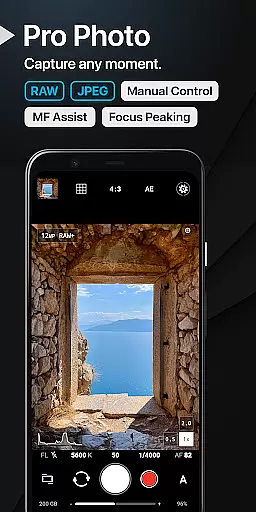
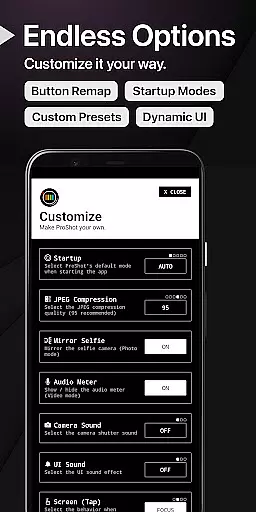
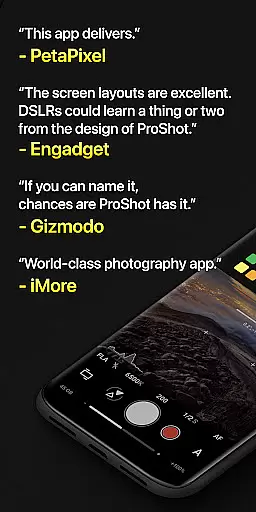
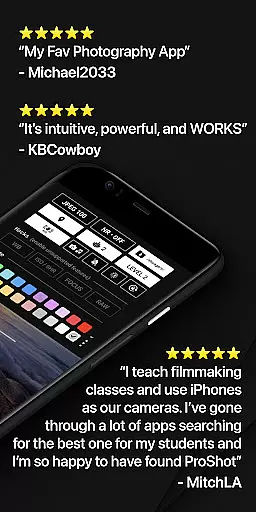
ProShot is a professional-grade photography and filmmaking application designed for Android users who demand full creative control over their mobile photography experience. This app offers an extensive suite of manual controls comparable to DSLR cameras, including shutter speed, ISO, white balance, and focus adjustments. With support for RAW (DNG) and JPEG formats, ProShot caters to both amateur enthusiasts and seasoned professionals.
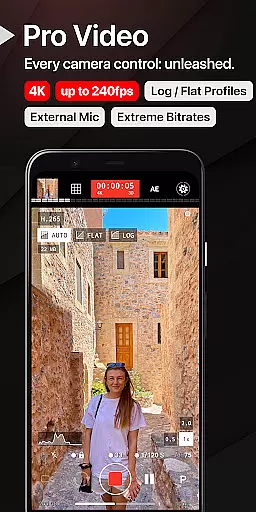
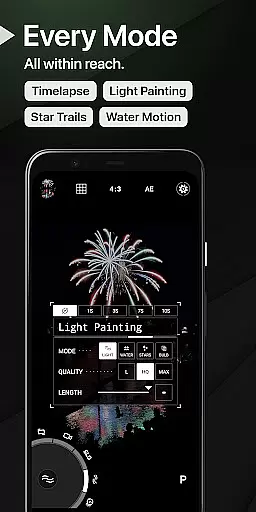
The app's unique Dual Dial system allows users to swiftly navigate through settings while offering specialized modes like Light Painting and Bulb for capturing stunning long-exposure shots. Additionally, its video capabilities are equally impressive, supporting resolutions up to 8K with advanced options such as LOG/FLAT color profiles and real-time audio monitoring. Whether you're shooting photos or videos, ProShot ensures your content stands out with exceptional quality and detail.
Perfect for travel photographers or content creators on the go, ProShot eliminates the need to carry bulky equipment by providing all essential camera functionalities in one compact app. Its intuitive interface combined with privacy-focused design makes it an ideal choice for those seeking a reliable yet versatile mobile photography solution.
ProShot distinguishes itself through its comprehensive feature set tailored for serious photographers and videographers. The app leverages Google's Camera2 API to deliver unparalleled control over every aspect of image capture, from exposure compensation to tone mapping. Users can choose between various shooting modes—Auto, Program, Manual, and Custom—each offering different levels of customization depending on skill level and preference.
One standout feature is the ability to record high-resolution videos with customizable frame rates and bitrates, even supporting "beyond 4K" resolutions on compatible devices. For still photography, ProShot includes innovative tools like focus peaking, histogram analysis, and zero-lag bracketing. These functionalities ensure precise composition and optimal image quality regardless of lighting conditions.
Moreover, ProShot prioritizes user privacy by not collecting or transmitting any personal data, ensuring that your images and videos remain secure. With additional conveniences like HEIC format support, external microphone compatibility, and seamless integration with the device’s camera roll, this app truly redefines what’s possible with smartphone photography.
Real-time capture and preview functionality is essential for photographers who need precision and control over their shots. ProShot offers a seamless experience by providing instant feedback on settings such as exposure, white balance, and focus directly through the viewfinder.
The app leverages advanced camera APIs to ensure that what you see in the preview is what you get in the final image. This includes real-time adjustments for ISO, shutter speed, and even manual focus peaking, which highlights the areas of your frame that are in sharp focus.
For videographers, ProShot ensures that video capture benefits from the same level of real-time monitoring. Users can adjust settings like frame rate and bitrate while observing the impact on video quality instantly. This feature empowers creators to make informed decisions about their footage before they even press record.
Ultimately, this real-time capability allows both amateur and professional photographers to refine their craft with confidence, knowing that every parameter is under their control until the moment of capture.
While ProShot focuses primarily on delivering professional-grade manual controls, it also incorporates AI-driven enhancements that preserve the natural beauty of images without excessive processing. The app's approach to AI enhancement is subtle, aiming to highlight the authenticity of each photo.
ProShotu2019s AI capabilities assist in scenarios where environmental factors might compromise image quality. For instance, low-light conditions are intelligently managed to reduce noise while retaining detail, ensuring that nighttime shots remain crisp and clear.
In addition to its photo enhancements, ProShot provides options for refining video output. Features like tone mapping and sharpness adjustments are powered by intelligent algorithms that adapt to the content being captured, offering a balanced result that feels true to life.
This blend of AI assistance with a commitment to natural aesthetics makes ProShot an ideal choice for photographers who value genuine representation over artificial perfection.
Full manual controls
RAW photo support
8K video recording
Privacy-focused design
Intuitive UI
No free version
Advanced features
High learning curve
Premium price tag
Device compatibility

Remote control of the phone camera from your Wear OS smartwatch
 3.70
3.70
Perfect photos with body shaping, BG changer and object remover.
3.70
Application for remote controlling DSLR
3.00
How old age camera Gender Swap App Face Shape Hairstyle App Hair Styler App fun!
4.00
Create Business Headshots, Polaroid Filter, Retake Photos,Profile Pics,AI Photos
4.50
Cartoon and artistic effects for your photos and videos
4.70
Collage your moments in one tap: 1000+ layouts, filters, stickers, and texts.
4.90
Astrophotography with your smartphone, photo live stacking and much more!
3.90
Catch sunlight, sunrise sunset times and sun phases with the AR sun tracker.
4.10
Easily view, share, delete photos with Gallery.
4.70
Android Native system HD camera app. Never been so simple and faster.
4.70
Light-weight Media Gallery app for Android made with Jetpack Compose
4.60
Automatically backup your photos and videos to computer, NAS and Cloud services
4.60
Easily create custom gifts, cards, photo books & more on the Shutterfly app!
4.60
Photo Exif Editor allows to view, add and modify EXIF data of multiple photos
4.50
Effortlessly organize, view and share your photos & videos with Gallery app!
4.40
Easily stitch panoramas from multiple photos or video.
4.40
Virtual makeup, hair filters & body tuner—edit from face to full body!
4.20
Raw Image Viewer. Gallery with support of raw images (.cr3, .cr2, .nef, .raf).
2.00


User Reviews