
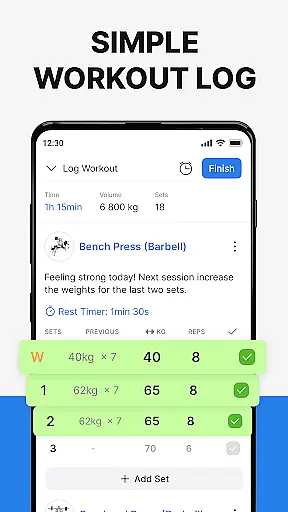
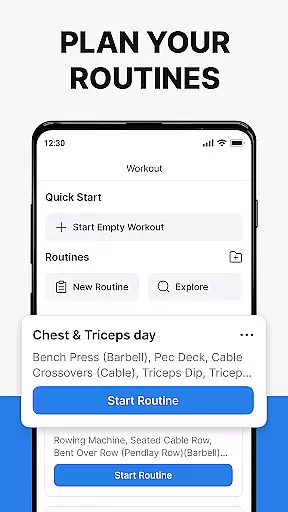
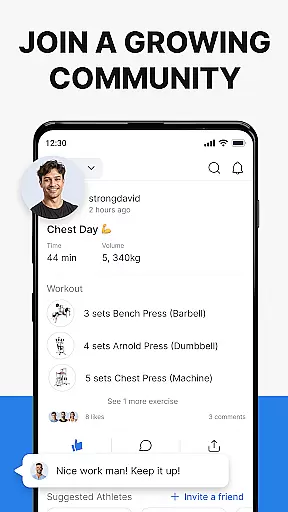
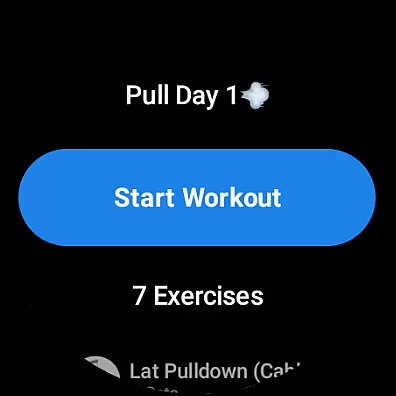
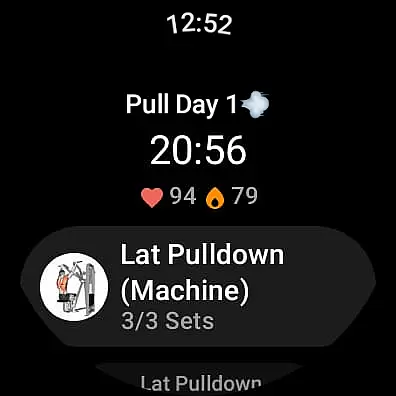
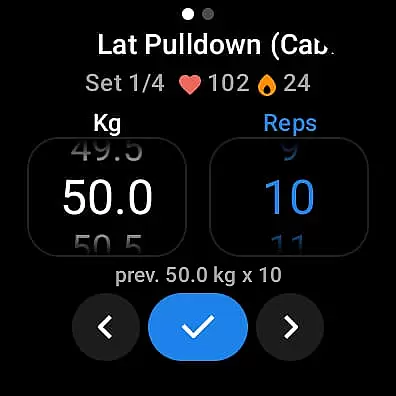
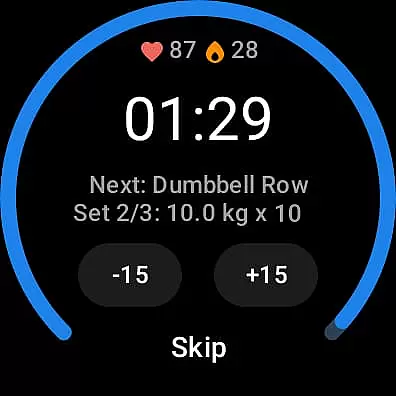
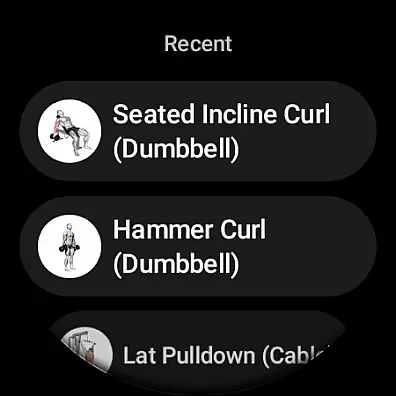
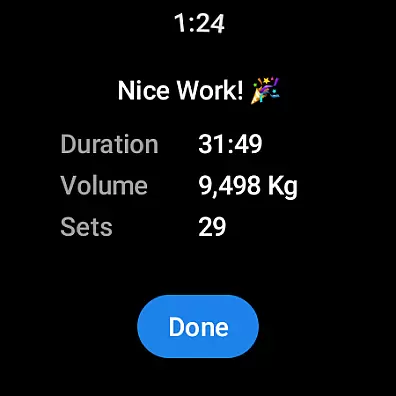
Hevy - Gym Log Workout Tracker is a comprehensive fitness application designed specifically for Android Wear users. This app allows you to log your workouts with ease, providing an intuitive interface that makes tracking your lifts straightforward and efficient. With features like the advanced routine planner, you can meticulously plan your workout routines and stay on top of your training schedule using the integrated calendar.
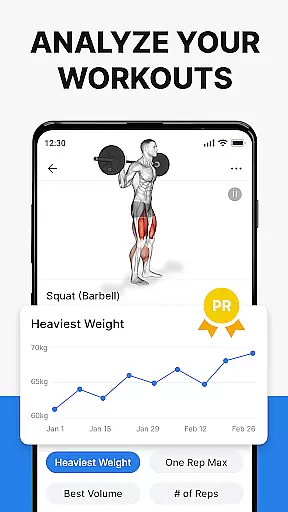
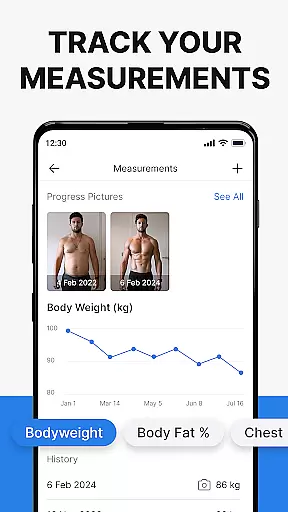
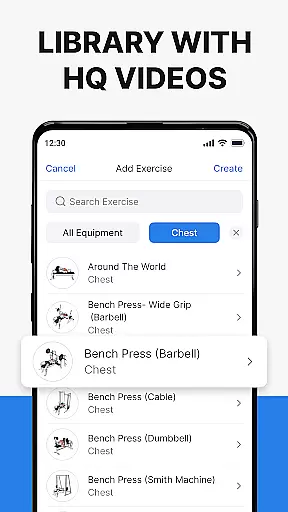
One of the standout features of Hevy is its ability to provide extensive statistics and analytics. You can analyze your gym sessions in detail with muscle group graphs, calculate your One Rep Max, and track the progression of your lifts with beautiful full-screen graphs. The app also supports creating an unlimited number of routines and copying your friends' workouts, which fosters a sense of community among athletes. Additionally, it offers hundreds of exercises with high-quality videos to ensure proper form, making it suitable for various training types including weightlifting, powerlifting, and bodybuilding.
Whether you're focusing on strength training at the gym or engaging in bodyweight workouts at home, Hevy helps you stay on track with your fitness goals. Its compatibility with Wear OS enhances its utility by allowing you to track your workouts on your smartwatch, sync live with your phone, and monitor your heart rate during exercise. Overall, Hevy is a powerful tool that combines planning, tracking, and community engagement to elevate your training experience.
Hevy - Gym Log Workout Tracker stands out due to its rich feature set tailored for fitness enthusiasts. The app provides an intuitive and simple-to-use interface for logging your gym workouts, ensuring that even beginners can easily navigate and utilize its capabilities. The advanced routine planner is a significant advantage, enabling users to design and follow structured workout plans while keeping track of their training schedules through the integrated calendar.
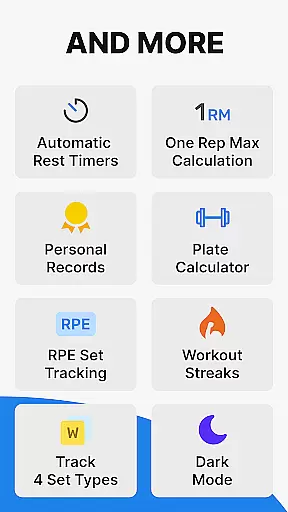
Another remarkable feature is the detailed analytics provided by Hevy. Users can analyze their gym sessions with muscle group graphs, calculate their One Rep Max, and visualize their progress with full-screen graphs displaying volume, best weight, and total reps. The app also includes hundreds of exercises accompanied by high-quality videos, helping users focus on maintaining proper form. Furthermore, Hevy supports creating custom exercises, marking sets as Warmup, Normal, Drop sets, Failure, and Supersets, and customizing automatic rest timers to suit individual preferences.
For those using Wear OS devices, Hevy extends its functionality by allowing workout tracking directly on your smartwatch. It ensures live syncing with your phone, provides helpful timers for duration exercises, and tracks heart rate during workouts. These features collectively make Hevy a versatile and indispensable tool for anyone serious about their fitness journey, whether they are into weightlifting, bodybuilding, or calisthenics.
Companion app integration is essential for users who want a seamless experience between their mobile devices and wearables. Hevy - Gym Log Workout Tracker offers robust companion app features that ensure data consistency across devices.
The app allows you to sync your routines from your phone to your Wear OS Watch effortlessly. This means you can plan your workouts on your phone and then execute them using your smartwatch at the gym, ensuring all your planned exercises are readily available.
Live syncing capabilities enable real-time updates between your watch and phone. As you complete sets and log your progress on your Wear OS device, this information automatically updates on your phone, providing an integrated and up-to-date tracking system.
This synchronization ensures that whether you're using your phone or smartwatch, your workout data remains consistent and accessible, enhancing both convenience and efficiency in your fitness journey.
Device compatibility is crucial for ensuring that applications like Hevy - Gym Log Workout Tracker function optimally across various devices. Hevy excels in its compatibility with Wear OS, making it versatile for different users.
Hevy supports a wide range of Wear OS watches, allowing users to track their workouts directly from their wrists. The app's design takes full advantage of Wear OS features, including heart rate monitoring and easy-access tiles.
With dedicated functionalities such as timers for duration exercises and set markers for Warmup, Normal, Drop sets, or Failure, Hevy provides a comprehensive workout-tracking experience tailored for smartwatches.
Furthermore, the automatic saving feature ensures that any workout logged on your watch will be updated on your phone once reconnected. This reliability makes Hevy a top choice for athletes seeking a dependable cross-device workout tracker.
User-friendly interface
Comprehensive analytics
Extensive exercise library
Community features
Wear OS compatibility
Limited wearable integration
No built-in music player
Premium features locked
Occasional syncing issues
Heavy battery usage

WTW M17 is a premium and luxurious hybrid watch face
 4.70
4.70
Current temperature, weather hourly, weather radar by the weather forecast app
4.40
A modern premium sporty hybrid watch face for Wear OS by Ballozi
4.70
Fitness interactive virtual pet super fighter boy watch face
4.0
Real-time results, stats, schedules and player profiles for all leagues
4.60
Bold weather Digital watchface with forecast & optional animated background
4.40
Stylish, Energizing and Modern Watch Face crafted by Dominus Mathias.
4.50
Fast and smart typing with Emojis, GIFs, and more
4.50
Control your Samsung Smart TVs, appliances, and SmartThings-compatible devices
4.60
Find EV charging stations
4.30
A customizable Christmas watch face for Wear OS with a countdown.
4.20
Animated video-game inspired “secret agent” simulation, right on your wrist!
4.20
Wear Os Watch Face - Animated Snow Effect & Magic Spark - 6 Scenes
4.10
The #1 source of faces for your smartwatch!
4.00
A digital watch face that celebrates Christmas.
4.00
Viewer for Wyze/Yi/Eufy/Arlo/ONVIF/RTSP/P2P IP cams w/ adv. features & DIY DVR
4.00
Professional weather radar and more
3.90
A watch face that fuses motorsport precision with contemporary smartwatch design
4.5
Funny animated watch face for Thanksgiving
4.3


User Reviews