
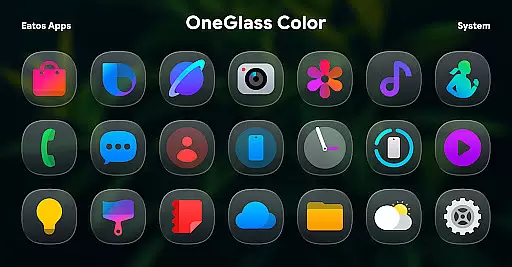
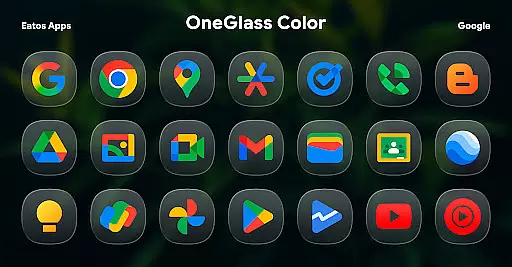
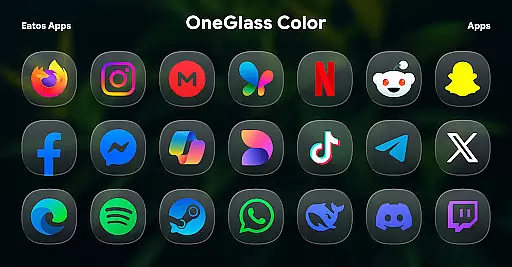
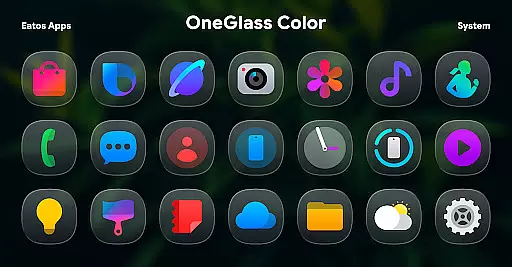
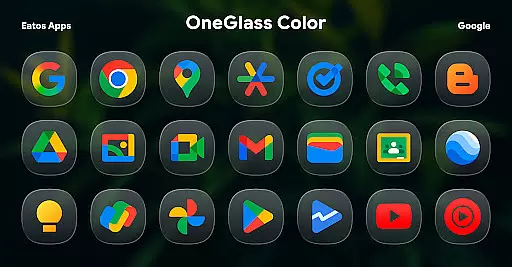
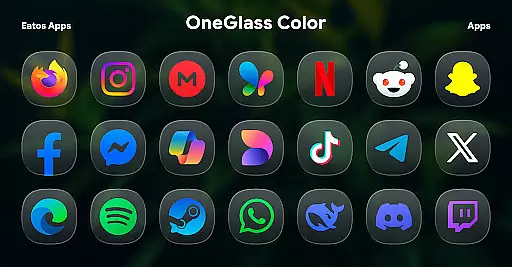
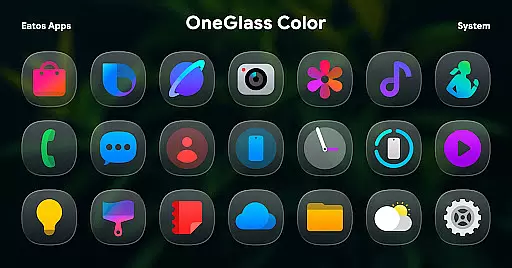
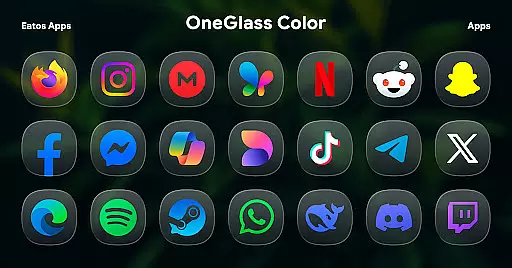
OneGlass 8 (Color) is a premium icon pack featuring over 4,600 beautifully crafted glass-style icons inspired by One 8 design language. This pack also includes more than 430 high-quality wallpapers, offering users a complete customization experience for their devices. Designed specifically for dark mode enthusiasts, the icons and wallpapers create a stunning visual effect when paired with darker themes.
The icon pack supports popular launchers like Hyperion Launcher, Nova Launcher, and Smart Launcher, ensuring compatibility across various Android devices. For Samsung OneUI launcher users, the app provides integration with Good Lock and Theme Park apps, allowing deeper system-level theming. Whether you want to refresh your home screen or achieve a cohesive dark-themed look, OneGlass 8 delivers both aesthetics and functionality.
OneGlass 8 (Color) stands out with its meticulously designed iconography and extensive customization options. The pack includes over 4,600 glass-effect icons that follow a consistent design language, making it ideal for users who prefer polished and professional-looking interfaces. Additionally, the inclusion of more than 430 wallpapers ensures that users can match their icons with complementary backgrounds.
Compatibility is another key feature of this app. It works seamlessly with popular third-party launchers such as Nova Launcher and Smart Launcher. For Samsung device owners, the app offers unique support through Good Lock and Theme Park, enabling advanced theming capabilities within the OneUI ecosystem. With regular updates and new content additions, OneGlass 8 keeps your device looking fresh and modern.
OneGlass 8 (Color) offers an extensive range of customization options, ensuring users can tailor their device's appearance to their personal style. With over 4,600 Glass color icons and more than 430 wallpapers, this icon pack provides a rich selection for those who prefer a cohesive dark mode aesthetic.
The variety extends beyond just the number of icons and wallpapers. Each icon is meticulously designed to blend seamlessly with dark themes, enhancing the visual experience when using dark wallpapers. This makes it ideal for users who frequently use their devices in low-light environments or simply prefer a darker interface.
Users have the flexibility to choose from a wide array of design elements that suit their preferences. Whether you're looking for specific app icons or a complete theme overhaul, OneGlass 8 (Color) delivers the tools necessary for a personalized and visually appealing setup.
Theme compatibility is a crucial aspect of OneGlass 8 (Color), ensuring that its vibrant icon pack and wallpapers integrate smoothly with various launchers. To fully utilize the theme, users need a launcher that supports theme application, such as Hyperion Launcher, Nova Launcher, or Smart Launcher.
For Samsung's OneUI launcher users, additional steps are required to apply the theme. By downloading 'Good Lock' and 'Theme Park' apps, users can follow a guide available at https://bit.ly/OneUIThemePark to implement the theme successfully. This ensures broad compatibility across different devices and launchers.
With clear instructions and support for multiple platforms, OneGlass 8 (Color) guarantees that users can enjoy a consistent and harmonious visual experience regardless of their device or launcher choice. The emphasis on compatibility highlights the pack's versatility and user-centric design.
Stunning glass icons
Vibrant color palette
Extensive wallpaper collection
Wide launcher support
Regular content updates
Requires compatible launcher
No standalone widget support
Limited light theme options
Paid app purchase
One-time payment model

Stunningly Different look with Line Icons and Neon Colors
 4.60
4.60
Glass style colourful icons with a One UI look and feel
4.60
Transform your phone with Launcher iOS 26 - Smooth & elegant iOS experience
4.50
Make your phone look simple & luxury, like iDevice
4.60
Zip lock screen with magic wallpaper to decorate your phone with fun zipper lock
4.60 4.10
4.10
Vibrant Adaptive Icons with Material You and Enhanced Monet Colors.
4.50
Custom edge gestures for volume control, brightness, apps, and shortcuts.
4.2
Create stunning widgets with Widget 2026: Aesthetic Widgets for Android!
4.60
Sparkle your screen with Glitter Wallpapers For Girls and Cute Backgrounds!
4.80
A Colorful and Minimal icon pack in an Outline Style - Over 13,600 icons!
4.70
Shimeji adds cute animated characters to your screen, lively and fun.
4.70
350+ widgets with a premium glass-style finish, perfect for home & lock screens.
4.70
Icons made of colorful linear lines
4.60
Stylish Pink Cute Hippo keyboard with 10000+ customized keyboard themes!
4.60
Handcrafted pixel art icons, widgets & wallpapers
4.60
Customizable screen pets that play, climb, and keep you company.
4.50
Your go to Weather App & Home Screen. Get your weather at a swipe of a finger!
3.80
Struggling to find apps? Use this app to locate and open any app on your phone!
2.20


User Reviews