
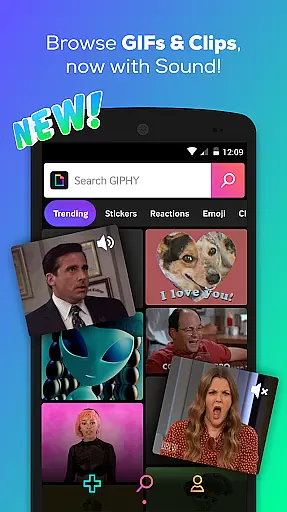
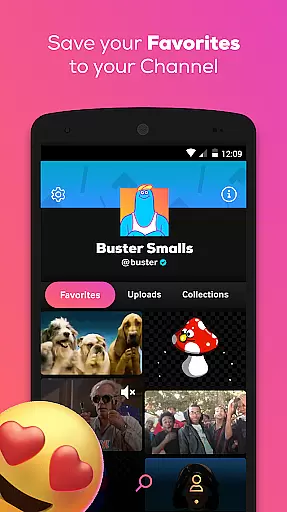
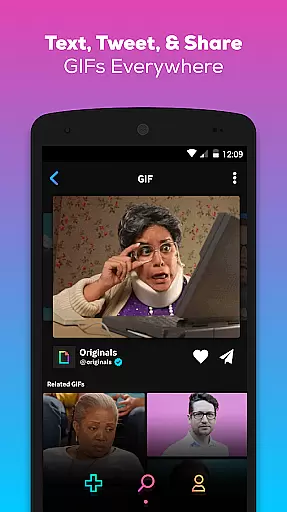
GIPHY is the ultimate destination for all your animated content needs, offering the largest library of free GIFs, Clips, and Stickers. Available on Android, this app allows you to search and share short-form content across various social platforms like Facebook Messenger, Instagram, and Snapchat. With its vast collection, GIPHY brings the power of expression right to your fingertips.
Explore popular content from favorite sources such as HBO, Drake, and Comedy Central, and stay updated with highlights from sports leagues and award shows. Whether you're texting friends or posting on social media, GIPHY makes it easy to add fun and flair to your conversations with animated stickers and sound-enabled clips.
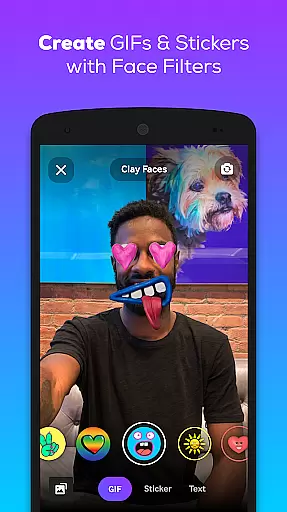
GIPHY stands out with its extensive features designed to enhance communication. The app's powerful search functionality lets users find the perfect animated GIF or Clip from a massive library. It also offers creative tools for making custom GIFs and stickers using the device's camera or by uploading personal content.
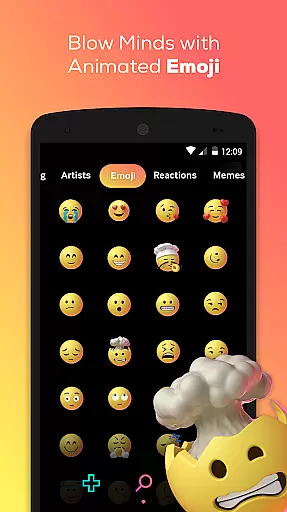
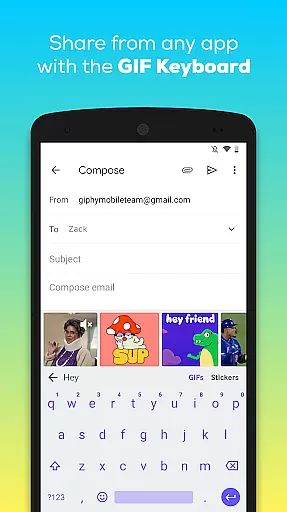
Users can enjoy an enriched messaging experience with GIPHY's integration into Android keyboards, enabling seamless sharing without leaving the chat interface. Animated stickers and GIPHY Clips bring a new dimension to self-expression, allowing layered animations and sound that traditional emojis can't match.
Video format compatibility is a crucial feature for any video player or editor, ensuring that users can access and manipulate content in various formats without technical barriers. GIPHY supports an extensive range of video formats, allowing users to seamlessly search, create, and share GIFs, Clips, and Stickers across multiple platforms.
The app's integration with popular social channels like Facebook Messenger, Instagram, and Snapchat means it must handle diverse video specifications. Whether you're uploading content from your device or creating new animations with the built-in camera tools, GIPHY ensures that all media is compatible and optimized for sharing.
For creators, this compatibility translates into creative freedom. Users can convert videos into GIFs or Clips with sound, knowing that their creations will retain quality and playability across different devices and apps. This flexibility empowers users to express themselves without worrying about format restrictions.
Moreover, GIPHY's support for animated stickers adds another layer of engagement. These stickers are designed to work within messaging apps, providing dynamic ways to enhance conversations. With such comprehensive format support, GIPHY stands out as a versatile tool for both casual sharing and professional content creation.
AI-powered editing features represent the cutting edge of digital content creation, enabling users to produce high-quality visuals with minimal effort. GIPHY incorporates advanced AI tools that simplify the process of creating and customizing GIFs, Clips, and Stickers, making professional-grade editing accessible to everyone.
One standout feature is the app's ability to generate animated stickers using custom face filters and text overlays. This AI-driven functionality allows users to personalize their stickers with unique elements, enhancing the expressiveness of their messages. The intuitive interface ensures that even beginners can achieve impressive results without needing extensive technical knowledge.
GIPHY also leverages AI to streamline the search and discovery process. By analyzing user preferences and trending content, the app suggests relevant animations and templates, helping users quickly find what they need. This smart recommendation system not only saves time but also inspires creativity by introducing users to new ideas and styles.
Furthermore, the inclusion of AI beauty and enhancement tools elevates the quality of user-generated content. These features automatically optimize visual elements, ensuring that every clip or GIF looks polished and engaging. With these powerful AI capabilities, GIPHY empowers users to craft compelling narratives and reactions that resonate with their audience.
User-friendly interface
Extensive GIF library
Creative sticker options
Seamless social sharing
Innovative creation tools
Occasional loading delays
Limited offline functionality
Ads between searches
Heavy data usage
Cluttered UI for new users

The smartest M3U IPTV Player your playlists have ever seen.
 4.5
4.5
Video Player - Unlimited features, 30 days money back guarantee.
4.60
HD video maker with no watermark, no ads & vlog maker with music, PIP, text
4.50
Download videos easily & play them all in one smart, powerful video manager.
3.40
Video Downloader, Multiple Resolution Options, Video Player
4.50
Browser for Samsung TV to stream webvideos, online movies and livestreams in HD
4.10
Browser + Remote for Roku to stream webvideos, online movies and livestreams
4.60
Livestream, news, & gaming content. Watch, chat, and upload. Join Rumble today!
3.80
Fast & Private HD Video Downloader with Built-in Proxy Browser and Video Player.
4.50
Watch IPTV on your Android device
4.60
Cast movies, tv shows and live streams to Chromecast, Roku, DLNA, Fire TV & more
4.60
Add date and time watermark to photos and videos
4.50
AirMirror Receiver - Screen mirroring/cast web videos to Android TV by AirPlay.
4.40
Turn your phone into a wireless camera!
4.20
Stream Web Videos to Chromecast, Samsung, LG, Sony, Roku, Fire TV, DLNA + more
4.00
Online Videos Player
3.90
Connect 2 UVC devices for recording and broadcast video/audio stream
3.90
AirMirror is Receiver for Screen Mirroring and Casting from Apple Devices.
3.60
Browser for Sony TV to stream web videos, online movies and live tv
3.20


User Reviews