
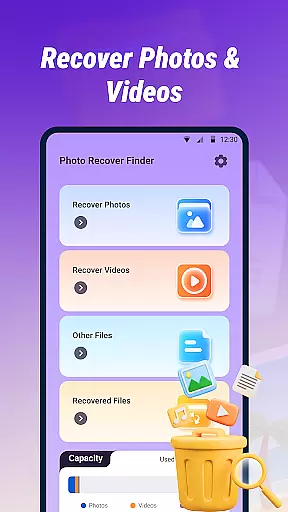
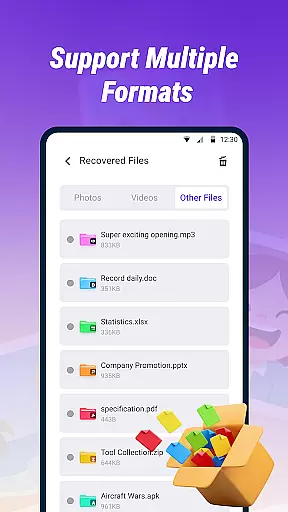
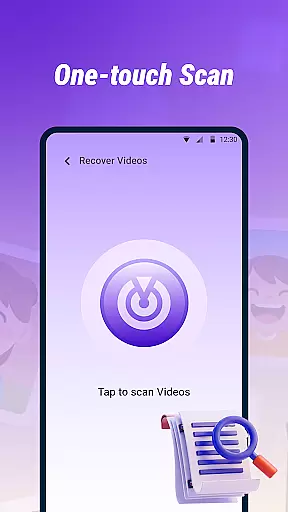
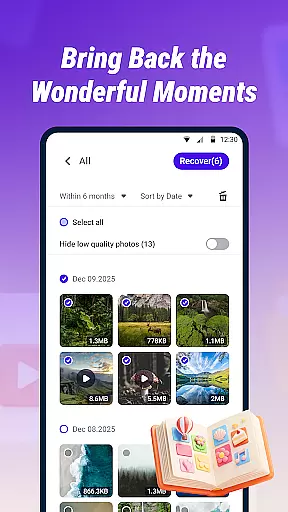
Photo Recover Finder is a powerful tool designed to help users retrieve accidentally deleted photos, videos, and files from their devices. The app performs quick scans of the device's storage to locate recoverable media in various formats such as JPEG, PNG, MP4, PDF, and DOC.
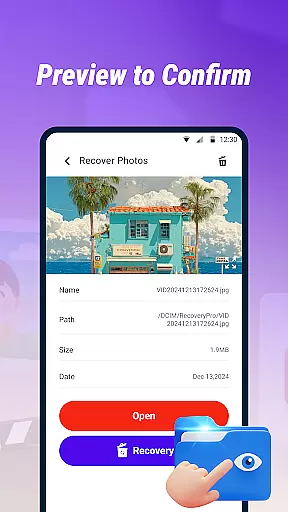
One standout feature is the ability to preview file contents before recovery, ensuring users can verify what they are restoring. With a simple and intuitive interface, Photo Recover Finder makes data recovery accessible even for non-technical users. This app is particularly useful when dealing with accidental deletions of important files or cherished memories.
The app emphasizes safety and privacy, ensuring all operations are performed locally without collecting personal information. By using this tool, users can significantly reduce the risk of permanent data loss while maintaining control over their private information.
Photo Recover Finder offers several key features that make it an essential tool for data recovery. First, its Quick Scan functionality allows users to rapidly identify recoverable files across multiple formats, including common image, video, and document types. This ensures broad compatibility with various media types.
Another notable feature is the Preview and Restore capability, which lets users view file contents before initiating recovery. This helps confirm the integrity and relevance of the files being restored. Additionally, the app supports multi-format recovery, accommodating widely-used file extensions like JPEG, PNG, MP4, PDF, and DOC.
The app also prioritizes user experience with a straightforward interface that simplifies the recovery process. Its local operation model ensures user privacy, as no data is collected or transmitted externally. These features collectively provide a reliable solution for recovering lost data efficiently and securely.
Photo Recover Finder excels in providing accurate and effective core functionality for retrieving accidentally deleted media and files. The app employs a Quick Scan feature that thoroughly examines the device's storage to identify recoverable items across various formats such as JPEG, PNG, MP4, PDF, and DOC.
With its multi-format support, users can retrieve different types of files, making it versatile for both personal and professional recovery needs. The ability to preview file contents before restoration ensures that users can verify the integrity and relevance of the data they are recovering.
The app is designed with user experience in mind, offering a simple and intuitive interface that facilitates easy navigation and quick recovery processes. This ease of use, combined with the app's commitment to local operations and privacy protection, provides a reliable solution for users seeking to restore their digital memories without compromising their personal information.
A standout feature of Photo Recover Finder is its straightforward and intuitive interface, which makes the process of recovering lost photos, videos, and documents accessible to users of all technical backgrounds. The app's design emphasizes clarity and ease of use, ensuring that even those who are not tech-savvy can navigate through its features effortlessly.
By organizing the recovery process into clear stepsu2014Quick Scan, Preview, and Restoreu2014the app minimizes complexity and potential confusion. Users can initiate a scan, review the results, and proceed with recovery in just a few taps, streamlining what could otherwise be a stressful and complicated task.
Furthermore, the app includes friendly tips and notifications about the importance of timely recovery attempts and regular backups, enhancing the overall user experience. These elements, coupled with the assurance of safety and privacy, reinforce the app's dedication to delivering an unintimidating yet powerful tool for data recovery.
User-friendly interface
Multi-format support
Quick scanning ability
Preview before recovery
Local data processing
Depends on file overwrite
Limited success rate
No cloud backup
Device-specific
Basic features only

 4.50
4.50
Quickly switch to an encrypted DNS server on Android TV
4.50
Extremely fast, secure, and protects your privacy
4.80
1-Click close all background apps on Android TV
3.90
VESC Tool can monitor and configure VESC-compatible devices over BLE and Wifi
4.20
WiFi Signal Strength Meter help you detect WiFi Signal Strength in real time.
4.80
Fast Video Downloader, Movie Downloader, Torrent Downloader & Adblock Browser
4.70
Game Booster, GFX Tool is now compatible with newer game update
4.50
fast and easy mp3 music downloader
4.80
Change your GPS location instantly. Simulate routes anywhere in the world.
4.90
Best leveling tool for your Android device. Hang paintings like a pro.
4.90
Remote Play with FSR upscaling, low latency & full controller support
4.80
Optimize your WiFi network, turn your phone into Wifi Analyzer
4.70
The one-and-only remote control for PC, Mac, and Linux
4.70
Protect your device with antivirus, storage cleanup, and system monitoring
4.70
FV File Manager Pro, Fast and powerful file manager for Android
4.60
With videos, electrical calculators, and built-in ebook, Ugly’s has your answer.
4.50
Use your phone as a webcam on your computer over WiFi or USB.
4.40
A simple app to back up and restore SMS & MMS messages and call logs.
4.10


User Reviews