

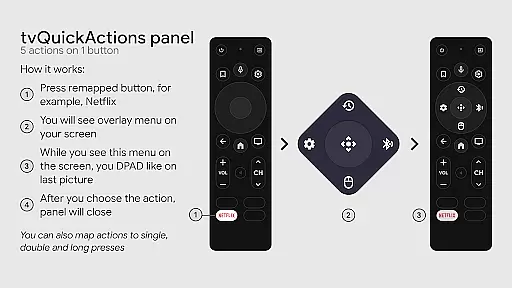
tvQuickActions Pro is an advanced button/key mapper specifically designed for TV devices, compatible with Android TV, Google TV, and AOSP on most devices. Its standout feature allows users to assign up to five actions per remote button, significantly enhancing device functionality.
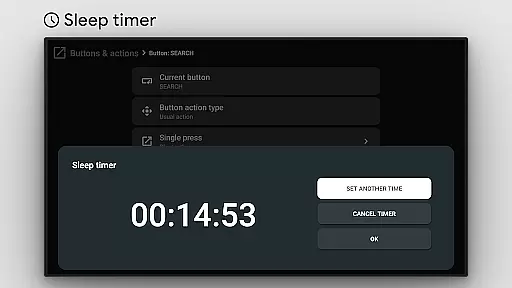
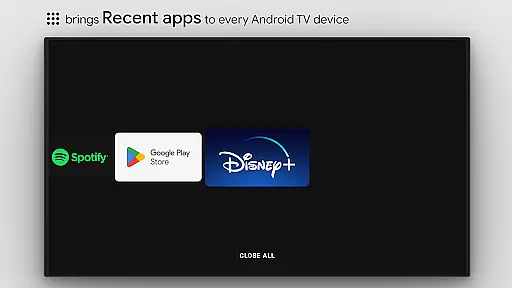
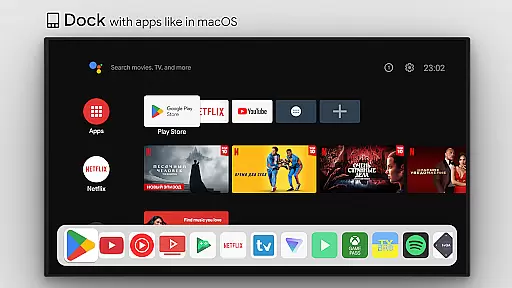
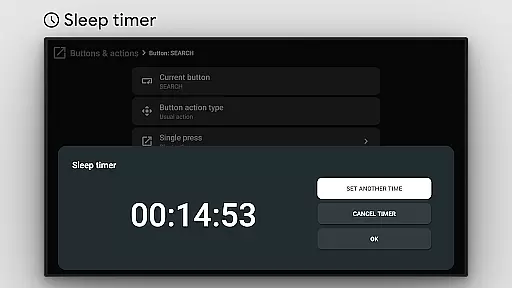
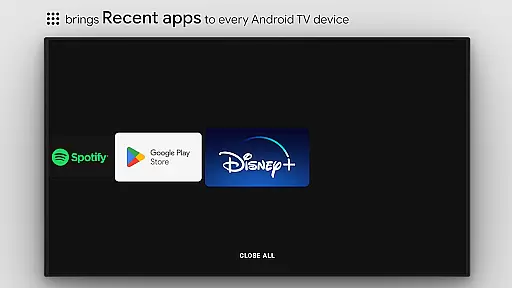
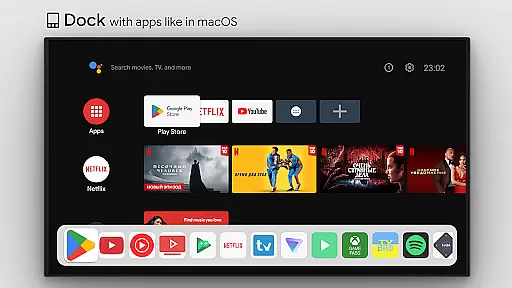
This app transforms your TV experience by adding features like a macOS/iPadOS-like dock, recent apps management, custom action menus, and ADB command support. It also includes practical tools such as a sleep timer, dialpad, screen recording, night mode, Bluetooth manager, and media control panel.
With tvQuickActions Pro, you can automate tasks, customize power-on actions, create home screen channels, and lock apps, making it the ultimate tool for optimizing your TV device's potential.
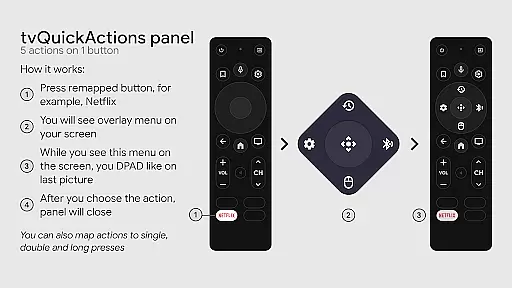
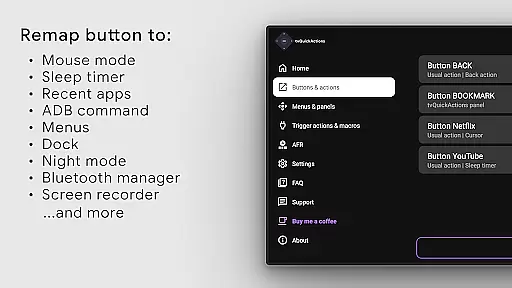
tvQuickActions Pro offers a comprehensive suite of features tailored for TV device optimization. One of its core functionalities is the ability to remap remote buttons, allowing users to execute multiple actions from a single button press.
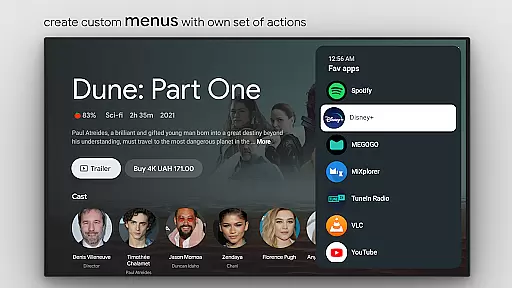
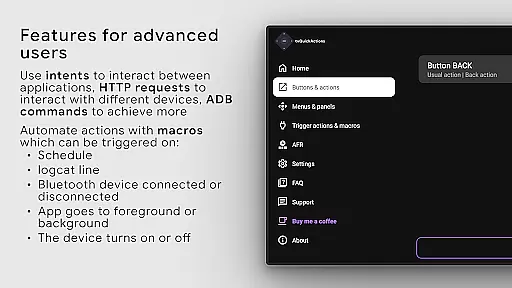
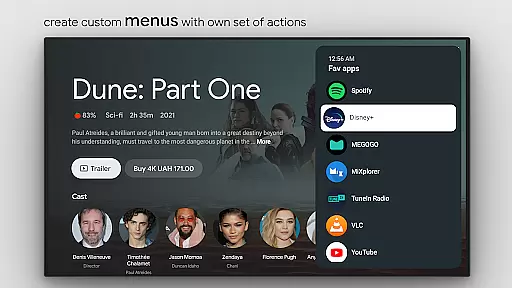
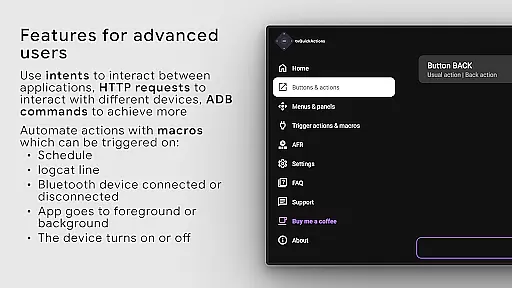
The app provides extensive customization options, including creating custom menus with various actions, executing user-defined ADB commands, toggling mouse functionality, and managing power states. Additionally, it supports advanced features like auto framerate adjustment for Amlogic devices and remapping Netflix buttons on specific devices.
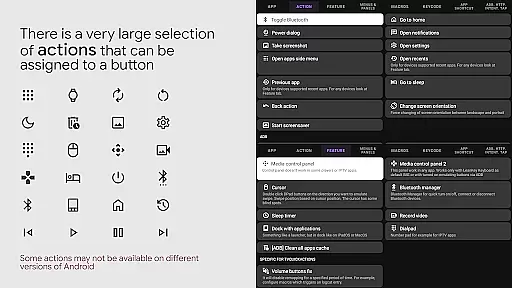
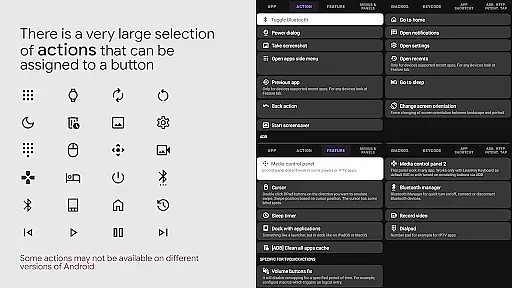
Users can choose from a wide array of actions, such as opening apps, sending keycodes, controlling media playback, taking screenshots, and opening URLs. The app leverages AccessibilityService API to enable these powerful remapping capabilities and ensure seamless integration with your TV device.
tvQuickActions Pro stands out as a highly accurate and effective button/key mapper specifically designed for TV devices, including Android TV, Google TV, and AOSP on most devices. The app's core functionality allows users to assign up to five actions to a single button on their remote control, significantly enhancing the utility of their device.
The precision in mapping buttons ensures that each action is correctly triggered without delay or error, providing a seamless user experience. With features like dockable apps similar to macOS/iPadOS, recent apps management, custom menus, and ADB commands as actions, the app delivers a powerful toolset tailored for advanced users and developers alike.
Users benefit from the app's ability to integrate essential functions such as a media control panel, night mode, and Bluetooth manager, all accessible through remapped buttons. This not only simplifies navigation but also maximizes productivity by reducing the number of steps needed to perform common tasks.
Ultimately, tvQuickActions Pro transforms the way users interact with their TV devices, offering an unmatched level of customization and control. Its effectiveness lies in its robust feature set and reliable performance, making it an indispensable tool for anyone looking to optimize their TV experience.
Despite its advanced capabilities, tvQuickActions Pro maintains a simple and intuitive interface that makes it accessible even to less tech-savvy users. The design philosophy focuses on ease of use, ensuring that users can quickly grasp how to remap buttons and access various functionalities without a steep learning curve.
The app provides clear instructions and visual cues to guide users through the setup process. Whether configuring power-on actions, creating custom channels for Android TV home from menus, or locking apps, the interface remains straightforward and user-friendly. This approach minimizes confusion and enhances the overall user experience.
Moreover, the app supports a wide range of actions, from opening apps and shortcuts to controlling media playback and toggling device settings. Each action is presented in a logical manner, allowing users to easily find and configure the desired function. This thoughtful organization contributes to the app's intuitive nature.
In summary, tvQuickActions Pro combines powerful functionality with an intuitive interface, striking a perfect balance between complexity and usability. Users can enjoy the full potential of their TV devices without being overwhelmed by complicated controls, thanks to the app's well-designed and approachable interface.
Highly customizable
Wide device compatibility
Extensive feature set
Unique button mapping
Powerful automation tools
Complex setup process
Device compatibility issues
Requires technical knowledge
Limited customer support
Premium price point

Extremely fast, secure, and protects your privacy
 4.80
4.80
PDF Reader - Document Viewer: Read, Manage & Organize Your Documents
3.10
Complete kernel toolbox with features to manage and tweak your rooted device
4.30
Save any video in HD - paste the link, download fast and watch offline.
4.5
eXtended Permission Manager - a small app to manage permissions and AppOps
4.50
Smart and comfortable browsing experience.
3.80
Undelete and recover your lost or deleted files with DiskDigger!
3.40
Quickly check the frequency of the Earth
4.30
Powerful collection of electronics tools and reference.A must for any enthusiast
4.90
Support Fossify apps with a warm thank you!
5.00
Excellent scientific calculator with symbolic algebra, integrals, derivatives
4.80
Optimize your WiFi network, turn your phone into Wifi Analyzer
4.70
Fast Video Downloader, Movie Downloader, Torrent Downloader & Adblock Browser
4.70
NFC Tools can read and write NFC tags.
4.70 4.50
4.50
Universal TV remote control all TVs, Roku, LG, Samsung, Fire, Vizio, Sony, TCL.
4.40
Forza Tuning Calculator App for Forza Horizon 5, Motorsport and Earlier Titles
4.40
Signal Strength, Mobile, Wifi, Speed Test, Bad Signals, Cellular, 5G, LTE, 4G
4.20
Download any file easily and quickly with Downloader
4.1


User Reviews