
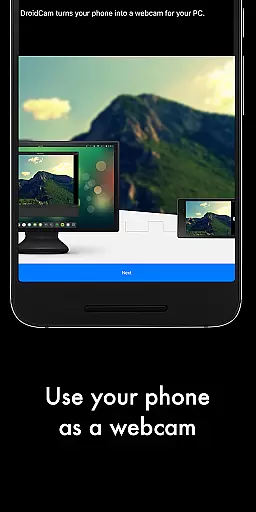
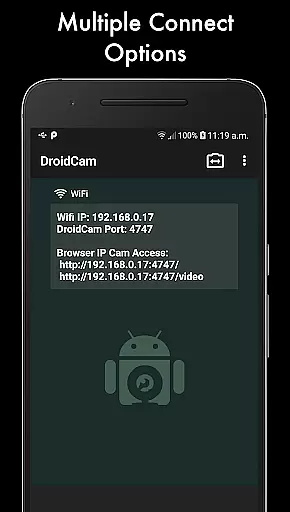
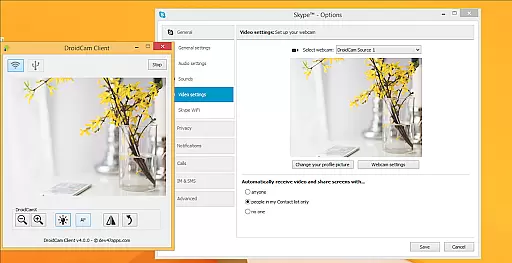
DroidCamX HD (Classic) is a versatile tool that transforms your Android device into a high-quality webcam for your computer. This app allows users to chat using the 'DroidCam Webcam' feature, providing both sound and picture. It supports connections over Wifi or USB and offers HD Mode with 720p/1080p video capabilities.
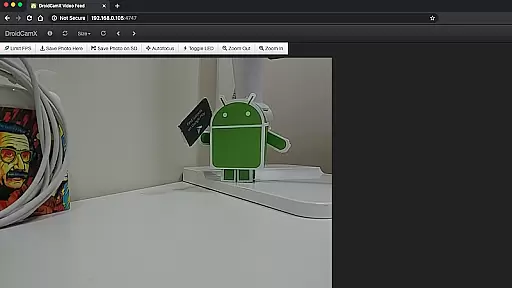
One of the standout features of DroidCamX is its ability to work in the background, allowing users to operate other apps simultaneously. The app also conserves battery by functioning with the screen off. Additionally, it provides IP Webcam MJPEG access, enabling camera access via a browser or from another device. With controls such as auto-focus, zoom, flash light, and more, users can capture still image frames on both phone and computer while the app runs.
This app is particularly useful for remote workers, content creators, and anyone needing a reliable webcam solution without investing in additional hardware. By turning an existing Android device into a webcam, DroidCamX offers a cost-effective and flexible alternative to traditional webcams.
DroidCamX HD (Classic) boasts a range of features designed to enhance user experience. The app's primary feature is its ability to turn an Android device into a webcam, complete with sound and picture transmission to a computer. This functionality is supported by both Wifi and USB connections, offering flexibility based on user preference and setup.
In addition to basic webcam capabilities, DroidCamX includes an HD Mode that supports 720p/1080p video resolution. The 'Smooth FPS' option in settings ensures more stable video performance. Users can also utilize other non-camera apps while DroidCamX runs in the background, thanks to its multi-tasking support. Furthermore, the app conserves battery life by working with the screen off.
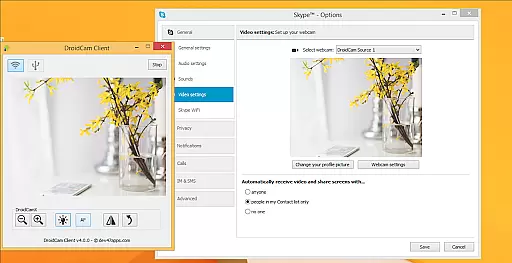
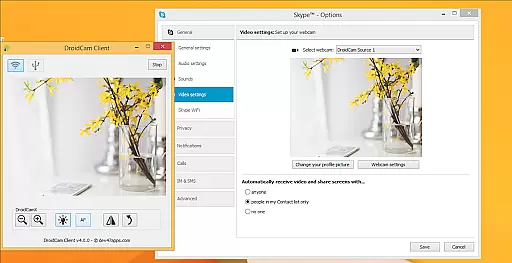
Advanced features include IP Webcam MJPEG access, which allows camera access through a browser or another device. Camera controls like auto-focus, zoom, and flash light provide additional utility. The Windows Client offers pro controls such as Mirror, Flip, Brightness, and Contrast adjustments. These features collectively ensure a comprehensive and customizable webcam experience.
DroidCamX HD (Classic) excels in delivering accurate and effective core functionalities that transform your Android device into a high-quality webcam. The app ensures precise video capture with support for 720p and 1080p resolutions, providing clear and sharp images during video chats.
One of the standout features is its ability to maintain stable video performance through the 'Smooth FPS' option found in the settings. This feature allows users to enjoy uninterrupted streaming, making it ideal for both casual and professional use. Additionally, the app facilitates connectivity over Wi-Fi or USB, ensuring flexibility and reliability in different usage scenarios.
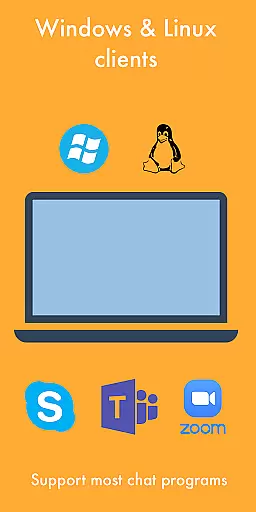
Users benefit from the app's compatibility with various platforms, including Windows and Linux, allowing seamless integration into existing workflows. With the capability to run other apps in the background while using DroidCamX, multitasking becomes effortless, enhancing productivity without compromising on video quality.
The interface of DroidCamX HD (Classic) is designed with simplicity and intuitiveness in mind, ensuring that users can easily navigate and utilize its features without a steep learning curve. Upon launching the app, users are greeted with a straightforward layout that highlights essential functions such as video capture, connection options, and camera controls.
Key functionalities like auto-focus, zoom, and flash are readily accessible, allowing users to adjust settings on-the-fly for optimal video quality. Moreover, advanced controls available on the Windows client, such as mirror, flip, brightness, and contrast adjustments, provide users with the tools needed to fine-tune their video output according to specific preferences.
By keeping the interface uncluttered and focusing on user-centric design principles, DroidCamX ensures that even novice users can quickly adapt to using their Android device as a webcam. This approach not only enhances user experience but also encourages regular utilization of the app for various communication needs.
User-friendly interface
High-definition video support
Flexible connectivity options
Background operation capability
Battery conservation features
Requires separate PC client installation
Limited to Android devices
USB connection may need extra setup
No native iOS support
Dependent on network stability

 4.50
4.50
Extremely fast, secure, and protects your privacy
4.80
An open-source APK explorer for Android!
4.10
Quickly check the frequency of the Earth
4.30
The ultimate tool for network analysis, wifi scanning and problem detection.
4.90
Create your own custom widget with endless possibilities
3.90
Clean up large files and similar photos, fast and easy to use
4.40
Protect your device with antivirus, storage cleanup, and system monitoring
4.70
The ideal app to be the digital eye of your family
3.40
Easily install aab(Android App Bundle) files on your Android device with our app
4.80
Unit and currency converter with easy and simple UI.
4.80
Bedrock Together: Join any bedrock server on Xbox/PS
4.80
Keep track of your Palia friendships, tasks, and inventory with Palia Notebook
4.60
Head tracking for PC sim games such as MSFS 2024 or Elite:Dangerous. No headset!
4.50
The Ultimate Bluetooth Keyboard & Mouse. Securely control your PC, Mac, and more
4.50
Fluid navigation gestures for all of us!
4.30
VESC Tool can monitor and configure VESC-compatible devices over BLE and Wifi
4.20
Screen Mirroring with sound for Samsung TV, LG TV, Sony TV, Smart TV and Browser
4.20
A simple app to back up and restore SMS & MMS messages and call logs.
4.10


User Reviews