
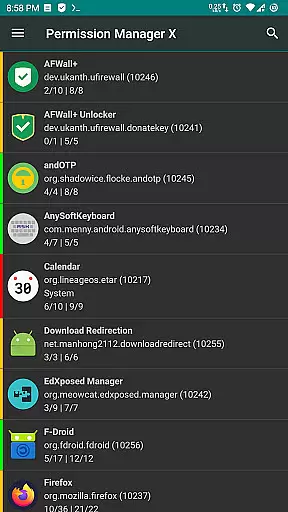
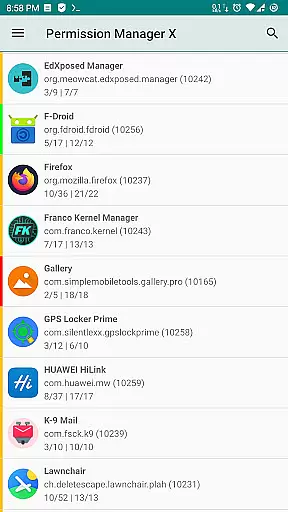
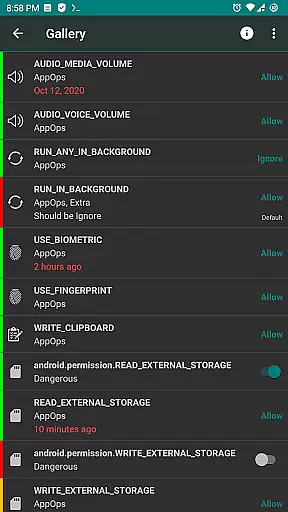
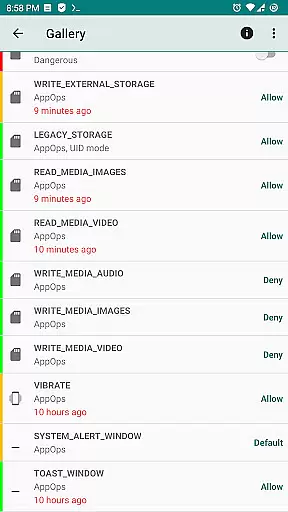
Permission Manager X is a powerful tool designed to give Android users complete control over app permissions. This utility allows you to manage both manifest permissions and AppOps on a single screen, providing fine-grained access control for each installed application. With its intuitive interface, you can easily view, grant, or revoke permissions while setting reference values for quick restoration.
The app shines in privacy protection scenarios where users need to review and modify permissions after reinstalling apps, changing devices, or upgrading their ROM. The colored bars provide at-a-glance status of permission states, making it an essential tool for maintaining optimal security settings across all your applications.
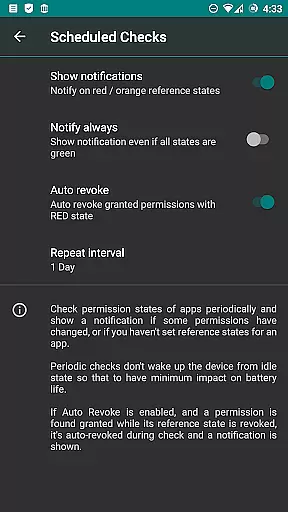
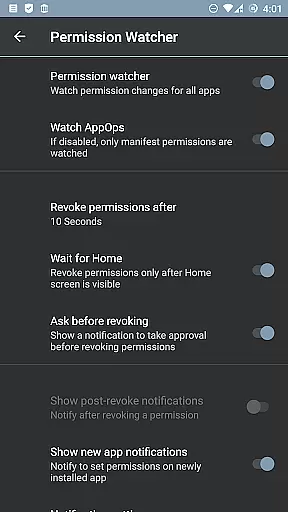
What sets Permission Manager X apart is its comprehensive approach to permission management. The app allows users to control background execution, location tracking, SMS capabilities, contact access, and even clipboard operations through its robust interface. Advanced features include scheduled permission checks, auto-revocation of dangerous permissions, and real-time permission watching.
For power users, the app offers batch operations, theming options, and multi-user profile support. The paid version unlocks additional functionality like sorting by different parameters, automatic backup creation, and detailed permission descriptions. These features are particularly valuable for users who want maximum control over their device's security posture while maintaining operational efficiency.
Permission Manager X offers a comprehensive suite of tools designed to manage app permissions with precision and efficiency. The core functionality allows users to view, grant, or revoke both manifest permissions and AppOps permissions from a single screen. This ensures that every permission change is executed accurately, providing users with complete control over their privacy settings.
The application's robust framework leverages Android's backend access control system, AppOps, which provides fine-grained control over various permissions. By integrating manifest permissions with AppOps, Permission Manager X enables users to simultaneously manage both types of permissions, offering a seamless experience. This dual management capability highlights the app's effectiveness in maintaining optimal privacy and security standards.
For users who frequently reinstall apps or switch devices, the app offers a unique feature to set reference states for permissions. These reference states can be backed up and restored quickly, saving time and effort in reconfiguring settings. Additionally, the colored bars on the left side of the interface allow for quick visual reviews of packages and permissions, enhancing usability and ensuring efficient permission management.
Despite its powerful capabilities, Permission Manager X maintains an intuitive and user-friendly interface. The design philosophy centers around simplicity, ensuring that even users with limited technical knowledge can navigate and utilize the app effectively. All critical functions are accessible from a single screen, reducing complexity and enhancing the overall user experience.
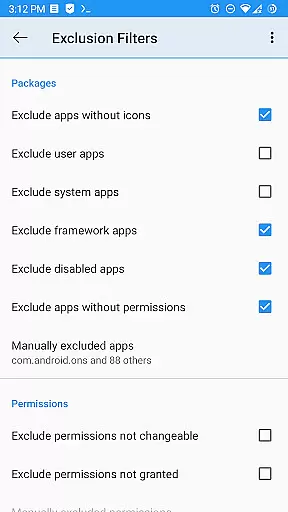
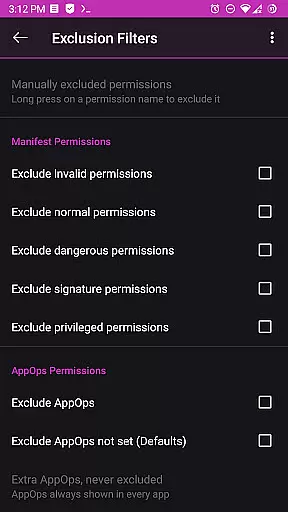
The app provides clear categorizations and explanations for each permission type, making it easy for users to understand the implications of granting or revoking specific permissions. Whether managing standard manifest permissions like storage and camera access or more granular AppOps controls such as background execution and clipboard access, the interface guides users through each step logically and straightforwardly.
Furthermore, advanced features such as scheduled checks, auto-revoke options, and permission summaries are presented in an organized manner, allowing users to take full advantage of these functionalities without feeling overwhelmed. This balance between advanced capabilities and ease of use underscores Permission Manager X's commitment to delivering a simple yet powerful tool for managing app permissions.
Comprehensive permission control
Intuitive user interface
Powerful automation features
Regular feature updates
Active community support
Requires root access
Limited functionality without ADB
Steep learning curve
Paid features are expensive
No iOS version available

Transfer Files, APK from Phone to Watch & Install.
 4.0
4.0
Enjoy smooth gameplay with Game Booster
4.90
Detect hidden spy camera with advanced scanning {{ Premium version }}
4.00
Bedrock Together: Join any bedrock server on Xbox/PS
4.80
Undelete and recover your lost or deleted files with DiskDigger!
3.40
Quickly check the frequency of the Earth
4.30
Create your own custom widget with endless possibilities
3.90
A clean app.
4.50
Your personal health butler
3.60
Support Fossify apps with a warm thank you!
5.00
Change your GPS location instantly. Simulate routes anywhere in the world.
4.90
Monitor car performance in real time and troubleshoot malfunctions.
4.80
WiFi Signal Strength Meter help you detect WiFi Signal Strength in real time.
4.80 4.50
4.50
Forza Tuning Calculator App for Forza Horizon 5, Motorsport and Earlier Titles
4.40
Complete kernel toolbox with features to manage and tweak your rooted device
4.30
Making emulation easy for everyone!
4.30
Screen Mirroring with sound for Samsung TV, LG TV, Sony TV, Smart TV and Browser
4.20 4.10
4.10


User Reviews