
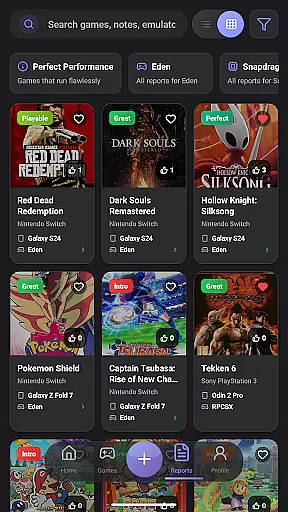
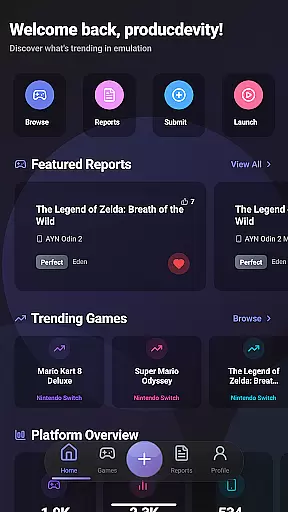
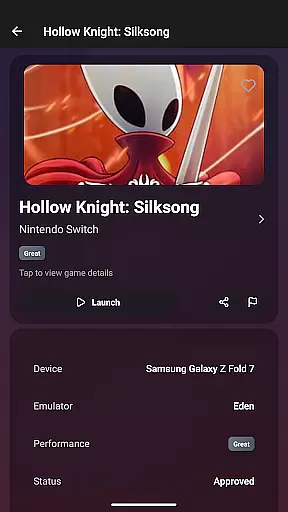
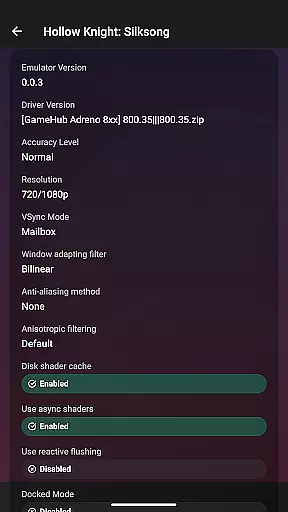
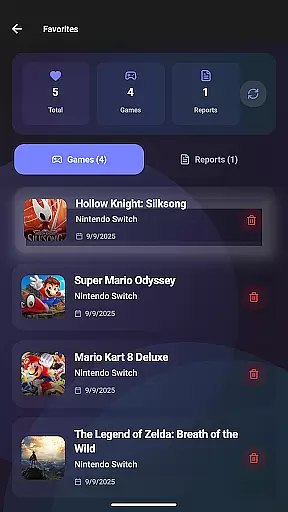
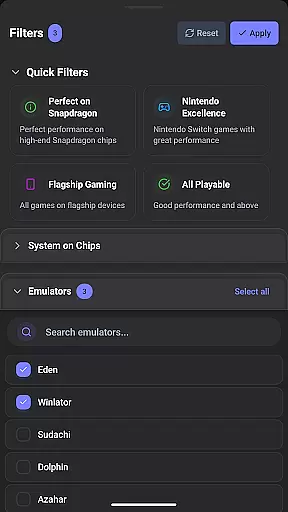
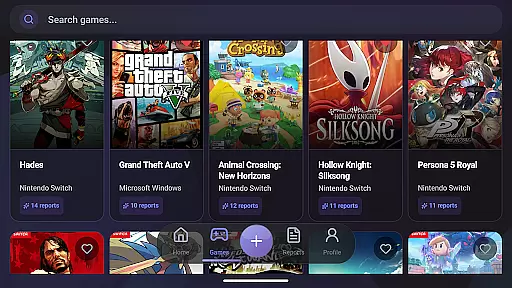
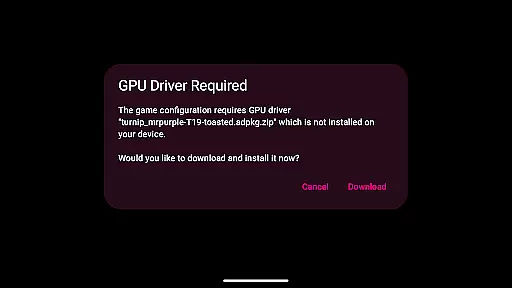
EmuReady Beta is a comprehensive emulation compatibility tool designed to help users discover the best gaming experience on their devices. This app provides detailed compatibility reports for various games, emulators, and devices, allowing users to optimize their retro gaming setup with ease.
The core feature set includes an extensive game compatibility database, community-driven reports, device-specific information, and support for multiple emulator systems. Whether you're using a flagship smartphone or a budget tablet, EmuReady ensures you can find games that run perfectly on your hardware. The app also offers smart filtering options, performance tracking metrics, and a convenient favorites system for saving preferred titles.
This application is particularly useful for retro gaming enthusiasts who want to maximize their emulation experience without wasting time on trial and error. By providing reliable compatibility information, EmuReady empowers users to make informed decisions about their gaming choices.
EmuReady Beta stands out with its robust feature set tailored for emulation enthusiasts. The app's key strength lies in its comprehensive Game Compatibility Database, which contains thousands of entries detailing how different games perform across various devices and emulators. Users can easily search by title, system, or browse through the extensive catalog to find optimal gaming configurations.
Another notable feature is the Community Reports section, where real users share detailed compatibility experiences. These reports include performance ratings, custom settings, and helpful notes from fellow gamers. The app also excels in Device-Specific Information, offering tailored reports for exact device models, ensuring users get the most accurate compatibility data for their hardware.
Additional features include Multiple Emulator Support for comparing performance across different systems, Smart Filtering for refined searches, a Vote & Comment System for community interaction, Performance Tracking metrics, a Save Favorites function, and a comfortable Dark Mode interface. These features collectively create a powerful tool that enhances the overall emulation experience.
EmuReady Beta focuses on providing accurate and effective core functions that cater to the needs of emulation enthusiasts. The app offers a comprehensive game compatibility database, allowing users to browse thousands of games and instantly see how they perform on different devices and emulators.
The community-driven platform gathers real user experiences through detailed compatibility reports. These reports include performance ratings, custom settings, and helpful notes, ensuring that users have reliable information before attempting to run a game. This approach saves time and effort by avoiding trial and error.
With device-specific information, EmuReady tailors reports to match the exact device model of the user. Whether using a flagship phone or a budget tablet, users can discover what works best for their hardware. The app supports multiple emulators for systems like Nintendo Switch and 3DS, helping users find the best emulator for each game.
Smart filtering options allow users to filter reports by device, emulator, performance rating, and more. This feature ensures quick access to relevant information. Additionally, the vote and comment system enables users to upvote helpful reports and contribute to the community, enhancing the overall effectiveness of the app.
EmuReady Beta excels in offering an interface that is both simple and intuitive, making it accessible for users of all experience levels. The app's design emphasizes ease of use, allowing users to quickly find the compatibility report for their device, game, and emulator with just one press.
Key features are easily accessible, such as the game compatibility database, which can be searched by game title, system, or browsed through an extensive catalog. This straightforward navigation ensures that users spend less time searching and more time enjoying their games.
The app includes a dark mode option, providing a comfortable viewing experience day or night with automatic theme switching. This attention to user comfort highlights the app's commitment to a user-friendly interface.
Performance tracking is presented through detailed metrics including FPS, graphical fidelity, and playability ratings from Perfect to Unplayable. These metrics are displayed in an easy-to-understand format, allowing users to make informed decisions about their emulation setup without any hassle.
User-friendly interface
Extensive game database
Community-driven reports
Device-specific optimization
Multiple emulator support
Beta version limitations
Occasional stability issues
Dependent on user reports
Limited to compatibility info
No built-in emulator

Connect instantly to a fast, encrypted VPN with one tap
 4.60
4.60
HD Camera captures every special moment.
4.60
Just swipe the edge to do something!
4.40
Extremely fast, secure, and protects your privacy
4.80
A recovery soft,it features photo recovery, video recovery, file recovery.
3.40
card-reader app
2.20
The Ultimate Bluetooth Keyboard & Mouse. Securely control your PC, Mac, and more
4.50
The Ultimate Flex Drivers Utility App - Convenient Tapping & Block Filters
4.70
Introducing Smart Printer, your ultimate destination for printing solutions!
4.00
Support Fossify apps with a warm thank you!
5.00
Excellent scientific calculator with symbolic algebra, integrals, derivatives
4.80
Fast Video Downloader, Movie Downloader, Torrent Downloader & Adblock Browser
4.70
App to pay for FUTO Keyboard
4.60
Planner and Tracker for Stardew Valley
4.60
Game Booster, GFX Tool is now compatible with newer game update
4.50
pdf merge, word to pdf, jpg to pdf, edit pdf, convert to pdf and much more!
4.20
App that Recover your pictures, videos or files after you delete them.
4.20
An open-source APK explorer for Android!
4.10
A powerful, easy-to-use flight computer on your phone or tablet!
3.80


User Reviews