
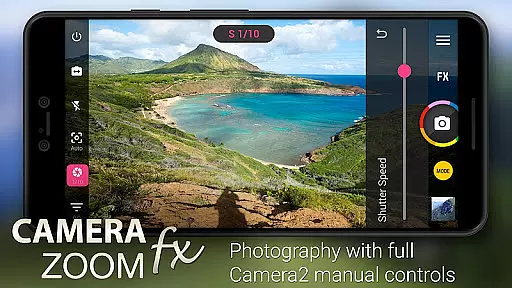
Camera ZOOM FX Premium is a feature-rich photography app that transforms your Android device into a professional-grade camera. With advanced manual controls and Camera2 API support, it allows users to adjust ISO, shutter speed, and focus distance for optimal photo quality. The app also supports RAW capture on compatible devices, making it ideal for photographers who demand greater editing flexibility.
Beyond its core functionality, the app offers creative tools like photo filters, collage creation, and photo composition guides. Whether you're capturing action shots or creating artistic compositions, this app provides the tools needed to produce stunning images. Its intuitive interface and customizable options make it suitable for both amateur and professional photographers looking to enhance their mobile photography experience.
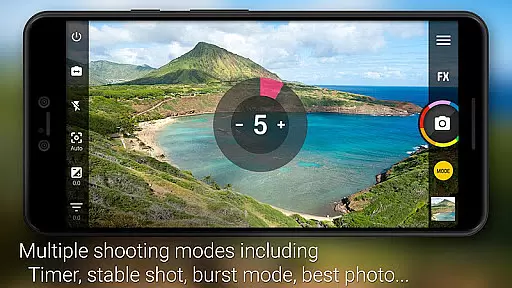
Camera ZOOM FX Premium stands out with its extensive set of features designed to give users full control over their photography. The app leverages the Camera2 API to provide DSLR-like manual controls, enabling adjustments to ISO, exposure, and shutter speed. This level of control is complemented by advanced shooting modes such as HDR, Time Lapse, and Stable Shot, which help users capture high-quality images in various scenarios.
In addition to its technical capabilities, the app includes a wide array of creative effects and filters. Users can apply retro, vintage, and artistic filters to their photos, or use the built-in Collage Maker to create visually appealing compositions. The app also supports external storage and custom folders, allowing for efficient organization of photos. These features collectively ensure that users have all the tools they need to express their creativity and produce professional-quality images directly from their mobile devices.
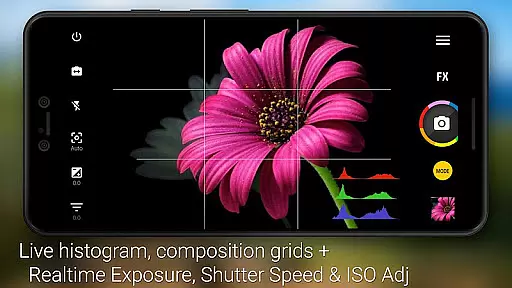
Real-time capture and preview functionality is essential for ensuring that every photo taken meets the user's expectations. Camera ZOOM FX Premium offers a robust set of features that allow users to see exactly what the camera sees, with zero shutter lag. This ensures that moments are captured instantly and accurately.
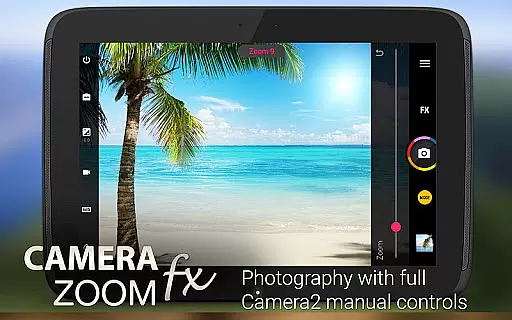
The app leverages advanced Camera2 API controls, providing users with DSLR-like manual settings directly on their Android devices. Users can adjust ISO, focus distance, exposure, and shutter speed in real time, allowing for precise control over the final image quality. These capabilities make it possible to capture professional-grade photos without needing specialized equipment.
For those who demand the utmost in image fidelity, Camera ZOOM FX supports RAW capture on compatible devices. This feature allows photographers to retain maximum detail and dynamic range, providing greater flexibility during post-processing. The ability to shoot in RAW ensures that images maintain their quality, even when subjected to extensive editing.
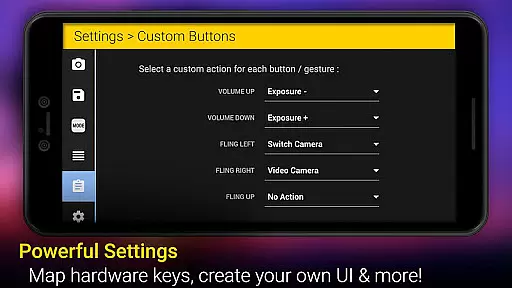
With its intuitive interface and customizable button layout, Camera ZOOM FX makes it easy for users to access these powerful features quickly. Whether capturing action shots or composing intricate photo compositions, the real-time preview ensures that users can achieve their desired results with confidence.
AI beauty and enhancement features have become increasingly popular in photography apps, offering users the ability to refine and perfect their images effortlessly. Camera ZOOM FX Premium stands out by providing natural-looking enhancements that preserve the authenticity of each photo while elevating its overall appeal.
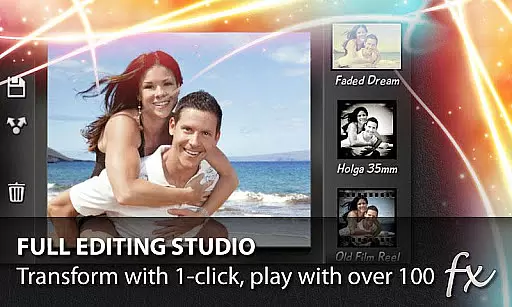
The app includes a wide array of effects such as Vignette, Retro, Holga, Bokeh, Lomo, and Hipster filters, which can be applied in real time. These filters enhance the aesthetic qualities of photos without appearing artificial or over-processed. Users can experiment with different styles to find the perfect look for their images, ensuring that each photo reflects their unique vision.
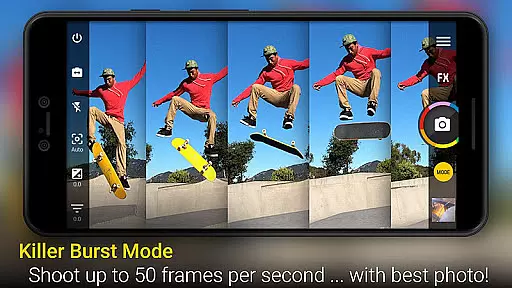
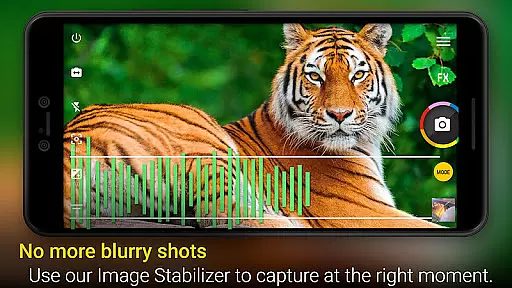
In addition to artistic filters, Camera ZOOM FX also offers practical tools like Stable Shot and Best Photo Mode. Stable Shot helps reduce blurriness and improve clarity, especially in low-light conditions or when shooting moving subjects. Meanwhile, Best Photo Mode automatically selects the best image from a series of shots, ensuring that users always get the sharpest and most well-composed photo possible.
Furthermore, the appu2019s AI-driven enhancements extend beyond simple beautification. Features like Tilt-shift filter and 360 Horizon level provide creative options for altering perspective and composition, adding an extra layer of sophistication to photos. With these tools, users can transform ordinary snapshots into stunning works of art, all while maintaining a natural appearance.
Advanced manual controls
Supports RAW capture
Wide range of effects
Fast burst mode
User-friendly interface
Complex for beginners
Some features device-specific
Occasional stability issues
Requires learning curve
Premium price tag

Perfect photos with body shaping, BG changer and object remover.
 3.70
3.70
Easily stitch panoramas from multiple photos or video.
4.40
Create AI Photos, Improve and restore quality of blurry, old or damaged pics.
4.20
Amazing Photo Effects - The most fun you can have with your photos!
4.70
Transform Photos: Edit, Beautify and Craft Memories & Make Collages!
4.10
Catch sunlight, sunrise sunset times and sun phases with the AR sun tracker.
4.10
PhotoSync Bundle Add-On License. Enables all features and services in PhotoSync.
4.60
Enhance, upscale, and transform your images — on your device, without limits
4.70
A unique animation app. Powerful, easy to use, and lots of fun.
4.30
Find time and duration of different sunlight phases at any location
4.90
1M influencer's special filter
4.60
Viewfinder, Light meter, Reciprocity failure time, DOF & Bellows Extension
4.60
Easily create custom gifts, cards, photo books & more on the Shutterfly app!
4.60
Discover & download millions of art for The Frame TV or Hisense CanvasTV
4.60
Effortlessly organize, view and share your photos & videos with Gallery app!
4.40
Smart, light, and fast photo and video gallery
4.30
live datamoshing
4.00
Astrophotography with your smartphone, photo live stacking and much more!
3.90
Remote control the phone camera shutter from your smartwatch and take a picture
1.60


User Reviews