
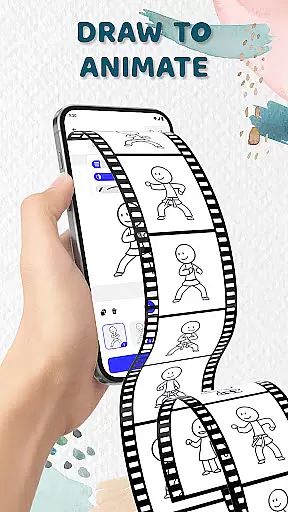
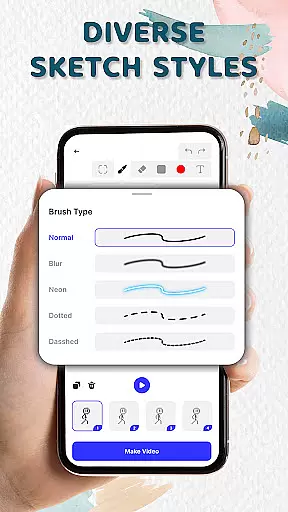
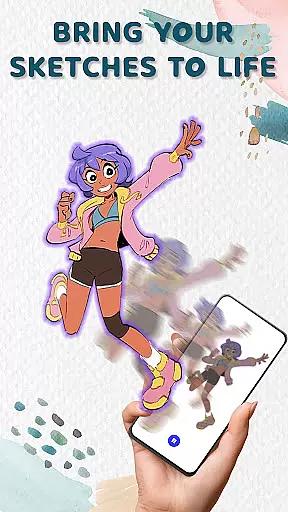
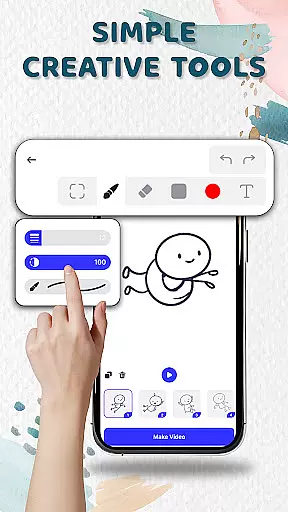
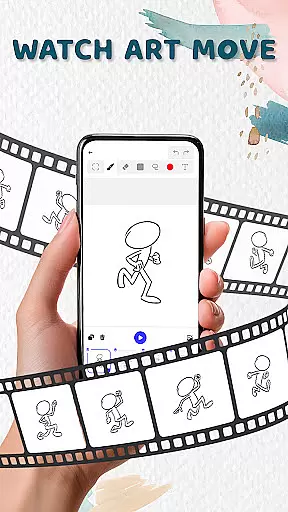
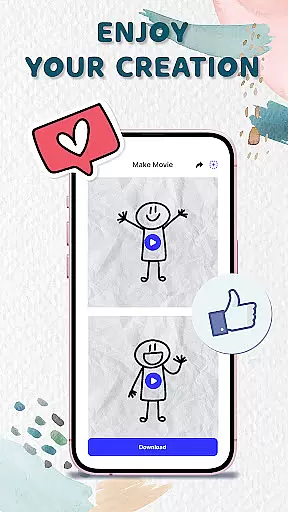
Animation Draw: Flip Maker is a creative app that transforms simple sketches into dynamic animations. Designed for both beginners and enthusiasts, this pocket studio allows users to explore their artistic potential through intuitive tools and classic flipbook-style animation. The app supports various creative processes, from drawing characters to crafting short animated stories, making it ideal for doodlers, storytellers, and experimenters alike.
With features like onion skinning, customizable pen sizes, and color options, Animation Draw ensures smooth motion and professional results. Whether you're creating stickman adventures or playful cartoons, the app offers endless possibilities for storytelling and self-expression. Once complete, animations can be exported as GIFs or MP4 files, ready to share with friends, family, or online audiences.
This app is perfect for anyone who wants to bring their imagination to life while enjoying the process of creation. By combining user-friendly functionality with powerful design tools, Animation Draw empowers artists of all levels to produce engaging animations effortlessly.
Animation Draw stands out with its robust set of features tailored for creativity. One key highlight is its flipbook-style animation system, which mimics traditional hand-drawn techniques in a digital format. Each frame builds upon the last, allowing users to create fluid movements—from basic gestures like waving to complex actions such as jumping across obstacles.
The app also includes advanced tools like onion skinning, enabling users to see faint outlines of previous frames for smoother transitions. Adjustable pen sizes and vibrant color palettes provide flexibility in style, while an easy-to-navigate interface ensures accessibility for newcomers. These features collectively enhance precision and encourage experimentation without overwhelming the user.
Another standout aspect is the ability to export finished projects in widely-used formats such as GIF and MP4. This feature not only makes sharing convenient but also broadens the reach of your creations. Whether used for personal enjoyment or professional purposes, Animation Draw delivers a seamless experience that bridges simplicity and sophistication.
In the realm of digital artistry, having access to comprehensive creative tools is paramount. Animation Draw: Flip Maker offers an extensive suite of features that cater to both budding artists and seasoned creators. The app includes adjustable pen sizes, a vibrant color palette, and onion skinning capabilities, which collectively ensure smooth and expressive animations.
These tools are meticulously designed to enhance the creative process. Users can seamlessly transition from simple sketches to complex animated sequences, thanks to intuitive controls and responsive functionalities. Such depth in available options empowers users to experiment with various styles and techniques without limitations.
The significance of these tools lies in their ability to transform static drawings into dynamic stories. By providing mechanisms for detailed customization and precision, Animation Draw enables creators to breathe life into their imagination effortlessly. This results in a more engaging and fulfilling artistic experience.
Ultimately, the inclusion of these sophisticated yet accessible tools underscores the app's commitment to nurturing creativity. Artists can focus on their vision, confident that the app's robust toolkit will support even their most ambitious projects.
A versatile canvas is essential for unleashing artistic potential, and Animation Draw: Flip Maker excels in this aspect by offering remarkable format flexibility. Users can explore different dimensions and resolutions, tailoring their workspace to fit specific project requirements or personal preferences.
This adaptability extends beyond mere canvas size; it encompasses a range of formats suitable for diverse outputs. Whether creating GIFs or MP4 videos, artists have the freedom to choose the best format that aligns with their creative goals. This ensures that final animations retain quality and impact across various platforms.
Moreover, the app supports exporting works in popular formats like GIF and MP4, facilitating easy sharing and distribution. This versatility not only enhances the creative workflow but also broadens the audience reach, allowing creations to be appreciated by friends, family, or global communities online.
By prioritizing canvas and format flexibility, Animation Draw empowers artists to push boundaries and explore new horizons. This feature-rich environment fosters innovation and encourages users to share their unique visions with the world confidently.
User-friendly interface
Versatile drawing tools
Supports multiple formats
Encourages creativity
Perfect for beginners
Limited advanced options
No collaborative features
Basic tutorial section
Occasional lag
Fewer filters

AI generated images & photos, turn your words into drawing, painting & pictures.
 4.30
4.30
Customizable Outlined Fonts. Watch Face Format. Battery friendly Digital Clock.
4.20
Create trending AI photos & videos with powerful effects and 3D styles.
3.20
Art of Combination Wear OS Watch faces
4.5
Create color palette from Image, RGB & RYB Color wheel harmonies, Color Scheme
4.50
The perfect place to start sketching! Use Sketchbook to draw and paint sketches.
4.50
2D animation studio for Android tablets - unlimited layers, infinite timeline
4.70
Just trace a projected picture on paper and color! Draw & Paint with AR drawing
4.40
How to draw anime step by step for beginner easily by AR drawing sketch & paint.
3.60
Your AI soulmate — meaningful chats, and unique emotional moments
4.70
Draw anime & manga drawing, art with templates to create stunning picture!
4.50
Unleash your drawing and painting potential
4.50
Photo blender app to create overlay photos & double exposure.
4.40
Everything you need to create hand drawn animation, anywhere you go!
4.40
Trace, draw, and create art with AR - from memes to masterpieces!
4.30
Get creative and make art with your Sesame Friends!
4.00
Sketch, trace and master AR drawing with awesome anime art!
3.30
Inky runs Inkscape on Android devices and Chromebooks
2.90
Premium version of Shimeji-ee app with no ads & no limit active shimeji
4.0


User Reviews