
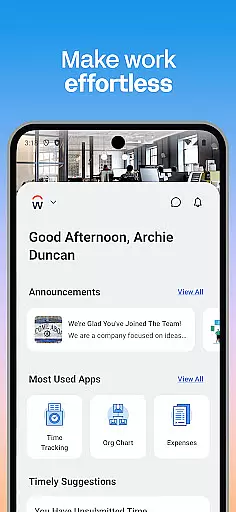
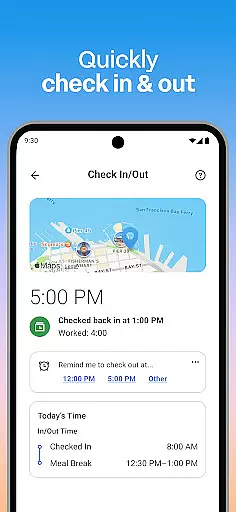
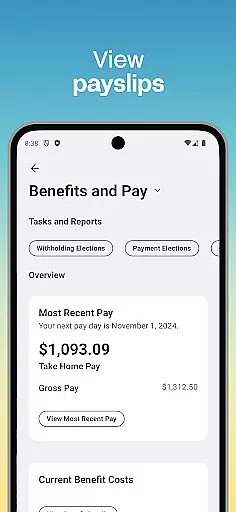
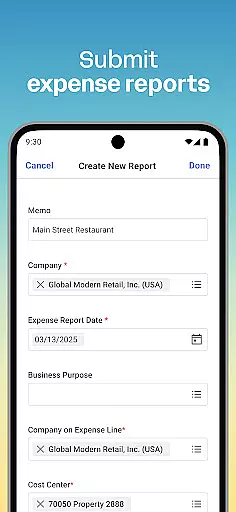
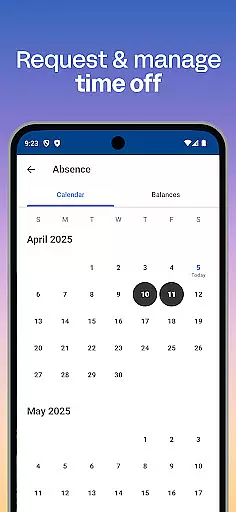
Workday is a comprehensive business application designed to enhance workplace productivity through its all-in-one platform. The app provides users with essential tools and insights needed for efficient task management, including time tracking, payroll access, and team communication. Its intuitive interface ensures that employees can easily navigate through various features such as submitting timesheets, requesting time off, and accessing payslips.
Beyond basic employee functions, Workday also offers specialized HR management capabilities for managers. These include approving requests, managing employee roles, and conducting performance reviews. With its focus on security, the app employs biometric authentication and cloud-based data storage, ensuring sensitive information remains protected while being readily accessible. This makes Workday an invaluable tool for businesses seeking to streamline operations and empower their workforce.
Workday stands out with its extensive feature set tailored to both employees and managers. For regular users, the app simplifies daily tasks by providing push notifications for important deadlines, enabling easy submission of timesheets and expenses, and offering instant access to payslips. Additionally, it fosters better team connectivity by allowing users to learn about their teammates and check in and out of work seamlessly.
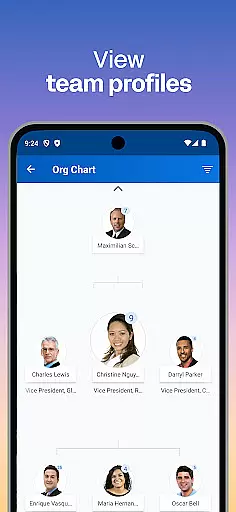
For managerial staff, Workday offers advanced functionalities such as one-tap approval of employee requests, detailed team profiles, and compensation management. Managers can also utilize interactive reports and dashboards to gain deeper insights into team performance. The app's flexibility extends to personalized user experiences, ensuring quick access to frequently used tools and actions. This combination of robust features, ease of use, and top-tier security establishes Workday as a leading solution in the business category.
Collaboration is at the heart of workplace productivity, and Workday excels in providing tools that foster seamless teamwork. The app allows users to connect with teammates effortlessly, making collaboration both intuitive and efficient.
Through its platform, Workday enables managers and employees to interact within a shared space. Managers can approve employee requests with a simple tap, view detailed team profiles, and even adjust employee roles as needed. This ensures that everyone stays aligned with the organization's objectives.
Additionally, the app offers interactive reports and dashboards, which are crucial for collaborative decision-making. These features allow teams to track progress, manage payroll, and request compensation changes collaboratively, ensuring that all team members have access to the same up-to-date information.
Effective task management is essential for maintaining productivity, and Workday provides comprehensive tools to help users stay on top of their responsibilities. From submitting timesheets and expenses to requesting time off, the app consolidates all necessary tasks into one convenient location.
One standout feature is the push notification system, which reminds users of important tasks, ensuring nothing falls through the cracks. Employees can easily check in and out of work, learn new skills via training videos, and explore internal opportunities such as gigs and jobs within the organization.
For managers, the app goes a step further by offering advanced task management capabilities. They can use the hours tracker to monitor employee timesheets, conduct performance reviews, and manage various HR functions. This holistic approach ensures that both individual and team tasks are efficiently managed, contributing to overall organizational success.
User-friendly interface
Comprehensive task management
Advanced HR tools
Secure data handling
Cloud-based accessibility
Limited customization options
Occasional syncing issues
Steep learning curve
High cost for small businesses
Dependent on internet connection

Find jobs and make money fast with JobStack.
 4.60
4.60
Scan Business Cards & Conference Badges - Capture Leads at Events & Tradeshows
4.20
VSD Viewer - Visio Drawings Viewer for Android Preview VSD, VDX, VSDX drawings
4.10
BuildCalc - the easiest AND the most advanced construction calculator app.
4.80
Manage work life on the go
4.50
Get instant construction estimates: accurate home repair & material calculator.
4.70
Finance, Investing, Stocks, Trading and Stock news
4.60
Access to Paylocity, empowering employees with information they need 24/7.
4.70
Smarter career moves start here. AI job alerts, insights & the right tools.
4.20
FaxCover - Create fax cover pages. Works with any app or fax machine.
4.90
USPS Mobile®Access USPS.com’s most popular tools on-the-go.
4.70
We help people get jobs
4.70
AI-powered document scanner with auto enhance for perfect PDFs.
4.60
No more passwords, easier sign-in, and greater protection for your accounts.
4.60
ANDROID'S TOP MOBILE OFFICE - Word, Excel, PowerPoint and PDF at your fingertips
4.50
Collaborate seamlessly with Google Chat, part of Google Workspace
4.50
FX Plus adds media, networking, and cloud capabilities to FX File Explorer.
4.10
Shop, deliver, and earn with the Spark Driver™ App
4.10
Access All PDF Files
3.40


User Reviews