
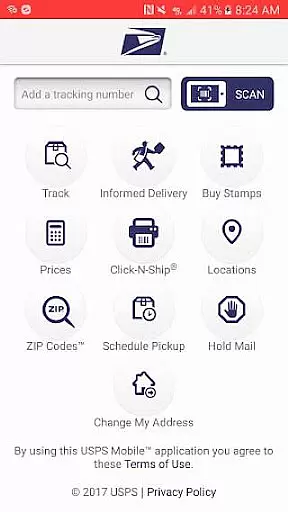
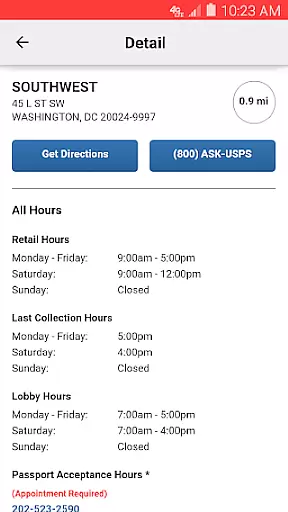
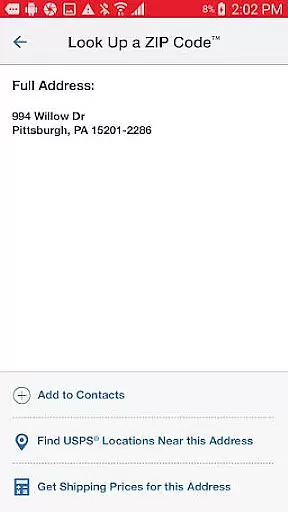
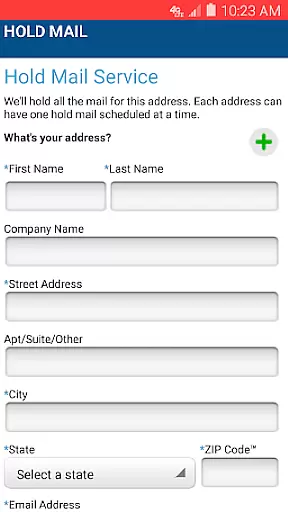
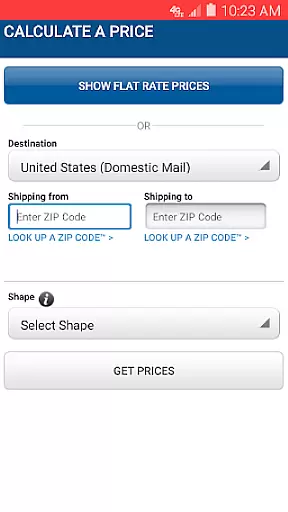
USPS Mobile® is a comprehensive business tool designed to streamline postal services for users on the go. This application brings essential USPS.com® functionalities to your fingertips, allowing you to calculate shipping prices, locate Post Office™ locations, look up ZIP Codes™, and manage mail services with ease. Whether you need to schedule a next-day pickup or request mail hold service during your absence, the app provides a convenient solution.
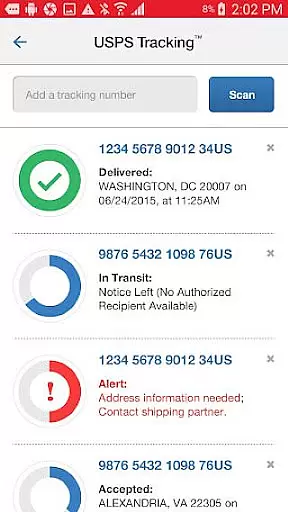
The app also integrates with Informed Delivery®, empowering users to track packages and preview incoming mail digitally. With compatibility extended to newer Android phones and various bug fixes incorporated, USPS Mobile® ensures reliable performance while offering features like shipment status tracking, nickname customization for shipments, and real-time alerts via text and email notifications.
For businesses and individuals who rely on postal services, USPS Mobile® offers practical tools that save time and enhance productivity. From finding the nearest Self-Service Kiosks to scanning barcodes on shipping labels, this app transforms how users interact with postal services, making it an indispensable asset for modern business operations.
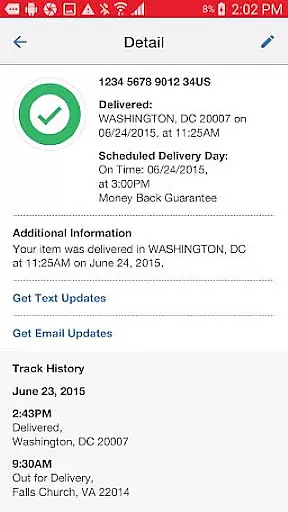
USPS Mobile® stands out with its diverse range of features tailored for both personal and business use. One of its core functionalities includes the ability to check the status of shipments sent using services like Priority Mail®, Priority Mail Express®, and Certified Mail®. Users can personalize their shipments by assigning nicknames and opt for text and email alerts to stay updated on delivery statuses.
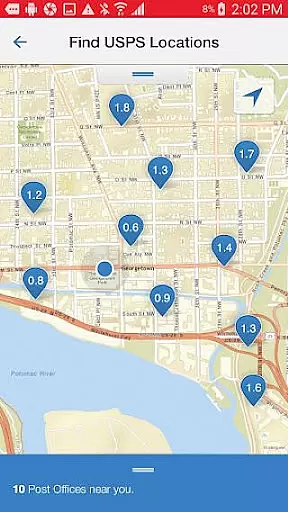
Another significant feature is the capability to calculate domestic or international shipping prices. The app allows users to determine the required postage for shipping letters, cards, large envelopes, or packages, with options to choose between retail or online pricing. Additionally, users can find nearby USPS® locations using GPS functionality, which displays Post Office™ locations, Self-Service Kiosks, and collection boxes on an interactive map complete with directions.
Other notable features include scheduling free next-day pickups, requesting Hold Mail Service, and scanning barcodes on shipping labels for easy tracking. Integration with Informed Delivery® further enhances user experience by providing digital previews of incoming mail and package tracking, making USPS Mobile® a versatile tool for managing postal needs efficiently.
In today's fast-paced business environment, the ability to collaborate effectively is crucial. The USPS Mobileu00ae app facilitates this by providing tools that are accessible on-the-go, ensuring that teams can stay connected and productive.
Through the app, users can access essential USPS.comu00ae services which enable them to calculate shipping prices, find Post Officeu2122 locations, and look up ZIP Codesu2122. These features ensure that collaborative efforts such as shipping and logistics are streamlined, allowing teams to focus on their core tasks without being hindered by these auxiliary processes.
Moreover, the app allows for the tracking of shipments with services like Priority Mailu00ae, Priority Mail Expressu00ae, and Certified Mailu00ae. Users can nickname shipments and receive real-time updates via text and email alerts, keeping every team member in the loop regarding important deliveries.
The USPS Mobileu00ae app also offers a Find USPSu00ae Locations feature, using GPS to display nearby Post Officeu2122 locations on a map, complete with directions. This ensures that collaborative teams can efficiently manage their time and resources when planning pickups or drop-offs, enhancing overall productivity.
Efficient task management is at the heart of any successful business operation, and the USPS Mobileu00ae app excels in providing tools that help users manage their mailing and shipping tasks with ease.
One key feature is the ability to schedule a free next-day pickup, allowing users to arrange for their Letter Carrier to pick up various types of shipments from their home or office during regular mail delivery. This simplifies the task management process by eliminating the need for trips to the Post Officeu2122.
Additionally, the Request Hold Mail Service is invaluable for task management when users are away. By holding mail at the local Post Officeu2122, it ensures that important documents are not left unattended and can be collected upon the user's return, maintaining security and organization.
For those who want to keep track of incoming mail, the app provides access to Informed Deliveryu00ae, allowing users to preview their householdu2019s incoming mail and track packages digitally. This level of oversight contributes to superior task management by keeping users informed and prepared for incoming deliveries.
User-friendly interface
Comprehensive postal tools
Real-time shipment tracking
Convenient mail management
Integrated GPS functionality
Limited to USPS services
Occasional bugs reported
Requires internet connection
Some features have limitations
Compatibility issues on older devices

Quickly open and manage PDF files on your device.
 3.80
3.80
The Penny Puss app with DG penny finder
4.10
Find the right fit, faster.
4.70
Simple, Fast & Lightweight
3.90
Paychex Flex - Save Time and Stay Connected
4.60
One marketplace. Hundreds of services. Unlimited possibilities. All on Fiverr.
4.40
Recover what matters — quickly and easily.
4.70
Access All PDF Files
3.40
Smarter career moves start here. AI job alerts, insights & the right tools.
4.20
AI-powered document scanner with auto enhance for perfect PDFs.
4.60
Earn money with the driver & delivery partner app for Uber, UberEats & Postmates
4.60
ANDROID'S TOP MOBILE OFFICE - Word, Excel, PowerPoint and PDF at your fingertips
4.50
Find jobs near you and temp work in minutes, from your phone.
4.50
All-in-one Mobile solutions for employees & managers to succeed at work
4.30
Make money as a delivery driver with DoorDash and work when you want as a Dasher
4.30
Build a store in minutes with our full suite of AI tools. Start for free!
4.20
Shop, deliver, and earn with the Spark Driver™ App
4.10
On the go? Take FedEx with you.
4.00
Find part-time earning opportunities near you that pay within days.
3.20


User Reviews