
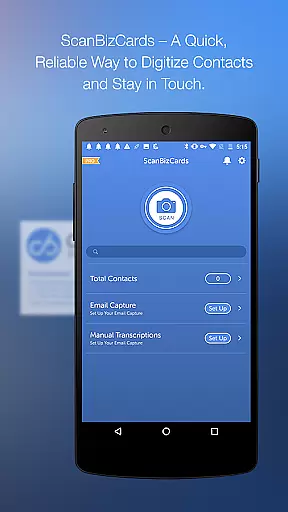
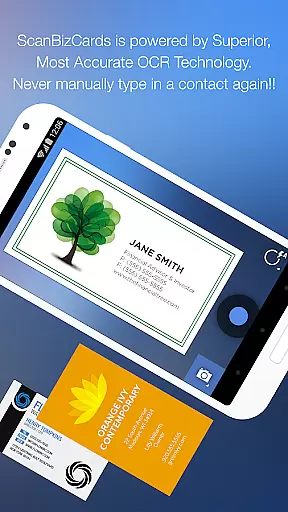
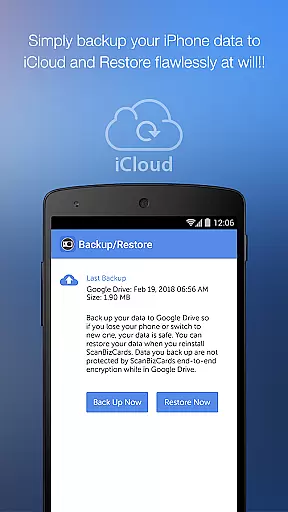
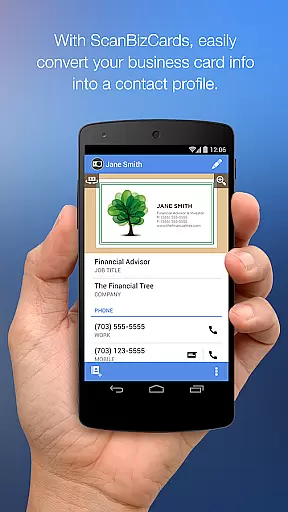
ScanBizCards Premium is a versatile business card management solution for Android users. This app allows professionals to digitize and organize their scattered business cards efficiently. With features like email signature capture, direct CRM exports, and batch scanning, it transforms how you manage contacts.
The app's latest updates include an upgraded OCR engine that ensures faster and more accurate scans, making it five times quicker than before. It also offers unlimited card exports to Salesforce CRM, which is particularly beneficial for sales professionals who rely on customer-relationship management software. Additionally, the unique human transcription service guarantees 100% accuracy for your scanned cards.
Whether you're attending conferences or managing daily contacts, ScanBizCards streamlines the process by allowing users to snap, scan, review, and add new contacts seamlessly. Its support for 22 languages and integration capabilities with platforms like Salesforce and SugarCRM make it an indispensable tool for international business operations.
ScanBizCards Premium stands out due to its comprehensive feature set tailored for modern professionals. One of its key highlights is the ability to perform batch scanning, enabling users to scan multiple business cards rapidly and export them to CRMs like Salesforce in under 30 seconds. This functionality significantly boosts productivity, especially during networking events or trade shows.
Another remarkable feature is the Email Signature Capture, which connects directly to Gmail and Outlook accounts. This tool automatically finds new contacts or updates existing ones from email signatures, ensuring your address book remains current without manual input. The app also supports double-sided business card scanning and provides a 3D gallery view mode for easy navigation through your collection.
For those requiring absolute precision, ScanBizCards offers a human transcription service where submitted cards are transcribed with 100% accuracy. Users can create personal notes, organize cards into custom folders, and even send Quick Intro emails complete with pictures and contact information. These robust features collectively enhance user experience by simplifying contact management tasks while maintaining high standards of accuracy and efficiency.
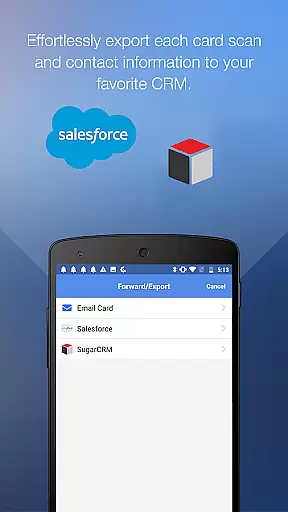
ScanBizCards Premium revolutionizes collaborative work by integrating advanced CRM connectivity options. The app allows seamless synchronization with major platforms like Salesforce and SugarCRM, ensuring teams can effortlessly share contact information.
One of the standout features is the ability to export business cards directly to CRM systems. With the premium version, users can export up to seven cards per month to Salesforce, while US users enjoy unlimited exports when they connect their email for signature capture. This ensures that sales teams always have access to the latest lead information.
The app also supports batch scanning, enabling users to process multiple business cards in quick succession. This feature is particularly useful at conferences or networking events where numerous contacts are made. Within 30 seconds, these new contacts can be converted into leads and shared across the team's CRM platform.
Additionally, ScanBizCards facilitates real-time updates through its email signature capture functionality. By connecting their email accounts, users can automatically find and update contacts from email signatures, keeping the entire team's address book current without manual entry.
Effective task management is crucial for productivity, and ScanBizCards excels in this area by streamlining contact management processes. The app offers a systematic approach to handling business cards, transforming them from physical clutter into organized digital records.
Users can capture contacts in four straightforward steps: snapping a photo of the card, scanning it, reviewing the digitized information, and adding it to the address book. This structured workflow ensures no detail is overlooked and all contacts are accurately recorded.
For enhanced organization, ScanBizCards allows users to create personal notes for each card and sort them into custom-named folders. This level of categorization helps professionals manage their networks more efficiently, especially when dealing with large volumes of contacts.
Moreover, the app's ability to scan double-sided business cards and support 22 languages makes it versatile for international business environments. Users can search their collection easily and share contacts via email, making collaboration and communication within teams smoother and more efficient.
User-friendly interface
Fast and accurate scanning
Unlimited CRM exports
Multi-language support
Human transcription service
Premium version costly
Limited free features
Occasional sync issues
Heavy on storage
Requires constant updates

Find flexible, hourly jobs hiring near you in restaurant, retail & hospitality!
 4.00
4.00
VSD Viewer - Visio Drawings Viewer for Android Preview VSD, VDX, VSDX drawings
4.10
Convert Your Lovable.dev Website into a Mobile App Instantly!
4.3
Manage work life on the go
4.50
One marketplace. Hundreds of services. Unlimited possibilities. All on Fiverr.
4.40
enjoy effortless PDF reading anytime, anywhere
3.90
view, manage, and share every PDF file you have
3.60
Find part-time earning opportunities near you that pay within days.
3.20
We help people get jobs
4.70
Get instant construction estimates: accurate home repair & material calculator.
4.70
AI-powered document scanner with auto enhance for perfect PDFs.
4.60
Earn money with the driver & delivery partner app for Uber, UberEats & Postmates
4.60
Chat, meet, and collaborate to achieve more together, all in one place on Teams
4.60
The revolutionary flexible staffing platform
4.40
All Your Gig Work. One App.
4.30
Make money as a delivery driver with DoorDash and work when you want as a Dasher
4.30
Zoom built for Chrome OS
3.90
Simple, Fast & Lightweight
3.90
We are a dynamic team of creatives people of design, marketing, web & apps
3.00


User Reviews