
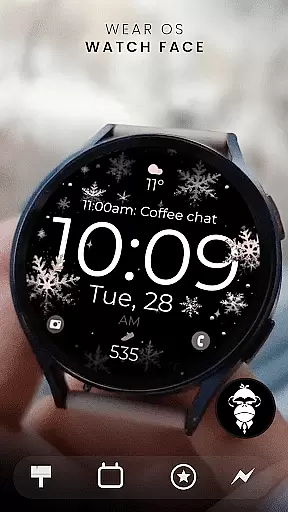
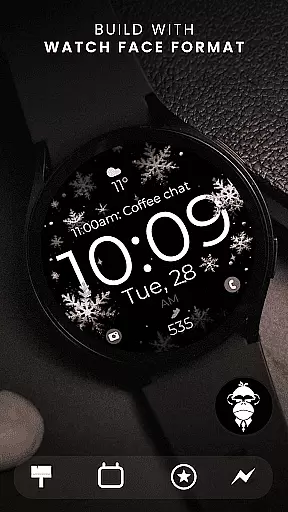
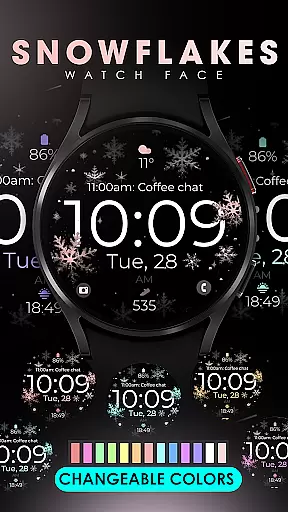
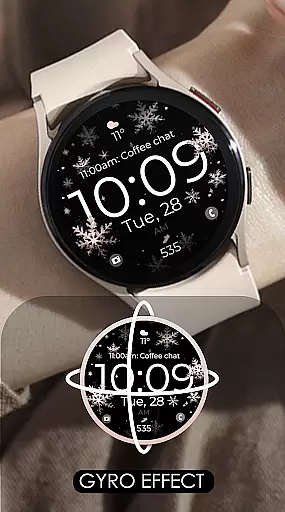
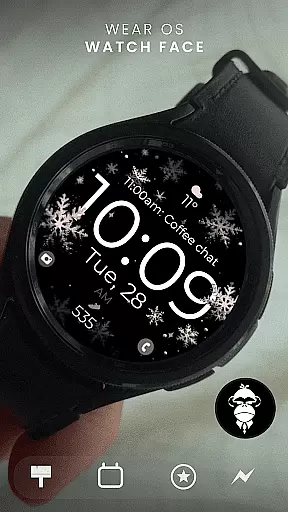
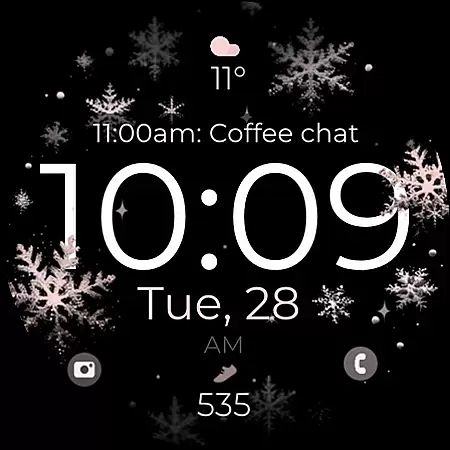
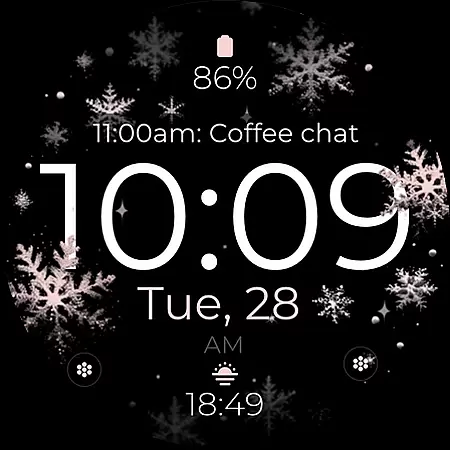
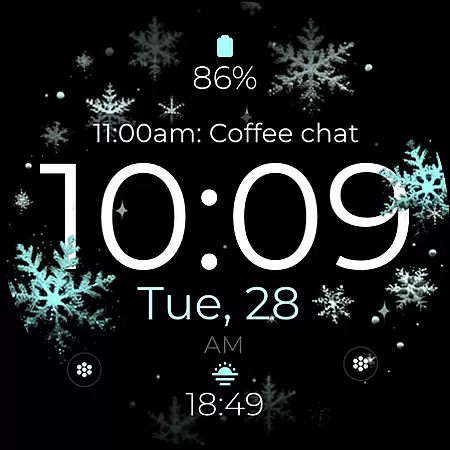
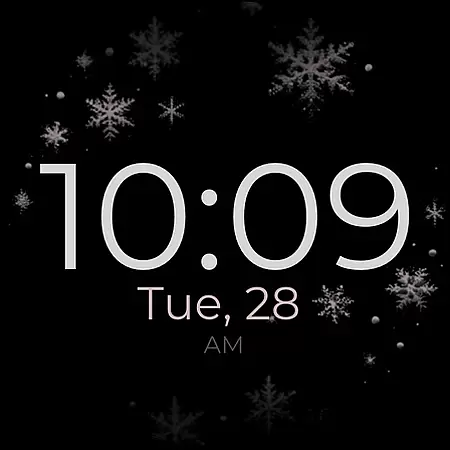
Snowflake Rose Gold is a modern Wear OS watch face featuring a mesmerizing GYRO effect that moves snowflakes as you shift your wrist. The sleek digital design includes customizable colors, allowing users to adjust the silver and rose gold snowflakes to match their personal style.
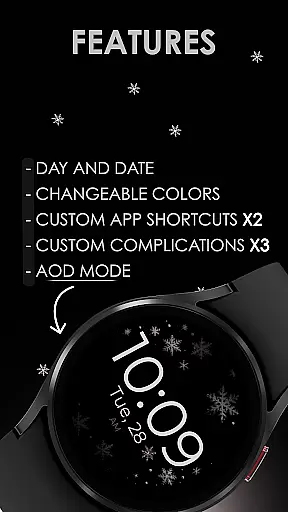
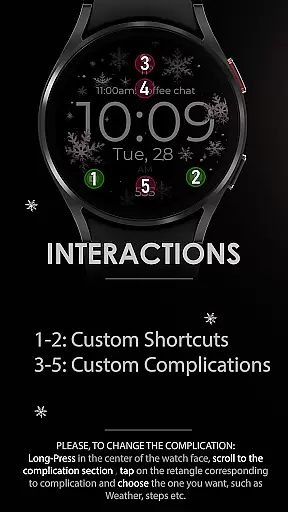
Designed for functionality, it offers day and date displays, two custom app shortcuts, three complications, and Always-On Display (AOD) support. Compatible with all Wear OS devices running API 33+, including Google Pixel Watch and Samsung Galaxy Watch series, this watch face delivers both aesthetics and utility.
This watch face stands out with its unique GYRO effect, creating an eye-catching display of moving snowflakes. Users can customize the color scheme of the snowflakes, choosing from default silver and rose gold tones or setting their own preferences.
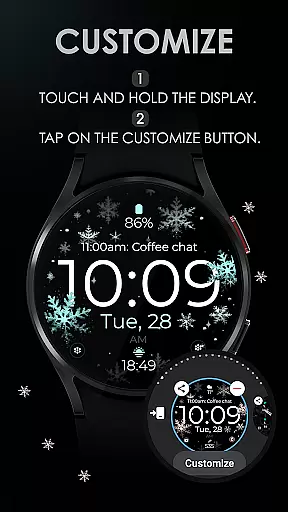
Additional features include day and date indicators, two app shortcuts for quick access, three customizable complications, and AOD support. The intuitive customization process allows users to personalize their watch face by simply touching and holding the screen, then tapping the 'Customize' button.
While visually stunning, it is not suitable for rectangular watches but works seamlessly on round Wear OS devices, ensuring compatibility with popular models like Google Pixel Watch and Samsung Galaxy series.
Companion app integration is essential for a seamless smartwatch experience. Snowflake Rose Gold watch face offers robust companion app support that ensures all features are easily accessible and customizable through your smartphone.
The integration allows users to adjust settings such as snowflake colors, complications, and app shortcuts directly from their phone. This means you can personalize your watch face without needing to interact with the watch interface, streamlining the customization process significantly.
By using the companion app, users benefit from a more intuitive interface on their mobile device. The ability to make changes via a larger screen with more detailed options enhances user satisfaction and ensures that your Wear OS smartwatch perfectly matches your personal style.
This level of integration not only simplifies personalization but also maintains synchronization between devices, providing an efficient way to manage your digital life effortlessly.
Ensuring broad device compatibility is crucial for any Wear OS application. Snowflake Rose Gold watch face is designed to work seamlessly with all Wear OS devices running API 33 and above, including popular models like Google Pixel Watch and Samsung Galaxy Watch series.
This wide compatibility range guarantees that users across different devices can enjoy the unique gyro effect and sleek design. Whether you have a newer model or one from a previous generation, this watch face supports high functionality and visual appeal.
Moreover, it emphasizes optimization for round watches, ensuring the best visual experience without distortion or cropping issues. Users can trust that their watch face will look as intended, maintaining both aesthetics and usability.
With ongoing support and updates, Snowflake Rose Gold remains compatible with future devices and software versions, safeguarding your investment in a stylish and functional wearable experience.
Unique GYRO effect
Highly customizable
Sleek modern design
Wide device support
User-friendly interface
No rectangle support
Limited color presets
API 33+ required
Basic complications
Battery intensive

Wear Os Watch Face - Animated Snow Effect & Christmas Lights
 4.0
4.0
Wear Os Watch Face - Animated Snow Effect & Magic Spark - 6 Scenes
4.10
Easy Voice Recorder is your everyday companion to record important moments.
4.70
Watch face for Wear OS.
4.20
Let's celebrate Thanksgiving - Wear Os watch face
4.20
Fitness interactive virtual pet super fighter boy watch face
4.2
Get helpful reminders, take progress photos and find answers to your questions.
3.90
Your music, your playlists, and more—offline and unlimited.
4.20
Track your active life in one place and share the journey with friends.
4.40
Gym Log & Workout Tracker | Fitness Journal, Training & Weight Lifting Planner
4.90
Ideal for surviving in the wasteland left after nuclear fallout
4.50
Embrace the holiday spirit with this magical animated watch face!
4.40
Beautiful artistic animated digital watch face, with a customizable layout!
4.40
Reliable phone calls with spam protection, caller ID and more helpful features
4.40
Elegant animated Christmas tree with multiple customization options
4.20
Embrace the festive spirit with our Christmas Countdown watchface for Wear OS
4.10
Want to take charge of your health? Let Google Fit help you reach your goals.
3.50
Stay in touch with your friends and family using LINE!
3.40
Hybrid Vibrant Health Watch Face for Wear OS
4.2


User Reviews